Festive Group Dance AI Video Prompt – Create a Realistic Party Dance Video in Flow AI
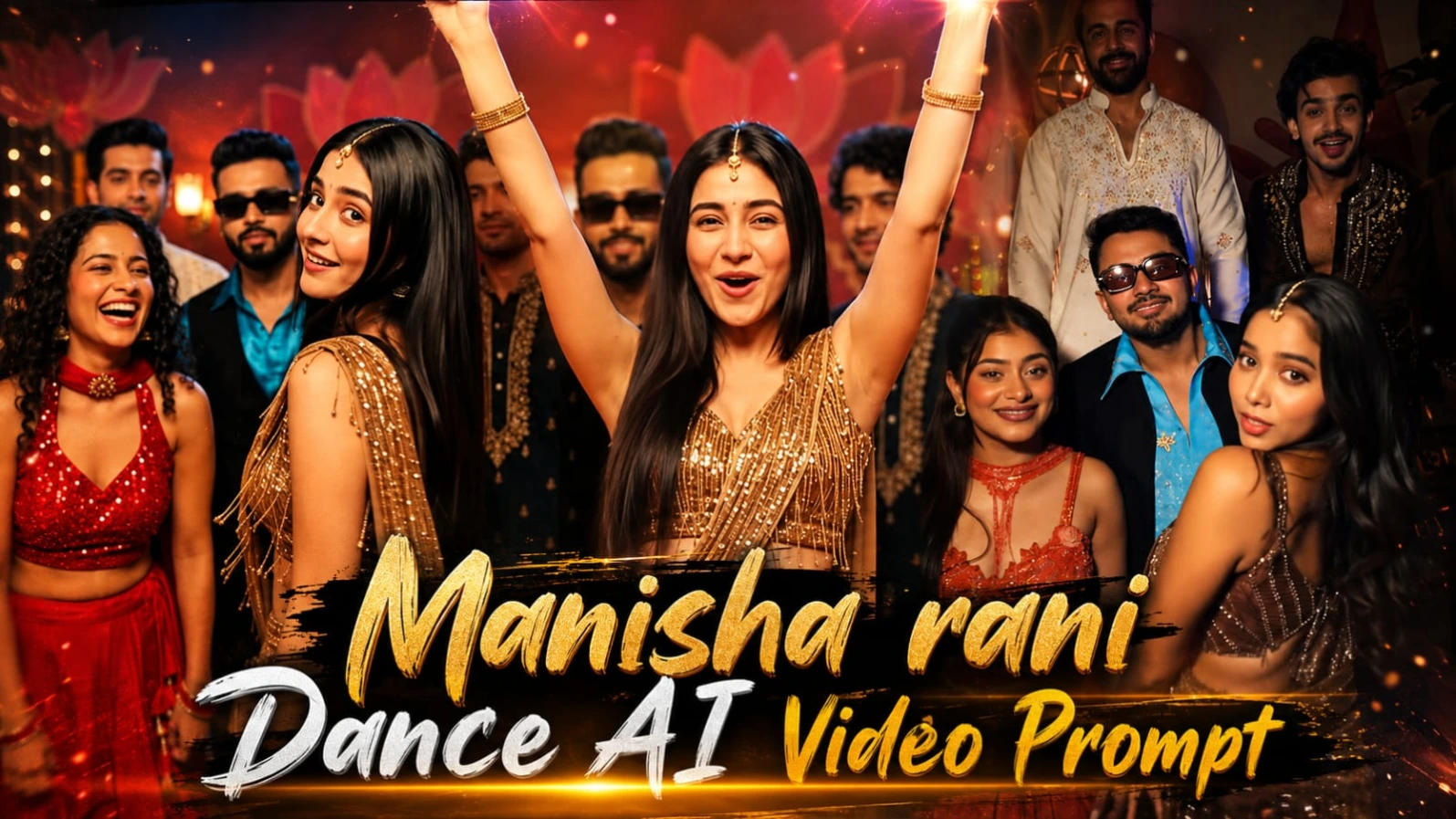
Want to create a joyful, energetic and realistic group dance video using AI? This Festive Group Dance AI Video Prompt is designed to recreate the atmosphere of a lively Indian wedding or indoor celebration. It features a group of friends dancing together, expressive reactions, colourful outfits, warm party lighting and exciting dance movements.
The video uses a vertical 9:16 format, making it suitable for Instagram Reels, YouTube Shorts and other short-form video platforms. Its approximately 15.3-second duration is planned as one continuous camera shot, with no scene cuts or sudden changes in location. The goal is to create the feeling of real phone footage captured during a fun party.
A Festive Indian Party Atmosphere
The setting is an indoor festive party or wedding environment at night. A decorative maroon-red wall creates the main background, featuring large lotus-petal shapes, small golden ornaments and glowing warm lamps. A neon-style illuminated sign appears on the left side, while cool blue spotlights add colour to the upper background.
The combination of warm lighting, deep red tones and golden decorations creates a lively celebration atmosphere. Soft shadows and slight atmospheric haze help the background feel more natural and visually rich. The lighting should remain consistent throughout the video so that the environment does not appear to change between dance movements.
Lead Dancer and Character Identity
The lead dancer is positioned near the front centre-right of the group. Her appearance is one of the most important elements of this prompt. The uploaded character reference and close-up photograph should guide her facial identity throughout the video.
Her face should remain consistent during singing, laughing, turning sideways, looking over her shoulder and moving close to the camera. The prompt specifically requests stable facial features and natural expressions without face morphing or replacing the character with another person.
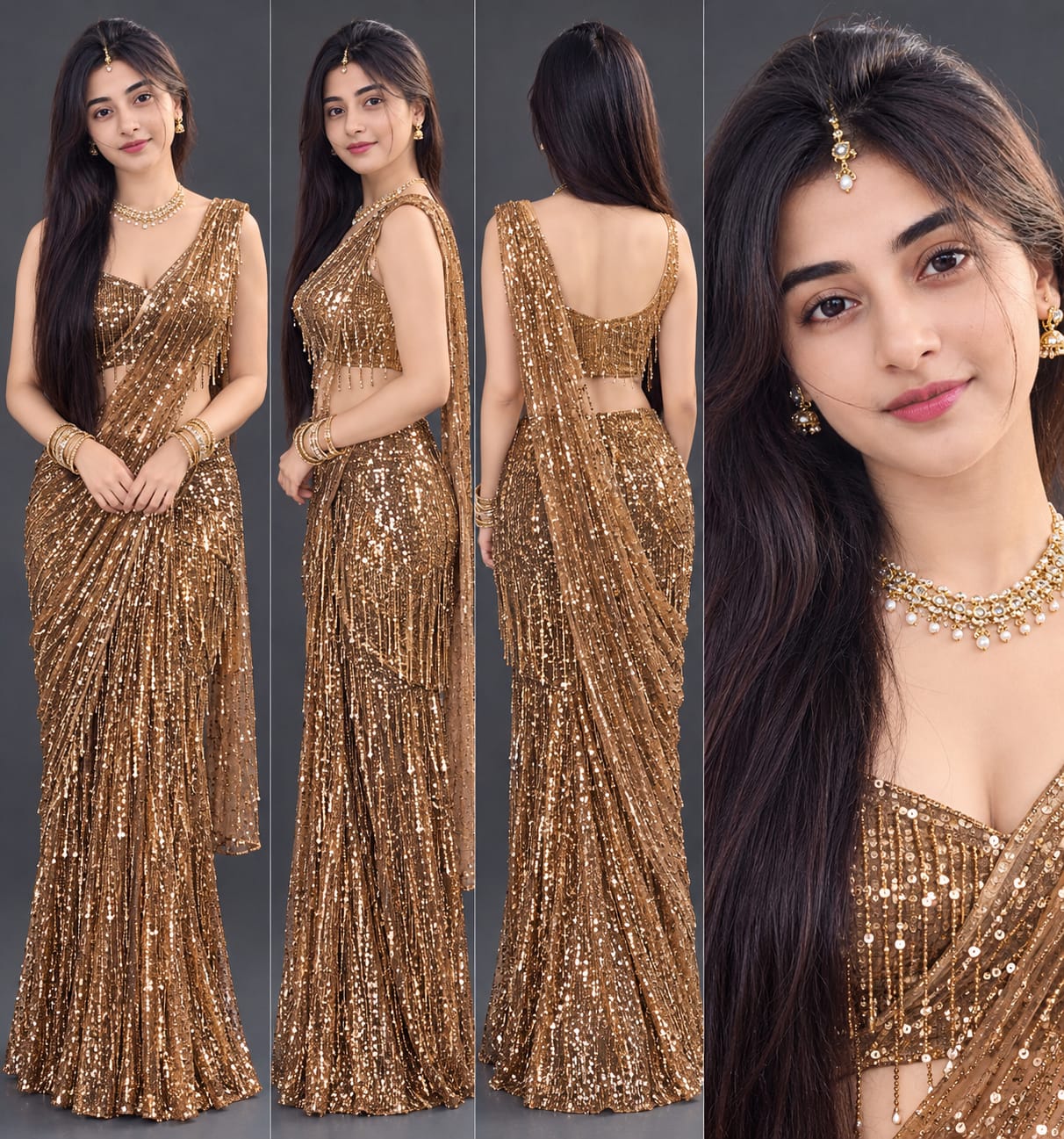
Her hairstyle is long, straight and glossy black hair worn open, with a small gold forehead jewel. Her skin should have a clean, clear and natural appearance with realistic texture rather than an artificial plastic finish.
Detailed Outfit Styling
The lead dancer wears a bronze-gold sequin and tassel-fringe saree-style top with a draped pallu and deep neckline. A matching bronze-gold sequin skirt completes the outfit. Layered gold-and-pearl jewellery, gold bangles and small gold earrings add to the festive appearance.
The other group members also have clearly defined outfits. The woman at the front left wears a red sleeveless sequin halter-style blouse, a red choker necklace and a matching red lehenga skirt. Her curly dark hair and expressive smile contribute to the lively party atmosphere.
The man in the middle wears a bright turquoise glossy satin shirt with an open collar and a black sleeveless waistcoat. His black rectangular sunglasses and trimmed beard create a distinctive look. Behind the group, one man wears a cream embroidered kurta, while another wears a dark kurta with gold embroidery and an open collar.
Keeping these clothing details consistent is important for maintaining visual continuity during the dance.
Complete Dance Sequence
The video begins with everyone looking toward the camera. The lead dancer starts singing with expressive mouth movements and one hand raised. The woman in red smiles, while the men stand behind them.
Next, the lead dancer leans toward the camera with wide eyes and an expressive talking face. Her hands move near her chest as the woman in red laughs.
She then swings her body sideways, allowing her long hair to move naturally. She looks back over her shoulder toward the camera before returning to face the group.
The following moment features a surprised and shy expression. The lead dancer places both hands on her chest, while the woman in red covers her mouth with both hands. The men behind them smile and react to the moment.
A quick dance movement follows. The lead dancer briefly ducks toward the camera and rises again while laughing. Motion blur should appear naturally during fast movements without distorting faces or bodies.
As the energy increases, she raises one arm and then both arms above her head. The woman in red also raises her hands, while the two men in kurtas clap and cheer.
The group then begins dancing together. The lead dancer swings her arms across her body, and the man in the turquoise shirt raises both arms and joins the dance. Everyone moves to the rhythm with joyful expressions.
During the energetic section, the dancers continue moving their arms and bodies naturally. The lead dancer performs wide arm swings, while the others laugh, cheer and dance behind her.
Later, she points one index finger toward the ceiling. The sunglasses-wearing man bends both arms above his head, and the two men in kurtas raise their hands in celebration.
One of the most memorable moments comes when the lead dancer approaches the camera and gives a flying kiss with her fingers near her lips. The close-up should preserve her facial identity and natural expression.
In the final section, she turns away from the camera and stands in the right foreground with her back facing the lens. Her long black hair fills the right side of the frame. The man in the turquoise shirt continues dancing in the centre, while the other group members laugh and move behind him.
Camera and Visual Quality
The camera remains at chest height with waist-up group framing. It should feel like a phone camera recording a real celebration. Only tiny natural handheld movement is requested, with no artificial zoom or sudden camera repositioning.
The visual direction includes warm dim party lighting, deep maroon and red tones, glowing golden sequins, vivid turquoise clothing and cool blue highlights near the ceiling. Natural skin tones, detailed fabric textures and subtle film grain help support the realistic appearance.
The prompt requests an ultra-realistic cinematic finish with high dynamic range and detailed colour grading. Actual resolution, HDR format, colour depth and export quality depend on the capabilities and settings supported by the video-generation platform.
Sound and Party Energy
Sound is an important part of the experience. The requested audio includes festive Hindi party music, laughter, clapping and crowd cheers. These elements should support the expressions and movements, making the scene feel like a real group celebration.
Prompt 07 Watermark
A small white watermark reading "Prompt 07" should remain at the bottom centre throughout the video. It should be subtle and readable without distracting from the dancers. No additional captions, numbers, titles or unrelated overlays should appear.
Why Use This Festive Group Dance Prompt?
This prompt combines several useful elements for AI video creation: detailed character descriptions, outfit consistency, a defined indoor location, specific dance actions, camera instructions and a clear ending. Instead of asking the AI to create an undefined party dance, it provides a planned sequence of expressions and movements.
The continuous-shot approach is especially useful when you want the video to feel like one real recording instead of a collection of unrelated clips. The character reference also gives the generation process a visual guide for the lead dancer.
For the best possible result, use a clear character reference image and check the generated video for facial consistency, outfit details and movement continuity. AI video tools can interpret complex actions differently, so the final result may vary.
This Festive Group Dance AI Video Prompt is a useful option for creators who want to experiment with Indian wedding-style dance videos, festive party scenes and realistic group celebrations. You can use the detailed prompt in Flow AI, subject to the tool's available generation options, and create a vertical video suitable for short-form social media content.
Pehle Character Sheet Photo Banaai ChatGPT Se
AI PHOTO PROMPT
Ultra-realistic character design sheet of ONE young Indian woman on a plain dark-grey studio background, soft even lighting. Four panels in one image: (1) full-body front view...
Ultra-realistic character design sheet of ONE young Indian woman on a plain dark-grey studio background, soft even lighting. Four panels in one image: (1) full-body front view, (2) full-body side view, (3) full-body back view, (4) one large close-up face portrait. Exact same face as my uploaded photo: same face shape, eyes, nose, lips, jawline and age, 100% identity match in every panel. Skin clean, clear, smooth, even-toned, no pimples, acne, spots or blemishes, but the face identity stays exactly the same. Hair: long, straight, glossy black hair worn open, with a small gold maang-tikka forehead jewel. Outfit (exact, do not change): bronze-gold sequin and tassel-fringe saree-style top with a draped pallu over one shoulder and a deep neckline, matching bronze-gold sequin skirt; layered gold-and-pearl necklace, gold bangles on both wrists, small gold earrings, shimmer make-up with glossy lips; gold heels (not visible in the reference, kept simple). Natural skin texture, realistic fabric folds, 8K, sharp detail, no plastic look.
AI PHOTO PROMPT
Ultra-realistic character design sheet of ONE young Indian woman on a plain dark-grey studio background, soft even lighting. Four panels in one image: (1) full-body front view...
Ultra-realistic character design sheet of ONE young Indian woman on a plain dark-grey studio background, soft even lighting. Four panels in one image: (1) full-body front view, (2) full-body side view, (3) full-body back view, (4) one large close-up face portrait. Exact same face as my uploaded photo: same face shape, eyes, nose, lips, jawline and age, 100% identity match in every panel. Skin clean, clear, smooth, even-toned, no pimples, acne, spots or blemishes, but the face identity stays exactly the same. Hair: long, straight, glossy black hair worn open, with a small gold maang-tikka forehead jewel. Outfit (exact, do not change): bronze-gold sequin and tassel-fringe saree-style top with a draped pallu over one shoulder and a deep neckline, matching bronze-gold sequin skirt; layered gold-and-pearl necklace, gold bangles on both wrists, small gold earrings, shimmer make-up with glossy lips; gold heels (not visible in the reference, kept simple). Natural skin texture, realistic fabric folds, 8K, sharp detail, no plastic look.
Format 9:16 vertical, true 8K ultra-realistic cinematic video, HDR10+ / Dolby Vision style high dynamic range, 10-bit colour, cinematic colour grading like the reference...
Format 9:16 vertical, true 8K ultra-realistic cinematic video, HDR10+ / Dolby Vision style high dynamic range, 10-bit colour, cinematic colour grading like the reference (warm dim party light, deep maroon and red tones, glowing gold sequins, vivid turquoise shirt, cool blue light highlights at the top, natural skin tones), razor-sharp detail, subtle film grain, natural skin texture, no plastic look, looks like real phone footage of a real party, not AI-made. Length about 15.3 seconds, ONE continuous shot with no cuts.
FACE AND IDENTITY LOCK: the lead dancer's face must be 100% identical to the character sheet and the face close-up (my uploaded photo) in every frame, at every angle, including the side turn, the extreme close-up flying kiss and the open-mouth singing and laughing expressions. No face morphing, no face change, no different person. Skin clean, clear, smooth, even-toned, no pimples, acne or blemishes. Hairstyle always the same: long, straight, glossy black hair worn open with a small gold forehead jewel. The lead dancer is clearly visible in every frame except the last 1.5 seconds when she stands with her back to the camera. All other people copied exactly from the reference video, same faces, same bodies, same outfits.
OUTFIT LOCK (same in every frame): Lead dancer: bronze-gold sequin and tassel-fringe saree-style top with a draped pallu and a deep neckline, matching bronze-gold sequin skirt, layered gold-and-pearl necklace, gold bangles, small gold earrings. Woman at front left: red sequin sleeveless halter-style blouse with a red choker-style necklace and a red lehenga skirt, bangles, curly dark hair. Man in the middle: bright turquoise glossy satin shirt with open collar under a black sleeveless waistcoat, black rectangular sunglasses, trimmed beard. Man at back left: cream embroidered kurta, trimmed beard. Man at back right: dark kurta with gold embroidery, open collar, curly hair.
LOCATION: an indoor festive party or wedding set at night. A warm maroon-red wall behind the group with large decorative lotus-petal shapes, small gold ornaments, glowing warm lamps and a lit neon-style sign on the left, a dark ceiling at the top with cool blue spot lights. Warm dim light on the faces, soft shadows, a slight haze.
SCENE (one continuous shot, static phone camera at chest height, waist-up group framing, tiny natural handheld drift, no zoom; the group stands in two rows facing the camera, the lead dancer front centre-right):
0.0-1.0s: The group looks into the camera. The lead dancer in front sings with her mouth moving, one hand raised with open fingers, the red-dress woman smiles at the front left, the sunglasses man stands behind her and the two kurta men behind them.
1.0-2.0s: The lead dancer leans toward the camera with wide eyes and an expressive talking face, hands near her chest, the red-dress woman laughs.
2.0-3.0s: She swings her body to the side, turns sideways with her hair swaying, looks at the camera over her shoulder, then turns back.
3.0-4.5s: She faces the camera again with both hands on her chest in a surprised, shy expression, the red-dress woman covers her mouth with both hands, the men behind smile and look on.
4.5-5.5s: A quick dance move with motion blur, the lead dancer ducks down toward the camera and rises back up laughing.
5.5-7.0s: She throws one arm up, then both arms high in the air, cheering with an open mouth, the red-dress woman raises her hands, the two kurta men clap and raise their arms behind.
7.0-8.5s: The whole group starts dancing, the lead dancer swings her arms across her body with motion blur, the sunglasses man raises both turquoise-sleeved arms and dances.
8.5-10.5s: Energetic group dance, arms flying, everyone laughing and moving to the beat, the lead dancer dances with wide arm swings.
10.5-12.0s: The lead dancer reaches one arm up and points her index finger to the ceiling, the sunglasses man bends both arms above his head, the cream-kurta man and the black-gold-kurta man raise their hands, everyone cheers.
12.0-12.8s: She comes close to the camera with her face near the lens and gives a flying kiss with her fingers at her lips.
12.8-15.3s: She turns away and stands in the right foreground with her back to the camera, long black hair filling the right of the frame, while the sunglasses man in the centre dances and smiles with his hands moving, the others laugh and dance behind. The shot ends here.
A small white watermark text "Prompt 07" stays at the bottom centre of the frame in every shot, subtle and not distracting. No other text, number, caption or overlay anywhere on the screen.
Mood like the reference: joyful, loud, festive, fun and full of energy.
No extra scene, no missing scene, no outfit, location or face change, smooth realistic physics, natural sound (festive Hindi party music, laughter, claps, crowd cheers).
AI VIDEO PROMPT
Format 9:16 vertical, true 8K ultra-realistic cinematic video, HDR10+ / Dolby Vision style high dynamic range, 10-bit colour, cinematic colour grading like the reference...
Format 9:16 vertical, true 8K ultra-realistic cinematic video, HDR10+ / Dolby Vision style high dynamic range, 10-bit colour, cinematic colour grading like the reference (warm dim party light, deep maroon and red tones, glowing gold sequins, vivid turquoise shirt, cool blue light highlights at the top, natural skin tones), razor-sharp detail, subtle film grain, natural skin texture, no plastic look, looks like real phone footage of a real party, not AI-made. Length about 15.3 seconds, ONE continuous shot with no cuts.
FACE AND IDENTITY LOCK: the lead dancer's face must be 100% identical to the character sheet and the face close-up (my uploaded photo) in every frame, at every angle, including the side turn, the extreme close-up flying kiss and the open-mouth singing and laughing expressions. No face morphing, no face change, no different person. Skin clean, clear, smooth, even-toned, no pimples, acne or blemishes. Hairstyle always the same: long, straight, glossy black hair worn open with a small gold forehead jewel. The lead dancer is clearly visible in every frame except the last 1.5 seconds when she stands with her back to the camera. All other people copied exactly from the reference video, same faces, same bodies, same outfits.
OUTFIT LOCK (same in every frame): Lead dancer: bronze-gold sequin and tassel-fringe saree-style top with a draped pallu and a deep neckline, matching bronze-gold sequin skirt, layered gold-and-pearl necklace, gold bangles, small gold earrings. Woman at front left: red sequin sleeveless halter-style blouse with a red choker-style necklace and a red lehenga skirt, bangles, curly dark hair. Man in the middle: bright turquoise glossy satin shirt with open collar under a black sleeveless waistcoat, black rectangular sunglasses, trimmed beard. Man at back left: cream embroidered kurta, trimmed beard. Man at back right: dark kurta with gold embroidery, open collar, curly hair.
LOCATION: an indoor festive party or wedding set at night. A warm maroon-red wall behind the group with large decorative lotus-petal shapes, small gold ornaments, glowing warm lamps and a lit neon-style sign on the left, a dark ceiling at the top with cool blue spot lights. Warm dim light on the faces, soft shadows, a slight haze.
SCENE (one continuous shot, static phone camera at chest height, waist-up group framing, tiny natural handheld drift, no zoom; the group stands in two rows facing the camera, the lead dancer front centre-right):
0.0-1.0s: The group looks into the camera. The lead dancer in front sings with her mouth moving, one hand raised with open fingers, the red-dress woman smiles at the front left, the sunglasses man stands behind her and the two kurta men behind them.
1.0-2.0s: The lead dancer leans toward the camera with wide eyes and an expressive talking face, hands near her chest, the red-dress woman laughs.
2.0-3.0s: She swings her body to the side, turns sideways with her hair swaying, looks at the camera over her shoulder, then turns back.
3.0-4.5s: She faces the camera again with both hands on her chest in a surprised, shy expression, the red-dress woman covers her mouth with both hands, the men behind smile and look on.
4.5-5.5s: A quick dance move with motion blur, the lead dancer ducks down toward the camera and rises back up laughing.
5.5-7.0s: She throws one arm up, then both arms high in the air, cheering with an open mouth, the red-dress woman raises her hands, the two kurta men clap and raise their arms behind.
7.0-8.5s: The whole group starts dancing, the lead dancer swings her arms across her body with motion blur, the sunglasses man raises both turquoise-sleeved arms and dances.
8.5-10.5s: Energetic group dance, arms flying, everyone laughing and moving to the beat, the lead dancer dances with wide arm swings.
10.5-12.0s: The lead dancer reaches one arm up and points her index finger to the ceiling, the sunglasses man bends both arms above his head, the cream-kurta man and the black-gold-kurta man raise their hands, everyone cheers.
12.0-12.8s: She comes close to the camera with her face near the lens and gives a flying kiss with her fingers at her lips.
12.8-15.3s: She turns away and stands in the right foreground with her back to the camera, long black hair filling the right of the frame, while the sunglasses man in the centre dances and smiles with his hands moving, the others laugh and dance behind. The shot ends here.
A small white watermark text "Prompt 07" stays at the bottom centre of the frame in every shot, subtle and not distracting. No other text, number, caption or overlay anywhere on the screen.
Mood like the reference: joyful, loud, festive, fun and full of energy.
No extra scene, no missing scene, no outfit, location or face change, smooth realistic physics, natural sound (festive Hindi party music, laughter, claps, crowd cheers).
How to Create a Festive Group Dance AI Video in Flow AI
You can use this detailed Festive Group Dance AI Video Prompt to create an energetic Indian party-style video. Follow the steps below to prepare your character reference and generate the video.
Step 1: Prepare Your Character Reference Photo
First, select the character photo you want to use as the lead dancer. Choose a clear, front-facing photograph in which the face is visible and well-lit.
A sharp face reference can help the AI video tool understand the character's facial appearance. Avoid heavily filtered photos, blurred images and photographs where the face is covered.
If you have a character design sheet with front, side and close-up views, you can use the most suitable reference supported by your generation tool.
Step 2: Open Flow AI
Open Flow AI and select the video-generation option available in your account. The interface and available features may vary depending on the version and access level.
Choose a workflow that allows you to provide a reference image and a text prompt, if that option is available.
Step 3: Upload Your Character Image
Upload your prepared character reference image. Use it as the visual reference for the lead dancer.
The prompt contains detailed instructions for maintaining the same face during singing, laughing, turning sideways and moving close to the camera. However, facial consistency is not guaranteed in every generated frame. Review the result carefully.
Step 4: Copy the Master Video Prompt
Scroll to the Festive Group Dance AI Video Prompt section and copy the complete prompt.
The prompt describes the indoor wedding-party location, maroon-red decorative background, golden ornaments, blue ceiling lights, outfits, group members, camera position, dance movements and ending.
Paste the prompt into the video-generation prompt field. Avoid removing important instructions about the character identity, outfit consistency and scene sequence.
Step 5: Set the Video Format
Select a vertical 9:16 aspect ratio if the option is available.
The requested video duration is approximately 15.3 seconds. If your selected generation workflow does not support this complete duration in one generation, use compatible generation options and preserve the intended sequence.
The original prompt requests one continuous shot with no cuts, a static chest-height phone camera, waist-up framing and very subtle handheld movement.
Step 6: Check the Character and Outfit Instructions
Before generating, check that the prompt includes the correct outfit descriptions.
The lead dancer should wear the bronze-gold sequin and tassel-fringe saree-style top, matching skirt, layered gold-and-pearl necklace, bangles and small earrings.
The woman at the front left should wear the red sequin halter-style blouse and red lehenga. The central man should wear the turquoise satin shirt, black waistcoat and rectangular sunglasses. The two men behind should retain their cream embroidered kurta and dark gold-embroidered kurta outfits.
These details help establish the intended appearance of every group member.
Step 7: Generate the Video
Start video generation using the settings available in your Flow AI workflow.
The planned sequence begins with the group facing the camera, followed by the lead dancer singing, leaning forward, turning sideways, laughing, raising her arms and joining the group dance.
The group then performs energetic movements before the lead dancer points upward and gives a flying kiss near the camera. The final moment shows her back facing the camera while the man in the turquoise shirt continues dancing in the centre.
Step 8: Review the Generated Result
After generation, watch the complete video carefully.
Check these important details:
- The lead dancer's face remains consistent.
- Her long, straight black hairstyle stays the same.
- The bronze-gold outfit remains consistent.
- The other group members retain their intended clothing.
- The maroon-red party background remains stable.
- The dance actions follow the requested sequence.
- The flying kiss and final back-facing moment are included.
- The camera does not introduce unwanted cuts or zooms.
- The Prompt 07 watermark appears at the bottom centre, if supported by the generation workflow.
If any important detail is missing, adjust the prompt and generate another version.
Step 9: Export Your Final Video
Once you are satisfied with the result, export the video using the available quality and format settings.
The prompt requests an ultra-realistic cinematic appearance, detailed textures and high dynamic range. The actual resolution, HDR support, frame rate and colour depth depend on the platform and export options.
You can then use the finished vertical video for Instagram Reels, YouTube Shorts or other compatible social media platforms.
Final Tip
Click on "Edit" in the right panel to replace this with your own HTML code
For a better result, use a clear character reference, keep the full prompt intact and review the entire dance sequence after generation. Detailed instructions can guide the AI, but complex group movements and exact facial consistency may still require multiple attempts.
SEO TAGS
Festive Group Dance AI Video PromptGroup Dance AI VideoFlow AI Dance PromptIndian Wedding Dance AI VideoParty Dance Video Prompt9:16 AI Video PromptRealistic AI Dance VideoCinematic Group DanceAI Video Generator PromptBronze Gold Saree DanceIndian Party Video AIFlow AI Video TutorialWedding Party AI VideoAI Character Identity LockPrompt 07
SEO TAGS
Festive Group Dance AI Video PromptGroup Dance AI VideoFlow AI Dance PromptIndian Wedding Dance AI VideoParty Dance Video Prompt9:16 AI Video PromptRealistic AI Dance VideoCinematic Group DanceAI Video Generator PromptBronze Gold Saree DanceIndian Party Video AIFlow AI Video TutorialWedding Party AI VideoAI Character Identity LockPrompt 07
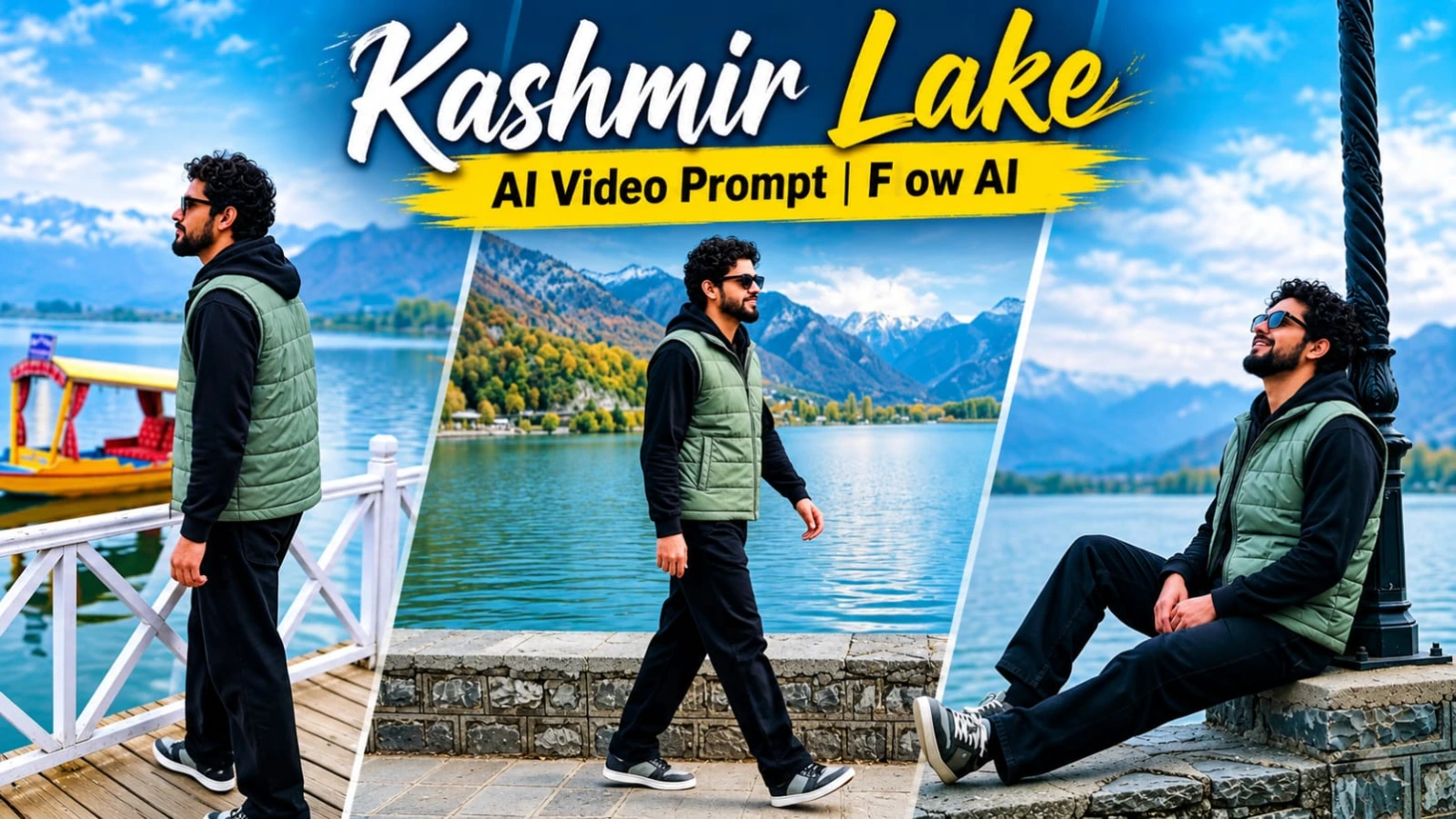
Kashmir Lake AI Video Prompt se aap apni reference photo ko ek beautiful solo travel vlog mein convert kar sakte hain. Is video mein green-blue lake, autumn-coloured mountains, traditional Shikara boats aur golden sunset ka cinematic combination diya gaya hai. Ismein 5 scenes hain aur total video duration lagbhag 14.5 seconds rakhi gayi hai.
Flow AI Se Kashmir Lake Video Kaise Banaye
Step 1: ChatGPT open karein aur apni clear face photo upload karein.
Step 2: Website se character sheet prompt copy karein aur front, side, back aur close-up views generate karein.
Step 3: Character ka outfit same rakhein: sage-grey-green sleeveless puffer vest, black full-sleeve hoodie, loose black trousers aur grey-black sneakers. Sunglasses bhi opening scenes ke liye diye gaye hain.
Step 4: Character sheet save karke Flow AI open karein.
Step 5: Website se complete Kashmir Lake AI video prompt copy karein.
Step 6: Flow AI mein reference image upload karein, agar image-to-video option available ho.
Step 7: 9:16 vertical format select karein aur 14.5-second video concept generate karein.
Step 8: Video mein five scenes check karein: lakeside walking, lamp-post ke paas relaxing, Shikara boat ke saath boardwalk, golden sunset mountain view aur final relaxing shot.
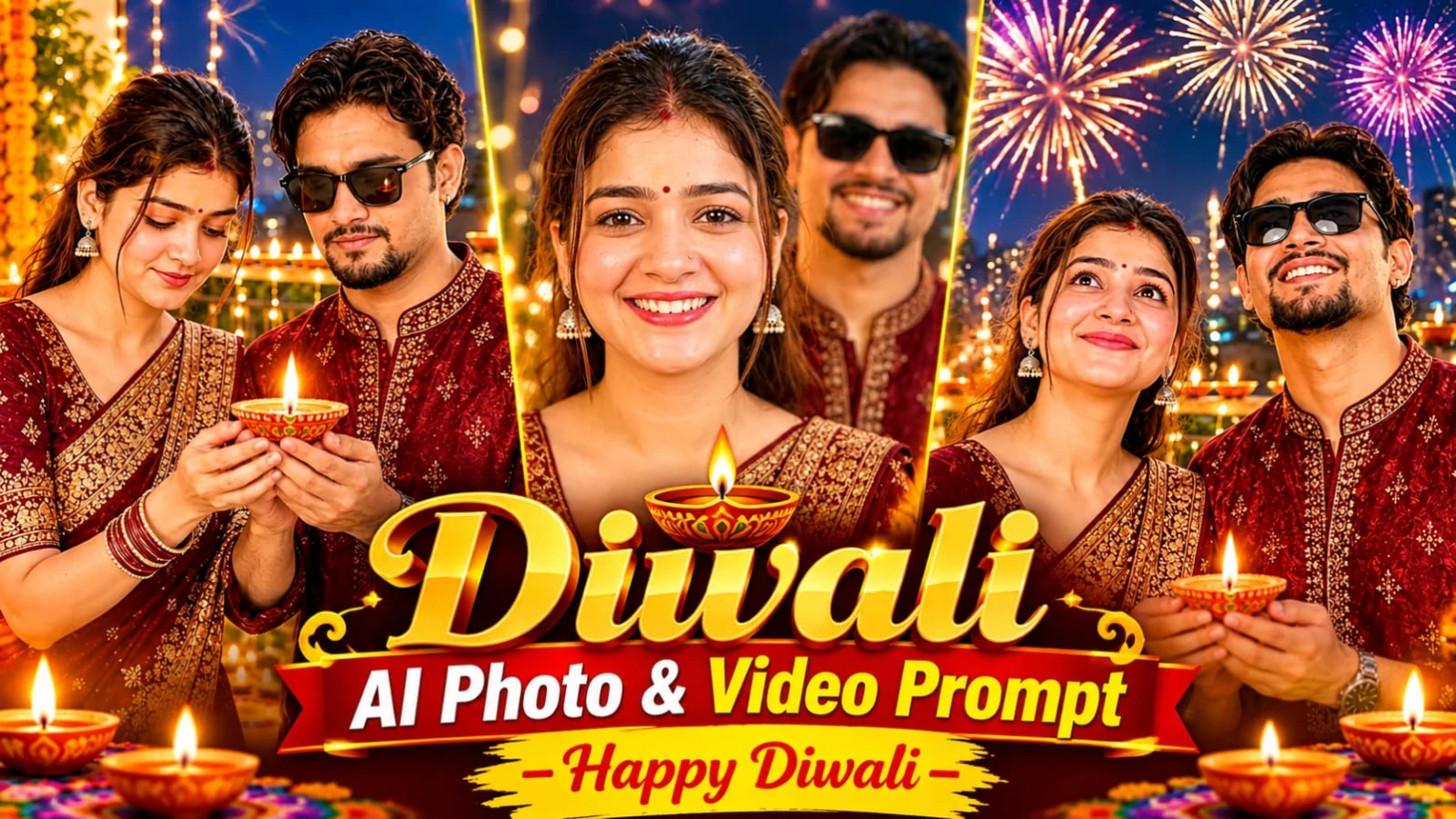
Happy Diwali AI Video Prompt se aap apni festive photo ko ek beautiful 8-second cinematic greeting video mein convert kar sakte hain. Is concept mein person balcony par glowing diya pakadta hai, fireworks dekhta hai aur last mein camera ki taraf turn karke Happy Diwali bolta hai. Video vertical 9:16 format mein banaya gaya hai.
Step 2: Agar character sheet banana chahte hain, to ChatGPT mein reference photo upload karke website ka photo prompt use karein. Ismein deep maroon aur gold silk kurta diya gaya hai.
Step 3: Flow AI open karein aur image-to-video option select karein, agar available ho.
Step 4: Apni festive image upload karein.
Step 5: Website se Happy Diwali master video prompt copy karke paste karein.
Step 6: 9:16 vertical format aur 8-second duration select karein.
Step 7: Video mein 3 moments hone chahiye:
0–3 seconds: Person diya ko dekhta hai aur flame softly flicker karti hai.
3–6 seconds: Person sky ki taraf dekhta hai aur background mein fireworks appear hote hain.
6–8 seconds: Person diya railing par rakhta hai, camera ki taraf turn karta hai aur kehta hai, “Happy Diwali!”
Step 8: Face, outfit, diya movement aur lip-sync check karein.
Agar AI voice ya lip-sync sahi generate na kare, to voice recording aur festive music editing app mein separately add karein.
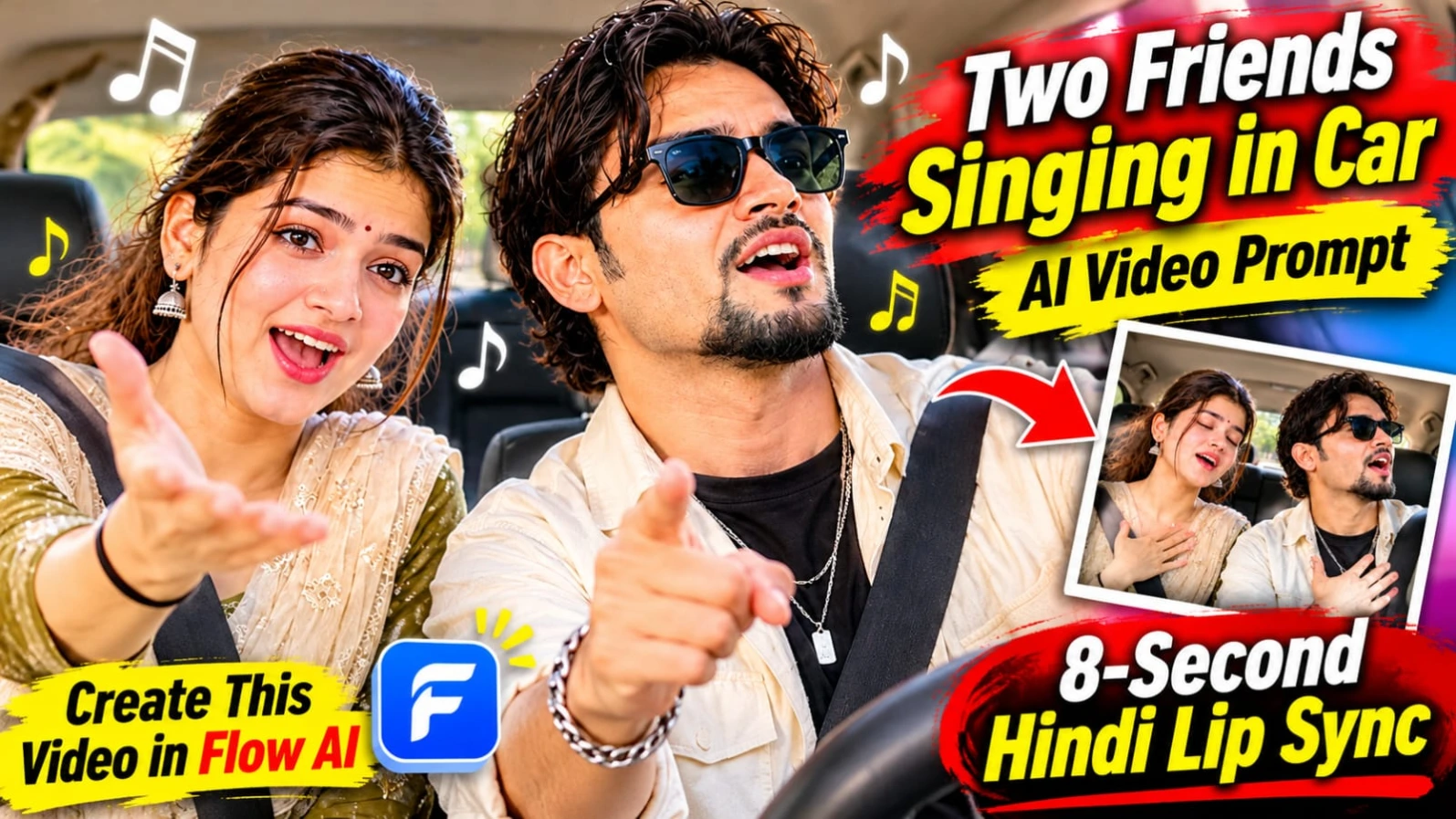
3. Two Friends Singing in Car AI Video Prompt – 8-Second Hindi Lip Sync
Diya gaya URL open karne par 404 error mila aur exact page ka content verify nahi ho saka. Isliye is article ke scene details, Hindi dialogue, outfits, camera angles ya video-generation steps invent nahi kiye gaye hain.
Page ka working URL ya article ka text milne par isi format mein approximately 500-word ka complete SEO article taiyar kiya ja sakta hai.
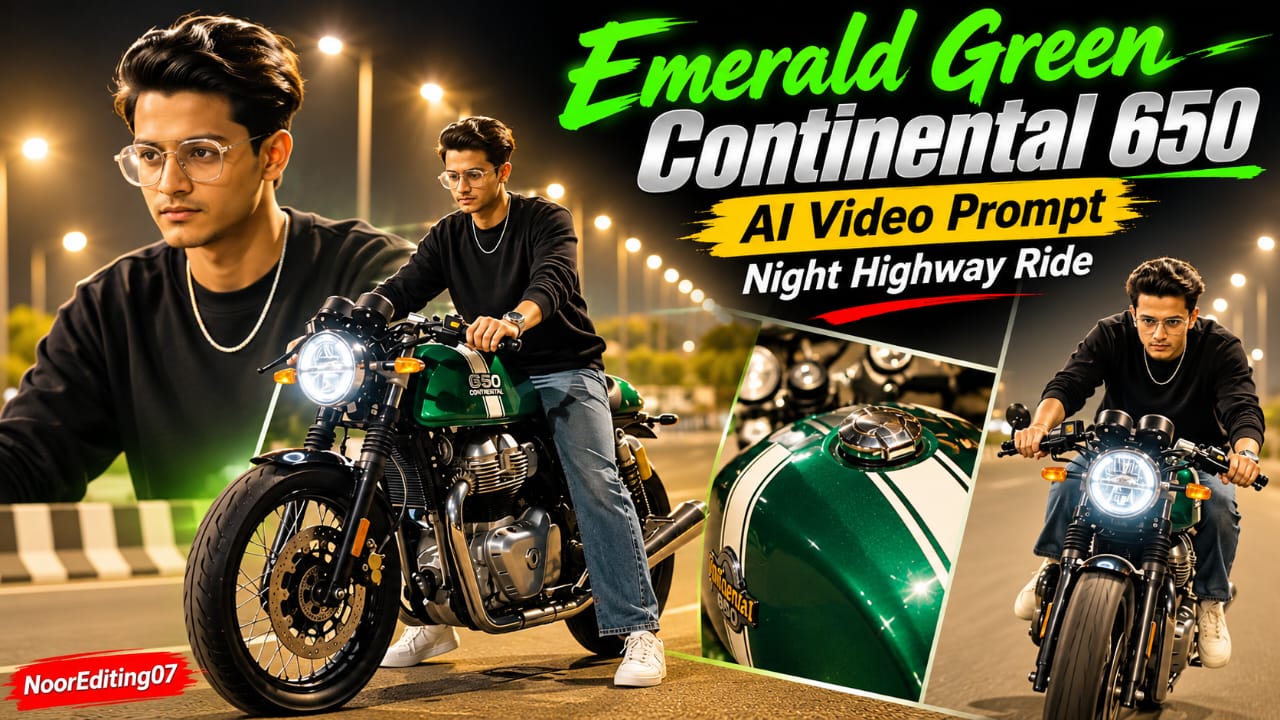
4. Emerald Green Continental 650 AI Video Prompt – 19 Cinematic Scenes
Emerald Green Continental 650 AI Video Prompt se aap ek premium cafe racer motorcycle ke saath cinematic night highway video create kar sakte hain. Is concept mein metallic emerald-green motorcycle, white racing stripes, glowing green engine lights aur black sweatshirt pehne rider dikhaya gaya hai. Complete video mein 19 cinematic scenes hain.
Flow AI Se Continental 650 Video Kaise Banaye
Step 1: ChatGPT open karein aur apni clear face photo upload karein.
Step 2: Website ka character sheet prompt copy karein. Front, side, back aur close-up views generate karein.
Step 3: Rider ka outfit black crewneck sweatshirt, loose washed-blue jeans, white sneakers aur silver chain rakhein. Character ke head par helmet nahi hona chahiye.
Step 4: Emerald-green Continental 650 motorcycle ka reference design ready karein. Ismein white racing stripes, round LED headlight aur green engine underglow hai.
Step 5: Flow AI open karein aur supported reference images upload karein.
Step 6: Website se 19-scene AI video prompt copy karke paste karein.
Step 7: 9:16 vertical format select karein aur video generate karein.
Step 8: Scenes mein motorcycle front-wheel close-up, fuel tank details, rider walking, bike par baithna, engine glow aur highway riding sequence check karein.
Step 9: Final scenes mein rider empty highway par camera ki taraf cruise karta hai.
Step 10: Face consistency, motorcycle design aur scene transitions check karke export karein.
Prompt mein 120fps visual style diya gaya hai, lekin actual frame rate generator ki settings par depend karega.
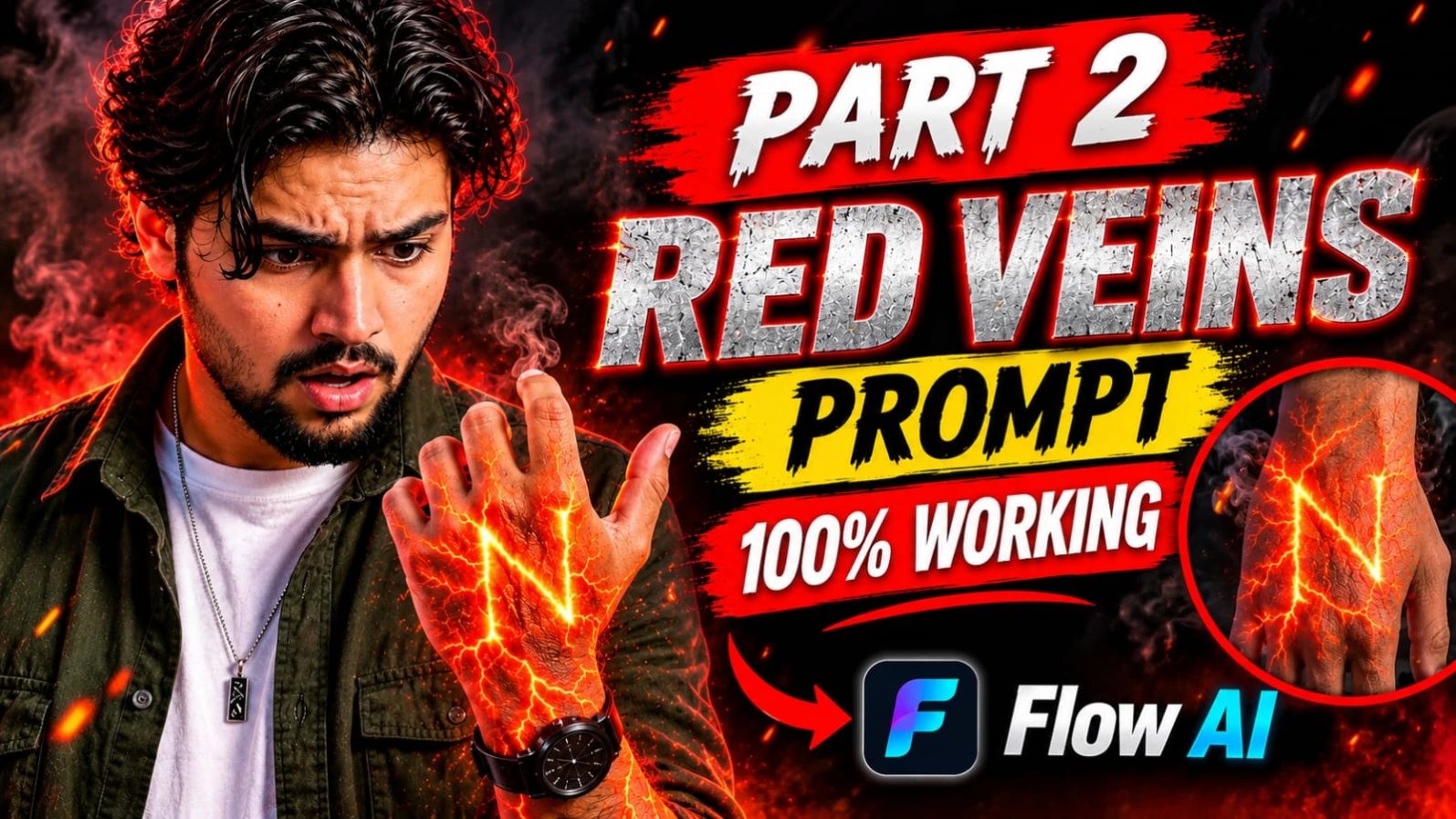
5. Red Energy Veins S Letter Hand AI Video Prompt – 9:16 Cinematic VFX
Red Energy Veins S Letter Hand AI Video Prompt ek creative cinematic VFX concept hai. Ismein human hand aur forearm ke neeche glowing red-orange energy veins appear hoti hain. Ye glowing lines dheere-dheere spread hokar hand ke back par capital letter S banati hain. Dark background, dramatic red lighting aur smoke particles effect ko powerful look dete hain.
Flow AI Se Red Energy Veins VFX Kaise Banaye
Step 1: Flow AI ya koi compatible AI video generator open karein.
Step 2: Agar image-to-video feature available hai, to ek clear hand aur forearm reference image upload karein. Fingers natural position mein hone chahiye.
Step 3: NoorEditing07 nahi, Prompt07AI website open karein aur Red Energy Veins AI video prompt copy karein.
Step 4: Prompt ko video generator mein paste karein. Ismein glowing red-orange veins, lava cracks jaisi energy aur hand par clear S letter banne ka instruction hai.
Step 7: Video generate karein. Energy veins ko dheere-dheere spread aur pulse hona chahiye.
Step 8: Final video mein letter S ki direction aur shape check karein. Agar letter broken ya reversed ho, to prompt refine karke dobara generate karein.
Step 9: Fingers, wrist aur forearm ki anatomy check karein. Extra fingers ya distorted hand nahi hona chahiye.
Step 10: Dark background, red lighting aur smoke particles ka balance check karke final VFX video export karein.
Ye effect Instagram Reels, YouTube Shorts aur creative superhero-style VFX edits ke liye use kiya ja sakta hai.