Kashmir Lake AI Video Prompt: Create a Realistic Cinematic Solo Travel Vlog
Imagine a peaceful journey beside a beautiful mountain lake, where cloudy skies, autumn-coloured mountains, traditional shikara boats, and golden sunset light create a relaxing travel atmosphere. This Kashmir Lake AI Video Prompt is designed for creators who want to generate a realistic-looking solo travel video using an AI video-generation platform.
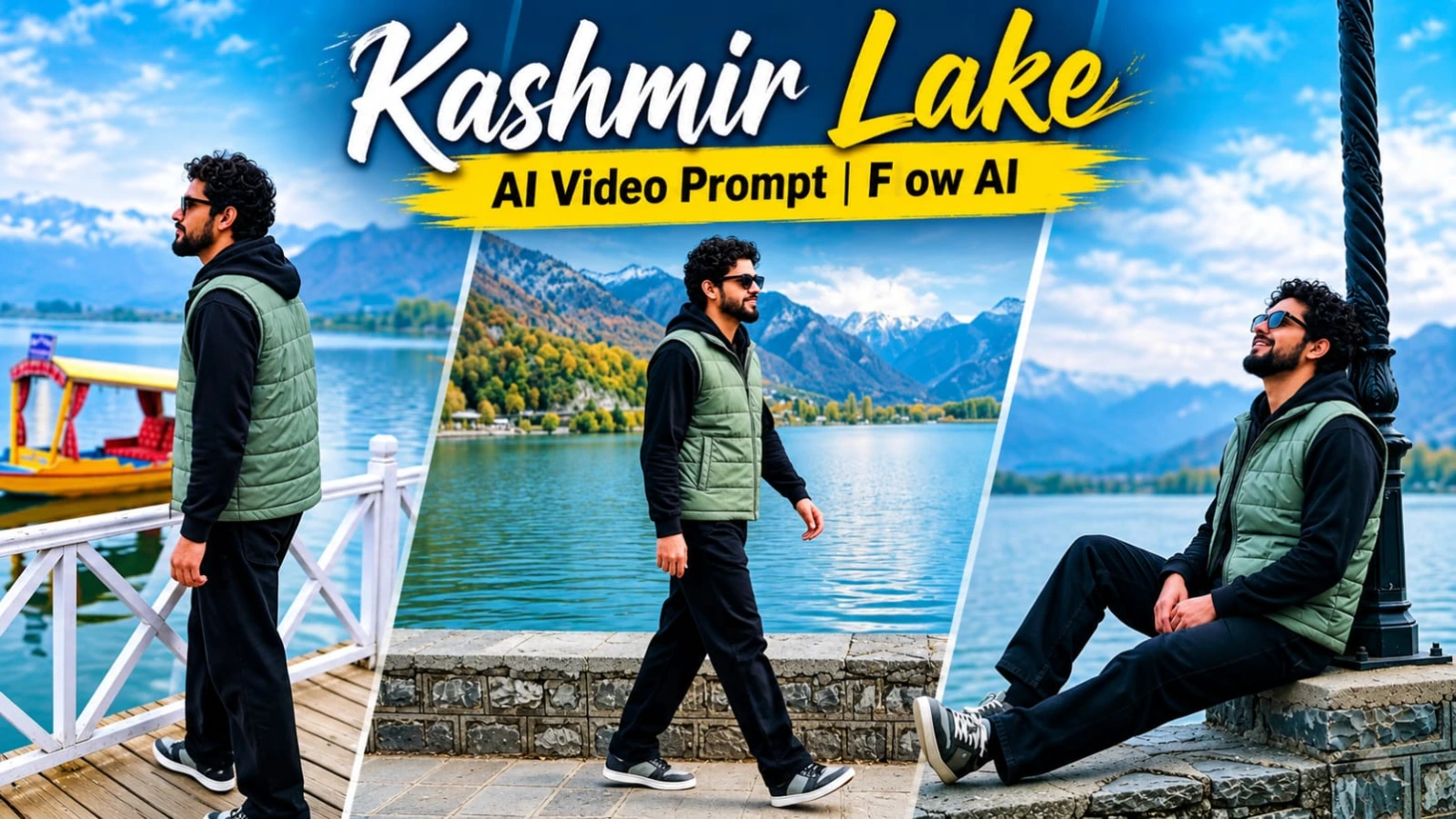
The concept follows one traveller through five cinematic shots beside a peaceful Kashmir-style lake. The video begins with a wide lakeside walking scene, continues with relaxed moments near an ornate lamp-post and a traditional wooden boardwalk, and finishes with two beautiful views during golden hour.
The requested video duration is approximately 14.5 seconds in vertical 9:16 format. Every scene uses a static, locked-off tripod camera, creating the feeling of real travel footage captured during a quiet holiday.
A Peaceful Kashmir-Style Lakeside Location
The environment is the heart of this video concept. It features a calm green-blue lake surrounded by autumn-coloured mountains and dramatic clouds.
The location includes a stone promenade, an ornate black lamp-post, a wooden boardwalk with white lattice railings, and colourful shikara boats. One boat features yellow and blue colours with red cushions, adding a traditional lakeside detail.
The weather and lighting change naturally throughout the sequence. The opening scenes have a cloudy grey atmosphere, while the later shots introduce warm golden sunset light across the mountains and clouds.
This gradual lighting change gives the video the feeling of a real travel experience rather than a staged studio scene.
Character Identity and Appearance
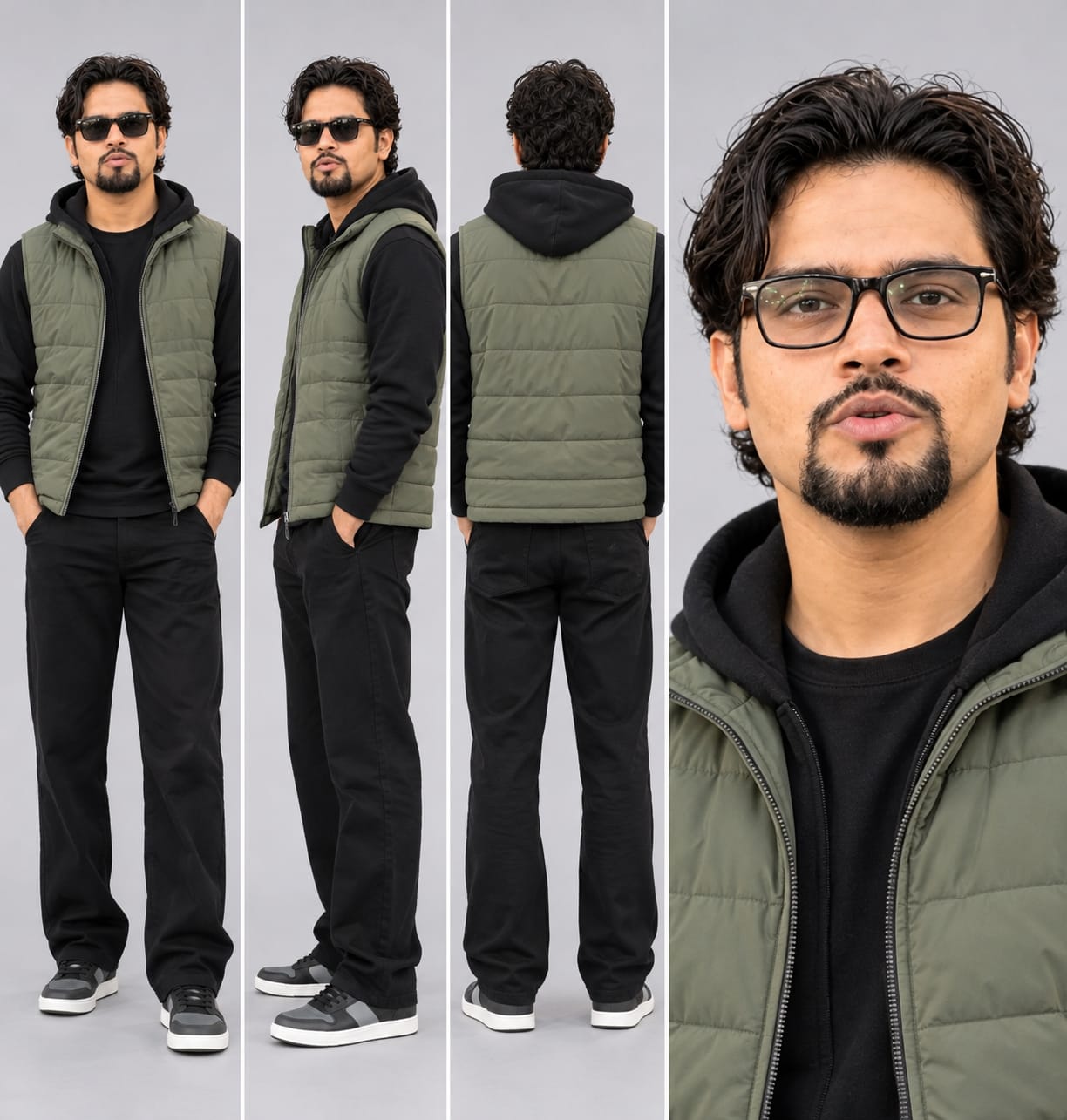
The main character should follow the uploaded character sheet and face close-up as identity references. The same face should be maintained whenever it is visible, including side-profile views and tilted-head shots.
The character has short, voluminous curly black hair and a full dark beard. The prompt requests clean, clear, smooth, even-toned skin without pimples, acne, or blemishes.
For a consistent result, use the same character reference images throughout the generation workflow wherever the platform supports reference-image guidance. Face consistency can vary between AI-generated shots, so the final video should be checked carefully.
Consistent Travel Outfit
The outfit remains unchanged throughout all five scenes.
The character wears a sage-grey-green sleeveless quilted puffer vest with a front zip over a black full-sleeve hoodie. The hood stays down at the back. Loose straight-fit black trousers and low-top grey-and-black sneakers with white soles complete the outfit.
Black-frame sunglasses are used in the opening scenes, while plain black-frame glasses are specified for the closer, softer-light shots.
No additional accessories or unexpected clothing changes should appear. Keeping the outfit description consistent helps maintain visual continuity between locations and lighting conditions.
Scene One: Walking Beside the Lake
The first shot begins with a wide static view of a lakeside stone promenade wall.
Behind the wall, a calm green lake stretches toward autumn-coloured mountains. Dramatic dark storm clouds fill the sky, with a bright patch of light visible near the horizon.
The hero walks slowly from left to right along the stone wall. He appears relatively small within the wide composition, wearing sunglasses with his hands relaxed.
The camera remains completely stationary on a tripod. The peaceful walking movement and wide landscape establish the solo-travel mood.
Scene Two: Relaxing Beside the Ornate Lamp-Post
The second scene cuts to a low-angle static composition. A tall black ornate lamp-post with spiral wrapping stands on the right side of the frame.
The grey lake, distant mountains, and large white and grey clouds form the background.
The hero sits on the stone wall, leaning against the base of the lamp-post. His legs stretch out comfortably as he tilts his head backward and looks toward the sky.
A slight smile creates a natural, relaxed expression. This moment gives the video a peaceful holiday feeling.
Scene Three: Wooden Boardwalk and Shikara Boat
The third shot moves to a wooden boardwalk with a white lattice railing.
A colourful shikara boat with yellow and blue details and red cushions is visible behind the railing. Misty mountains and the lake complete the background under soft cloudy light.
The hero initially stands in side profile, looking upward and to the left. He then turns and slowly walks toward the right.
One hand slides gently along the railing as he moves. His back eventually faces the camera while he looks out across the lake.
The static camera captures the movement without unnecessary shaking or artificial tracking.
Scene Four: Golden Sunset Over the Mountains
The fourth scene presents a static rear view of the hero standing at the edge of the stone wall.
He places both hands on his hips and looks toward golden-lit clouds and an orange-lit mountain. The blue sky and lake add contrast to the warm sunset colours.
The hero looks upward and turns his head slightly. This simple action creates a cinematic travel moment without requiring exaggerated movement.
The golden light introduces a warmer visual mood after the cloudy atmosphere of the earlier shots.
Scene Five: Final Golden-Hour Relaxing Shot
The final scene uses a static medium side composition beside the black ornate lamp-post.
The hero leans back against the lamp-post with one foot raised against its base. Both hands remain inside the pockets of his puffer vest.
He calmly looks toward the lake and distant mountains, turns his head slightly, and breathes out. He then remains still until the video ends.
The warm golden-hour light, quiet lake, and peaceful expression provide a natural closing moment for the solo-travel sequence.
Camera Style and Visual Quality
Every shot is intended to use a locked-off tripod camera. There should be no handheld movement, unnecessary camera shake, artificial zoom, or unexpected camera tracking.
The visual direction combines moody dramatic clouds, deep blue-green lake water, autumn orange-green mountains, golden sunset glow, and natural skin tones.
The requested look includes realistic skin texture, subtle film grain, detailed clothing, natural reflections, and a film-inspired colour grade.
The 8K, HDR10+, Dolby Vision-style, and 10-bit colour descriptions communicate the desired aesthetic. Actual resolution, colour depth, and HDR output depend on the capabilities and export settings of the chosen platform.
Natural Sound and Watermark
The sound design should remain soft and peaceful. Include gentle wind, lake water, distant birds, and natural footsteps.
There should be no dialogue or unnecessary background noise.
A small white watermark reading "Prompt 07" should stay at the bottom centre of every shot. It should remain subtle and should not distract from the scenery.
If the AI platform does not render text accurately, the watermark can be added later during video editing.
Why Use This Kashmir Travel Video Prompt?
This concept is suitable for solo-travel reels, cinematic landscape videos, peaceful holiday edits, AI travel-vlog experiments, and social media content.
Its main strength is the combination of five clearly defined scenes, a consistent character outfit, beautiful lakeside scenery, and a gradual transition from cloudy daylight to golden hour.
For the best result, use clear character references, preserve the five-scene sequence, and review each shot for face consistency, clothing accuracy, natural movement, and environmental details.
The final video should feel like a quiet personal journey beside a beautiful Kashmir-style lake, captured through real phone and camera footage.
Pehle Character Sheet Photo Banaai ChatGPT Se
AI PHOTO PROMPT
Ultra-realistic character design sheet of ONE adult Indian male on a plain light-grey studio background, soft even lighting. Four panels in one image: (1) full-body front view...
Ultra-realistic character design sheet of ONE adult Indian male on a plain light-grey studio background, soft even lighting. Four panels in one image: (1) full-body front view, (2) full-body side view, (3) full-body back view, (4) one large close-up face portrait. Exact same face as my uploaded photo: same face shape, eyes, nose, lips, jawline and age, 100% identity match in every panel. Skin clean, clear, smooth, even-toned, no pimples, acne, spots or blemishes, but the face identity stays exactly the same. Hair: short, voluminous, curly black hair, full dark beard. Outfit (exact, do not change): sage-grey-green sleeveless quilted puffer vest with front zip, worn over a black full-sleeve hoodie (hood down at the back); loose straight-fit black trousers; low-top white-sole sneakers in grey and black; black-frame sunglasses (also show a version with plain black-frame glasses in the face close-up); no chain, no watch. Natural skin texture, realistic fabric folds, 8K, sharp detail, no plastic look.
AI PHOTO PROMPT
Ultra-realistic character design sheet of ONE adult Indian male on a plain light-grey studio background, soft even lighting. Four panels in one image: (1) full-body front view...
Ultra-realistic character design sheet of ONE adult Indian male on a plain light-grey studio background, soft even lighting. Four panels in one image: (1) full-body front view, (2) full-body side view, (3) full-body back view, (4) one large close-up face portrait. Exact same face as my uploaded photo: same face shape, eyes, nose, lips, jawline and age, 100% identity match in every panel. Skin clean, clear, smooth, even-toned, no pimples, acne, spots or blemishes, but the face identity stays exactly the same. Hair: short, voluminous, curly black hair, full dark beard. Outfit (exact, do not change): sage-grey-green sleeveless quilted puffer vest with front zip, worn over a black full-sleeve hoodie (hood down at the back); loose straight-fit black trousers; low-top white-sole sneakers in grey and black; black-frame sunglasses (also show a version with plain black-frame glasses in the face close-up); no chain, no watch. Natural skin texture, realistic fabric folds, 8K, sharp detail, no plastic look.
Format 9:16 vertical, true 8K ultra-realistic cinematic video, HDR10+ / Dolby Vision style high dynamic range, 10-bit colour, cinematic colour grading like the reference...
Format 9:16 vertical, true 8K ultra-realistic cinematic video, HDR10+ / Dolby Vision style high dynamic range, 10-bit colour, cinematic colour grading like the reference (moody dramatic clouds, deep blue-green lake, autumn orange-green mountains, golden sunset glow in the later shots, natural skin tones), razor-sharp detail, subtle film grain, natural skin texture, no plastic look, looks like real phone and camera footage of a real trip, not AI-made. Total length about 14.5 seconds, calm travel-vlog mood, every shot filmed from a static locked-off camera on a tripod, no camera shake.
FACE AND IDENTITY LOCK: the hero's face must be 100% identical to the character sheet and the face close-up (my uploaded photo) in every shot where the face is visible, at every angle including side profile and tilted head. No face morphing, no face change, no different person. Skin clean, clear, smooth, even-toned, no pimples, acne or blemishes. Hairstyle always the same: short, voluminous curly black hair with a full dark beard.
OUTFIT LOCK (same in every scene): sage-grey-green sleeveless quilted puffer vest with front zip over a black full-sleeve hoodie (hood down at the back), loose straight-fit black trousers, low-top white-sole grey-and-black sneakers, black-frame sunglasses (plain black-frame glasses in the closer, softer-light shots). No other accessories.
SCENES IN ORDER:
0.0-2.7s: Wide static shot of a lakeside stone promenade wall. Behind it a calm green lake, autumn-coloured mountains and dramatic dark storm clouds with a bright patch of light on the horizon. The hero walks slowly along the stone wall from left to right, relaxed, hands loose, sunglasses on, small in the frame.
2.7-5.2s: Cut. Low-angle static shot, tall black ornate lamp-post with spiral wrapping at the right of the frame, grey lake and distant mountains behind, big white and grey clouds above. The hero sits on the stone wall leaning against the lamp-post base, legs stretched out, tilts his head back and looks up at the sky, smiling slightly.
5.2-8.1s: Cut. Wooden boardwalk with a white lattice railing, a colourful shikara boat (yellow and blue with red cushions) behind it, misty mountains and lake in the background, cloudy soft light. The hero stands at the railing in side profile looking up and to the left, then turns and walks slowly to the right, one hand sliding along the railing, his back to the camera, looking out at the lake.
8.1-10.1s: Cut. Static shot from behind. The hero stands on the edge of the stone wall, hands on hips, looking up at golden-lit clouds and an orange-lit mountain, blue sky above, lake below, warm sunset light. He looks up and turns his head slightly.
10.1-14.6s: Cut. Static medium side shot at golden hour. The hero leans back against the black lamp-post, one foot up against its base, hands in the vest pockets, looking calmly toward the lake and mountains. He turns his head slightly and breathes out, then stays still until the end.
A small white watermark text "Prompt 07" stays at the bottom centre of the frame in every shot, subtle and not distracting.
Location and mood like the reference: peaceful Kashmir-style lake, stone promenade, black lamp-post, shikara boats, white railing, changing light from cloudy grey to warm golden hour, quiet solo-traveller feeling.
No extra scene, no missing scene, no outfit, location or face change, smooth realistic physics, natural sound (soft wind, lake water, distant birds, footsteps).
AI VIDEO PROMPT
Format 9:16 vertical, true 8K ultra-realistic cinematic video, HDR10+ / Dolby Vision style high dynamic range, 10-bit colour, cinematic colour grading like the reference...
Format 9:16 vertical, true 8K ultra-realistic cinematic video, HDR10+ / Dolby Vision style high dynamic range, 10-bit colour, cinematic colour grading like the reference (moody dramatic clouds, deep blue-green lake, autumn orange-green mountains, golden sunset glow in the later shots, natural skin tones), razor-sharp detail, subtle film grain, natural skin texture, no plastic look, looks like real phone and camera footage of a real trip, not AI-made. Total length about 14.5 seconds, calm travel-vlog mood, every shot filmed from a static locked-off camera on a tripod, no camera shake.
FACE AND IDENTITY LOCK: the hero's face must be 100% identical to the character sheet and the face close-up (my uploaded photo) in every shot where the face is visible, at every angle including side profile and tilted head. No face morphing, no face change, no different person. Skin clean, clear, smooth, even-toned, no pimples, acne or blemishes. Hairstyle always the same: short, voluminous curly black hair with a full dark beard.
OUTFIT LOCK (same in every scene): sage-grey-green sleeveless quilted puffer vest with front zip over a black full-sleeve hoodie (hood down at the back), loose straight-fit black trousers, low-top white-sole grey-and-black sneakers, black-frame sunglasses (plain black-frame glasses in the closer, softer-light shots). No other accessories.
SCENES IN ORDER:
0.0-2.7s: Wide static shot of a lakeside stone promenade wall. Behind it a calm green lake, autumn-coloured mountains and dramatic dark storm clouds with a bright patch of light on the horizon. The hero walks slowly along the stone wall from left to right, relaxed, hands loose, sunglasses on, small in the frame.
2.7-5.2s: Cut. Low-angle static shot, tall black ornate lamp-post with spiral wrapping at the right of the frame, grey lake and distant mountains behind, big white and grey clouds above. The hero sits on the stone wall leaning against the lamp-post base, legs stretched out, tilts his head back and looks up at the sky, smiling slightly.
5.2-8.1s: Cut. Wooden boardwalk with a white lattice railing, a colourful shikara boat (yellow and blue with red cushions) behind it, misty mountains and lake in the background, cloudy soft light. The hero stands at the railing in side profile looking up and to the left, then turns and walks slowly to the right, one hand sliding along the railing, his back to the camera, looking out at the lake.
8.1-10.1s: Cut. Static shot from behind. The hero stands on the edge of the stone wall, hands on hips, looking up at golden-lit clouds and an orange-lit mountain, blue sky above, lake below, warm sunset light. He looks up and turns his head slightly.
10.1-14.6s: Cut. Static medium side shot at golden hour. The hero leans back against the black lamp-post, one foot up against its base, hands in the vest pockets, looking calmly toward the lake and mountains. He turns his head slightly and breathes out, then stays still until the end.
A small white watermark text "Prompt 07" stays at the bottom centre of the frame in every shot, subtle and not distracting.
Location and mood like the reference: peaceful Kashmir-style lake, stone promenade, black lamp-post, shikara boats, white railing, changing light from cloudy grey to warm golden hour, quiet solo-traveller feeling.
No extra scene, no missing scene, no outfit, location or face change, smooth realistic physics, natural sound (soft wind, lake water, distant birds, footsteps).
How to Create a Kashmir Lake Cinematic AI Travel Video
You can use this Kashmir Lake AI Video Prompt with a compatible AI video-generation platform. The goal is to create an approximately 14.5-second vertical solo-travel video featuring a peaceful mountain lake, traditional shikara boats, cloudy skies, and golden-hour scenery.
Follow these steps to prepare the character, configure the scenes, and review the final video.
Step 1: Prepare Your Character Reference Images
Start with your character design sheet and face close-up image. Choose clear images that show the face, hairstyle, beard, and facial structure.
Use the same reference images throughout the generation workflow wherever the platform supports image references or character guidance.
The character should retain short, voluminous curly black hair and a full dark beard. Keep the facial appearance consistent in front-facing, side-profile, and tilted-head shots.
Step 2: Configure the Video Format
Select vertical 9:16 aspect ratio if supported by your chosen platform.
Set the requested total duration to approximately 14.5 seconds. The video contains five scenes:
- 0.0–2.7 seconds: Walking along the lakeside stone promenade.
- 2.7–5.2 seconds: Sitting beside the ornate black lamp-post.
- 5.2–8.1 seconds: Walking along the wooden boardwalk.
- 8.1–10.1 seconds: Looking toward the golden sunset.
- 10.1–14.6 seconds: Relaxing beside the lamp-post.
If the platform does not support all five shots in one generation, create separate clips and arrange them in the correct order during editing.
Step 3: Add the Outfit Details
Enter the complete outfit description into your prompt.
The hero wears a sage-grey-green sleeveless quilted puffer vest over a black full-sleeve hoodie. The hood remains down at the back.
Add loose straight-fit black trousers and low-top grey-and-black sneakers with white soles.
Use black-frame sunglasses in the opening scenes and plain black-frame glasses in the closer, softer-light scenes. Do not introduce other accessories or clothing changes.
Step 4: Create the Lakeside Environment
Describe a peaceful Kashmir-style lake surrounded by autumn-coloured mountains.
Include the stone promenade, black ornate lamp-post, wooden boardwalk, white lattice railing, and colourful shikara boat with yellow and blue details and red cushions.
Add dramatic grey clouds in the early scenes and golden sunset lighting in the later shots.
These environmental details help establish a consistent travel destination throughout the sequence.
Step 5: Generate the First Walking Scene
For the opening shot, use a wide static composition of the stone promenade.
The hero should walk slowly from left to right, with the green lake, autumn mountains, and dramatic clouds behind him.
Keep the character relatively small in the frame. The camera must remain stationary on a tripod.
Step 6: Generate the Lamp-Post Scene
For the second shot, position the tall black ornate lamp-post on the right side of the composition.
The hero sits on the stone wall, leaning against the lamp-post base with his legs stretched out.
Describe his head tilting backward as he looks toward the sky with a slight smile.
Use a low-angle static camera and preserve the cloudy lakeside background.
Step 7: Generate the Boardwalk Scene
For the third shot, describe a wooden boardwalk with a white lattice railing and a colourful shikara boat behind it.
The hero stands in side profile, looking upward and to the left. He then turns and walks slowly to the right.
One hand should slide along the railing before he turns his back toward the camera and looks out at the lake.
Keep the camera locked off throughout the scene.
Step 8: Generate the Golden Sunset Scene
For the fourth shot, use a static rear view of the hero standing at the edge of the stone wall.
His hands rest on his hips as he looks toward the golden-lit clouds and orange-lit mountain.
Include the blue sky, lake, and warm sunset lighting. His head should turn slightly while he looks upward.
Step 9: Create the Final Lamp-Post Scene
For the final shot, use a medium side composition at golden hour.
The hero leans against the black lamp-post, with one foot raised against its base and both hands inside his vest pockets.
He calmly looks toward the lake and mountains, turns his head slightly, and breathes out.
Keep him still until the end of the video.
Step 10: Add Camera and Sound Instructions
Specify that every shot uses a static, locked-off tripod camera. Avoid camera shake, artificial zoom, and unnecessary movement.
For the sound design, request soft wind, gentle lake water, distant birds, and footsteps.
There should be no dialogue.
Add the small white "Prompt 07" watermark at the bottom centre if the platform supports text rendering. Otherwise, add it during editing.
Step 11: Review the Final Video
After generation, check all five scenes in order.
Confirm that the character's face, hairstyle, beard, and outfit remain consistent. Check the shikara boat, white railing, stone promenade, black lamp-post, mountains, and changing light.
Also verify that the camera remains static in every shot and that the final scene ends with the hero calmly looking toward the lake.
The requested 8K, HDR10+, Dolby Vision-style, and 10-bit colour specifications depend on the actual platform and export settings.
With careful reference-image use and scene-by-scene checking, you can create a peaceful cinematic AI travel vlog inspired by the beauty of Kashmir.
SEO TAGS
Kashmir Lake AI Video PromptKashmir Travel AI VideoSolo Travel Vlog PromptCinematic Lake VideoAI Travel Video PromptShikara Boat AI VideoKashmir Mountain Video9:16 Travel Video PromptGolden Hour AI VideoLakeside Cinematic PromptFlow AI Travel VideoAI Character ConsistencyKashmir Scenic VideoCinematic Travel ReelPrompt 07
SEO TAGS
Kashmir Lake AI Video PromptKashmir Travel AI VideoSolo Travel Vlog PromptCinematic Lake VideoAI Travel Video PromptShikara Boat AI VideoKashmir Mountain Video9:16 Travel Video PromptGolden Hour AI VideoLakeside Cinematic PromptFlow AI Travel VideoAI Character ConsistencyKashmir Scenic VideoCinematic Travel ReelPrompt 07
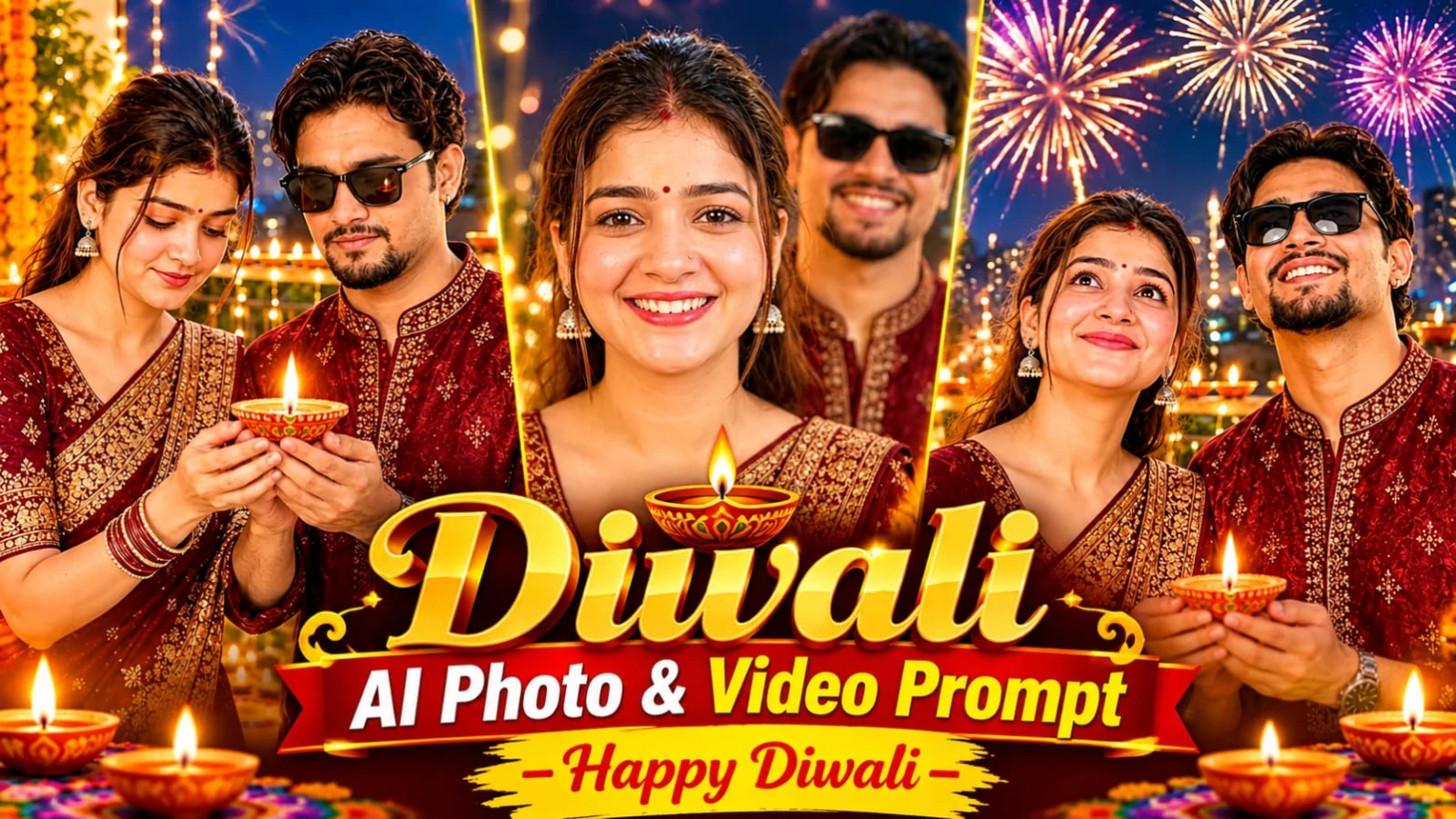
Happy Diwali AI Video Prompt ki help se aap apni ek festive photo ko beautiful 8-second cinematic greeting video mein convert kar sakte hain. Is concept mein ek person traditional maroon aur gold silk kurta pehenkar decorated balcony mein glowing diya hold karta hai. Background mein fairy lights, marigold garlands, rangoli, balcony railing par jalte diyas aur evening sky mein fireworks dikhayi dete hain.
Video ka main objective original face, hairstyle aur outfit ko preserve karte hue natural movements aur festive lighting create karna hai. Ismein teen connected scenes hain, jo ek simple photograph ko personal Diwali greeting mein badal dete hain.
Happy Diwali AI Video Kaise Banaye
Step 1: Reference Photo Ready Karein
Sabse pehle apni ek clear festive photo select karein. Photo mein face, hairstyle, outfit aur diya clearly visible hona chahiye. Original concept mein deep maroon aur gold silk kurta, balcony aur dono hands mein lit diya diya gaya hai.
Step 2: Flow AI Open Karein
Flow AI ya kisi compatible image-to-video generator ko open karein. Image-to-video option available ho to apni reference photo upload karein. Isi image ko video ka starting frame banayein.
Step 3: Master Video Prompt Copy Karein
Original Happy Diwali video prompt copy karein. Prompt mein face, hair aur outfit ko poore video mein same rakhne ki instruction zaroor include karein.
Step 4: First Scene – 0–3 Seconds
Character gently diya ki taraf neeche dekhta hai. Diya ki flame softly flicker karti hai aur warm golden light face par natural highlights aur shadows create karti hai. Character ki blinking aur head movement subtle honi chahiye.
Step 5: Second Scene – 3–6 Seconds
Character dheere-dheere apni nazar evening sky ki taraf uthata hai aur soft smile deta hai. Background mein colorful fireworks bloom karte hain. Fireworks ki light eyes aur face par subtle reflections create karti hai. Fairy lights aur diyas ka bokeh background mein visible rahe.
Step 6: Third Scene – 6–8 Seconds
Character diya ko balcony railing par doosre glowing diyas ke beech rakhta hai. Uske baad camera ki taraf turn karke warm smile ke saath clearly bolta hai: "Happy Diwali!"
Step 7: Camera aur Audio Settings
Camera medium shot se close-up ki taraf slow push-in kare. Slight handheld movement rakhein, lekin sudden cuts avoid karein. Background mein soft festive instrumental music aur distant fireworks sounds low volume par hon, taaki greeting clearly sunai de.
Step 8: Final Video Check Karein
Video ko 9:16 vertical format mein generate karein. Face consistency, diya flame, fingers, fireworks aur lip-sync check karein. Extra subtitles ya watermark add na karein, kyunki original concept mein ye nahi diye gaye hain.
Agar AI tool accurate voice ya lip-sync generate nahi karta, to silent video banakar greeting aur music editing app mein separately add kar sakte hain. Actual output platform ki capabilities par depend karega.
Two Friends Singing in Car AI Video Prompt – 8-Second Hindi Lip Sync
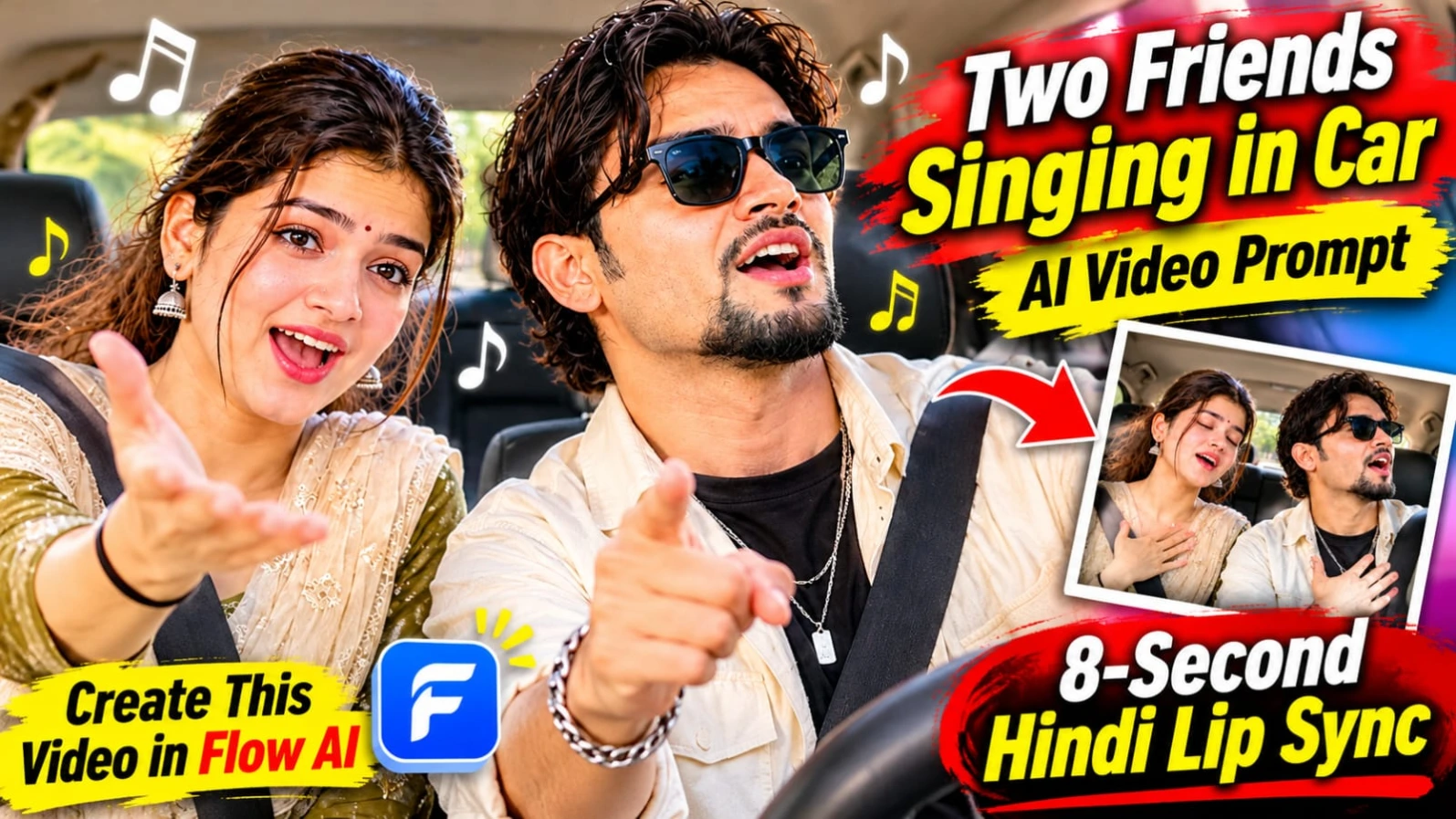
Two Friends Singing in Car AI Video Prompt ek entertaining friendship video concept hai. Ismein do friends car ki front seats par baithkar emotional Hindi pop song gaate hain. Video ki shuruaat natural smile aur soft singing se hoti hai. Jaise-jaise piano music energetic hota hai, dono friends ke expressions dramatic hote jaate hain. End mein dono chorus gaate hue hansne lagte hain.
Is concept ka main focus dono persons ki original identity, hairstyle aur clothing ko same rakhna hai. Dashboard-level camera angle, windshield se aati natural sunlight aur realistic car interior video ko natural smartphone recording jaisa look dete hain.
Dono persons ki appearance ko reference image ke according preserve karein. Face shape, hairstyle, skin tone aur outfits change nahi hone chahiye. Agar AI tool character-reference feature support karta hai, to uska use karein.
Step 3: AI Video Generator Open Karein
Flow AI ya kisi compatible image-to-video platform ko open karein. Original photograph upload karein aur 8-second vertical video generate karne ke liye prompt paste karein.
Step 4: First Scene – 0–2 Seconds
Dono friends car ki front seats par baithe hue ek doosre ki taraf dekhkar smile karte hain. Emotional Hindi song ki first line par softly lip-sync karna shuru karte hain. Expressions natural aur relaxed rakhein.
Step 5: Second Scene – 2–5 Seconds
Music ke saath piano rhythm energetic hota hai. Dono friends exaggerated emotional expressions dete hain, hands ko heart par rakhte hain aur head ko music ke rhythm mein move karte hain. Ek friend doosre ki taraf point karta hai, jisse funny moment create hota hai.
Step 6: Third Scene – 5–8 Seconds
Dono friends chorus ko dramatic expressions ke saath gaate hain. Singing ke baad achanak zor se hansne lagte hain. Ending spontaneous aur natural friendship moment jaisi honi chahiye.
Step 7: Hindi Lyrics Add Karein
Original lyrics ko exactly use karein:
"Subah ki dhoop mein tera naam likha... Har mod pe dil ne tujhe dhundha... Tere raaste, tere raaste, chal padi hoon main tere raaste."
Step 8: Camera aur Music Settings
Camera dashboard level par fixed two-shot composition mein rahe, jisse dono friends ek saath visible hon. Slight handheld shake aur slow push-in use karein. Windshield se natural sunlight aur glass reflections visible hon.
Step 9: Final Export
Video ko 9:16 vertical format mein export karein. Extra characters, subtitles, unnecessary camera cuts aur watermark add na karein.
Hindi lip-sync aur music generation AI platform par depend karte hain. Agar lip-sync accurate nahi aata, to pehle video generate karein aur original audio ko editing app mein synchronize karein.
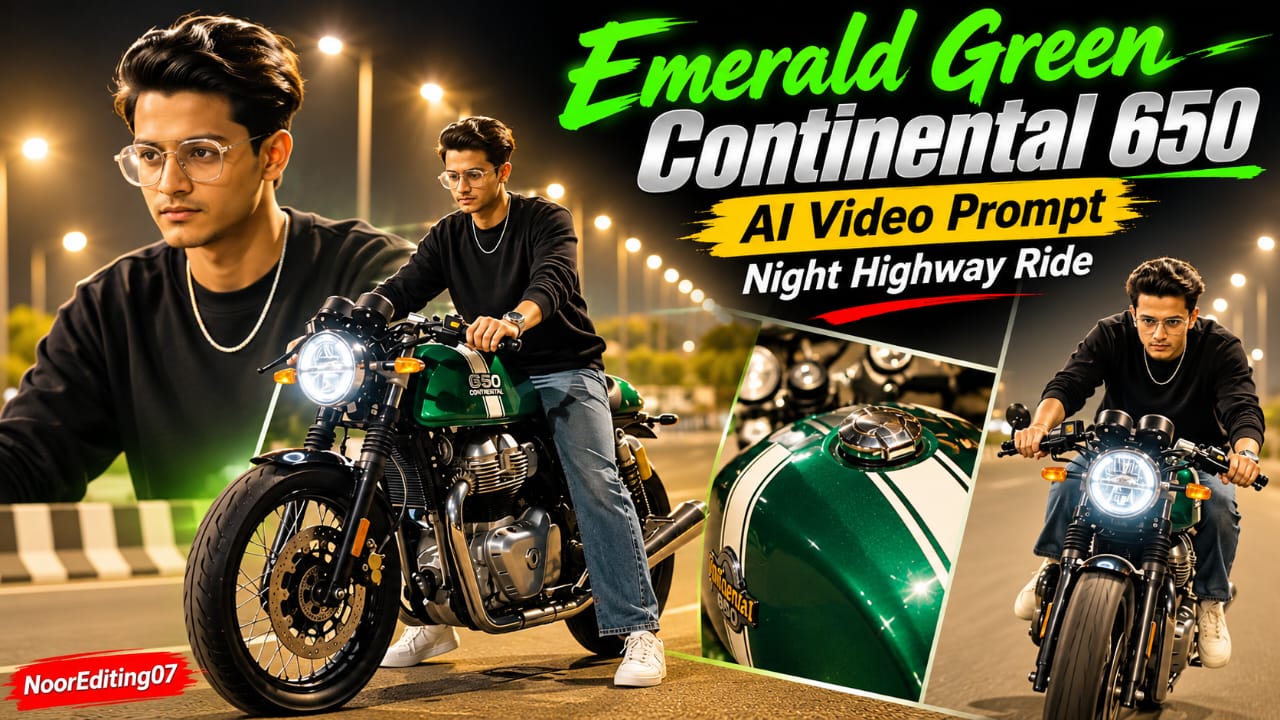
Emerald Green Continental 650 AI Video Prompt – 19 Cinematic Scenes
Emerald Green Continental 650 AI Video Prompt ek premium night highway motorcycle video concept hai. Ismein metallic emerald-green cafe racer motorcycle, white racing stripes, round LED headlight aur green engine underglow diya gaya hai. Motorcycle ka glossy fuel tank highway streetlights ko reflect karta hai.
Main character black crewneck long-sleeve sweatshirt, loose-fit washed blue jeans, white sneakers aur silver chain pehenta hai. Rider poore video mein bareheaded rahega, yani helmet nahi hoga. Total 19 scenes mein motorcycle beauty shots, walking sequences, close-up details aur highway riding moments shamil hain.
Emerald Green Continental 650 Flow AI Video Kaise Banaye
Step 1: Character Sheet Banayein
Sabse pehle apni clear reference photo select karein. ChatGPT ya AI image generator se front, side, back aur three-quarter views wali character sheet banayein. Face aur hairstyle same rakhein.
Step 2: Outfit Fix Karein
Character ka outfit black crewneck long-sleeve sweatshirt, loose-fit washed blue jeans, white sneakers aur silver chain rakhein. Rider ke head par helmet ya cap nahi hona chahiye.
Step 3: Motorcycle Reference Ready Karein
Motorcycle ki reference image mein metallic emerald-green body, white racing stripes, round LED headlight, clip-on handlebars aur green engine underglow clearly visible hone chahiye.
Step 4: Flow AI Mein Images Upload Karein
Flow AI open karein. Available reference-image feature se character aur motorcycle ki images upload karein. Original 19-scene prompt copy karein.
Step 5: Opening Motorcycle Shots
Video ki shuruaat low-angle static ground shot se hoti hai, jisme motorcycle ka front wheel highway lights ke neeche visible hota hai. Uske baad rider bike par baithkar dono feet se road par backward paddle karta hai.
Step 6: Motorcycle Detail Shots
Agle scenes mein glossy green fuel tank, clip-on handlebars aur dual instrument dials ke close-ups dikhayein. Fast vertical whip-pan transition ke baad fuel tank ka beauty shot rakhein, jisme streetlamp reflections visible hon.
Step 7: Rider Walking Scenes
Rider loose blue jeans mein motorcycle ke paas se walk karta hai. Phir empty highway par back-view mein khada hokar parked bike ki taraf dekhta hai. Camera handlebars, mirrors aur glossy tank ke extreme close-ups leta hai.
Step 8: Bike Par Baithne Wale Scenes
Rider motorcycle ke paas aata hai, green engine lights uske face ko illuminate karti hain, phir woh seat par leg swing karke baithta hai aur handlebars hold karke posture adjust karta hai.
Step 9: Close-up Footwear Shot
White sneaker ko footpeg par rest karte hue dikhayein. Saath mein chrome exhaust aur GT 650 badge ka detailed shot include karein.
Step 10: Final Highway Riding Scenes
Motorcycle asphalt highway par smoothly accelerate karti hai. Rider right arm outward stretch karta hai, handlebars par lean karta hai aur overhead streetlights ke neeche cruise karta hai. Last shot mein rider camera ki taraf aate hue ek hand se chest tap karta hai.
Step 11: Lighting aur Export
Warm amber streetlight bokeh, lifted shadows aur green engine glow maintain karein. Video ko 9:16 vertical format mein arrange karein. Har scene mein same motorcycle design aur rider appearance check karein.
NoorEditing07 watermark bottom corner mein add karein. 8K aur 120fps desired specifications hain; actual resolution aur frame rate AI generator par depend karte hain.
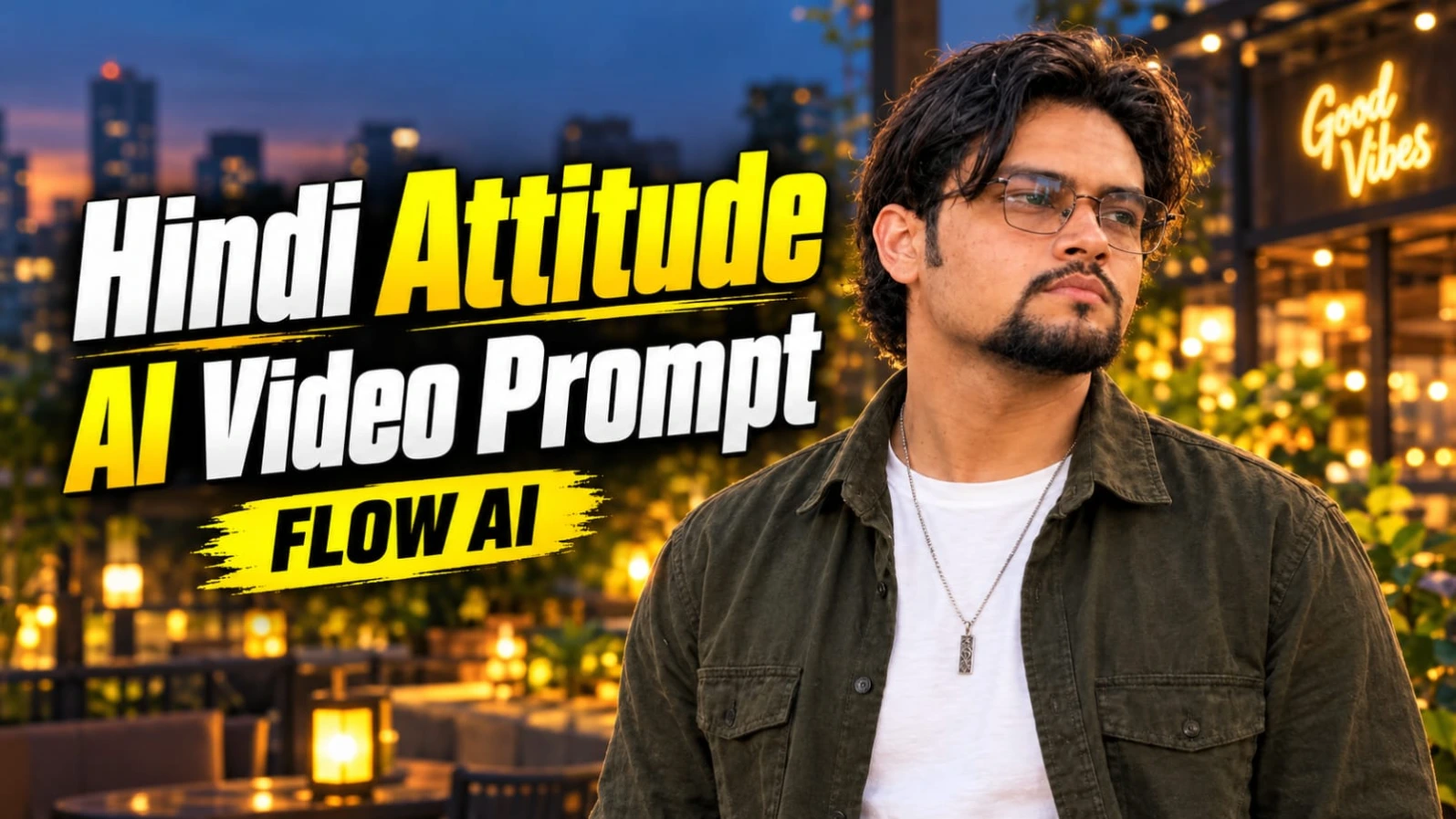
Hindi Attitude AI Video Prompt – Good Vibes Only Cinematic Dialogue
Hindi Attitude AI Video Prompt ek 7-second cinematic dialogue reel concept hai. Ismein ek stylish South Asian man modern illuminated city patio par camera ki taraf dekhkar trust aur human nature ke baare mein Hindi dialogue bolta hai. Background mein warm lantern lights, decorative planter boxes aur glowing Good Vibes Only cafe sign hai.
Character ke wavy dark hair, neatly groomed goatee aur wire spectacles hain. Outfit mein unbuttoned olive-green overshirt aur clean white T-shirt hai. Video ka main attraction natural Hindi voice, confident hand gestures aur final black-and-white freeze-frame effect hai.
Good Vibes Only AI Video Kaise Banaye
Step 1: Character Reference Photo Banayein
Apni clear reference photo select karein. Face, hairstyle, goatee aur spectacles clearly visible hone chahiye. Character sheet banate waqt same facial appearance preserve karein.
Step 2: Outfit Details Rakhein
Character ko unbuttoned olive-green overshirt aur white crew-neck T-shirt pehnayein. Hair, beard, spectacles aur clothing poore video mein same rehne chahiye.
Step 3: City Patio Background Create Karein
Modern illuminated city patio at twilight ka environment rakhein. Background mein warm lantern lights, low stone planter boxes, greenery aur cafe architecture ho. Cafe ke background sign par exact words "Good Vibes Only" visible hone chahiye.
Step 4: Flow AI Open Karein
Flow AI ya compatible AI video generator open karein. Available reference-image feature se character image upload karein aur original 7-second video prompt paste karein.
Step 5: Original Hindi Dialogue Use Karein
Dialogue ko Roman Hindi mein is tarah rakhein:
"Waqt ne to humein insaan ki pehchaan sikha di lala, warna hum to har chehre ko farishta samajh lete the."
Voice natural male Hindi voice honi chahiye. Pronunciation clear ho aur lip movements spoken words ke saath synchronize hon.
Step 6: First Scene – 0–4 Seconds
Character camera ki taraf dekhkar right hand se open-handed forward gesture karta hai. Body posture relaxed aur confident rahe. Dialogue ke first part ko natural conversational style mein deliver kare.
Step 7: Second Scene – 4–7 Seconds
Character hands ko slightly lower karta hai, warm smile deta hai aur posture adjust karta hai. Camera lens ki taraf direct eye contact ke saath dialogue ka final part complete karta hai.
Step 8: Black-and-White Freeze-Frame
Video ke exact final beat par poora frame instantly freeze ho jaye aur high-contrast black and white mein change ho. Transition gradual nahi hona chahiye. Face, outfit aur background details visible rehni chahiye.
Step 9: Camera Settings
Video ko 9:16 vertical smartphone footage style mein generate karein. Slight natural handheld movement aur 24fps playback style rakhein. Slow motion use na karein.
Step 10: Final Check
Face, spectacles, beard, outfit, dialogue pronunciation aur final freeze-frame inspect karein. Original concept mein extra captions aur watermark nahi hain, isliye unhe add na karein.
Actual 24fps output aur Hindi lip-sync selected AI platform ki capabilities par depend karte hain. Lip-sync sahi na aaye to recorded voice ko editing app mein synchronize karein.
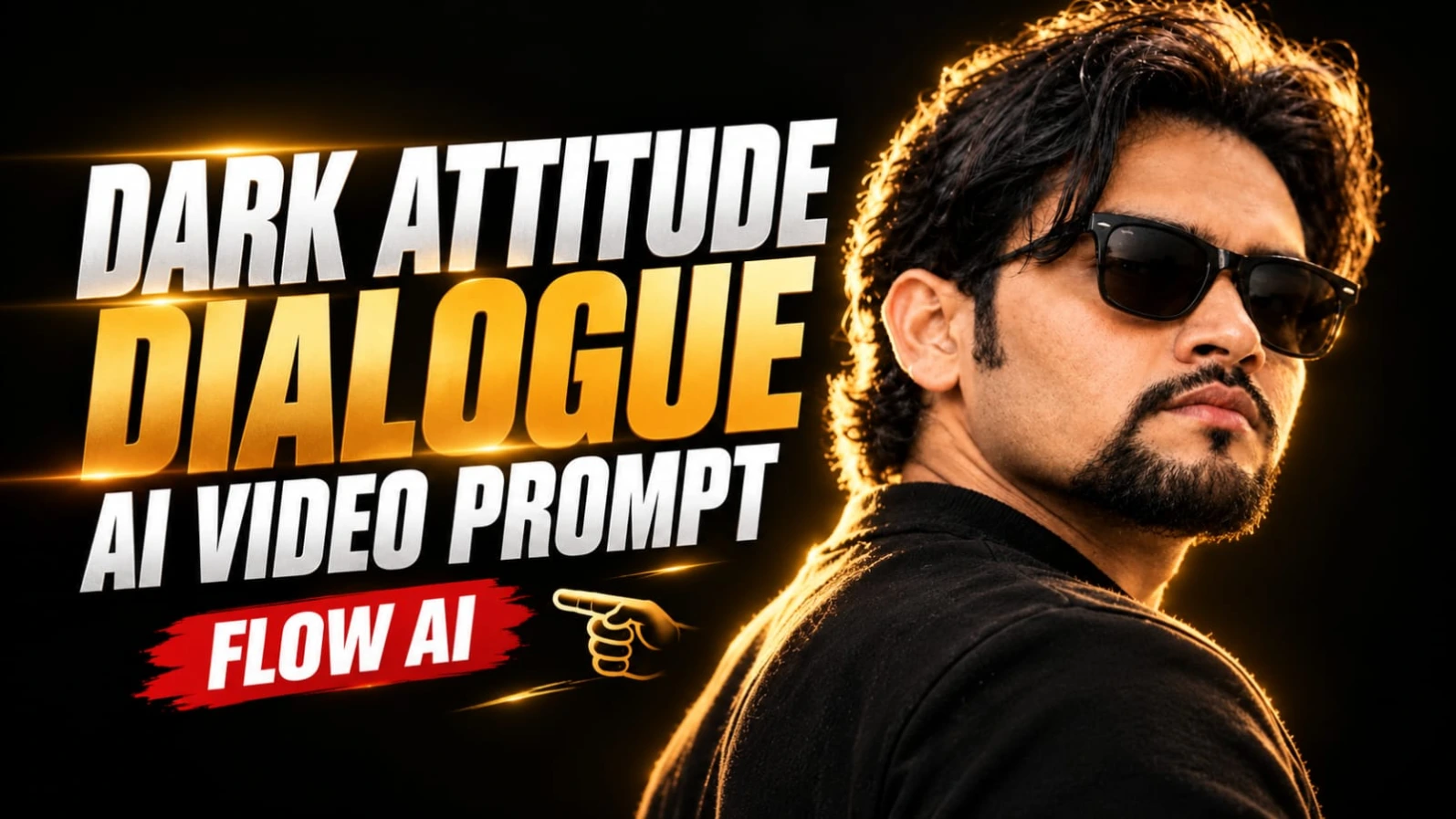
Dark Cinematic Attitude Dialogue AI Video Prompt – 9:16
Dark Cinematic Attitude Dialogue AI Video Prompt ek powerful 7-second portrait video concept hai. Ismein ek South Asian man pitch-black studio background ke saamne over-the-shoulder three-quarter profile mein khada hai. Uske voluminous wavy dark hair, neatly groomed goatee beard aur black Wayfarer sunglasses hain.
Warm golden rim lighting character ke hair aur shoulder ko highlight karti hai. High-contrast chiaroscuro lighting dark background aur illuminated subject ke beech cinematic separation create karti hai. Video mein do Hindi dialogue segments hain, jinka delivery style controlled aur confident hai.
Dark Cinematic Attitude Video Kaise Banaye
Step 1: Character Sheet Ready Karein
Apni clear face reference photo select karein. Character sheet mein wavy dark hair, neatly groomed goatee aur black Wayfarer sunglasses preserve karein. Reference sheet ko over-the-shoulder three-quarter profile composition mein banayein.
Step 2: Outfit aur Appearance Fix Karein
Original video concept mein dark matte crew-neck shirt hai. Formal business suit, white shirt aur necktie use na karein. Character ka hairstyle, beard aur sunglasses poore video mein consistent rehna chahiye.
Step 3: Background Setup Karein
Pitch-black studio background rakhein. Koi outdoor scene, furniture ya unnecessary props nahi hone chahiye. Character ka torso camera se slightly away ho aur face camera right ki taraf oriented rahe.
Step 4: Lighting Setup Karein
Warm golden rim light hair, ears aur shoulder ke contours ko highlight kare. High-contrast chiaroscuro lighting use karein, jisme deep shadows aur carefully placed highlights hon. Face recognizable rahe aur skin texture natural dikhe.
Step 5: Flow AI Open Karein
Flow AI ya compatible AI video generator open karein. Available reference-image feature se character photo upload karein. Original Dark Cinematic Attitude video prompt copy karein.
Step 6: First Dialogue – 0–3 Seconds
Character steady aur cold posture maintain karte hue subtle lip aur throat movements ke saath dialogue bolta hai:
"Dushmani bhi hum bade saleeqe se nibhate hain..."
Delivery measured aur controlled honi chahiye. Facial expression confident rahe, lekin exaggerated anger nahi hona chahiye.
Step 7: Second Dialogue – 3–7 Seconds
Character ek calculated breath leta hai aur chin ko bahut halka sa upar raise karta hai. Phir second dialogue deliver karta hai:
"Hum apne dushmano ke liye bhi... maut ki dua nahi karte."
Dialogue ke beech pause important hai. Sentence ko exactly same rakhein aur extra words add na karein.
Step 8: Lip-Sync aur Micro Movements
Mouth, jaw aur throat movements spoken Hindi words ke saath naturally synchronize hone chahiye. Unnecessary blinking, sudden facial changes aur exaggerated gestures avoid karein.
Step 9: Negative Prompt Use Karein
Agar AI tool separate negative prompt field support karta hai, to bright daylight, outdoor scenes, formal suit, white shirt, necktie, clean-shaven face, distorted sunglasses, plastic skin, cartoon rendering, flickering lights, erratic camera movement aur blurry face avoid karne ki instruction dein.
Step 10: Camera aur Export
9:16 vertical composition rakhein. Original prompt mein ARRI Alexa Mini LF, 85mm anamorphic portrait lens aur 24fps cinematic style diya gaya hai. Camera stable rahe aur unnecessary shake na ho.
Step 11: Final Video Review
Face, hair, goatee, sunglasses, golden rim lighting aur dono dialogue segments carefully check karein. Agar Hindi lip-sync accurate nahi aata, to silent visual generate karke recorded voice editing app mein synchronize karein.
Camera aur lens references desired cinematic appearance batate hain; actual camera simulation, resolution aur frame rate AI platform ki capabilities par depend karte hain.