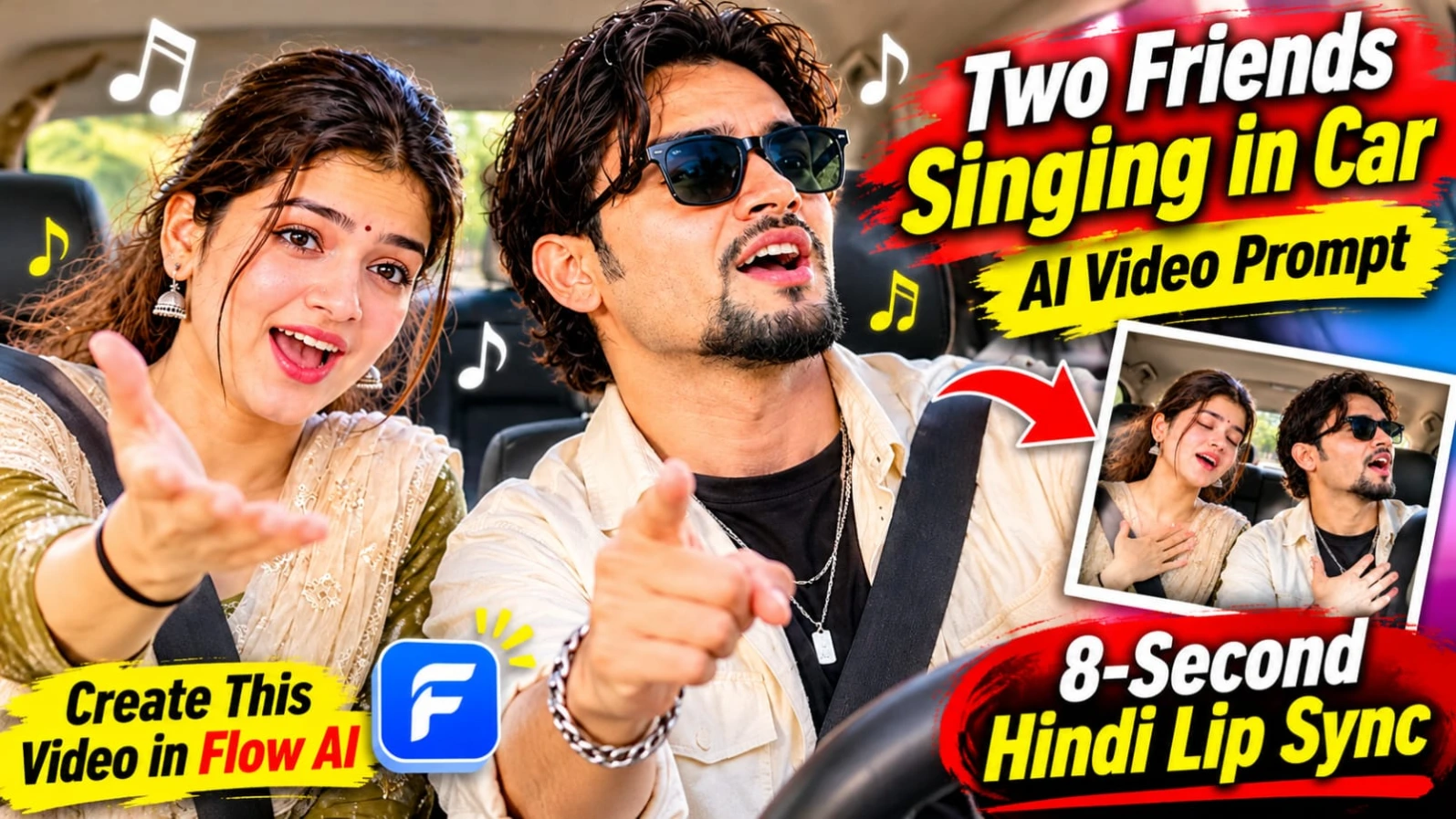
Two Friends Singing in Car AI Video Prompt – Create a Fun Hindi Singing Video
Creating entertaining AI videos with friends has become a popular way to make engaging social media content. One particularly interesting concept is a cinematic car video in which two friends sing an emotional Hindi song together. With expressive facial reactions, natural lip-sync, playful gestures, and realistic car surroundings, this concept can turn a simple photograph into an entertaining short video.
The Two Friends Singing in Car AI Video Prompt is designed to animate a provided image into an 8-second vertical video. The main objective is to preserve the appearance of both people while bringing their expressions and movements to life. Instead of changing the original photograph, the AI video generation process should maintain the same faces, hairstyles, clothing, and overall appearance.
What Makes This AI Video Concept Special?
The most interesting part of this concept is the combination of emotional singing and comedy. Two friends are sitting together in the front seats of a car, enjoying an emotional Hindi pop ballad. Their expressions gradually become more dramatic as the music builds.
At the beginning, they look at each other, smile, and start singing softly. As the piano rhythm becomes more energetic, their expressions become increasingly emotional. They place their hands on their hearts, sway their heads with the music, and even point at each other for a funny moment.
The final section brings both friends together for a dramatic chorus. They sing enthusiastically before suddenly bursting into laughter. This combination of music, friendship, and spontaneous comedy gives the video a natural and relatable feeling.
Importance of Face and Outfit Consistency
When animating a photograph containing two people, maintaining visual consistency is extremely important. The AI prompt specifically instructs the video generator to preserve both people's original faces and outfits.
The generated animation should not introduce different hairstyles, change clothing colors, modify facial structures, or make either person look like someone else. Both friends should remain visually consistent throughout the entire 8-second sequence.
However, the final level of identity consistency depends on the selected AI video platform, the quality of the uploaded photograph, and its available image-to-video features. A detailed prompt helps communicate the intended result, but it cannot guarantee perfect facial preservation in every generation.
An 8-Second Cinematic Scene Breakdown
The video follows three carefully planned stages.
Seconds 0–2: The Beginning of the Song
The two friends glance at each other and smile naturally. They begin lip-syncing softly to the first line of the Hindi song. Their facial expressions should feel relaxed and spontaneous rather than overly animated.
Seconds 2–5: Emotional Expressions and Funny Gestures
The music becomes more energetic as the second line begins. Both friends show exaggerated emotional expressions, place their hands over their hearts, and move their heads in rhythm with the piano. One friend points toward the other for a playful comic moment.
Seconds 5–8: Dramatic Chorus and Laughter
Both friends sing the chorus with big theatrical expressions. Their energy reaches its peak before they break into genuine laughter. This ending creates a memorable friendship moment and gives the short video a satisfying conclusion.
Why the Camera Direction Matters
The camera is positioned at dashboard level, capturing both friends together in a fixed two-shot composition. This perspective makes the scene feel like a real recording inside a car.
A very slight handheld shake adds a natural camera feeling, while a slow push-in gradually brings the viewers closer to the subjects. The camera should not suddenly change angles or cut away from the two friends.
Natural sunlight entering through the windshield helps illuminate their faces. Realistic reflections on the glass and natural lighting inside the vehicle contribute to the live-action appearance.
Hindi Lip-Sync and Music
The Hindi lyrics are an important part of this video concept. Both friends are instructed to lip-sync to the supplied lines:
"Subah ki dhoop mein tera naam likha... Har mod pe dil ne tujhe dhundha... Tere raaste, tere raaste, chal padi hoon main tere raaste."
The music is described as an emotional Hindi pop ballad with a fast, energetic piano riff playing through the car radio. The contrast between emotional lyrics and playful expressions creates the video's distinctive mood.
For the best result, the AI video platform should support suitable audio generation or audio synchronization. If the platform does not support accurate Hindi lip-sync or music generation, the audio may need to be added or synchronized separately during editing.
How to Get a More Realistic Result
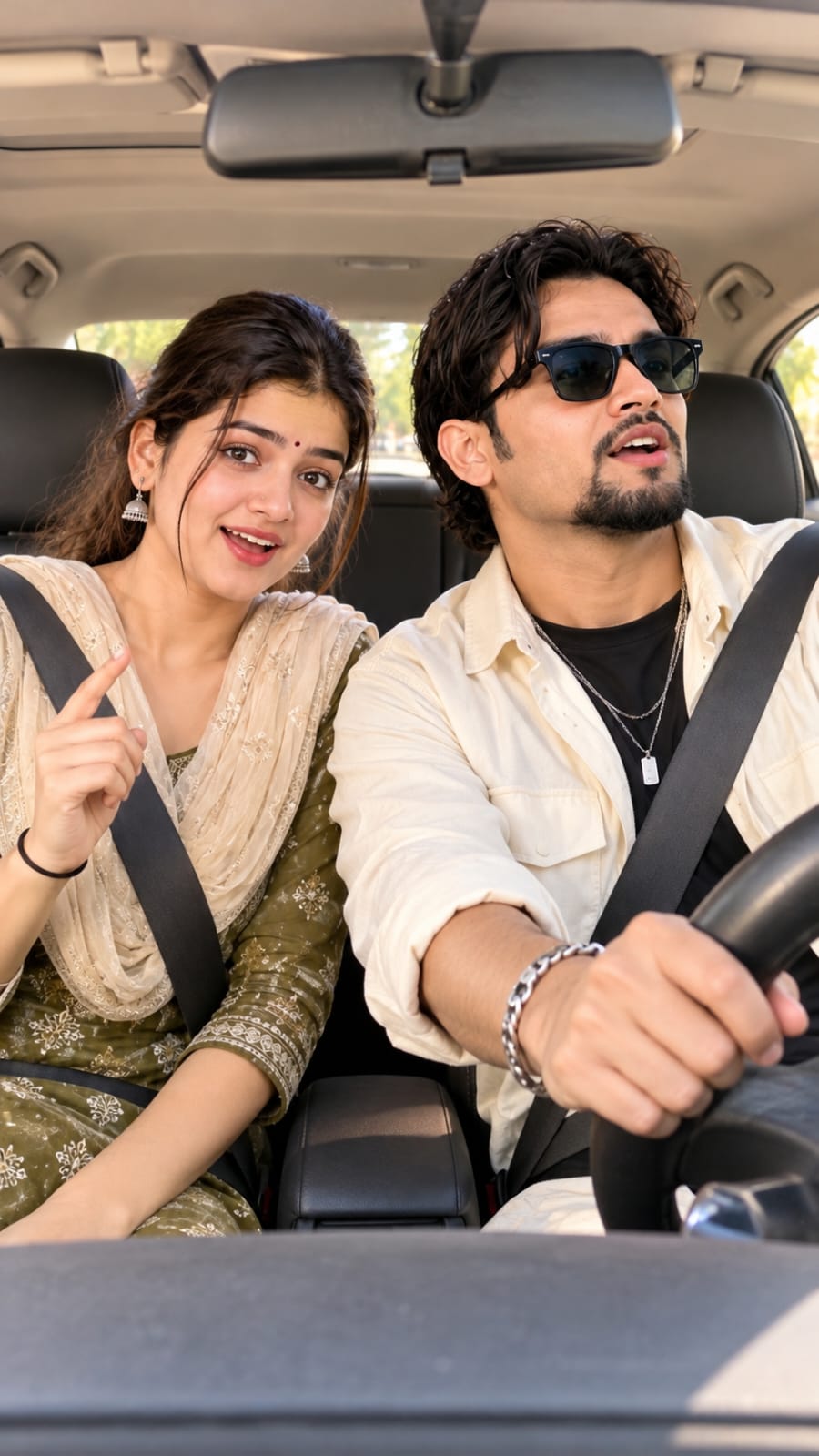
Start with a clear photograph in which both friends' faces are visible. A front-facing image with good natural lighting can make it easier for the video generator to understand their appearance.
Use the complete prompt rather than describing only the general idea. The scene timing, gestures, camera position, music mood, facial expressions, and ending should all be included.
Keep the requested duration at 8 seconds and the aspect ratio at 9:16 for a vertical social media video. Avoid adding extra characters, unnecessary camera cuts, subtitles, or watermarks.
It is also important to remember that prompt instructions describe the desired visual result. Actual resolution, frame rate, audio quality, and available generation settings depend on the AI platform being used.
Final Thoughts
This two-friends singing in a car concept is a creative way to transform an ordinary photograph into a short cinematic friendship video. Its combination of Hindi music, emotional lip-sync, funny gestures, natural sunlight, and laughter makes it suitable for entertaining social media reels.
With a clear reference image and a detailed AI video prompt, creators can experiment with different expressions and cinematic movements while keeping the original people and their outfits consistent.
Pehle Character Sheet Photo Banaai ChatGPT Se
AI PHOTO PROMPT
Using the two uploaded reference photos, keep both faces, hairstyles and skin tones exactly the same. Two friends sitting side by side in the front seats of a parked car...
Using the two uploaded reference photos, keep both faces, hairstyles and skin tones exactly the same. Two friends sitting side by side in the front seats of a parked car, daytime, bright natural light through the windshield. Both wear seatbelts, relaxed casual outfits, mouths slightly open as if starting to sing, eyes wide and playful, leaning slightly toward each other. Realistic car interior, dashboard and steering wheel visible, soft sunlight on faces, shallow depth of field, shot on 35mm lens, medium two-shot from the dashboard angle, vertical 9:16, photorealistic, natural skin texture, no text, no watermark.
AI PHOTO PROMPT
Using the two uploaded reference photos, keep both faces, hairstyles and skin tones exactly the same. Two friends sitting side by side in the front seats of a parked car...
Using the two uploaded reference photos, keep both faces, hairstyles and skin tones exactly the same. Two friends sitting side by side in the front seats of a parked car, daytime, bright natural light through the windshield. Both wear seatbelts, relaxed casual outfits, mouths slightly open as if starting to sing, eyes wide and playful, leaning slightly toward each other. Realistic car interior, dashboard and steering wheel visible, soft sunlight on faces, shallow depth of field, shot on 35mm lens, medium two-shot from the dashboard angle, vertical 9:16, photorealistic, natural skin texture, no text, no watermark.
Animate the provided image into an 8-second vertical 9:16 video. Keep both people's faces and outfits identical to the image. Two friends in a car are singing along dramatically...
Animate the provided image into an 8-second vertical 9:16 video. Keep both people's faces and outfits identical to the image. Two friends in a car are singing along dramatically to an emotional Hindi pop ballad with a fast, energetic piano riff playing on the car radio. They lip-sync in Hindi to these lyrics: "Subah ki dhoop mein tera naam likha... Har mod pe dil ne tujhe dhundha... Tere raaste, tere raaste, chal padi hoon main tere raaste."
Seconds 0-2: they glance at each other, smile, and start lip-syncing softly to the first line. Seconds 2-5: the energy builds on the second line, exaggerated emotional expressions, hand-on-heart gestures, head sways in sync with the piano rhythm, one points at the other for comic effect. Seconds 5-8: both belt out the chorus "Tere raaste, tere raaste" with big theatrical expressions and then burst into laughter. Camera: fixed dashboard-level two-shot with a very slight handheld shake and a slow push-in. Natural sunlight, realistic reflections on the windshield, smooth lip-sync matching Hindi pronunciation, natural blinking, no distortion on faces, no subtitles, no watermark.
AI VIDEO PROMPT
Animate the provided image into an 8-second vertical 9:16 video. Keep both people's faces and outfits identical to the image. Two friends in a car are singing along dramatically...
Animate the provided image into an 8-second vertical 9:16 video. Keep both people's faces and outfits identical to the image. Two friends in a car are singing along dramatically to an emotional Hindi pop ballad with a fast, energetic piano riff playing on the car radio. They lip-sync in Hindi to these lyrics: "Subah ki dhoop mein tera naam likha... Har mod pe dil ne tujhe dhundha... Tere raaste, tere raaste, chal padi hoon main tere raaste."
Seconds 0-2: they glance at each other, smile, and start lip-syncing softly to the first line. Seconds 2-5: the energy builds on the second line, exaggerated emotional expressions, hand-on-heart gestures, head sways in sync with the piano rhythm, one points at the other for comic effect. Seconds 5-8: both belt out the chorus "Tere raaste, tere raaste" with big theatrical expressions and then burst into laughter. Camera: fixed dashboard-level two-shot with a very slight handheld shake and a slow push-in. Natural sunlight, realistic reflections on the windshield, smooth lip-sync matching Hindi pronunciation, natural blinking, no distortion on faces, no subtitles, no watermark.
How to Create a Two Friends Singing in Car AI Video
You can use an AI image-to-video platform to animate a photograph of two friends sitting together inside a car. The goal is to create an 8-second vertical video in which both people sing an emotional Hindi song, perform playful gestures, and finish by laughing together.
Follow the steps below to prepare your video.
Step 1: Select Your Reference Photograph
First, choose a clear photograph containing both friends. Make sure both faces are visible and the image has enough detail for the AI platform to understand their appearance.
For better results, select a photograph with:
- Clearly visible faces.
- Natural facial expressions.
- Both people sitting together.
- Visible car interior, if available.
- Good lighting and minimal blur.
The quality of the reference photograph can influence the final animation.
Step 2: Open an AI Video Generator
Open your preferred image-to-video AI platform. You can use Flow AI if its image-to-video feature is available to you.
Look for an option to upload a reference image or create a video from an image. The exact interface and available features may vary depending on the platform and account.
Step 3: Upload Your Photograph
Upload the selected photograph of the two friends.
Check that both people are visible in the preview. The original photograph should be used as the visual reference for the animation.
The prompt should instruct the AI to preserve both people's faces, hairstyles, outfits, and general appearance throughout the video.
Step 4: Copy the Master Video Prompt
Copy the complete prompt below and paste it into the video generation prompt box.
Master Video Prompt
Animate the provided image into an 8-second vertical 9:16 video. Keep both people's faces, hairstyles, skin tones, and outfits identical to the reference image. Two friends sitting in the front seats of a realistic car are singing dramatically along to an emotional Hindi pop ballad with a fast, energetic piano riff playing on the car radio.
Both friends lip-sync in Hindi to these lyrics:
"Subah ki dhoop mein tera naam likha... Har mod pe dil ne tujhe dhundha... Tere raaste, tere raaste, chal padi hoon main tere raaste."
Scene Timing and Actions
Seconds 0–2: Both friends glance at each other, smile naturally, and begin softly lip-syncing the first line. Their expressions are relaxed and playful.
Seconds 2–5: The energy builds during the second line. Both friends show exaggerated emotional expressions, place their hands over their hearts, and sway their heads in sync with the piano rhythm. One friend points toward the other for a funny, playful moment.
Seconds 5–8: Both friends dramatically sing the chorus "Tere raaste, tere raaste" with expressive faces and energetic movements. Immediately afterward, they burst into natural laughter.
Camera and Visual Style
Use a fixed dashboard-level two-shot that keeps both friends visible throughout the video. Add a very slight handheld camera shake and a slow cinematic push-in. Maintain natural sunlight entering through the windshield, realistic windshield reflections, and believable car interior details.
Use smooth facial animation, natural blinking, realistic head movements, and synchronized Hindi lip movements. Preserve the original identity and clothing of both people.
No face distortion, no extra characters, no sudden camera cuts, no subtitles, and no watermark.
Step 5: Check the Video Settings
Before generating, check the available settings and select the following where supported:
- Duration: 8 seconds.
- Aspect ratio: 9:16 vertical.
- Generation type: Image to Video.
- Camera: Dashboard-level two-shot.
- Visual style: Realistic cinematic.
- Audio: Emotional Hindi pop ballad with energetic piano.
- Text overlay: None.
Some platforms may not provide every setting. If a particular option is unavailable, use the prompt to describe the desired result or add the missing element during editing.
Step 6: Generate Your Video
Start the generation process after checking your uploaded photograph and prompt.
Wait for the platform to complete the video. Review the result carefully, especially the faces, hand gestures, lip-sync, and movement timing.
If the first result does not match the intended scene, you can refine the prompt and generate another version if your platform allows it.
Step 7: Add or Synchronize Audio if Needed
The video concept includes Hindi lyrics and a fast piano riff. If your AI platform supports audio generation and Hindi lip-sync, use the available audio features.
If the generated video does not contain the required music or accurate lip-sync, you can add the song audio separately using a video editor. Adjust the audio timing so the lyrics match the friends' expressions and mouth movements as closely as possible.
Step 8: Export for Social Media
Once you are satisfied with the result, export the video using the available vertical 9:16 format.
Watch the complete video before publishing. Check that both faces remain consistent, the original outfits are preserved, and the final laughter appears naturally.
Final Tip
Use a clear photograph, keep the complete scene instructions together, and avoid unnecessary changes to the original image. The more clearly you describe the actions and timing, the easier it is for an AI video generator to understand your creative idea.
SEO TAGS
Two Friends Singing in Car AI Video PromptFriends Car Singing VideoHindi Lip Sync AI VideoAI Image to Video PromptTwo Friends AI VideoCar Singing Reel PromptHindi Song AI VideoAI Video Prompt 9:16Cinematic Car Video PromptFunny Friends AI VideoFlow AI Video PromptEmotional Hindi Song VideoAI Face Consistency PromptFriendship Singing Reel8 Second AI Video
SEO TAGS
Two Friends Singing in Car AI Video PromptFriends Car Singing VideoHindi Lip Sync AI VideoAI Image to Video PromptTwo Friends AI VideoCar Singing Reel PromptHindi Song AI VideoAI Video Prompt 9:16Cinematic Car Video PromptFunny Friends AI VideoFlow AI Video PromptEmotional Hindi Song VideoAI Face Consistency PromptFriendship Singing Reel8 Second AI Video
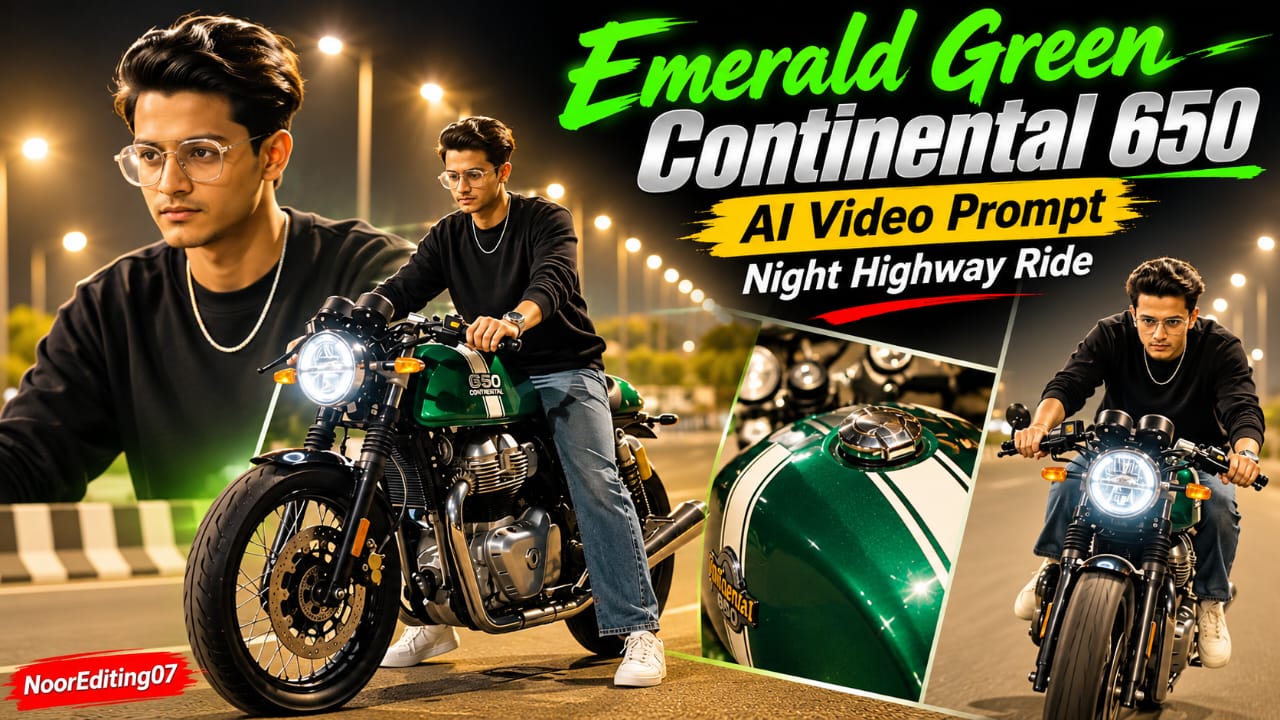
Emerald Green Continental 650 AI Video Prompt se aap ek stylish night highway motorcycle video create kar sakte hain. Is concept mein metallic emerald-green cafe racer motorcycle, glowing green engine lights aur bright highway streetlights ka cinematic combination diya gaya hai. Video mein rider black crewneck sweatshirt, loose-fit washed blue jeans, white sneakers aur silver chain pehenta hai. Rider ka head bareheaded rahega, yani helmet nahi hoga. Total 19 scenes mein motorcycle ke close-up shots, rider walking aur highway riding sequences shamil hain.
Emerald Green Continental 650 AI Video Kaise Banaye
Step 1: Sabse pehle apni clear face photo select karein. Is photo se character sheet banayein, jisme front, side, profile aur back views hon. Character ke hairstyle, face aur outfit ko consistent rakhein.
Step 2: Character sheet mein black crewneck long-sleeve sweatshirt, washed blue loose-fit jeans, white sneakers aur thin silver chain rakhein.
Step 3: Flow AI ya kisi compatible AI video generator ko open karein. Character reference image upload karein, agar platform image-reference feature support karta hai.
Step 4: Emerald Green Continental 650 ka video prompt copy karein. Motorcycle ka metallic emerald-green body, white racing stripes, round LED headlight, clip-on handlebars aur green engine underglow clearly mention karein.
Step 5: 19 scenes ko sequence mein generate karein. Opening mein front wheel ka low-angle shot, phir rider ka motorcycle par baithna aur bike ko pairon se peeche move karna dikhayein.
Step 6: Agle scenes mein green fuel tank, clip-on handlebars, dual instrument dials, streetlight reflections aur rider ke walking shots rakhein. Vertical whip-pan transition ke baad motorcycle ke tank ka beauty shot use karein.
Step 7: Middle scenes mein rider ko bike ke paas aate, seat par baithte, posture adjust karte aur motorcycle ke green engine glow ke paas khade hote dikhayein. White sneaker, chrome exhaust aur GT 650 badge ka close-up bhi include karein.
Step 8: Final scenes mein motorcycle ko highway par smoothly accelerate karte, overhead lights ke neeche cruise karte aur camera ki taraf aate hue dikhayein.
Step 9: Video ko 9:16 vertical format mein arrange karein. Bright amber streetlights, warm bokeh aur lifted shadows maintain karein.
Prompt mein 120fps visual style diya gaya hai, lekin actual frame rate aur resolution AI tool ki settings par depend karte hain. Face aur motorcycle ki consistency export se pehle check karein. NoorEditing07 watermark bottom corner mein add karein, agar AI use sahi generate na kare.
Red Energy Veins S Letter Hand AI Video Prompt – 9:16 Cinematic VFX
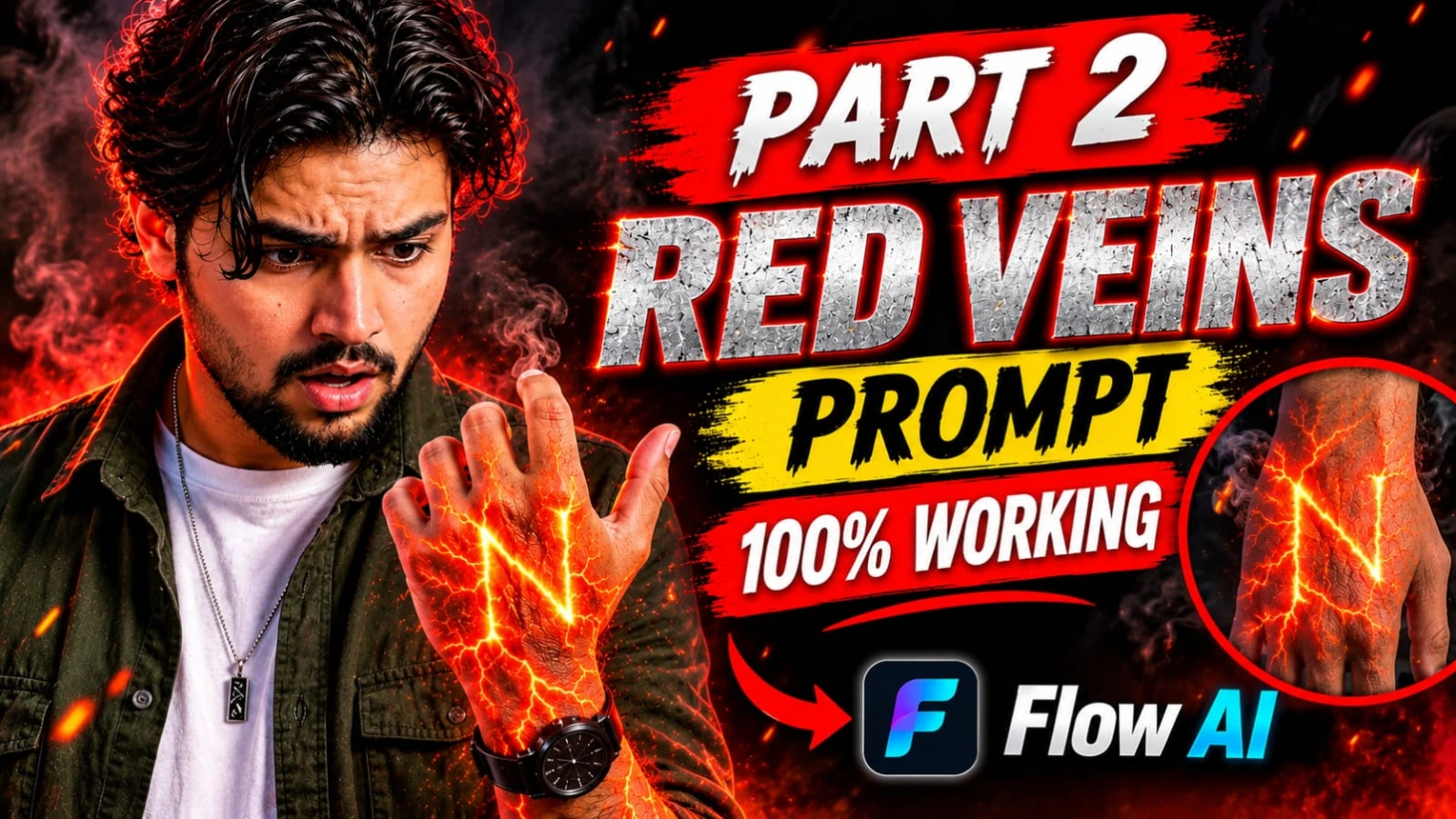
Red Energy Veins S Letter Hand AI Video Prompt ek creative cinematic VFX concept hai. Ismein human hand aur forearm ke neeche glowing red-orange energy veins dikhayi deti hain. Ye energy lines lava cracks ki tarah spread hoti hain aur dheere-dheere hand ke back par capital letter S banati hain. Dark background, dramatic red lighting aur smoke particles is effect ko aur powerful visual appearance dete hain.
Is concept ka main focus realistic human skin aur fictional energy effect ko combine karna hai. Hand ki natural anatomy, skin texture aur fingers ki shape maintain rehni chahiye. Letter S ordinary text ki tarah nahi, balki glowing energy lines se bana hua nazar aana chahiye.
Red Energy Veins S Letter Video Kaise Banaye
Step 1: Sabse pehle ek clear hand aur forearm reference image select karein. Image mein hand ka back visible hona chahiye aur fingers natural position mein honi chahiye.
Step 2: Flow AI ya kisi compatible AI video generator ko open karein. Agar image-to-video feature available hai, to hand reference image upload karein.
Step 3: Original Red Energy Veins prompt copy karein. Ismein glowing red-orange energy veins ko skin ke neeche spread hote hue describe karein.
Step 4: Prompt mein clearly mention karein ki energy lines lava cracks jaisi hon aur dheere-dheere capital letter S ka shape banayein. Letter S correct direction mein ho aur clearly readable rahe.
Step 5: Background ko dark rakhein. Hand aur forearm par dramatic red light ho, jisse glowing veins clearly highlight hon. Background mein subtle smoke particles add karein.
Step 6: Video generation ke liye slow-motion movement describe karein. Energy lines achanak appear hone ke bajay gradually spread hon aur unki brightness dheere-dheere increase ho.
Step 8: Final video ko 9:16 vertical composition mein generate karein. Ye format Instagram Reels aur YouTube Shorts ke liye suitable hai.
Step 9: Generated video ko zoom karke check karein. Letter S ki shape, fingers, energy movement aur smoke particles mein errors hon to prompt refine karke dobara generate karein.
AI generators exact lettering ko kabhi-kabhi galat bana sakte hain. Isliye letter S ko clear aur correctly formed rakhne ki instruction repeat karna helpful ho sakta hai. Ye prompt fictional VFX experiments aur creative reels ke liye use kiya ja sakta hai.
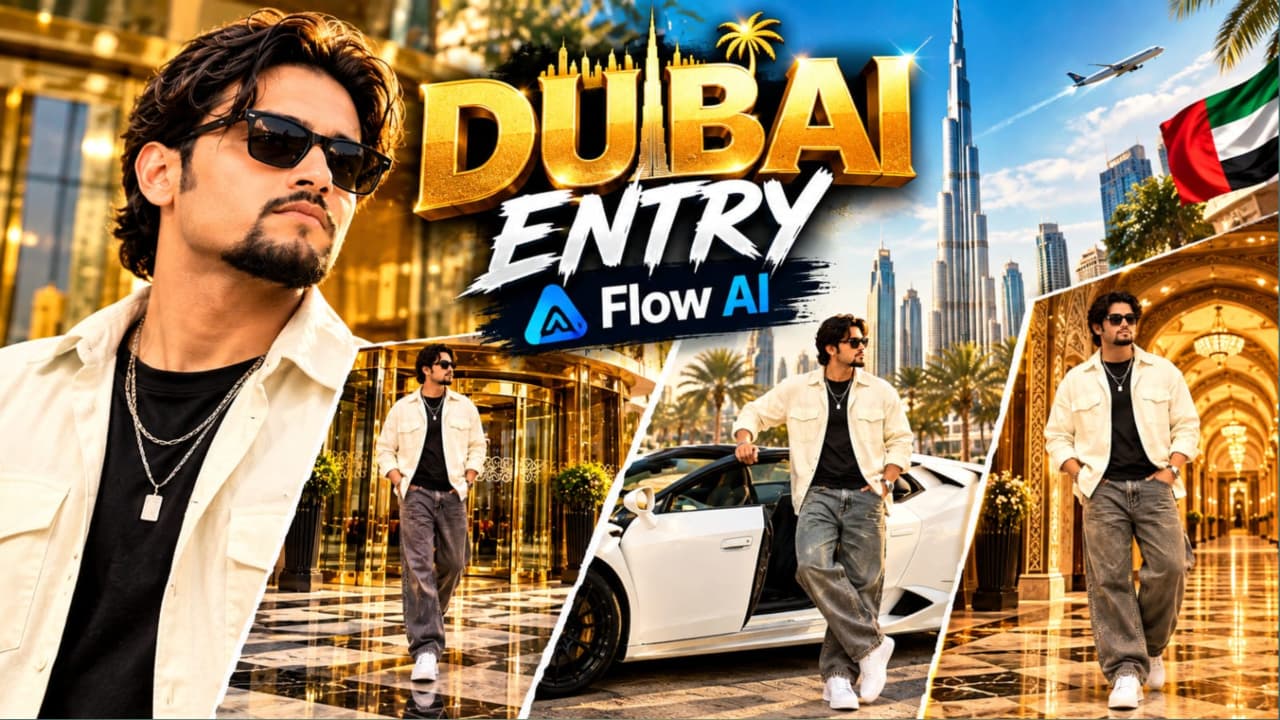
Luxury Hotel Entry AI Video Prompt with Lamborghini – Flow AI
Luxury Hotel Entry AI Video Prompt se aap ek premium VIP lifestyle video create kar sakte hain. Is concept mein grand luxury hotel entrance, white convertible Lamborghini aur Arabic-inspired royal palace hallway ke teen cinematic environments diye gaye hain. Main character ek young South Asian man hai, jiske wavy dark brown hair, groomed goatee beard aur dark sunglasses hain.
Character cream-white oversized open overshirt, black fitted T-shirt, wide-leg grey denim jeans, chunky white sneakers aur layered silver chain with rectangular pendant pehenta hai. Teeno scenes mein same character aur outfit maintain karna important hai.
Luxury Hotel Lamborghini Video Kaise Banaye
Step 1: Sabse pehle apni clear reference photo select karein. Is photo se character sheet banayein, taaki face, hairstyle aur body appearance har scene mein consistent rahe.
Step 2: Character ka outfit fix karein: cream-white oversized overshirt, black T-shirt, baggy grey jeans, white sneakers, silver chain aur dark sunglasses.
Step 3: Flow AI open karein. Available reference-image feature se character sheet upload karein aur video generation section mein jaayein.
Step 4: Luxury Hotel Entry video prompt copy karein. Is concept mein total 3 main scenes hain. Har scene ko alag clip ke roop mein generate karna useful ho sakta hai.
Step 5: First scene mein character ko grand luxury hotel ke revolving glass door se bahar nikalte hue dikhayein. Entrance par gold-brass framing, reflective glass panels aur polished checkered marble pavement ho. Camera eye-level tracking shot mein character ko follow kare.
Step 6: Second scene mein sunlit outdoor parking plaza aur white convertible Lamborghini rakhein. Character driver's side se car se bahar nikle, ek haath door frame par rakhe aur camera ki taraf confident look de. Car ka body shape, wheels aur convertible roof consistent rakhein.
Step 7: Third scene Arabic-inspired royal palace hallway mein generate karein. Background mein gold-patterned wallpaper, illuminated arched alcoves aur carved wooden ceiling beams hon. Character dono hands jeans pockets mein rakhkar subtle body movement kare.
Step 8: Teeno scenes ko 9:16 vertical format mein arrange karein. Hotel aur car scenes mein natural daylight, jabki palace hallway mein warm golden lighting maintain karein.
Step 9: Editing ke waqt clips ko smooth sequence mein join karein. Character ke face, outfit, car door movement, hands aur vehicle details ko carefully check karein.
Prompt mein ARRI Alexa Mini LF, 35mm anamorphic lens aur 24fps cinematic look ka reference hai. Ye visual style describe karte hain; actual camera ya frame rate AI tool ki output settings par depend karta hai.
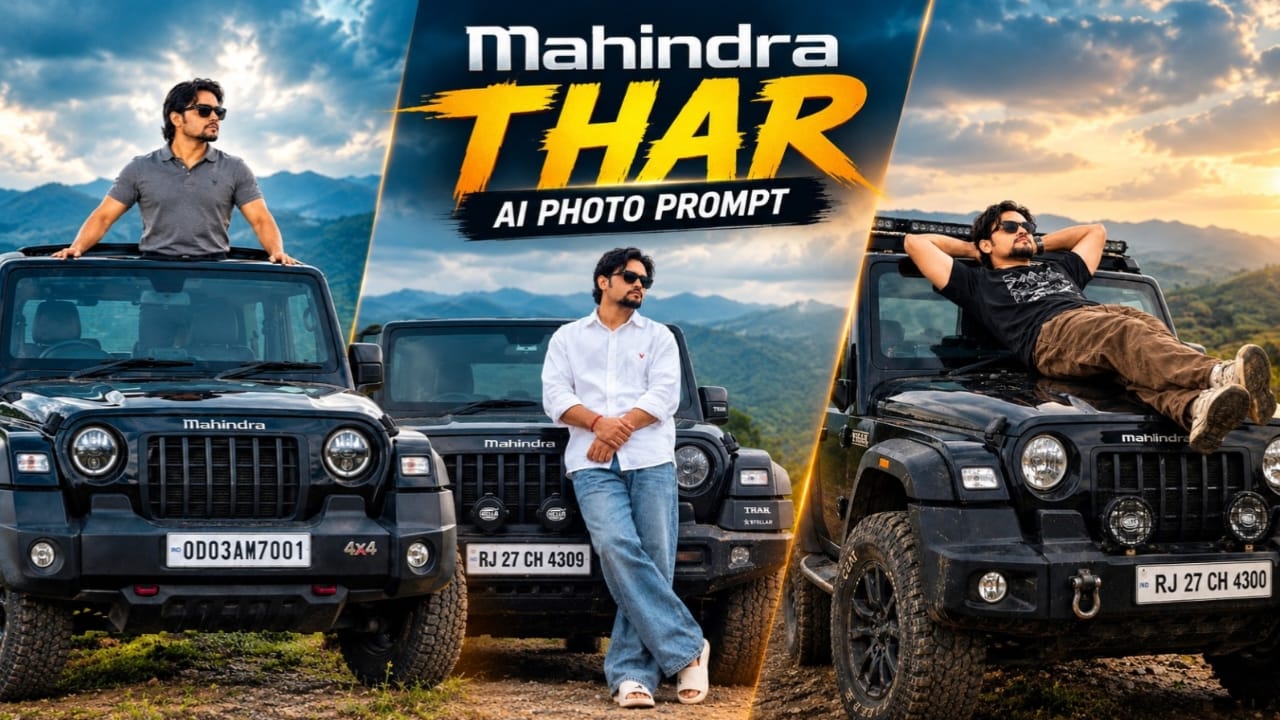
Mahindra Thar AI Photo Prompt – Cinematic Black SUV Portrait
Mahindra Thar AI Photo Prompt se aap ek cinematic automotive portrait create kar sakte hain. Is concept mein ek young South Asian man black Mahindra Thar SUV ke bonnet ke paas confident pose mein khada hai. Background mein foggy hills aur cloudy sky hai, jo photograph ko moody cinematic atmosphere dete hain.
Character white oversized shirt with red logo detail, blue baggy jeans, white slides, black sunglasses aur red wristband pehenta hai. SUV ke front mein Mahindra logo, Stellar edition badges, auxiliary bumper lights aur number plate RJ 27 CH 4309 jaise details mention kiye gaye hain.
Mahindra Thar AI Photo Kaise Banaye
Step 1: Sabse pehle apni original clear face photo select karein. Face, hairstyle, beard aur skin tone clearly visible hone chahiye.
Step 2: Agar possible ho to black Mahindra Thar ki ek clear front reference photo bhi ready rakhein. Isse grille, bumper, headlights aur vehicle design ko guide karne mein help mil sakti hai.
Step 3: AI image generator ya image-editing tool open karein. Image-to-image ya reference-guided generation feature available ho to apni reference photo upload karein.
Step 4: Mahindra Thar AI Photo Prompt copy karein. Prompt mein face appearance, hairstyle aur beard ko reference ke according preserve karne ki instruction rakhein.
Step 5: Character ka outfit same rakhein: white oversized shirt with red logo, blue baggy jeans, white slides, black sunglasses aur red wristband. Extra accessories ya different clothing add na karein.
Step 6: Pose mein character ko black Thar ke bonnet ke against lean karte hue dikhayein. Legs crossed hon, arms clasped hon aur face camera ki taraf ho.
Step 7: Background mein foggy hills aur overcast cloudy sky rakhein. Soft diffused lighting aur desaturated cinematic color grading use karein. Background mein unrelated buildings, crowds ya extra vehicles add na karein.
Step 9: Final image mein bottom-right corner par Prompt 07 watermark check karein. Agar watermark ya number plate galat generate ho, to photo editor mein manually correct karein.
Step 10: Generated photo ko zoom karke face, hands, shirt logo, vehicle badges aur body proportions inspect karein. 8K prompt wording native 8K resolution guarantee nahi karti; actual output AI tool par depend karta hai.
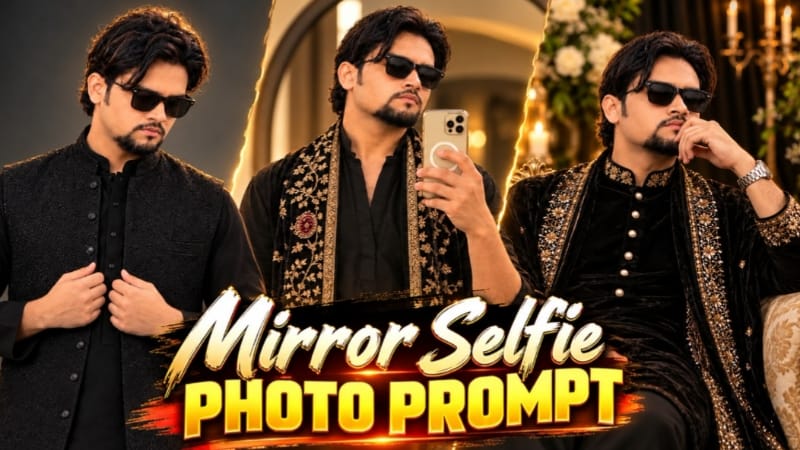
Mirror Selfie Photo Prompt – Black Kurta with Golden Embroidery Shawl
Black Kurta Golden Embroidery Shawl Mirror Selfie Prompt traditional menswear aur modern mirror selfie photography ka combination hai. Is concept mein black kurta, embroidered velvet shawl, black rectangular sunglasses aur cream-gold smartphone use kiya gaya hai. Background mein large round mirror, soft grey-beige wall aur left side se aati warm natural sunlight hai.
Is prompt ki khaas baat ye hai ki ismein do reference images use hoti hain. First image scene, outfit, pose aur composition ke liye hai, jabki second image face identity ke liye use hoti hai.
Black Kurta Mirror Selfie Photo Kaise Banaye
Step 1: Sabse pehle do images ready karein. Image 1 mein original mirror selfie scene aur outfit hona chahiye. Image 2 mein aapki clear face photo honi chahiye.
Step 2: AI image generator open karein jo reference-image input aur image editing support karta ho. Dono images upload karein aur unka purpose clearly specify karein.
Step 3: Original Mirror Selfie prompt copy karein. Ismein Image 1 ko scene aur composition reference, aur Image 2 ko face identity reference batayein.
Step 4: Outfit details same rakhein. Character black V-neck kurta pehenta hai, jiske sleeves forearms tak rolled hain. Saath mein dark trousers aur long black velvet shawl hai.
Step 5: Shawl ke design par special attention dein. Ismein heavy cream-gold floral embroidery, round maroon stone-style medallion motifs aur dono edges par wide embroidered border diya gaya hai.
Step 6: Character ke black rectangular sunglasses aur hairstyle ko reference ke according maintain karein. Phone cream-gold color ka hai aur usmein MagSafe-style ring hai.
Step 7: Pose mein character right hand se phone chest ke saamne hold karta hai. Left arm naturally side mein relaxed hai aur head slightly down tilted hai.
Step 8: Background mein thin black frame wala large round mirror aur plain grey-beige wall rakhein. Left side se soft natural sunlight aati hui dikhayein, jisse wall par warm golden patch aur body par gentle shadows create hon.
Step 9: Image ko vertical 4:5 aspect ratio mein generate karein. Deep black tones aur soft golden highlights maintain karein. Extra HDR ya artificial skin smoothing avoid karein.
Step 10: Final photo ko carefully inspect karein. Face blending, skin tone, shawl embroidery, phone edges, fingers aur mirror reflection check karein. Agar AI embroidery ya facial details sahi generate nahi karta, to prompt refine karke dobara try karein.
Prompt mein ultra-realistic 8K quality ka target diya gaya hai, lekin actual resolution AI tool par depend karti hai. Exact face preservation bhi reference quality aur generator ki capability par depend karega.