Emerald Green Continental 650 AI Video Prompt: Create a Cinematic Night Highway Motorcycle Video
Motorcycle cinematic videos are popular because they combine powerful machines, dramatic lighting, stylish outfits, and dynamic camera movements. A beautifully designed cafe racer on a brightly illuminated highway can create an impressive visual experience, especially when the video includes multiple camera angles and smooth riding sequences.
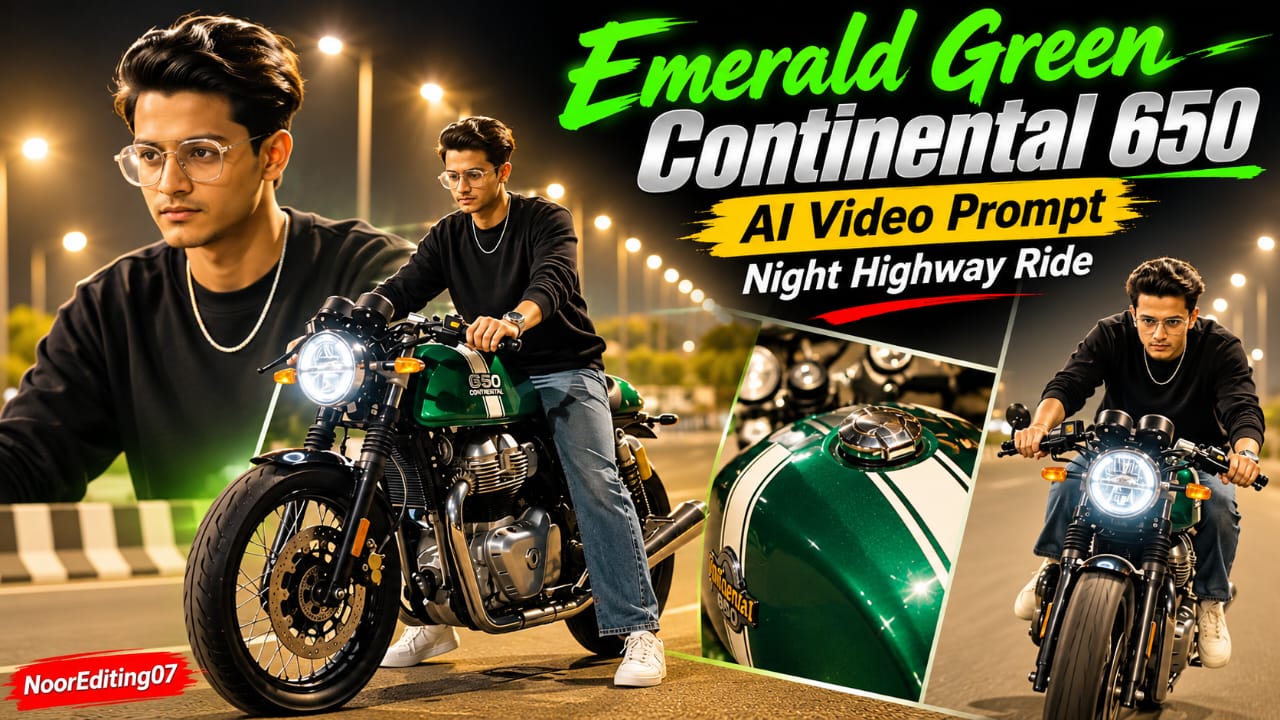
This Emerald Green Continental 650 AI Video Prompt is designed to create a cinematic night highway video featuring a metallic emerald-green cafe racer and a bareheaded rider. The concept combines motorcycle beauty shots, close-up details, walking sequences, riding shots, and expressive rider movements.
The video follows a carefully arranged sequence of 19 scenes. Each scene contributes to the overall visual story, beginning with a close-up of the motorcycle's front wheel and ending with the rider cruising towards the camera.
Emerald Green Continental 650 Motorcycle Design
The motorcycle is the main visual attraction of this video. It features a metallic emerald-green body with white racing stripes, clip-on handlebars, a round LED headlight, and a green engine underglow.
The fuel tank should have a glossy finish that reflects the surrounding highway streetlights. Close-up shots highlight the green tank, dual instrument dials, handlebars, grips, mirrors, chrome exhaust, and GT 650 badge.
The consistent appearance of the motorcycle is important throughout the video. Its color, body shape, racing stripes, lighting, and overall cafe racer design should remain visually consistent between scenes.
Bareheaded Rider and Facial Identity Lock
The rider is shown without a helmet throughout the sequence. His face should remain visible whenever the camera angle allows it.
The prompt requests strict facial identity consistency based on the uploaded reference photograph. The intended appearance should remain consistent across walking, sitting, adjusting posture, and riding scenes.
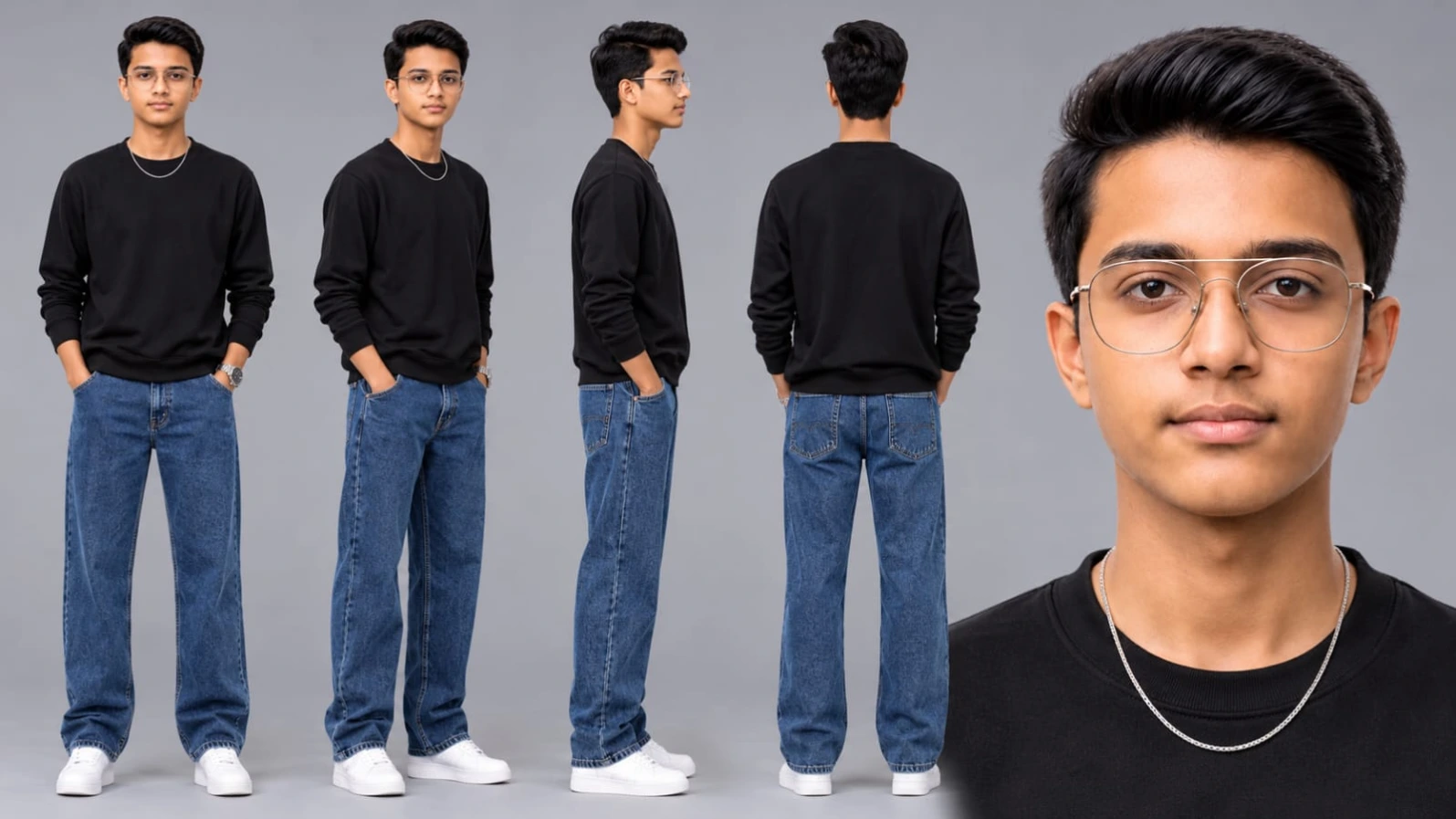
The rider wears a black crewneck long-sleeve sweatshirt, loose-fit washed blue jeans, white sneakers, and a silver chain.
Wind moving through the rider's hair adds a natural sense of motion. The face should be clearly illuminated, with realistic skin texture and no unwanted facial distortion.
AI video generators may not preserve facial identity perfectly across every frame, so reference-image support and careful generation settings can help improve consistency.
Brightly Lit Night Highway Atmosphere
The environment is designed around a brightly illuminated night highway.
Warm amber streetlight bokeh creates an attractive background, while lifted shadows keep the rider and motorcycle visible. The visual direction specifically avoids excessively dark scenes and deep black shadows.
The emerald-green engine illumination adds another layer of contrast. Its glow should highlight the lower motorcycle area without overpowering the natural metallic green finish.
The highway should appear clean and spacious, with enough room for the motorcycle's movement and camera tracking shots.
The 19-Scene Cinematic Sequence
The video follows 19 planned scenes, with different camera positions and actions.
The opening begins with a low-angle static ground shot focused on the motorcycle's front wheel under highway lights. The rider then sits on the motorcycle and paddles it backward with both feet on the road.
The next shots highlight the green Continental tank and clip-on handlebars. A fast vertical whip-pan transition introduces another fuel-tank beauty shot, with streetlamp reflections appearing around the dual dials.
The sequence then moves to the rider's loose blue jeans walking past the motorcycle, followed by a back-view shot of him standing on the empty highway and looking towards the parked bike.
Extreme close-ups reveal the handlebars, mirrors, and glossy tank. The rider then approaches the motorcycle with the green engine lights illuminating his face.
The next scenes show him swinging his leg over the seat, holding the clip-on handlebars, adjusting his seated posture, and stepping beside the motorcycle under its green illumination.
A detailed footwear shot highlights the white sneaker resting on the footpeg, alongside the chrome exhaust and GT 650 badge.
The final section focuses on movement. The motorcycle accelerates smoothly along the asphalt highway. The rider stretches his right arm outward, leans forward over the handlebars, cruises beneath overhead streetlights, and rides in the centre of the empty highway lane.
The final shot shows the rider raising one hand to tap his chest while continuing to cruise towards the camera.
High-Exposure Lighting and Cinematic Color Grading
Lighting is a major part of this motorcycle video concept.
Bright highway streetlights should illuminate the road, rider, and motorcycle. Warm amber bokeh adds a premium cinematic atmosphere, while lifted shadows help preserve details in the black sweatshirt and darker parts of the motorcycle.
The green engine underglow should remain visible, especially during the approach and standing shots.
The overall look should be clean, glossy, realistic, and inspired by professional DSLR motorcycle cinematography.
120fps Motion and Vertical Composition
The prompt requests a 120fps visual style to create smooth slow-motion possibilities and detailed motion blur.
The actual frame rate and resolution depend on the video generator's supported settings. A prompt can describe the desired cinematic appearance, but it cannot guarantee native 8K or 120fps output.
The 9:16 vertical composition is suitable for Instagram Reels, YouTube Shorts, and other mobile-first video platforms.
Why This Prompt Is Useful for AI Video Creators
This prompt provides more than a basic motorcycle description. It defines the rider's appearance, clothing, motorcycle design, lighting, camera movements, and scene-by-scene actions.
That level of detail helps communicate the intended video structure to an AI generator.
The small NoorEditing07 watermark is also specified in the bottom corner. If the generator struggles to reproduce accurate text, the watermark can be added during editing instead.
Final Thoughts
The Emerald Green Continental 650 AI Video Prompt combines a premium cafe racer design with bright night highway cinematography and a detailed 19-scene sequence.
The most important visual elements are the metallic emerald-green motorcycle, bareheaded rider, consistent facial appearance, glowing green engine lights, warm streetlight bokeh, and dynamic tracking shots.
For a successful recreation, pay close attention to scene order, motorcycle consistency, rider identity, and the transition from stationary beauty shots to highway riding sequences.
Pehle Character Sheet Photo Banaai ChatGPT Se
AI PHOTO PROMPT
Cinematic character turn-around model sheet, ultra-realistic 8K UHD, neutral grey studio backdrop, 16:9 aspect ratio. [STRICT FACE LOCK & IDENTITY - NO HELMET] Strictly lock 100% facial features...
Cinematic character turn-around model sheet, ultra-realistic 8K UHD, neutral grey studio backdrop, 16:9 aspect ratio.
[STRICT FACE LOCK & IDENTITY - NO HELMET]
Strictly lock 100% facial features, jawline, hair, and skin tone from uploaded reference photo across all views. Completely bare head (no helmet or cap), wind-styled hair, smooth blemish-free DSLR skin texture with balanced studio fill lighting and zero distortion.
[OUTFIT & STYLING]
- Top: Plain black crewneck long-sleeve sweatshirt.
- Accessories: Subtle thin silver chain necklace around neck.
- Bottom: Loose-fit washed blue denim jeans.
- Footwear: Clean white casual sneakers.
- Wardrobe stays identical and consistent across all angles.
[MULTI-VIEW MODEL SHEET COMPOSITION]
Full-body multi-angle character reference sheet arranged side-by-side in one clean frame:
1. Full Front View: Standing upright, arms relaxed at sides, direct eye contact with camera, calm confident posture.
2. 3/4 Profile Angle: 45-degree turn showing side jawline, silver chain detail, and sweatshirt drape.
3. Profile View (90°): Clean side-profile shot displaying ear, jawline, hair texture, and sneaker profile.
4. Back View: Direct rear angle displaying back of black sweatshirt, hair cut, and jeans cut.
5. Close-Up Headshot: Ultra-sharp 4K bareheaded portrait showing natural eyes, facial features, clean skin pores, and balanced lighting.
[TECHNICAL SPECS]
High-end commercial fashion lookbook, shot on 85mm f/1.4 lens, softbox studio three-point illumination, detailed cotton fleece and denim weave textures, natural tones, 8K resolution.
AI PHOTO PROMPT
Cinematic character turn-around model sheet, ultra-realistic 8K UHD, neutral grey studio backdrop, 16:9 aspect ratio. [STRICT FACE LOCK & IDENTITY - NO HELMET] Strictly lock 100% facial features...
Cinematic character turn-around model sheet, ultra-realistic 8K UHD, neutral grey studio backdrop, 16:9 aspect ratio.
[STRICT FACE LOCK & IDENTITY - NO HELMET]
Strictly lock 100% facial features, jawline, hair, and skin tone from uploaded reference photo across all views. Completely bare head (no helmet or cap), wind-styled hair, smooth blemish-free DSLR skin texture with balanced studio fill lighting and zero distortion.
[OUTFIT & STYLING]
- Top: Plain black crewneck long-sleeve sweatshirt.
- Accessories: Subtle thin silver chain necklace around neck.
- Bottom: Loose-fit washed blue denim jeans.
- Footwear: Clean white casual sneakers.
- Wardrobe stays identical and consistent across all angles.
[MULTI-VIEW MODEL SHEET COMPOSITION]
Full-body multi-angle character reference sheet arranged side-by-side in one clean frame:
1. Full Front View: Standing upright, arms relaxed at sides, direct eye contact with camera, calm confident posture.
2. 3/4 Profile Angle: 45-degree turn showing side jawline, silver chain detail, and sweatshirt drape.
3. Profile View (90°): Clean side-profile shot displaying ear, jawline, hair texture, and sneaker profile.
4. Back View: Direct rear angle displaying back of black sweatshirt, hair cut, and jeans cut.
5. Close-Up Headshot: Ultra-sharp 4K bareheaded portrait showing natural eyes, facial features, clean skin pores, and balanced lighting.
[TECHNICAL SPECS]
High-end commercial fashion lookbook, shot on 85mm f/1.4 lens, softbox studio three-point illumination, detailed cotton fleece and denim weave textures, natural tones, 8K resolution.
Cinematic 9:16 vertical 8K 120fps video of an emerald-green cafe racer on a brightly lit night highway, high-exposure streetlight glow, zero dark shadows...
Cinematic 9:16 vertical 8K 120fps video of an emerald-green cafe racer on a brightly lit night highway, high-exposure streetlight glow, zero dark shadows.
[IDENTITY & FACE LOCK - NO HELMET]
Strict 100% face lock from uploaded reference photo across all scenes. No helmet, bareheaded, wind in hair, smoothly lit clear DSLR skin, zero distortion.
[OUTFIT & BIKE]
Black crewneck long-sleeve sweatshirt, loose-fit washed blue jeans, white sneakers, silver chain. Metallic emerald-green Continental 650 cafe racer with white racing stripes, clip-on bars, round LED headlight, green engine underglow.
[EXACT VIDEO MATCH SEQUENCE]
- Scene 1 (0:00): Low-angle static ground shot focusing on parked bike's front wheel under highway streetlights.
- Scene 2 (0:00-0:01): Bareheaded rider sits on bike, paddling it backward with both feet on tarmac.
- Scene 3 (0:01): Crisp side profile close-up of green "650 CONTINENTAL" tank and clip-on handlebars.
- Scene 4 (0:02): Fast vertical whip-pan motion blur transition across frame.
- Scene 5 (0:02-0:03): Static beauty shot of green fuel tank with dual dials reflecting streetlamp bokeh.
- Scene 6 (0:04): Low tracking shot of rider's baggy blue jeans walking past green tank.
- Scene 7 (0:04-0:05): Back-view medium shot standing on empty highway, looking ahead at parked bike.
- Scene 8 (0:05): Extreme close-up of clip-on grips, mirrors, and glossy green tank.
- Scene 9 (0:06): Bareheaded rider walking towards bike with glowing green engine LED lights, face illuminated.
- Scene 10 (0:06-0:07): Side shot swinging leg over seat, hands grabbing clip-on bars.
- Scene 11 (0:07): Seated on bike without helmet, bending forward adjusting posture with face lit.
- Scene 12 (0:08): Quick shot of rider stepping beside bike under vibrant green engine illumination.
- Scene 13 (0:08-0:09): Close-up of white sneaker resting on footpeg next to chrome exhaust and GT 650 badge.
- Scene 14 (0:09-0:10): Front tracking shot accelerating smoothly forward down asphalt highway.
- Scene 15 (0:10-0:11): Front-angle riding shot; stretches right arm fully outward, pointing sideways while steering.
- Scene 16 (0:12): Front tracking shot leaning forward aggressively over handlebars at speed.
- Scene 17 (0:12-0:13): Medium front shot cruising steady under overhead streetlights.
- Scene 18 (0:13-0:14): Head-on wide tracking shot riding centered down empty highway lane.
- Scene 19 (0:14-0:15): Front-angle tracking shot raising hand to tap chest, cruising forward into camera.
[COLOR & TECHNICAL]
High-exposure night lighting, warm amber bokeh, lifted shadows, 8K DSLR optics, 120fps motion blur, 9:16 vertical ratio. Static subtle watermark 'NoorEditing07' in bottom corner.
AI VIDEO PROMPT
Master Video Prompt
Cinematic 9:16 vertical 8K 120fps video of an emerald-green cafe racer on a brightly lit night highway, high-exposure streetlight glow, zero dark shadows...
Cinematic 9:16 vertical 8K 120fps video of an emerald-green cafe racer on a brightly lit night highway, high-exposure streetlight glow, zero dark shadows.
[IDENTITY & FACE LOCK - NO HELMET]
Strict 100% face lock from uploaded reference photo across all scenes. No helmet, bareheaded, wind in hair, smoothly lit clear DSLR skin, zero distortion.
[OUTFIT & BIKE]
Black crewneck long-sleeve sweatshirt, loose-fit washed blue jeans, white sneakers, silver chain. Metallic emerald-green Continental 650 cafe racer with white racing stripes, clip-on bars, round LED headlight, green engine underglow.
[EXACT VIDEO MATCH SEQUENCE]
- Scene 1 (0:00): Low-angle static ground shot focusing on parked bike's front wheel under highway streetlights.
- Scene 2 (0:00-0:01): Bareheaded rider sits on bike, paddling it backward with both feet on tarmac.
- Scene 3 (0:01): Crisp side profile close-up of green "650 CONTINENTAL" tank and clip-on handlebars.
- Scene 4 (0:02): Fast vertical whip-pan motion blur transition across frame.
- Scene 5 (0:02-0:03): Static beauty shot of green fuel tank with dual dials reflecting streetlamp bokeh.
- Scene 6 (0:04): Low tracking shot of rider's baggy blue jeans walking past green tank.
- Scene 7 (0:04-0:05): Back-view medium shot standing on empty highway, looking ahead at parked bike.
- Scene 8 (0:05): Extreme close-up of clip-on grips, mirrors, and glossy green tank.
- Scene 9 (0:06): Bareheaded rider walking towards bike with glowing green engine LED lights, face illuminated.
- Scene 10 (0:06-0:07): Side shot swinging leg over seat, hands grabbing clip-on bars.
- Scene 11 (0:07): Seated on bike without helmet, bending forward adjusting posture with face lit.
- Scene 12 (0:08): Quick shot of rider stepping beside bike under vibrant green engine illumination.
- Scene 13 (0:08-0:09): Close-up of white sneaker resting on footpeg next to chrome exhaust and GT 650 badge.
- Scene 14 (0:09-0:10): Front tracking shot accelerating smoothly forward down asphalt highway.
- Scene 15 (0:10-0:11): Front-angle riding shot; stretches right arm fully outward, pointing sideways while steering.
- Scene 16 (0:12): Front tracking shot leaning forward aggressively over handlebars at speed.
- Scene 17 (0:12-0:13): Medium front shot cruising steady under overhead streetlights.
- Scene 18 (0:13-0:14): Head-on wide tracking shot riding centered down empty highway lane.
- Scene 19 (0:14-0:15): Front-angle tracking shot raising hand to tap chest, cruising forward into camera.
[COLOR & TECHNICAL]
High-exposure night lighting, warm amber bokeh, lifted shadows, 8K DSLR optics, 120fps motion blur, 9:16 vertical ratio. Static subtle watermark 'NoorEditing07' in bottom corner.
How to Create an Emerald Green Continental 650 AI Motorcycle Video Using Flow AI
You can use this detailed motorcycle prompt with Flow AI or another compatible AI video generator. The goal is to create a cinematic night highway video featuring an emerald-green Continental 650 cafe racer and a rider whose facial appearance follows an uploaded reference photograph.
Follow these steps to create your video.
Step 1: Open Flow AI
Open Flow AI and navigate to the available video-generation workflow.
Sign in to your account and check which image-to-video or text-to-video options are available. Features and generation limits may vary by account.
Step 2: Upload Your Reference Photo
Prepare a clear photograph of the person who will appear as the motorcycle rider.
Upload the reference image if your selected workflow supports image references. Choose a photograph with clearly visible facial features and a suitable hairstyle.
The prompt requests a bareheaded rider, so the face and hair should remain visible. Do not introduce a helmet in any scene.
Step 3: Copy the Complete Master Video Prompt
Copy the Emerald Green Continental 650 prompt from this article.
It contains the rider's appearance, outfit, motorcycle specifications, lighting instructions, camera movements, and all 19 scenes.
Avoid removing important details if you want to maintain the intended visual sequence.
Step 4: Understand the Rider's Outfit
The rider must wear the same outfit throughout the video:
- Black crewneck long-sleeve sweatshirt.
- Loose-fit washed blue jeans.
- White sneakers.
- Silver chain.
The rider should remain bareheaded, with natural wind movement in his hair.
Maintaining these details across scenes helps create a more consistent cinematic appearance.
Step 5: Maintain Motorcycle Consistency
The motorcycle should remain a metallic emerald-green Continental 650 cafe racer with white racing stripes.
Important details include:
- Clip-on handlebars.
- Round LED headlight.
- Dual instrument dials.
- Glossy green fuel tank.
- Green engine underglow.
- Chrome exhaust.
- GT 650 badge.
Check that the motorcycle does not randomly change color, design, or proportions between generated scenes.
Step 6: Generate the Opening Scenes
Start with the opening sequence:
The first scene shows the front wheel from a low-angle ground-level camera position.
The second scene shows the bareheaded rider sitting on the motorcycle and paddling it backward with both feet on the tarmac.
The next shots focus on the green tank, clip-on handlebars, and dual dials.
A fast vertical whip-pan transition connects the beauty shots.
Step 7: Create the Walking and Detail Shots
The next part features the rider walking beside the motorcycle.
Include the back-view highway shot, extreme close-ups of the handlebars and glossy fuel tank, and the rider approaching the motorcycle under green engine illumination.
The rider's face should remain consistent with the uploaded reference photograph whenever visible.
Step 8: Generate the Motorcycle Action Scenes
The next scenes show the rider swinging his leg over the seat, grabbing the handlebars, and adjusting his sitting posture.
Include the quick shot of him stepping beside the motorcycle under the green engine glow.
The white sneaker resting on the footpeg should be clearly visible beside the chrome exhaust and GT 650 badge.
Step 9: Generate the Highway Riding Sequence
The final section features the motorcycle moving along the asphalt highway.
Follow the intended order:
1. Front tracking shot accelerating smoothly.
2. Rider stretching his right arm outward.
3. Aggressive forward riding posture.
4. Medium front cruising shot.
5. Head-on wide tracking shot.
6. Final shot with the rider tapping his chest while cruising.
For safety in real-world filming, stunts or one-handed riding should only be attempted by trained professionals in a controlled environment. AI-generated scenes should not be treated as riding instructions.
Step 10: Apply the Lighting Style
The video should have bright highway streetlights, warm amber bokeh, lifted shadows, and clear visibility.
The green engine illumination should remain prominent without changing the motorcycle's metallic emerald-green appearance.
Avoid excessively dark shadows that hide the rider's face or motorcycle details.
Step 11: Check the Video Quality
Review the generated clips for:
- Consistent rider identity.
- No helmet in any scene.
- Matching black sweatshirt and blue jeans.
- Consistent emerald-green motorcycle.
- Correct scene order.
- Natural motorcycle movement.
- Clear facial details.
- Proper vertical 9:16 framing.
The prompt requests 8K and 120fps, but actual output quality depends on the generator's supported resolution and frame-rate settings.
Step 12: Add the Watermark and Export
The prompt requests a subtle NoorEditing07 watermark in the bottom corner.
If the AI generator cannot reproduce the watermark accurately, add it using a video editor after generation.
Finally, review the full sequence, arrange the clips in the intended order, and export using the available vertical video settings.
Conclusion
With a detailed master prompt, a suitable facial reference image, and careful scene generation, you can work towards recreating this emerald-green cafe racer cinematic video in Flow AI.
Focus on the 19-scene sequence, consistent motorcycle appearance, bareheaded rider, bright night lighting, and smooth camera transitions to achieve the intended visual style.
SEO TAGS
Emerald Green Continental 650 AI Video PromptGT 650 Cafe Racer VideoGreen Motorcycle AI PromptFlow AI Bike Video PromptNight Highway Motorcycle VideoAI Motorcycle Cinematic PromptContinental GT 650 VideoCafe Racer AI VideoBareheaded Rider AI VideoMotorcycle Face Lock PromptGreen Engine Underglow Effect9:16 Bike Video PromptCinematic Motorcycle Reels19 Scene AI Video Promptprompt07ai
SEO TAGS
Emerald Green Continental 650 AI Video PromptGT 650 Cafe Racer VideoGreen Motorcycle AI PromptFlow AI Bike Video PromptNight Highway Motorcycle VideoAI Motorcycle Cinematic PromptContinental GT 650 VideoCafe Racer AI VideoBareheaded Rider AI VideoMotorcycle Face Lock PromptGreen Engine Underglow Effect9:16 Bike Video PromptCinematic Motorcycle Reels19 Scene AI Video Promptprompt07ai
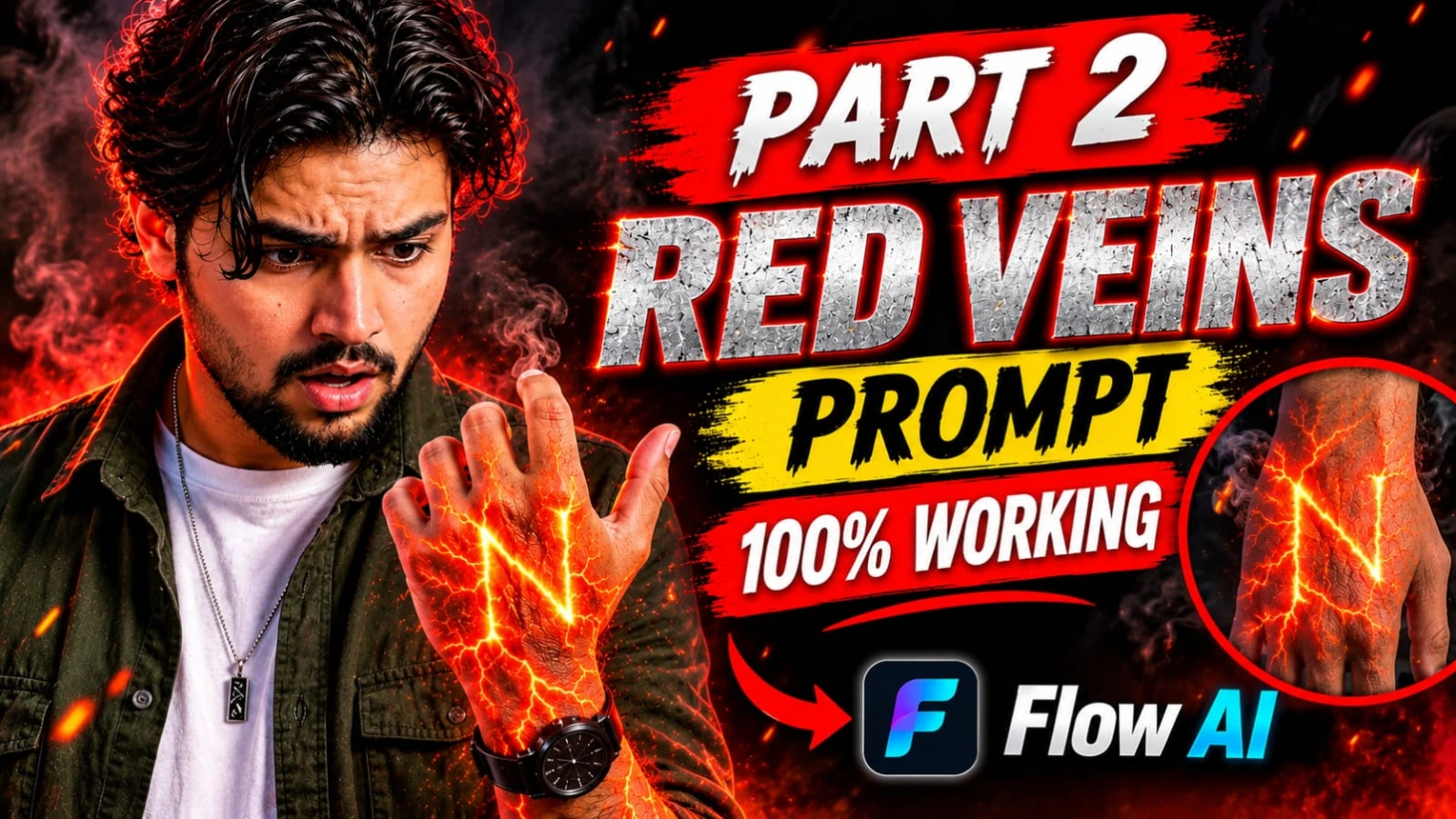
Red Energy Veins S Letter Hand AI Video ek creative cinematic VFX concept hai. Ismein human hand aur forearm ke neeche glowing red-orange energy veins appear hoti hain, jo dheere-dheere haath ke back par capital letter S ka shape banati hain. Glowing lines lava cracks jaisi dikhti hain aur unke andar se bright energy pulse hoti hui nazar aati hai.
Is concept ka main focus realistic hand anatomy, natural skin texture aur clearly visible S letter hai. Dark background aur dramatic red lighting glowing effect ko aur attractive banate hain. Hawa mein floating smoke particles video ko cinematic depth dete hain. Iska intended format vertical 9:16 hai, jo Instagram Reels aur YouTube Shorts ke liye suitable hai.
Red Energy Veins S Letter Video Kaise Banaye
Step 1: Hand Reference Photo Select Karein
Sabse pehle ek clear hand aur forearm photo select karein. Photo mein haath ka back clearly visible hona chahiye. Fingers natural position mein hon aur hand background se alag nazar aaye.
Step 2: Flow AI Open Karein
Flow AI ya kisi compatible AI video generator ko open karein. Agar image-to-video option available hai, to apni hand reference image upload karein.
Step 3: Energy Veins Prompt Add Karein
Prompt mein glowing red-orange energy veins ko skin ke neeche spread hota hua describe karein. Lines lava cracks jaisi hon aur dheere-dheere bright hoti jayein.
Step 4: Letter S Clearly Banayein
Sabse important instruction yeh hai ki glowing veins hand ke back par capital letter S banayein. Letter correctly oriented aur clearly recognizable hona chahiye. Surrounding branches uske shape ko cover na karein.
Step 5: Dark Background Aur Lighting
Background ko dark rakhein. Red dramatic light hand aur forearm ko highlight kare. Smoke particles subtle hon, taaki main focus hand aur glowing S par rahe.
Step 6: Negative Prompt Add Karein
Cartoon, anime, blurry image, fake skin, extra fingers, distorted hand, low quality aur incorrect letter shape jaise unwanted results ko avoid karne ki instruction dein.
Step 7: Final Video Check Karein
Generated video mein S letter ka shape, hand anatomy, fingers aur skin texture carefully check karein. Agar letter reverse ya distorted ho, to prompt ko simplify karke dobara generate karein.
Step 8: Export Karein
Vertical 9:16 format aur available export resolution select karein. Prompt mein 8K-style appearance mention hai, lekin actual resolution AI tool ki export settings par depend karegi.
2. AI Energy Veins VFX Video Prompt | Glowing Red Orange Hand Effect
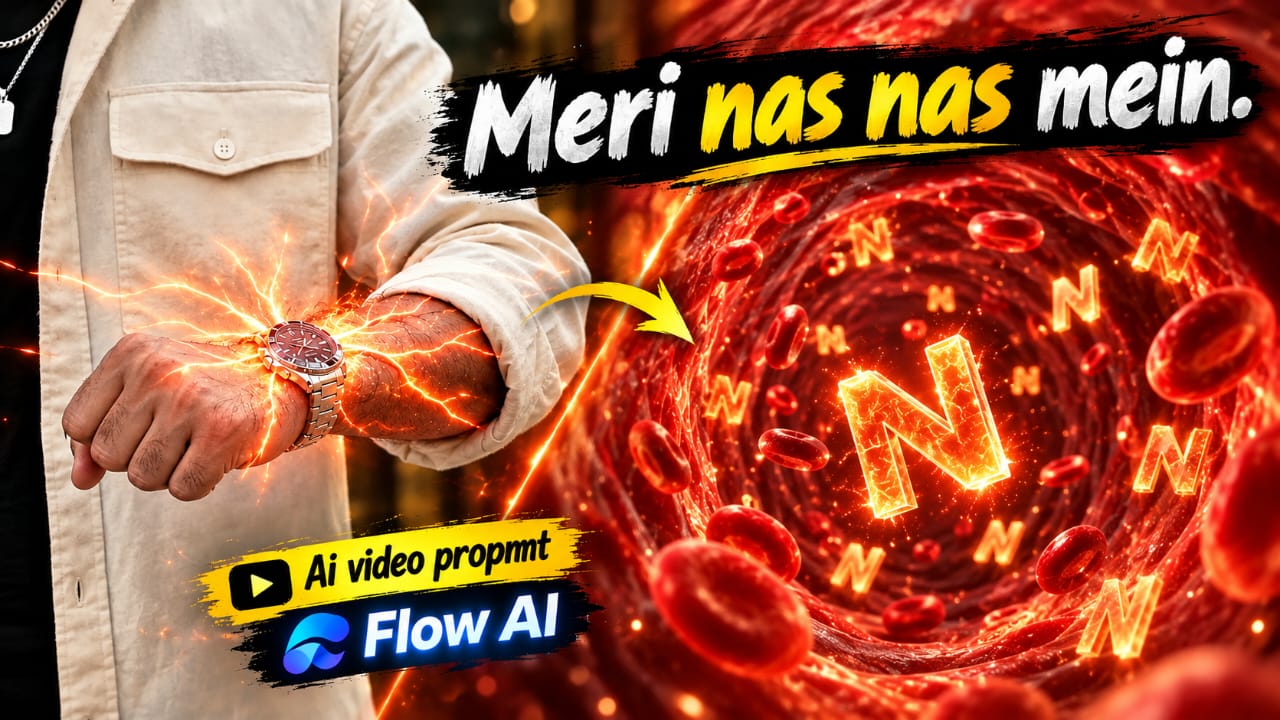
AI Energy Veins VFX ek 10-second cinematic video concept hai, jisme original hand photograph ko use karke realistic energy transformation create kiya jata hai. Video ki shuruaat closed fist aur wristwatch ke close-up se hoti hai. Watch ke neeche ek faint red-orange glow appear hota hai, jo dheere-dheere forearm par tree branches jaisa glowing network bana deta hai.
Is concept ki sabse interesting baat real hand se microscopic CGI tunnel mein transition hai. Camera ek glowing branch ke andar enter karta hai. Tunnel ke andar glowing walls, floating 3D capital letter S aur red blood cells dikhai dete hain. Poora visual vertical 9:16 format mein planned hai.
Energy Veins Microscopic Tunnel Video Kaise Banaye
Step 1: Original Hand Photo Ready Karein
Ek clear photo select karein jisme closed fist, forearm, wristwatch, sleeve aur natural skin texture visible ho. Original background ko bhi preserve karne ki instruction dein.
Step 2: Flow AI Mein Upload Karein
Flow AI open karein aur image-to-video mode available ho to use select karein. Apni original hand photo upload karein.
Step 3: First Scene – Glow Effect
0 se 2 seconds mein original hand bilkul same position mein rahe. Wristwatch ke neeche halka red-orange glow appear hona chahiye. Fist, sleeve aur background change nahi hone chahiye.
Step 4: Second Scene – Energy Branches
2 se 4 seconds ke beech glowing energy forearm par spread ho. Branches symmetrical tree-like network banayein. Tiny sparks aur sparkling particles add karein. Skin natural aur intact rahe.
Step 5: Third Scene – Microscopic Tunnel
4 se 7 seconds mein camera ek glowing branch ki taraf smoothly push kare. Real forearm dheere-dheere fully CGI microscopic tunnel mein transform ho. Tunnel mein glowing red-orange walls aur ek 3D capital S camera ki taraf move kare.
Step 6: Fourth Scene – Floating S Letters
7 se 10 seconds mein tunnel ke andar multiple floating S letters aur red blood cells dikhayein. Particles smooth movement karein aur red-orange colour palette consistent rahe.
Step 7: Final Quality Check
Original hand, wristwatch, skin tone aur arm hair ko check karein. CGI tunnel mein unwanted wounds ya graphic blood add na ho. Camera transition smooth hona chahiye.
Step 8: Export Karein
Final video ko vertical 9:16 format mein export karein. Agar AI ek hi generation mein smooth transition nahi bana pata, to hand effect aur CGI tunnel alag clips mein generate karke editing app mein combine karein.
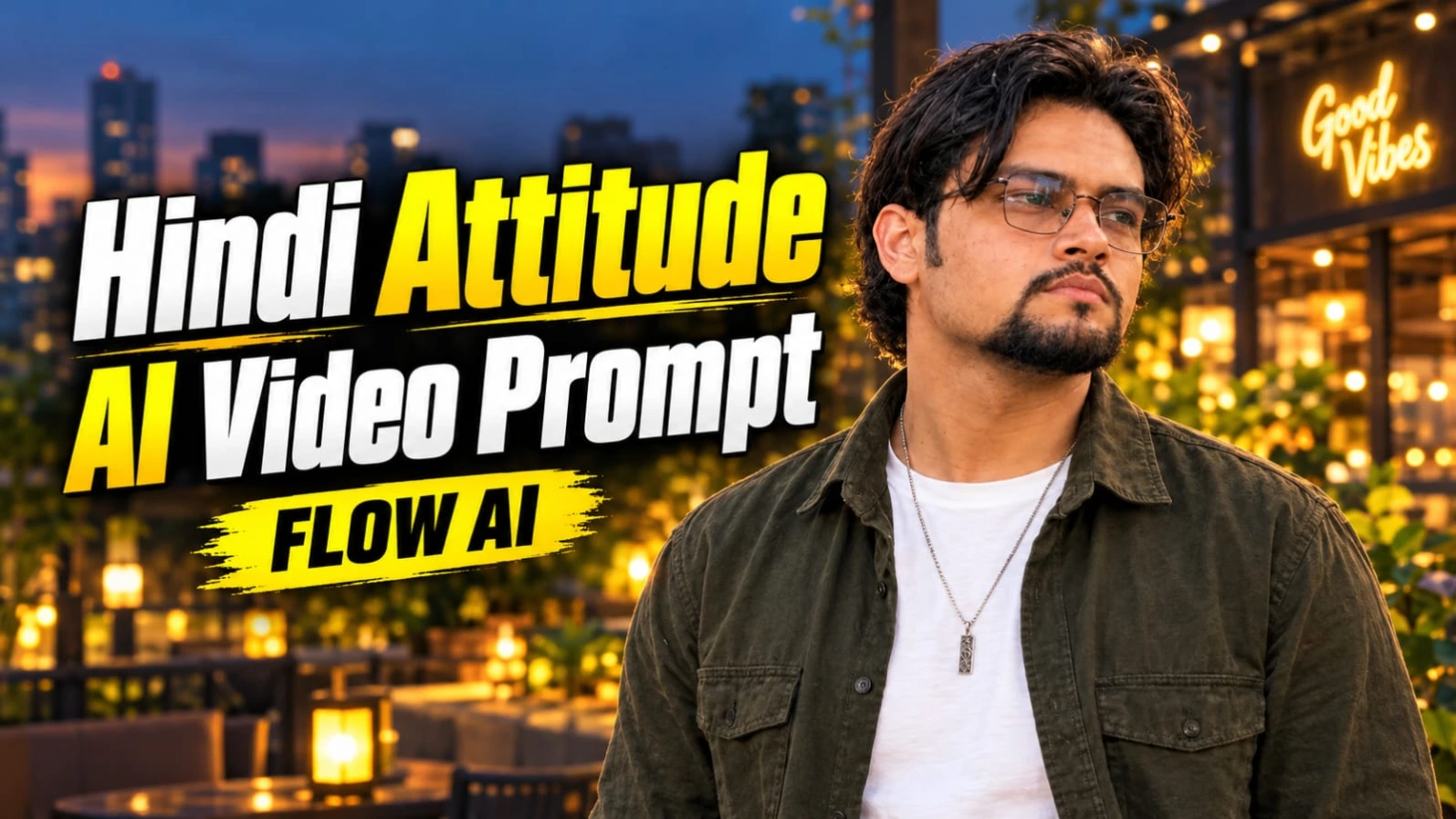
3. Hindi Attitude AI Video Prompt | Good Vibes Only Cinematic Dialogue
Good Vibes Only Hindi Attitude AI Video ek 7-second cinematic smartphone-style dialogue reel hai. Ismein ek South Asian young man modern city patio par camera ki taraf dekhkar ek meaningful Hindi dialogue bolta hai. Background mein warm lantern lights, decorative planter boxes aur glowing Good Vibes Only cafe sign hota hai.
Character ke wavy dark hair, neatly groomed goatee aur clear-lens rectangular wire spectacles hain. Outfit mein olive-green overshirt, white T-shirt, dark cargo pants, silver pendant aur wrist accessories shamil hain. Twilight lighting aur natural handheld camera movement video ko realistic appearance dete hain.
Video ka main attraction Hindi dialogue, natural hand gestures aur final black-and-white freeze-frame effect hai.
Good Vibes Only AI Video Kaise Banaye
Step 1: Character Reference Photo Banayein
ChatGPT mein apni clear face photo upload karein. Same face, hairstyle, beard aur spectacles ke saath medium chest-up character portrait banayein. Olive-green overshirt aur white T-shirt ka outfit maintain karein.
Step 2: Flow AI Open Karein
Flow AI open karein aur reference image upload karein. Character reference feature available ho to use enable karein.
Step 3: City Patio Background Banayein
Prompt mein modern illuminated city patio at twilight describe karein. Warm lanterns, low stone planter boxes aur modern cafe architecture background mein rakhein. Cafe sign par Good Vibes Only likha hona chahiye.
Step 4: Hindi Dialogue Add Karein
Character ko natural Hindi male voice mein yeh exact dialogue bolna hai:
"Waqt ne to humein insaan ki pehchaan sikha di laala, warna hum to har chehre ko farishta samajh lete the."
Dialogue ke words change na karein. Clear pronunciation aur natural lip-sync ki instruction dein.
Step 5: First 4 Seconds Ka Scene
0 se 4 seconds tak character apne right hand se forward open-handed gesture kare. Body relaxed aur confident rahe. Camera ki taraf natural eye contact maintain kare.
Step 6: Last 3 Seconds Ka Scene
4 se 7 seconds mein character apne hands thode neeche kare, warm smile de aur dialogue complete kare. Expression friendly aur natural hona chahiye.
Step 7: Black-and-White Freeze Effect
Video ke final beat par poora frame instantly freeze ho aur high-contrast black-and-white mein convert ho jaye. Gradual fade ki jagah sudden freeze-frame effect use karein.
Step 8: Final Export
Video ko vertical 9:16 format mein rakhein. Intended look 24fps smartphone footage aur slight natural camera shake ka hai. Extra captions aur watermark add na karein. Lip-sync sahi na ho to voice recording ko editing app mein separately synchronize karein.
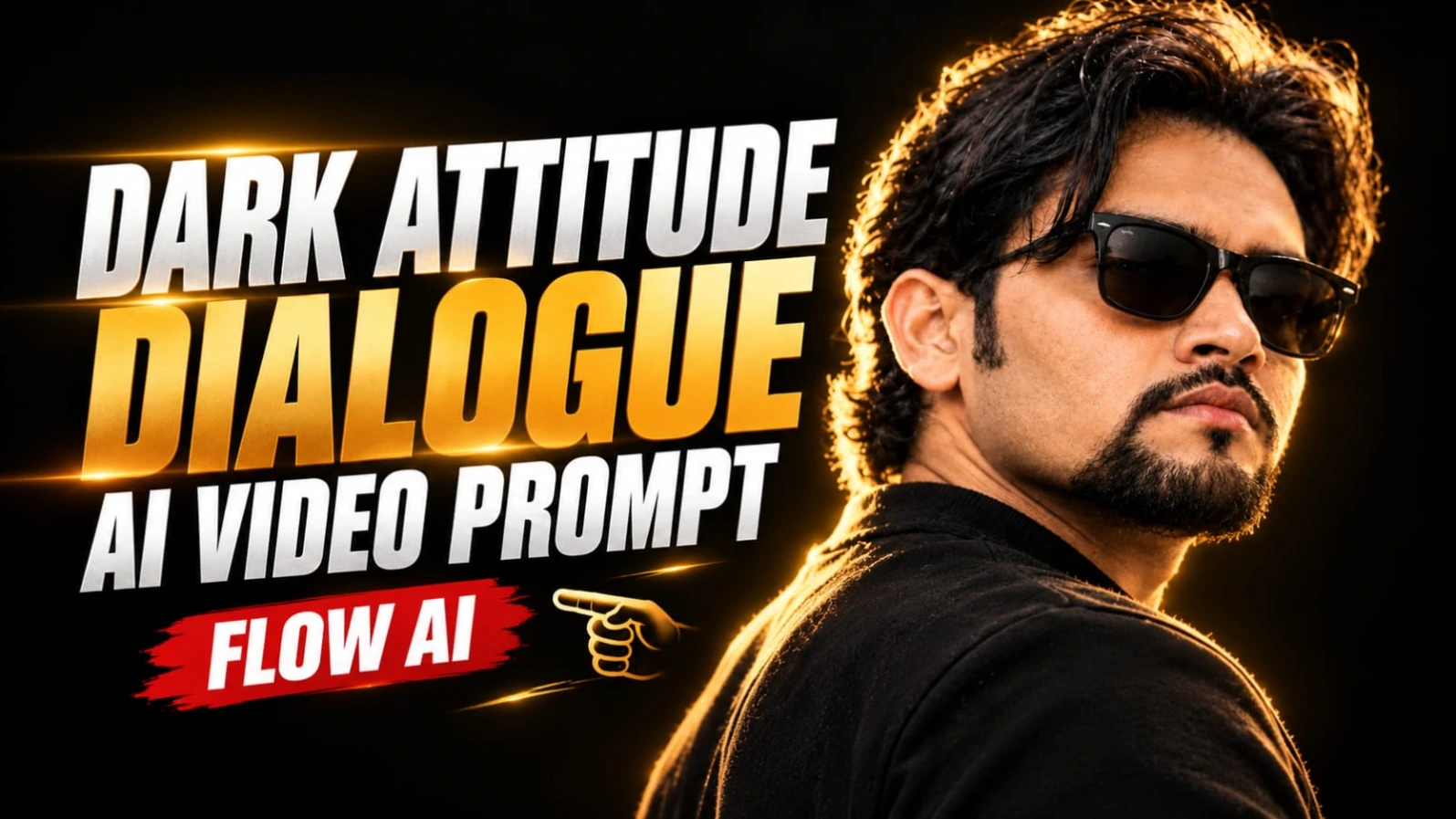
4. Dark Cinematic Attitude Dialogue AI Video Prompt | 9:16
Dark Cinematic Attitude Dialogue AI Video ek powerful portrait-style cinematic reel hai. Ismein ek South Asian man pitch-black studio background ke saamne three-quarter profile mein khada hota hai. Uske voluminous wavy dark hair, neatly groomed goatee aur black Wayfarer sunglasses hote hain.
Warm golden rim lighting character ke hair aur shoulder ko highlight karti hai. High-contrast chiaroscuro lighting se deep shadows aur dramatic appearance create hota hai. Is video mein unnecessary body movement nahi hai. Character apne Hindi dialogue ko serious expression aur subtle facial movements ke saath deliver karta hai.
Video ka planned duration 7 seconds hai. Pehle 3 seconds mein first dialogue aur agle 4 seconds mein pause, breath aur second dialogue hota hai.
Dark Attitude Dialogue Video Kaise Banaye
Step 1: Character Reference Prepare Karein
ChatGPT mein apni reference photo upload karein. Wavy dark hair, groomed goatee aur black Wayfarer sunglasses ke saath character portrait prepare karein.
Step 2: Flow AI Open Karein
Flow AI open karke reference image upload karein. Character guidance available ho to same reference use karein. Face, beard aur sunglasses ki consistency check karna zaroori hai.
Step 3: Black Studio Background Set Karein
Prompt mein pitch-black studio background describe karein. Character ko over-the-shoulder three-quarter profile mein rakhein, jahan uska face camera right ki taraf ho.
Step 4: Golden Rim Lighting Add Karein
Character ke hair aur shoulder ke edges par warm golden rim light rakhein. Chiaroscuro lighting se deep shadows aur controlled highlights create karein. Face ki natural details visible rehni chahiye.
Step 5: First Hindi Dialogue
0 se 3 seconds ke beech character yeh dialogue bole:
"Dushmani bhi hum bade saleeqe se nibhate hain..."
3 se 7 seconds ke beech character ek calculated breath le aur chin ko bahut halka sa upar kare. Iske baad second dialogue bole:
"Hum apne dushmano ke liye bhi... maut ki dua nahi karte."
Dono dialogues ke exact words same rakhein. Extra words ya exaggerated expressions add na karein.
Step 7: Cinematic Style Maintain Karein
Prompt mein ARRI Alexa Mini LF, 85mm anamorphic lens aur 24fps ko desired cinematic style references ke roop mein mention karein. Actual camera simulation aur frame-rate output AI tool par depend karega.
Step 8: Negative Prompt Aur Final Check
Bright daylight, outdoor background, formal business suit, white shirt, necktie, cartoon look, plastic skin, distorted sunglasses, flickering light aur unnecessary camera movement avoid karein.
Agar lip-sync sahi generate nahi hota, to pehle visual clip banayein aur Hindi voice recording ko editing app mein synchronize karein.
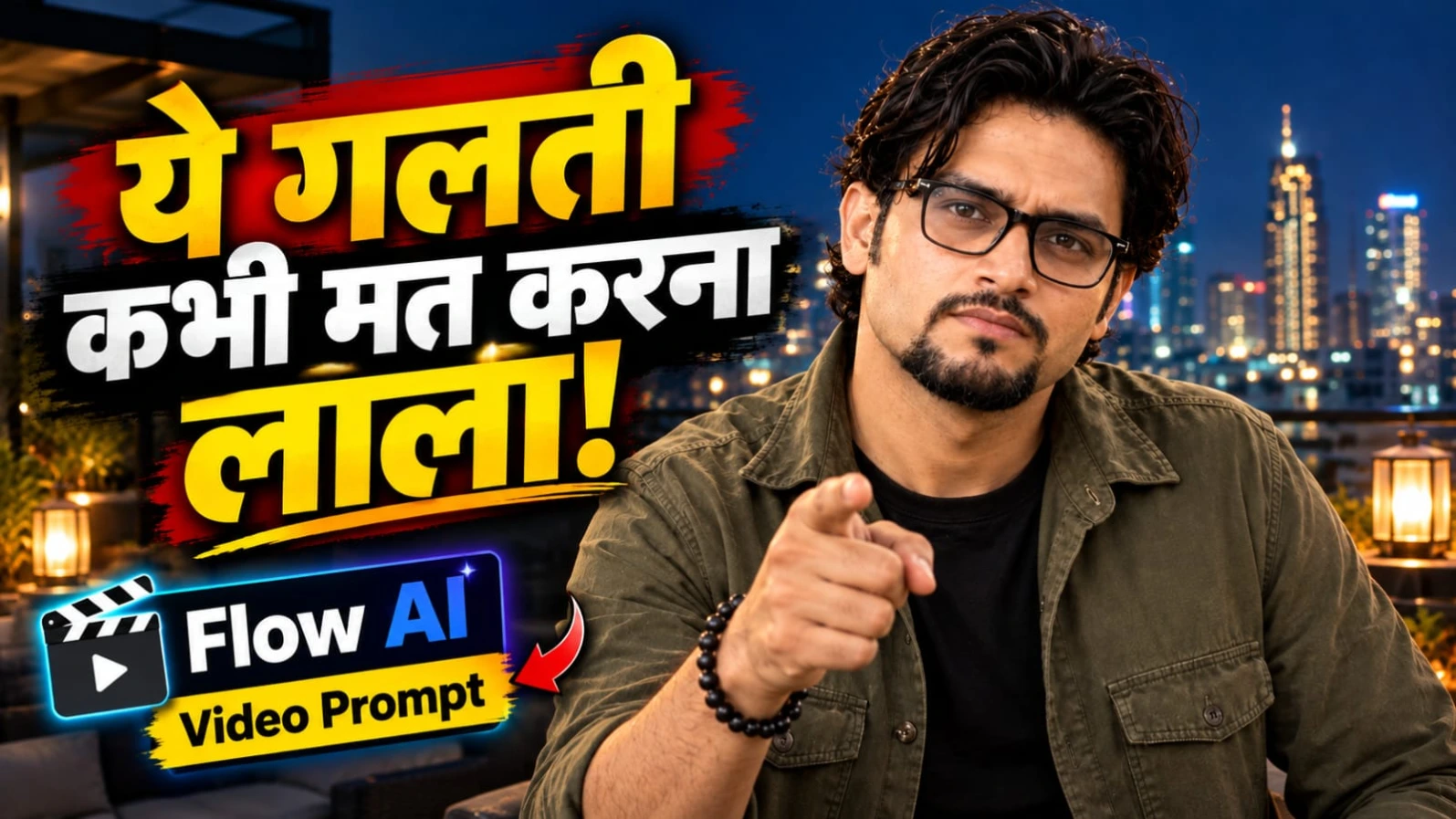
5. Hindi Life Lesson Dialogue AI Video Prompt | Rooftop Cinematic Reel
Hindi Life Lesson Dialogue AI Video ek realistic rooftop cinematic reel concept hai. Ismein ek South Asian man modern rooftop terrace par raat ke samay camera ki taraf dekhkar ek meaningful Hindi dialogue bolta hai. Background mein warm lantern lights aur glowing city skyline hoti hai.
Character ke wavy dark hair, neatly groomed goatee aur spectacles hain. Outfit mein olive-green overshirt aur black T-shirt hai. Video ka main message bharose aur saavdhani se juda hai. Character natural hand gestures, calm facial expressions aur direct eye contact ke saath dialogue deliver karta hai.
Is concept ka planned duration 7 seconds hai. Ending mein poora frame instantly freeze hokar high-contrast black-and-white mein convert ho jata hai.
Rooftop Cinematic Dialogue Video Kaise Banaye
Step 1: Character Reference Photo Banayein
ChatGPT mein apni clear reference photo upload karein. Same face, wavy dark hair, groomed goatee aur spectacles ke saath character reference image banayein. Outfit olive-green overshirt aur black T-shirt rakhein.
Step 2: Flow AI Mein Image Upload Karein
Flow AI open karein aur reference image upload karein. Character reference ya guidance feature available ho to use karein, taaki appearance consistent rahe.
Step 3: Rooftop Background Create Karein
Prompt mein modern rooftop terrace at night describe karein. Background mein warm lantern lights aur glowing city skyline hon. Location modern aur uncluttered rahe. Extra people ya distracting objects add na karein.
Step 4: First Dialogue Add Karein
0 se 3 seconds ke beech character natural Hindi male voice mein bole:
"Bharosa sab par karo, lekin saavdhani se laala."
Is dialogue ke dauran character dono hands se outward gesture kare. Expression calm aur confident rahe.
Step 5: Second Dialogue Generate Karein
3 se 7 seconds ke beech character apne hands paas laaye aur subtle pointing gesture kare. Iske saath dialogue complete kare:
"Kyunki kabhi-kabhi khud ke daant hi jeebh ko kaat lete hain."
Character camera ki taraf direct eye contact aur halka smile maintain kare.
Step 6: Natural Voice Aur Lip-Sync
Hindi pronunciation clear aur conversational honi chahiye. Mouth movement spoken words ke saath synchronize kare. Agar AI voice ya lip-sync reliable nahi hai, to visual video alag generate karke recorded Hindi voice editing app mein add karein.
Step 7: Black-and-White Freeze Ending
Final beat par movement instantly stop ho aur poora frame high-contrast black-and-white ban jaye. Agar AI tool clean freeze effect nahi banata, to editing app mein last frame freeze karke monochrome effect apply karein.
Step 8: Final Video Export
Vertical 9:16 format aur slight natural handheld camera shake maintain karein. Intended style 24fps smartphone footage ka hai. Face, spectacles, fingers, gestures aur dialogue timing check karke final video export karein. Original concept mein extra captions ya watermark nahi hain.