Hindi Dialogue AI Video Prompt: Create a Realistic Rooftop Cinematic Reel
Hindi dialogue videos are a popular format for short-form content because they combine relatable life lessons, natural expressions, meaningful words, and cinematic visuals. With a well-structured AI video prompt, creators can turn a simple Hindi dialogue into an engaging short film featuring realistic character movement, synchronized speech, and a memorable ending.
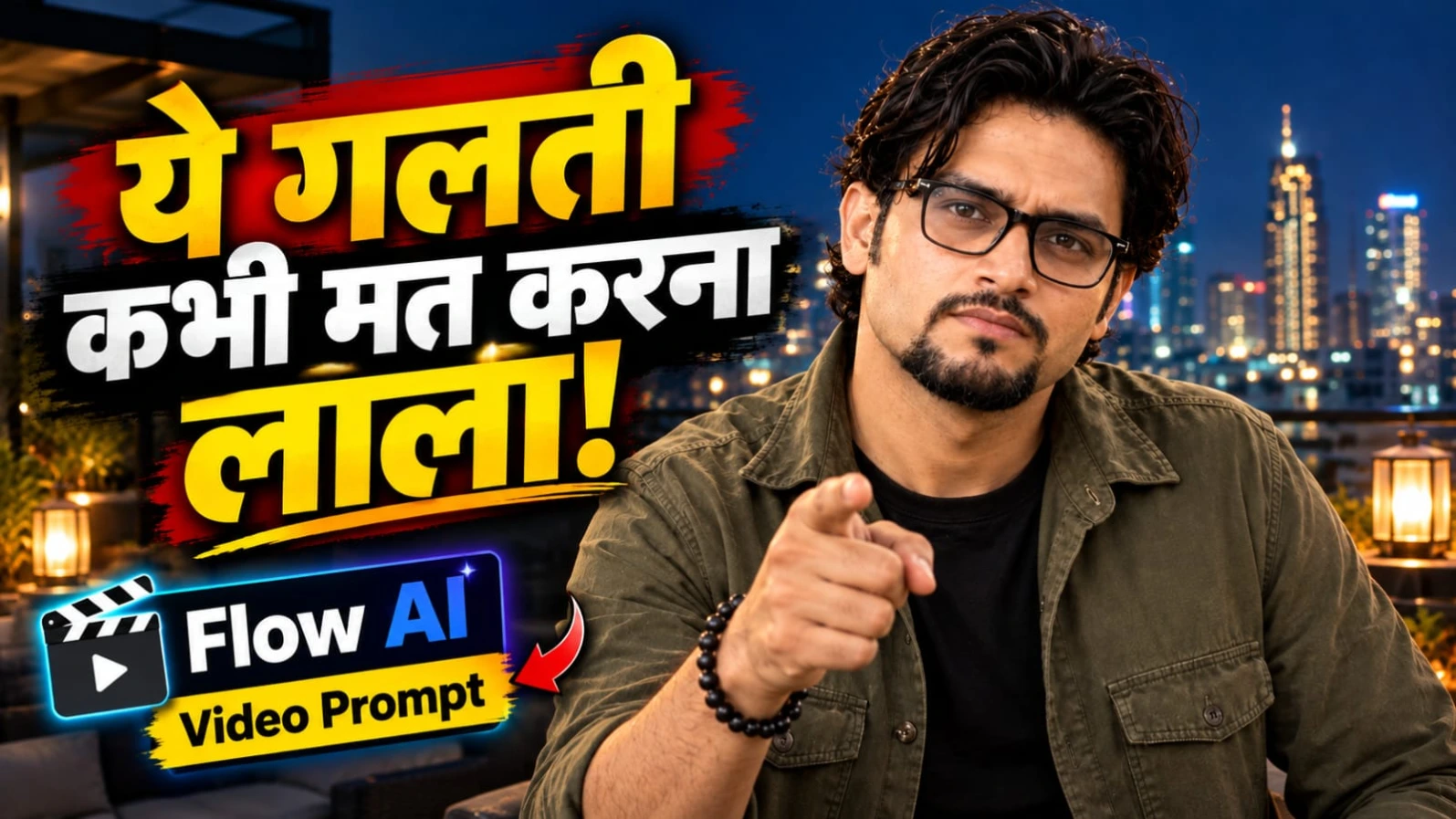
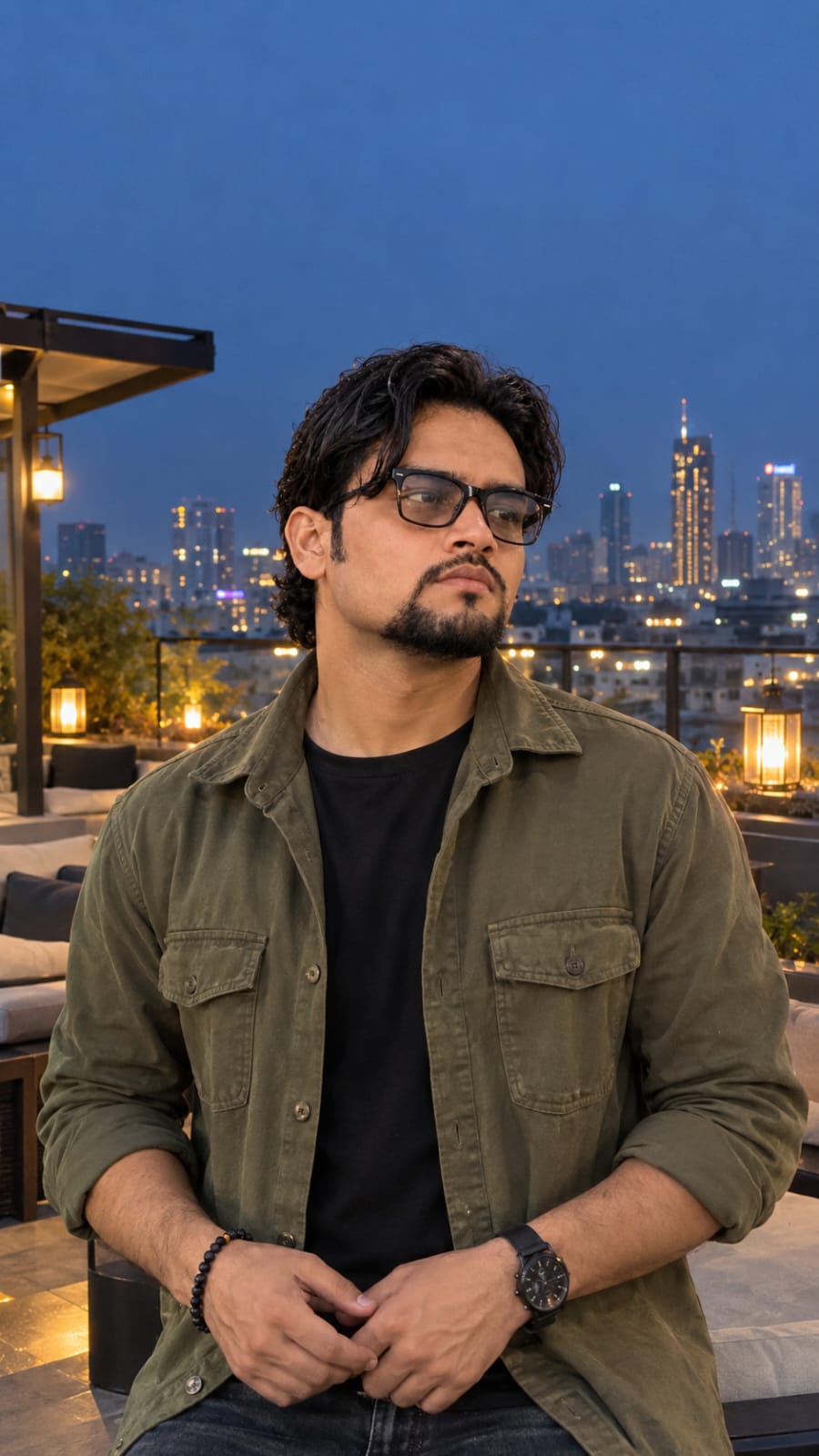
This Hindi dialogue AI video prompt is designed for a 9:16 vertical smartphone-style video running at 24fps. The scene features a South Asian man with wavy dark hair, a groomed goatee, and spectacles, standing on a modern rooftop terrace at night. He wears an olive-green overshirt over a black T-shirt, with warm lantern lights and a glowing city skyline in the background.
The central message of the video is about trust and caution. The character delivers a thoughtful Hindi dialogue in a natural male voice:
"भरोसा सब पर करो, लेकिन सावधानी से लाला। क्योंकि कभी-कभी खुद के दांत ही जीभ को काट लेते हैं।"
The dialogue communicates an important life lesson: trust is valuable, but being careful about whom you trust is equally important. The familiar expression about teeth and tongue makes the message memorable and gives the video a conversational, relatable personality.
The video follows a seven-second timeline with two distinct performance sections. First, the character gestures outward with both hands, emphasizing the words "सावधानी से लाला". Then he brings his hands together, makes a subtle pointing gesture, and delivers the second sentence while maintaining a calm gaze and subtle smile. At the final beat, the entire frame instantly freezes and changes into high-contrast black and white.
Why This Rooftop Dialogue Prompt Works
A successful AI dialogue video requires more than a character speaking in front of a camera. The prompt must communicate the character's appearance, environment, voice, facial movements, hand gestures, dialogue timing, and final visual effect.
This concept combines all these elements in a compact sequence. The modern rooftop terrace creates a stylish night-time atmosphere, while the lantern lights add warmth to the composition. The glowing city skyline provides depth and makes the background feel like a real location rather than a plain studio.
The character's natural speaking style is equally important. Instead of exaggerated acting, the performance depends on realistic Hindi pronunciation, synchronized lip movement, controlled hand gestures, and a direct gaze into the camera.
The final black-and-white freeze frame creates a distinct ending. It changes the visual mood instantly and gives the audience a moment to absorb the message.
Character Appearance and Outfit
The main subject is a South Asian man with wavy dark hair, a neatly groomed goatee, and spectacles. His clothing consists of an olive-green overshirt layered over a black T-shirt.
These styling details should remain consistent throughout the video. The hairstyle should retain its natural waves, the goatee should remain clearly defined, and the spectacles should maintain their shape and position.
The olive-green overshirt creates a subtle contrast against the dark rooftop environment, while the black T-shirt keeps the overall styling simple and modern.
If your chosen AI video tool supports reference images or character guidance, use the same reference image to help maintain the intended appearance. However, identity consistency is not guaranteed in every generated frame, so review the face, hair, beard, and spectacles after generation.
Rooftop Terrace and Night-Time Atmosphere
The environment plays an important role in establishing the mood. The character stands on a modern rooftop terrace at night, surrounded by warm lantern lights and a glowing city skyline.
The lighting should feel natural and cinematic. Warm lanterns create a welcoming atmosphere, while the distant city lights provide visual depth. The character should remain clearly visible without making the background excessively bright.
The rooftop should feel modern and uncluttered. Avoid introducing unrelated people, distracting objects, or unexpected changes in the location.
The prompt specifically requests real handheld smartphone footage with slight natural camera shake. This gives the scene a more personal and spontaneous appearance than a perfectly static studio recording.
The camera movement should remain subtle. Excessive shaking or sudden framing changes can distract viewers from the dialogue and facial expressions.
Understanding the First Dialogue Segment: 0:00–0:03
The video begins from the initial rooftop frame, with the character already standing in the established position. He starts speaking in a natural Hindi male voice with clear pronunciation and synchronized lip movement.
The first sentence is:
"भरोसा सब पर करो, लेकिन सावधानी से लाला।"
During this segment, the character gestures outward with both hands. The gesture should receive particular emphasis around the words "सावधानी से लाला".
His expression should remain calm and confident. The hands should move naturally, with believable wrist and finger motion. The gestures should support the spoken message rather than becoming exaggerated performance movements.
The camera should maintain attention on the character's face and upper body so that viewers can understand both the spoken words and the hand movements.
Understanding the Second Dialogue Segment: 0:03–0:07
The second segment begins immediately after the first sentence. The character brings his hands together and makes a subtle pointing gesture while delivering:
"क्योंकि कभी-कभी खुद के दांत ही जीभ को काट लेते हैं।"
He maintains direct eye contact with the camera lens and develops a subtle smile. The expression should communicate quiet confidence and a thoughtful understanding of the message.
The Hindi voice should remain natural, with clear pronunciation and a conversational rhythm. The mouth movement should match the complete sentence, including its natural pauses.
The second line should not sound rushed. Its meaning becomes stronger when the delivery is controlled and the expression remains composed.
Natural Hindi Voice and Lip-Sync
Voice quality is one of the most important elements of this concept. The prompt requests a natural Hindi male voice with clear pronunciation and synchronized lip movement.
The spoken dialogue should remain in Hindi and preserve the exact wording. Changing words, shortening the sentence, or inserting additional dialogue can weaken the connection between the audio and the intended performance.
Realistic lip-sync requires coordination between the mouth, jaw, and speech timing. The character should not continue moving his lips after the sentence ends, and his mouth should not remain static while the voice continues.
If the selected AI video tool supports voice generation, audio upload, or lip-sync controls, use the relevant option. If these controls are unavailable or unreliable, generate the video first and synchronize a recorded Hindi voice track during editing.
The Final Black-and-White Freeze Frame
At the final beat, the entire frame instantly freezes and changes into high-contrast black and white.
This effect is different from a gradual transition. The movement should stop immediately, and the color should change to monochrome at the same moment. The final frame should retain the character's expression and the rooftop composition.
The contrast between the warm-colored night scene and the sudden monochrome ending gives the video a distinctive visual finish.
The prompt also specifies no text and no watermark. Therefore, avoid adding captions, logos, decorative titles, or branding overlays to the generated scene.
If the AI generator does not produce a clean freeze-frame effect, the final frame can be captured and converted into a high-contrast black-and-white still during editing.
Camera Style and Visual Realism
The video is designed to look like real handheld smartphone footage at 24fps. The image should retain natural skin texture, realistic facial details, believable hand movement, and authentic camera behavior.
A slight natural shake helps the footage feel spontaneous, but the character should remain clearly framed. Avoid slow motion, artificial camera movements, excessive stabilization effects, or dramatic zooms that are not included in the original concept.
The final video should maintain consistent character identity and lighting throughout both dialogue segments.
Negative Visual Direction and Quality Checks
The prompt emphasizes a realistic live-action appearance. During review, check for distorted facial features, inconsistent spectacles, unnatural fingers, incorrect hand gestures, mismatched speech, and sudden changes in the rooftop environment.
Also verify that the final frame freezes completely and changes to black and white instantly. These details are important because a gradual fade or continued movement would change the intended ending.
Final Thoughts
This rooftop Hindi dialogue concept combines a relatable life lesson with a stylish night-time setting and natural smartphone cinematography. The olive-green overshirt, warm lantern lights, city skyline, conversational Hindi voice, and expressive gestures create a recognizable visual identity.
The strongest part of the video is the connection between the spoken message and the character's delivery. Preserve the exact Hindi dialogue, maintain the two-part timeline, and keep the final monochrome freeze-frame effect unchanged.
Use this prompt as a creative starting point for your next AI-generated Hindi dialogue reel. Carefully review the voice, lip-sync, hand movements, and final frame before publishing. The quality of the result will depend on the video-generation tool and the editing workflow, but a detailed prompt provides a clear foundation for creating a realistic cinematic short.
Pehle Character Sheet Photo Banaai ChatGPT Se
AI PHOTO PROMPT
Use the reference photo for the face (same face, hair and facial hair). Medium chest-up portrait shot of a handsome South Asian man with voluminous wavy black hair...
Use the reference photo for the face (same face, hair and facial hair). Medium chest-up portrait shot of a handsome South Asian man with voluminous wavy black hair, a neatly groomed goatee beard, and clear-lens rectangular spectacles. He is wearing an open olive-green military-style overshirt over a plain black crew-neck t-shirt, dark jeans, a black wristwatch on his left wrist, and a dark beaded bracelet on his right wrist. He stands on a modern open-air rooftop terrace at dusk, with hands gently resting in front of his waist. Behind him, warm glowing lantern lights illuminate outdoor patio seating, set against a deep blue evening sky and a soft-bokeh city skyline with illuminated skyscraper lights. Raw unedited smartphone photo, vertical 9:16, natural light, real skin texture, no filters.
AI PHOTO PROMPT
Use the reference photo for the face (same face, hair and facial hair). Medium chest-up portrait shot of a handsome South Asian man with voluminous wavy black hair...
Use the reference photo for the face (same face, hair and facial hair). Medium chest-up portrait shot of a handsome South Asian man with voluminous wavy black hair, a neatly groomed goatee beard, and clear-lens rectangular spectacles. He is wearing an open olive-green military-style overshirt over a plain black crew-neck t-shirt, dark jeans, a black wristwatch on his left wrist, and a dark beaded bracelet on his right wrist. He stands on a modern open-air rooftop terrace at dusk, with hands gently resting in front of his waist. Behind him, warm glowing lantern lights illuminate outdoor patio seating, set against a deep blue evening sky and a soft-bokeh city skyline with illuminated skyscraper lights. Raw unedited smartphone photo, vertical 9:16, natural light, real skin texture, no filters.
Cinematic 9:16 vertical smartphone footage, 24fps. Starts from the initial frame of the South Asian man with wavy dark hair, groomed goatee, and spectacles in an olive-green overshirt...
Cinematic 9:16 vertical smartphone footage, 24fps. Starts from the initial frame of the South Asian man with wavy dark hair, groomed goatee, and spectacles in an olive-green overshirt and black t-shirt on a modern rooftop terrace at night, warm lantern lights and glowing city skyline in the background. As he speaks in a natural Hindi male voice with clear pronunciation and synchronized lip movement, he says in Hindi, "भरोसा सब पर करो, लेकिन सावधानी से लाला। क्योंकि कभी-कभी खुद के दांत ही जीभ को काट लेते हैं।" From 0:00 to 0:03, he gestures outwards with both hands emphasized on "सावधानी से लाला". From 0:03 to 0:07, he brings his hands together and points subtly while delivering the second line, maintaining a direct, calm gaze into the camera lens with a subtle smile. At the final beat, the entire frame instantly freezes and shifts into high-contrast black and white. Real handheld smartphone footage, slight natural shake, natural physics, no slow motion, consistent character identity, no text, no watermark.
AI VIDEO PROMPT
Cinematic 9:16 vertical smartphone footage, 24fps. Starts from the initial frame of the South Asian man with wavy dark hair, groomed goatee, and spectacles in an olive-green overshirt...
Cinematic 9:16 vertical smartphone footage, 24fps. Starts from the initial frame of the South Asian man with wavy dark hair, groomed goatee, and spectacles in an olive-green overshirt and black t-shirt on a modern rooftop terrace at night, warm lantern lights and glowing city skyline in the background. As he speaks in a natural Hindi male voice with clear pronunciation and synchronized lip movement, he says in Hindi, "भरोसा सब पर करो, लेकिन सावधानी से लाला। क्योंकि कभी-कभी खुद के दांत ही जीभ को काट लेते हैं।" From 0:00 to 0:03, he gestures outwards with both hands emphasized on "सावधानी से लाला". From 0:03 to 0:07, he brings his hands together and points subtly while delivering the second line, maintaining a direct, calm gaze into the camera lens with a subtle smile. At the final beat, the entire frame instantly freezes and shifts into high-contrast black and white. Real handheld smartphone footage, slight natural shake, natural physics, no slow motion, consistent character identity, no text, no watermark.
How to Create a Rooftop Hindi Dialogue Video Using Flow AI
Follow these steps to create a realistic seven-second rooftop dialogue video with natural Hindi speech, synchronized lip movements, expressive hand gestures, and a dramatic black-and-white freeze-frame ending. The exact features may vary depending on your Flow AI version.
Step 1: Prepare Your Reference Image
Choose a clear reference photograph of the South Asian man whose appearance you want to maintain. The reference should clearly show his wavy dark hair, groomed goatee, and spectacles.
If Flow AI offers reference-image or character-consistency controls, use the photograph to guide the character's appearance. The generated face may still vary, so check the final result carefully.
Step 2: Open Flow AI
Open Flow AI and start a new video-generation project. Select the appropriate video-generation mode.
If the available settings include aspect ratio and frame rate, choose 9:16 vertical and 24fps where supported. The video should have a smartphone-footage appearance rather than a polished studio-commercial look.
Step 3: Describe the Character and Outfit
Enter the complete character description:
A South Asian man with wavy dark hair, a neatly groomed goatee, and spectacles, wearing an olive-green overshirt over a black T-shirt.
Keep the hairstyle, beard, spectacles, and clothing consistent throughout the video. Avoid introducing different outfits or changing the character's facial appearance.
Step 4: Create the Rooftop Environment
Describe a modern rooftop terrace at night with warm lantern lights and a glowing city skyline in the background.
The environment should look natural and cinematic. Keep the character clearly visible, with warm light illuminating his face and the distant city lights creating depth.
Avoid changing the location during the dialogue or introducing unrelated background objects.
Step 5: Add the Exact Hindi Dialogue
Copy the original Hindi dialogue without changing any words:
"भरोसा सब पर करो, लेकिन सावधानी से लाला। क्योंकि कभी-कभी खुद के दांत ही जीभ को काट लेते हैं।"
The video should use a natural Hindi male voice with clear pronunciation. If audio generation or voice-upload controls are available, use them to provide the spoken dialogue.
Step 6: Generate the First Segment (0:00–0:03)
Instruct the character to begin speaking while gesturing outward with both hands.
The first sentence is:
"भरोसा सब पर करो, लेकिन सावधानी से लाला।"
Give particular emphasis to "सावधानी से लाला". The hand movements should look natural and should correspond to the spoken words.
Maintain a direct, calm gaze toward the camera. Avoid exaggerated facial expressions or overly fast gestures.
Step 7: Generate the Second Segment (0:03–0:07)
For the second section, describe the character bringing his hands together and making a subtle pointing gesture.
He delivers:
"क्योंकि कभी-कभी खुद के दांत ही जीभ को काट लेते हैं।"
Maintain direct eye contact and a subtle smile. The character should sound conversational and confident, with realistic lip movement throughout the sentence.
Step 8: Synchronize the Hindi Voice
If Flow AI supports audio generation, voice uploads, or lip-sync options, use the available controls to match the Hindi speech with the character's mouth movements.
Check the pronunciation of every word and ensure that the mouth does not continue moving after the dialogue ends.
If the generated voice is not synchronized correctly, create the visual clip separately and add a recorded Hindi voice track using a video editor.
Step 9: Add Natural Smartphone Camera Movement
Describe real handheld smartphone footage with slight natural camera shake.
The movement should be subtle and believable. Avoid slow motion, excessive shaking, sudden zooming, or erratic camera movements.
Keep the face and upper body clearly visible so the hand gestures and expressions remain easy to understand.
Step 10: Create the Final Freeze Frame
At the final beat, instruct the video to freeze the entire frame instantly and switch to high-contrast black and white.
Do not use a gradual color fade. The movement should stop completely at the final moment, and the monochrome effect should appear immediately.
If the generator cannot produce the effect reliably, capture the final frame in a video editor, freeze it, and apply a high-contrast black-and-white treatment.
Step 11: Check the Final Video
Review the complete seven-second sequence and verify the following:
- Character appearance remains consistent.
- Olive-green overshirt and black T-shirt remain unchanged.
- Rooftop lantern lights and city skyline remain visible.
- Both Hindi dialogue lines are spoken correctly.
- Hand gestures match the correct timeline.
- Lip movement is synchronized with the voice.
- Final frame freezes instantly and changes to black and white.
- No captions, text, or watermark are added.
Step 12: Export and Publish
Export the finished video using the best suitable 9:16 resolution and 24fps settings available in your workflow.
Watch the video on a mobile screen before publishing. Make sure the dialogue is clear, the character is properly framed, and the final freeze-frame effect is easy to notice.
A clean edit with accurate Hindi speech, natural gestures, and the original ending will help preserve the intended cinematic style.
SEO TAGS
Hindi dialogue AI video promptFlow AI video tutorialrooftop cinematic video promptHindi life lesson dialoguerealistic Hindi lip sync AI9:16 vertical AI videoolive green overshirt videocinematic night rooftop reelAI male dialogue videonatural Hindi voice AIsmartphone footage AI promptblack and white freeze framerealistic hand gestures AIcinematic city skyline videoAI dialogue reel creation
SEO TAGS
Hindi dialogue AI video promptFlow AI video tutorialrooftop cinematic video promptHindi life lesson dialoguerealistic Hindi lip sync AI9:16 vertical AI videoolive green overshirt videocinematic night rooftop reelAI male dialogue videonatural Hindi voice AIsmartphone footage AI promptblack and white freeze framerealistic hand gestures AIcinematic city skyline videoAI dialogue reel creation
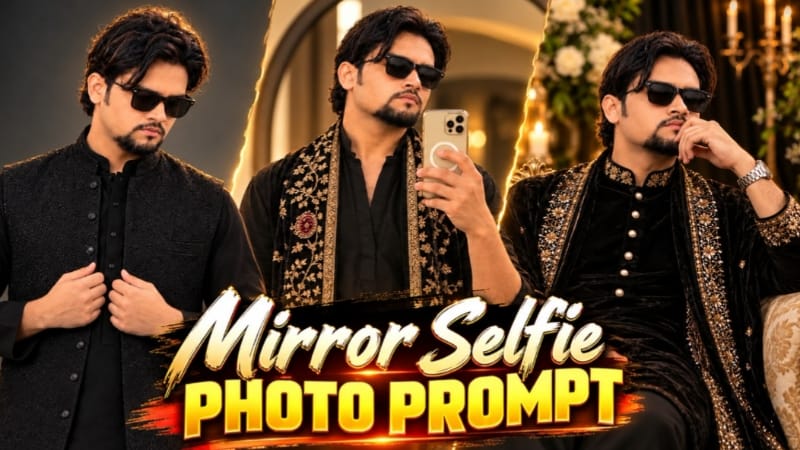
Mirror Selfie Photo Prompt se aap traditional menswear look ke saath ek realistic indoor mirror selfie create kar sakte hain. Is concept mein black kurta, golden embroidery wala velvet shawl, black rectangular sunglasses aur cream-gold smartphone ka combination hai.
Person ne black V-neck kurta pehna hai, jiske sleeves forearms tak rolled hain. Shawl black velvet ka hai, jis par cream-gold floral embroidery, maroon stone-style medallion motifs aur wide embroidered border diya gaya hai.
Background mein thin black frame wala large round mirror aur grey-beige wall hai. Left side se aane wali soft natural sunlight wall par warm golden patch create karti hai. Person right hand mein smartphone pakadkar chest ke saamne mirror selfie leta hai.
Is edit mein do reference images use hoti hain: first image scene, pose aur outfit ke liye; second image face reference ke liye. AI tool exact face aur embroidery reproduce kare, yeh guaranteed nahi hai, isliye final result check karna zaroori hai.
Mirror Selfie Photo Kaise Banaye
Step 1: AI image-generation ya image-editing tool open karein, jo reference images support karta ho.
Step 2: First reference image ko scene, pose aur outfit ke liye upload karein. Second image apne face reference ke liye use karein.
Step 3: Black V-neck kurta, rolled sleeves aur golden embroidered velvet shawl ki details add karein.
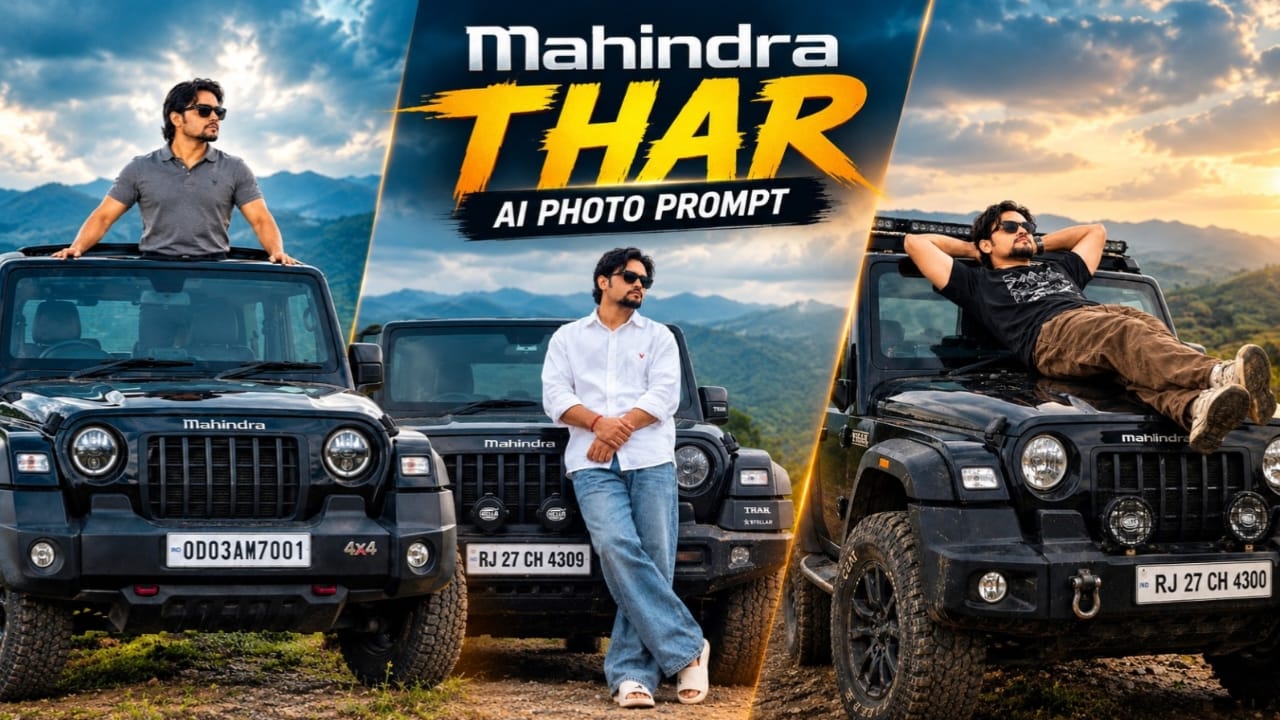
Mahindra Thar AI Photo Prompt se aap ek cinematic automotive portrait create kar sakte hain, jismein ek stylish young South Asian man black Mahindra Thar SUV ke bonnet ke saath pose deta hai.
Character white oversized shirt with red logo detail, blue baggy jeans, white slides, black sunglasses aur red wristband pehenta hai. Uske curly hairstyle aur beard ko reference photo ke according maintain karne ki instruction di gayi hai.
Black Mahindra Thar ke front mein Mahindra logo, Stellar edition badges aur auxiliary bumper lights hain. Number plate par RJ 27 CH 4309 likha hai. Background mein foggy hills aur overcast cloudy sky hai, jo image ko moody cinematic appearance dete hain.
Person bonnet ke against lean karta hai, legs crossed hain aur arms clasped position mein hain. Soft diffused lighting aur muted colour grading is portrait ka important part hain. AI-generated number plate aur vehicle badges mein errors aa sakte hain, isliye unhe carefully verify karein.
Mahindra Thar Photo Kaise Banaye
Step 1: ChatGPT ya compatible AI image-editing tool open karein.
Step 2: Apni reference photo upload karein, jisse face aur hairstyle guide ho sake.
Step 3: White oversized shirt, blue baggy jeans, white slides, black sunglasses aur red wristband describe karein.
Step 4: Black Mahindra Thar ke bonnet par leaning pose, crossed legs aur clasped arms specify karein.
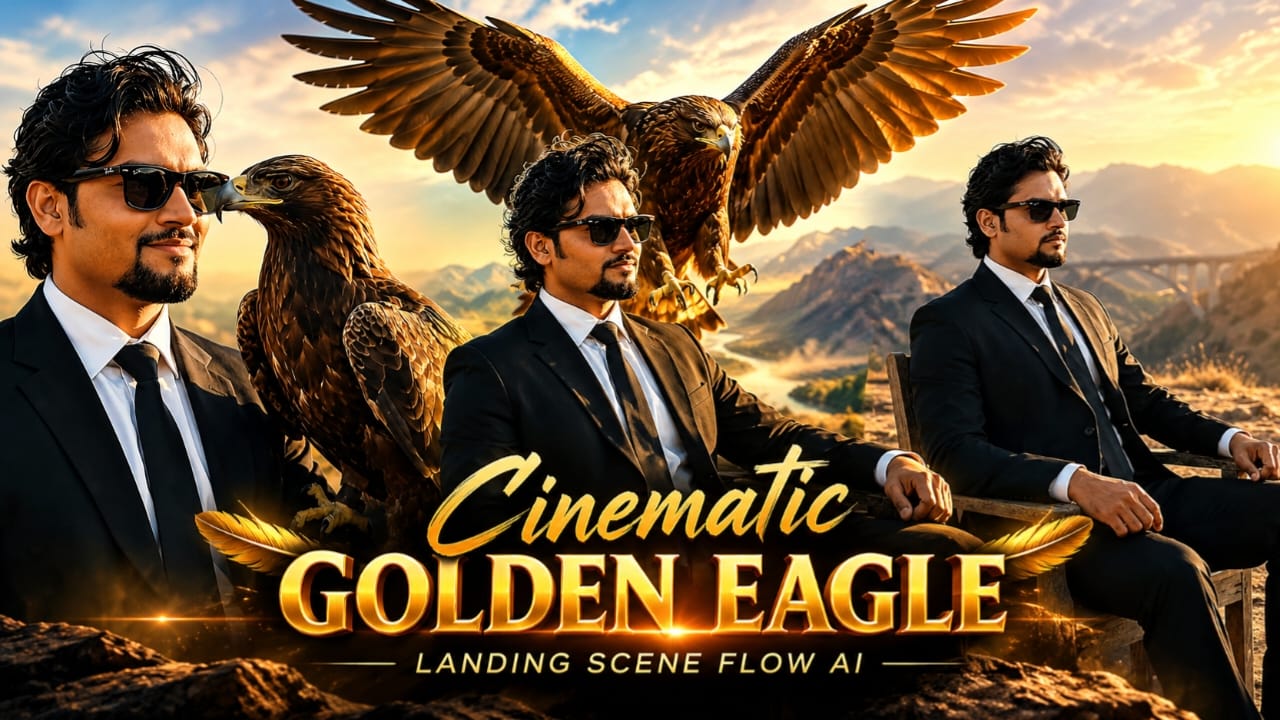
Cinematic Golden Eagles Scene AI Video Prompt se aap ek dramatic wildlife-style cinematic video create kar sakte hain. Is concept mein ek stylish South Asian man outdoor wooden chair par baitha hai aur ek magnificent golden eagle uske extended right forearm par land karta hai.
Man ke wavy black hair, groomed goatee aur black Wayfarer sunglasses hain. Usne tailored black suit, crisp white shirt aur black necktie pehni hai. Background mein dusty hill, distant mountains aur arched viaduct bridge dikhai dete hain.
Video ka main action golden eagle ki flight aur landing hai. Eagle wide wingspan ke saath sky se neeche aata hai, powerful wing flaps karta hai aur man ke right forearm par settle ho jata hai. Landing ke baad eagle apna head slightly turn karta hai, jabki man calm expression ke saath subtle confident smile deta hai.
Camera medium shot se start hota hai aur dheere-dheere closer profile view ki taraf push karta hai. Warm golden-hour lighting, natural wind aur detailed feathers scene ko cinematic appearance dete hain.
Golden Eagle Video Kaise Banaye
Step 1: Flow AI open karein aur video-generation option select karein.
Step 2: Man ki clear reference photo upload karein, agar image-reference feature available ho.
Step 3: Black suit, white shirt, black tie, sunglasses aur wavy hairstyle ki details add karein.
Step 4: Dusty hill, distant mountains aur arched viaduct bridge ka background describe karein.
Step 5: Golden eagle ko sky se smoothly approach karke right forearm par land karte hue describe karein.
Step 6: Eagle ke wing movement, talons contact aur landing ke baad head turn ko clearly specify karein.
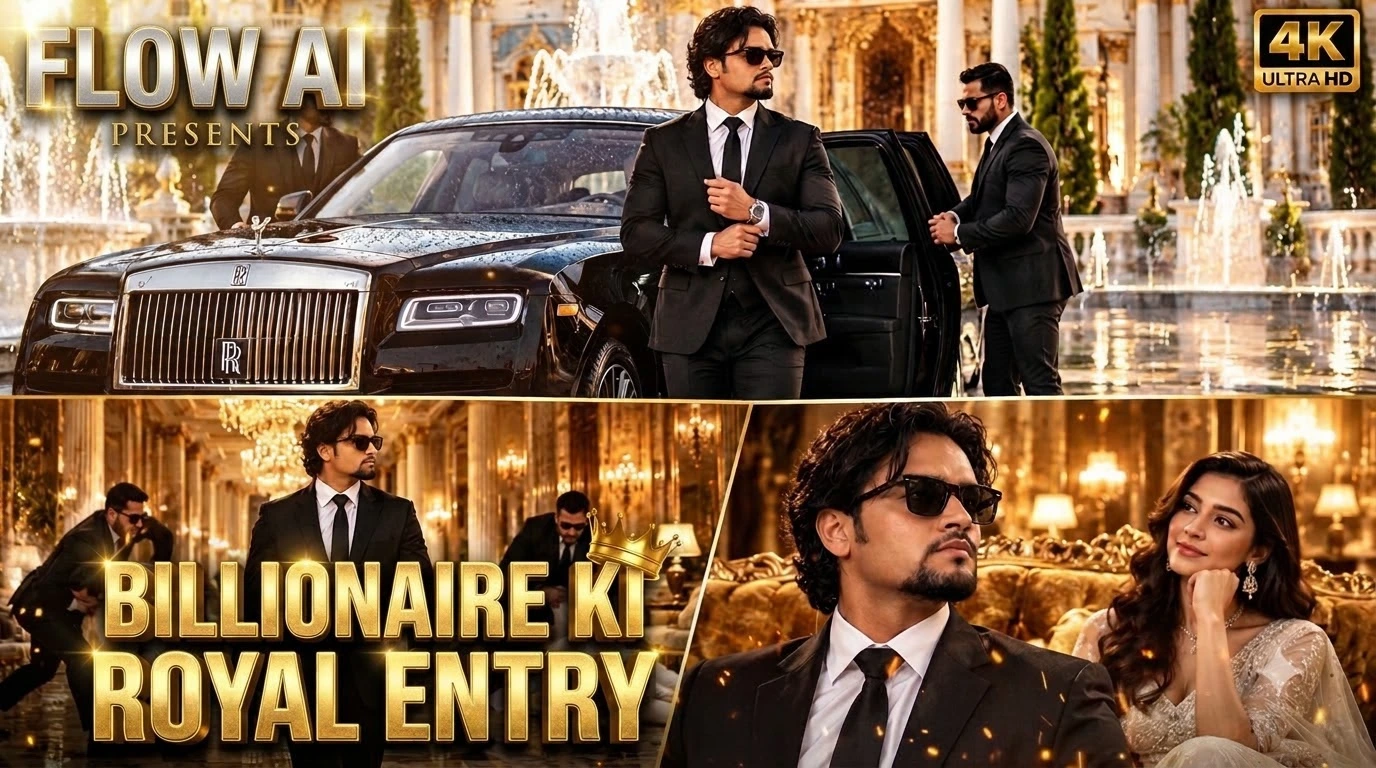
Luxury Rolls-Royce AI Video Prompt se aap ek royal VIP entry scene create kar sakte hain. Is cinematic concept mein black Rolls-Royce, grand palace courtyard, professional bodyguards aur stylish main character ka combination hai.
Opening scene mein black Rolls-Royce neoclassical palace courtyard mein arrive karti hai. White-and-gold marble, fountains aur wet reflective flooring background ko luxurious appearance dete hain. Do bodyguards black suits mein car ka rear door open karte hain. Main character black tailored suit, white shirt, black tie aur black Wayfarer sunglasses pehenkar bahar nikalta hai aur apne cuffs adjust karta hai.
Next scene golden chandelier-lit corridor mein hai. Main character camera ki taraf confidently walk karta hai, jabki background mein bodyguards white suits pehne do aggressive intruders ko intercept karte hain. Final scene mein golden velvet sofa ke paas white designer gown pehni woman main character ko admiring smile ke saath dekhti hai.
Rolls-Royce VIP Video Kaise Banaye
Step 1: Flow AI open karein aur video-generation workflow select karein.
Step 2: Main character ki reference photo upload karein, agar supported ho.
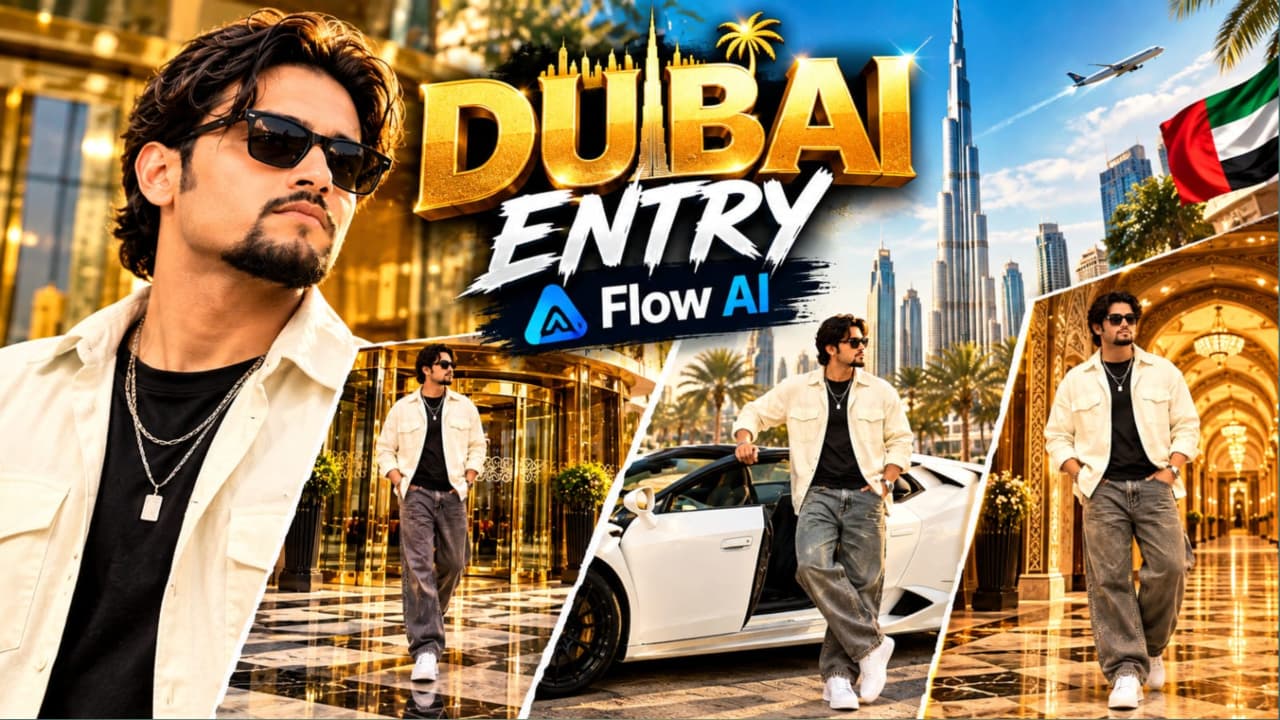
Luxury Hotel Entry AI Video Prompt with Lamborghini ek cinematic VIP lifestyle video concept hai. Ismein grand luxury hotel entrance, white convertible Lamborghini aur Arabic-inspired royal palace hallway ke three different scenes hain.
Main character ek young South Asian man hai, jiske voluminous wavy dark-brown hair, groomed goatee aur dark sunglasses hain. Usne cream-white oversized open shirt, black T-shirt, baggy grey denim jeans, chunky white sneakers aur layered silver chain pehni hai.
First scene mein character revolving glass door se luxury hotel ke bahar nikalta hai aur polished checkered marble pavement par camera ki taraf walk karta hai. Second scene mein white convertible Lamborghini ke driver side se exit karta hai aur camera ki taraf confident glance deta hai. Final scene Arabic-inspired hallway mein hai, jahan golden patterned wallpaper, illuminated arches aur carved wooden ceiling beams hain.
Lamborghini Hotel Entry Video Kaise Banaye
Step 1: Flow AI open karein aur text-to-video ya image-to-video option select karein.
Step 2: Apni reference photo upload karein, agar tool image reference support karta ho.
Step 3: Cream-white overshirt, black T-shirt, grey baggy jeans, white sneakers aur silver pendant chain describe karein.
Step 4: First scene mein luxury hotel revolving glass door, gold-brass framing aur checkered marble pavement add karein.
Step 5: Second scene mein white convertible Lamborghini aur driver-side exit action specify karein.
Step 6: Third scene mein Arabic-inspired palace hallway, golden patterned walls aur illuminated arches describe karein.