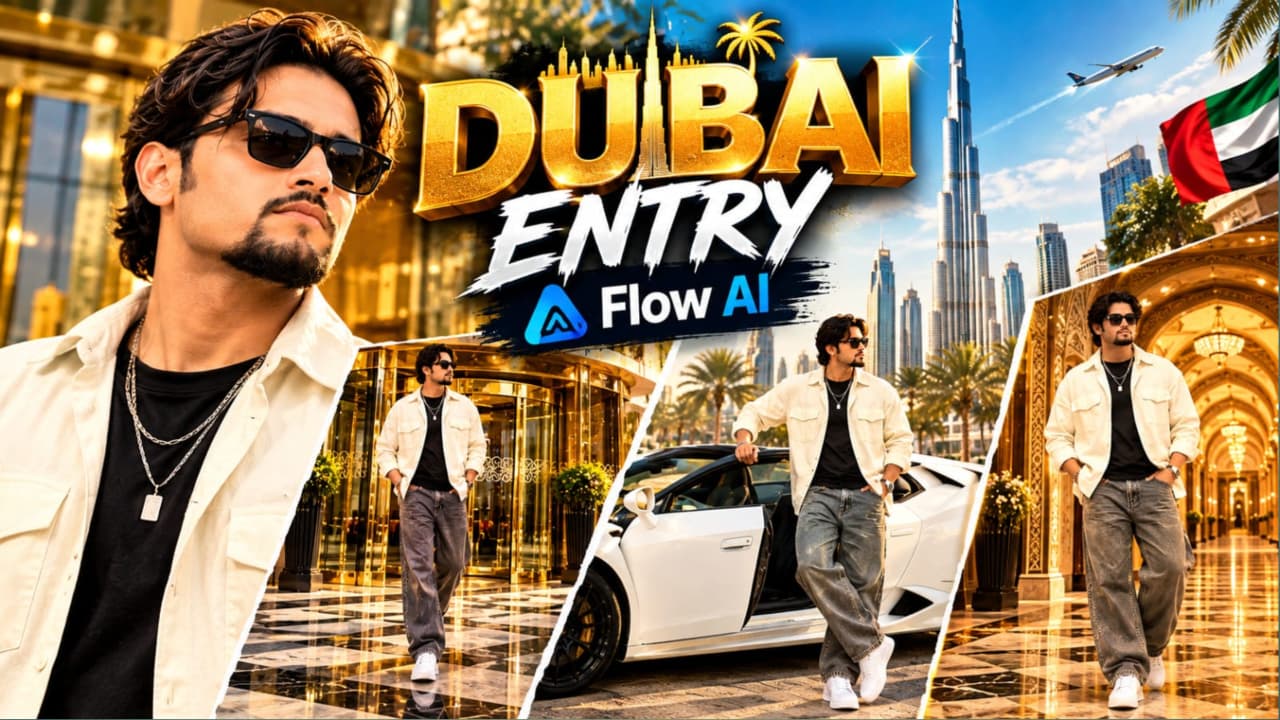
Luxury Hotel Entry AI Video Prompt with Lamborghini: Create a Cinematic VIP Lifestyle Video
Luxury lifestyle videos are popular among creators who enjoy cinematic fashion, premium cars, elegant architecture, and confident character shots. With modern AI video generation tools, creators can explore this visual style by combining realistic environments, carefully described camera movements, coordinated outfits, and multiple connected scenes. This Luxury Hotel Entry AI Video Prompt is designed for creating a cinematic vertical video featuring an ultra-luxury hotel entrance, a white convertible Lamborghini supercar, and an opulent Arabic-inspired palace hallway.
The concept follows a stylish young South Asian man through three different luxury settings. Each scene has its own purpose, camera composition, and atmosphere. The hotel entrance establishes the character's VIP presence, the supercar scene introduces an automotive lifestyle element, and the palace hallway creates a sophisticated closing moment. Together, these scenes form a short cinematic sequence suitable for vertical reels, AI filmmaking experiments, fashion edits, and luxury lifestyle content.
Character Appearance and Fashion Styling
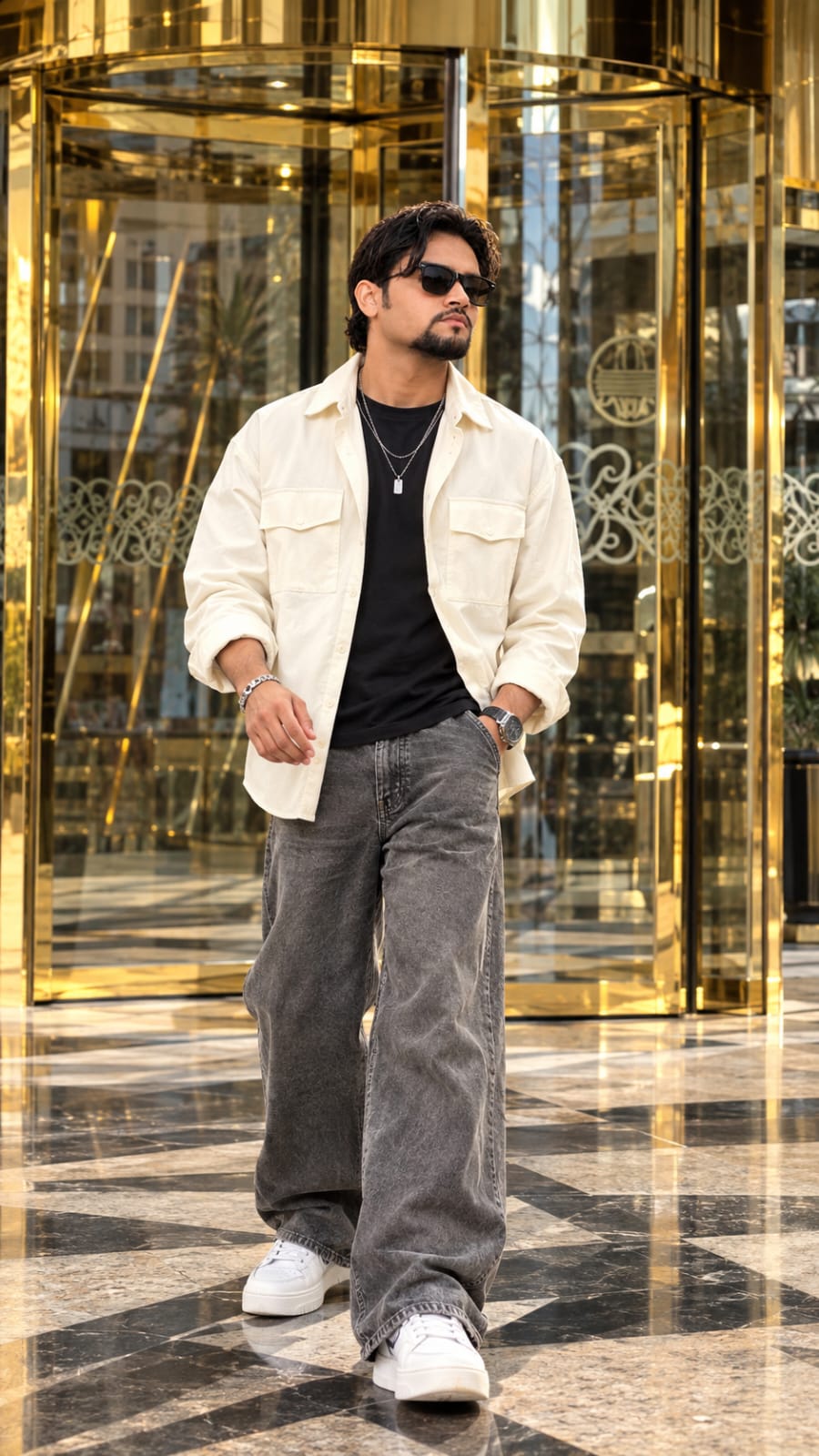
The main character is a handsome young South Asian man with voluminous wavy dark brown hair, a groomed goatee beard, and dark sunglasses. His appearance combines modern streetwear with a luxury fashion aesthetic. The outfit includes an unbuttoned cream-white oversized overshirt with front chest pockets, a fitted black T-shirt underneath, wide-leg baggy grey denim jeans, pristine chunky white sneakers, and a layered silver chain with a rectangular pendant.
Each clothing detail contributes to the visual identity of the character. The cream-white overshirt contrasts with the black T-shirt, while the loose grey denim creates a relaxed streetwear silhouette. The chunky white sneakers complete the outfit with a contemporary fashion look. The layered silver chain introduces a subtle metallic highlight that complements the gold and bronze reflections in the surrounding architecture.
For a polished result, keep the outfit consistent across all three scenes. The shirt should remain open, the T-shirt should remain black, and the jeans, sneakers, pendant, hairstyle, beard, and sunglasses should retain their intended appearance. When generating separate clips, repeating the same character and outfit description can help reduce visual inconsistencies.
Scene One: Grand Luxury Hotel Entrance
The first scene introduces the character as he exits a grand revolving glass door at an ultra-luxury hotel. The entrance features polished gold-brass framing, reflective glass panels, and a sophisticated architectural design. The character walks forward across polished checkered marble pavement, moving toward the camera with relaxed, confident VIP strides.
A wide, eye-level tracking shot helps establish both the character and the impressive surroundings. The camera should maintain a comfortable distance so viewers can appreciate the outfit, the revolving entrance, and the marble flooring. One hand is casually tucked into the grey jeans pocket, reinforcing the relaxed body language. His dark sunglasses reflect the bright outdoor sky, adding a realistic detail to the overall composition.
Bright natural daylight is important in this scene. Sunlight creates rich gold and bronze reflections on the architectural surfaces, while the glass entrance reflects the surrounding environment. These details help communicate an upscale hotel atmosphere without requiring excessive visual effects.
The key to this opening shot is balance. The character should remain the main subject, but the hotel entrance should be visible enough to establish the luxury setting. Smooth tracking movement, natural walking motion, and realistic fabric movement can make the scene feel like a professionally filmed fashion campaign.
Scene Two: White Convertible Lamborghini Exit
The second scene changes the environment to a sunlit outdoor parking plaza surrounded by modern commercial buildings and Arabic signage. A sleek white convertible Lamborghini supercar becomes the central automotive element. The character exits from the driver's side, places one hand firmly on the door frame, and turns back toward the camera with a cool, confident glance.
This medium shot introduces a more dynamic visual rhythm after the hotel entrance sequence. The white supercar complements the cream-white overshirt and chunky white sneakers, creating a coordinated visual palette. The vehicle's reflective bodywork can catch the sunlight, while the surrounding buildings and pavement provide depth to the scene.
Accurate positioning is important for a convincing result. The driver's door should open naturally, the character should step out with believable movement, and his hand should appear to make proper contact with the door frame. The car's body shape, door design, wheels, and convertible roof should remain visually consistent throughout the clip.
If your chosen video generator struggles with complex vehicle interactions, consider generating a simpler exit movement with fewer simultaneous actions. Review the hands, door, and character's leg positions carefully before using the clip in the final edit.
Scene Three: Arabic Royal Palace Hallway
The final scene moves indoors to an opulent Arabic-inspired luxury lobby. The hallway features ornate gold-patterned wallpaper, illuminated arched alcoves, and carved wooden ceiling beams. The character stands in the center of the composition with both hands resting casually inside his baggy denim pockets.
Unlike the first scene, which emphasizes walking, this moment focuses on posture, expression, and atmosphere. The character performs a subtle body sway while facing the camera through his dark sunglasses. The medium full-body framing allows viewers to appreciate the complete outfit and the decorative interior at the same time.
The warm gold tones of the hallway complement the silver pendant and the cream-white overshirt. Soft architectural lighting adds depth to the background, while the character remains clearly visible in the foreground. The illuminated arches and carved ceiling details create a regal visual setting without distracting from the main subject.
The movement should remain subtle. A slight shift in body weight and natural fabric motion are sufficient to communicate confidence. Excessive movement may make the shot look less realistic or cause unwanted changes to the character's clothing and body proportions.
Cinematic Camera and Visual Quality
The video concept uses a vertical 9:16 composition with a cinematic live-action aesthetic inspired by the ARRI Alexa Mini LF and a 35mm anamorphic lens. These camera references help describe the intended visual language: natural depth, cinematic framing, realistic highlights, and a refined film-like appearance.
Smooth gimbal-style movement can help connect the character to each environment. The hotel scene benefits from a steady tracking shot, the supercar scene uses a more dynamic medium composition, and the palace hallway relies on a controlled, intimate camera position.
The prompt also specifies 24 frames per second, which is associated with a traditional cinematic motion aesthetic. Actual output settings depend on the AI video tool. Mentioning a particular camera or lens in a prompt influences the intended style but does not guarantee footage captured with that physical camera or lens.
Lighting, Reflections, and Fabric Movement
Natural daylight is central to the first two scenes. The gold-brass hotel entrance, polished marble, glass door, and white supercar should display realistic reflections instead of appearing unnaturally shiny. Balanced exposure helps preserve details in the white clothing and vehicle while maintaining the depth of the darker T-shirt and grey jeans.
The indoor palace hallway introduces a warmer lighting environment. Gold-patterned walls, illuminated arches, and carved wooden beams should have distinct textures and believable shadows. Consistent skin tones and controlled highlights help the indoor shot blend with the brighter outdoor scenes during editing.
Fabric movement is another important detail. The oversized overshirt should respond naturally to the character's steps, while the baggy jeans should maintain their wide silhouette. The silver chains and rectangular pendant should remain recognizable rather than changing shape between frames.
Why Vertical 9:16 Is Suitable for This Video
The vertical 9:16 format is well suited to mobile-first content such as YouTube Shorts, Instagram Reels, and other vertical video platforms. It allows the character to occupy a strong central position while preserving enough background space to show the hotel entrance, luxury car, and palace architecture.
Different scenes require different framing choices. The hotel entrance benefits from a wider view, the supercar scene needs enough room to show the driver's door and part of the vehicle, and the palace scene should include the character's complete outfit and architectural details.
Before exporting, inspect the edges of each frame. Make sure the shoes, head, car door, and important architectural features are not unintentionally cropped.
Final Thoughts
This Luxury Hotel Entry AI Video Prompt combines three visually distinct environments into one stylish cinematic sequence. The grand hotel entrance establishes the VIP mood, the white convertible Lamborghini adds a premium automotive element, and the Arabic royal palace hallway provides a sophisticated ending.
For the strongest result, maintain the same character appearance, preserve every outfit detail, and generate each scene with a clearly defined camera composition. Review character movement, vehicle geometry, reflections, and lighting before assembling the clips. With careful scene planning and consistent editing, this concept can become an engaging luxury lifestyle video with a polished cinematic atmosphere.
Pehle Character Sheet Photo Banaai ChatGPT Se
AI PHOTO PROMPT
Raw 35mm film photograph, shot on Hasselblad H6D-100c with 85mm f/1.4 portrait lens, 9:16 vertical ratio...
Raw 35mm film photograph, shot on Hasselblad H6D-100c with 85mm f/1.4 portrait lens, 9:16 vertical ratio. A handsome young South Asian man with stylish medium wavy dark brown hair, a groomed neat goatee beard, and sleek dark black Wayfarer-style sunglasses. He wears a layered silver chain with a rectangular metallic pendant, an open cream-white oversized drop-shoulder overshirt with front utility flap pockets over a plain black fitted crew-neck t-shirt, relaxed baggy wide-leg washed grey denim trousers, and clean chunky white leather sneakers. He stands with relaxed VIP swagger on the checkered black-and-beige marble pavement outside the entrance of an ultra-luxurious Dubai hotel, directly in front of a grand rotating glass door featuring polished gold brass frames and intricate etched glass designs. Crisp natural afternoon sunlight casting sharp soft shadows and golden metallic reflections on the brass facade, authentic human skin texture with natural pores, hyper-detailed fabric weave, true optical depth of field, 8k resolution, luxury lifestyle fashion editorial. --ar 9:16 --style raw --v 6.1
AI PHOTO PROMPT
Raw 35mm film photograph, shot on Hasselblad H6D-100c with 85mm f/1.4 portrait lens, 9:16 vertical ratio...
Raw 35mm film photograph, shot on Hasselblad H6D-100c with 85mm f/1.4 portrait lens, 9:16 vertical ratio. A handsome young South Asian man with stylish medium wavy dark brown hair, a groomed neat goatee beard, and sleek dark black Wayfarer-style sunglasses. He wears a layered silver chain with a rectangular metallic pendant, an open cream-white oversized drop-shoulder overshirt with front utility flap pockets over a plain black fitted crew-neck t-shirt, relaxed baggy wide-leg washed grey denim trousers, and clean chunky white leather sneakers. He stands with relaxed VIP swagger on the checkered black-and-beige marble pavement outside the entrance of an ultra-luxurious Dubai hotel, directly in front of a grand rotating glass door featuring polished gold brass frames and intricate etched glass designs. Crisp natural afternoon sunlight casting sharp soft shadows and golden metallic reflections on the brass facade, authentic human skin texture with natural pores, hyper-detailed fabric weave, true optical depth of field, 8k resolution, luxury lifestyle fashion editorial. --ar 9:16 --style raw --v 6.1
Cinematic 9:16 vertical 4k live-action video shot on ARRI Alexa Mini LF, 35mm anamorphic lens at 24fps. Bright sunny natural daylight with rich gold and bronze architectural reflections...
Cinematic 9:16 vertical 4k live-action video shot on ARRI Alexa Mini LF, 35mm anamorphic lens at 24fps. Bright sunny natural daylight with rich gold and bronze architectural reflections.
Character: A handsome young South Asian man with voluminous wavy dark brown hair, groomed goatee beard, and dark sunglasses. He wears a layered silver chain with a rectangular pendant, an unbuttoned cream-white oversized overshirt with front chest pockets, a fitted black t-shirt underneath, wide-leg baggy grey denim jeans, and pristine chunky white sneakers.
Multi-Scene Progression:
- Scene 1 (0:00 - 0:05) Hotel Entrance Walk: Wide eye-level tracking shot. He steps out from a grand revolving glass door framed in polished gold brass at an ultra-luxury hotel entrance. He walks forward across the polished checkered marble pavement toward the camera with relaxed, confident VIP strides, one hand casually tucked in his grey jeans pocket, sunglasses reflecting the bright sky.
- Scene 2 (0:05 - 0:08) Supercar Exit: Dynamic medium shot in an outdoor sunlit parking plaza with modern commercial buildings and Arabic signage in the background. He steps out from the driver's side of a sleek white convertible Lamborghini supercar, resting one hand firmly on the door frame, turning back to flash a cool, confident glance toward the camera.
- Scene 3 (0:08 - 0:11) Arabic Royal Palace Hallway: Intimate medium full-body shot inside an opulent Arabic luxury lobby with ornate gold-patterned wallpaper walls, illuminated arched alcoves, and carved wooden ceiling beams. He stands centered, both hands casually resting inside his baggy denim pockets, executing a subtle body sway while locking eyes through his dark shades directly into the lens with effortless attitude.
Photorealistic 8k, authentic daylight physics, natural fabric movement and flutter, hyper-realistic reflections on glass and gold surfaces, smooth cinematic gimbal movement.
AI VIDEO PROMPT
Cinematic 9:16 vertical 4k live-action video shot on ARRI Alexa Mini LF, 35mm anamorphic lens at 24fps. Bright sunny natural daylight with rich gold and bronze architectural reflections...
Cinematic 9:16 vertical 4k live-action video shot on ARRI Alexa Mini LF, 35mm anamorphic lens at 24fps. Bright sunny natural daylight with rich gold and bronze architectural reflections.
Character: A handsome young South Asian man with voluminous wavy dark brown hair, groomed goatee beard, and dark sunglasses. He wears a layered silver chain with a rectangular pendant, an unbuttoned cream-white oversized overshirt with front chest pockets, a fitted black t-shirt underneath, wide-leg baggy grey denim jeans, and pristine chunky white sneakers.
Multi-Scene Progression:
- Scene 1 (0:00 - 0:05) Hotel Entrance Walk: Wide eye-level tracking shot. He steps out from a grand revolving glass door framed in polished gold brass at an ultra-luxury hotel entrance. He walks forward across the polished checkered marble pavement toward the camera with relaxed, confident VIP strides, one hand casually tucked in his grey jeans pocket, sunglasses reflecting the bright sky.
- Scene 2 (0:05 - 0:08) Supercar Exit: Dynamic medium shot in an outdoor sunlit parking plaza with modern commercial buildings and Arabic signage in the background. He steps out from the driver's side of a sleek white convertible Lamborghini supercar, resting one hand firmly on the door frame, turning back to flash a cool, confident glance toward the camera.
- Scene 3 (0:08 - 0:11) Arabic Royal Palace Hallway: Intimate medium full-body shot inside an opulent Arabic luxury lobby with ornate gold-patterned wallpaper walls, illuminated arched alcoves, and carved wooden ceiling beams. He stands centered, both hands casually resting inside his baggy denim pockets, executing a subtle body sway while locking eyes through his dark shades directly into the lens with effortless attitude.
Photorealistic 8k, authentic daylight physics, natural fabric movement and flutter, hyper-realistic reflections on glass and gold surfaces, smooth cinematic gimbal movement.
How to Create a Luxury Hotel Entry and Lamborghini AI Video Using Flow AI
Is tutorial mein aap seekhenge ki Flow AI ki madad se luxury hotel entrance, white convertible Lamborghini aur Arabic palace hallway par based cinematic vertical video kaise create kar sakte hain. Is concept mein teen scenes hain, isliye har scene ko alag generate karke baad mein editing mein combine karna ek practical workflow ho sakta hai.
Step 1: Character Reference Photo Select Karein
Sabse pehle apne character ki clear reference photo select karein. Photo mein face, hairstyle, beard aur skin tone clearly visible hone chahiye. Agar aapke Flow AI workflow mein reference image upload karne ka option available hai, to uska use karein.
Character ka look voluminous wavy dark brown hair, groomed goatee beard aur dark sunglasses par based hai. Har scene mein in details ko consistent rakhein. AI tools exact facial identity ya appearance ko har frame mein perfectly preserve karne ki guarantee nahi dete, isliye generated clips ko carefully review karein.
Step 2: Outfit Description Fix Karein
Character ke outfit mein unbuttoned cream-white oversized overshirt with front chest pockets, fitted black T-shirt, wide-leg baggy grey denim jeans, chunky white sneakers aur layered silver chain with rectangular pendant shamil hain.
Is outfit description ko har scene ke prompt mein repeat karein. Isse clothing consistency improve karne mein madad mil sakti hai. Check karein ki overshirt open rahe, jeans ka fit wide ho aur pendant ki appearance unnecessary change na ho.
Step 3: Video Format Aur Camera Style Choose Karein
Agar Flow AI mein aspect ratio selection available hai, to vertical 9:16 choose karein. Prompt mein cinematic live-action appearance, natural daylight, smooth gimbal movement aur 24fps motion aesthetic describe karein.
ARRI Alexa Mini LF aur 35mm anamorphic lens ko visual-style references ke roop mein mention karein. Actual resolution, frame rate aur available export settings tool par depend karenge.
Step 4: Hotel Entrance Scene Generate Karein
Pehle scene mein grand luxury hotel entrance show karein. Background mein polished gold-brass revolving glass door aur checkered marble pavement ho.
Character door se bahar nikal kar camera ki taraf walk kare. Wide eye-level tracking shot use karein, ek hand casually jeans pocket mein ho aur sunglasses bright sky reflect kar rahe hon.
Doosre scene mein sunlit outdoor parking plaza show karein. Background mein modern commercial buildings aur Arabic signage ho, jabki foreground mein sleek white convertible Lamborghini ho.
Character driver's side se bahar nikle, ek hand door frame par rakhe aur camera ki taraf confident glance de. Medium shot rakhein taaki character aur car dono clearly visible hon.
Vehicle ki body shape, wheels, door position aur convertible design ko consistent rakhne ki koshish karein. Agar door movement ya stepping action distorted ho, to simpler action prompt ke saath clip regenerate karein.
Step 6: Arabic Palace Hallway Scene Banayein
Teesre scene ke liye opulent Arabic-inspired luxury hallway describe karein. Walls par gold-patterned wallpaper, illuminated arched alcoves aur carved wooden ceiling beams hon.
Character frame ke center mein khada ho, dono hands baggy jeans ki pockets mein hon aur body mein subtle natural sway ho. Medium full-body shot se outfit aur background architecture dono visible rahenge.
Lighting ko warm aur elegant rakhein. Character ka face clearly visible ho aur sunglasses, hairstyle, beard aur silver pendant pehle scenes jaise hi rahen.
Step 7: Har Clip Ko Review Karein
Teenon clips generate hone ke baad in details ko check karein:
- Face, hairstyle aur beard mein unwanted changes na hon.
- Cream-white overshirt, black T-shirt aur grey jeans consistent rahen.
- Character ka body proportion aur framing har scene mein natural ho.
Agar koi clip in requirements ko meet nahi karta, to use regenerate karein ya available editing tools se improve karein.
Step 8: Clips Ko Timeline Mein Arrange Karein
Video editor mein hotel entrance ko opening scene, Lamborghini exit ko second scene aur palace hallway ko final scene rakhein.
Hotel se parking plaza ke transition ko clean cut ya subtle cinematic transition ke saath create karein. Lamborghini scene se palace hallway par switch karte waqt unnecessary effects avoid karein, taaki luxury aesthetic maintained rahe.
Aap subtle cinematic background music, footsteps aur suitable car-door sound effects add kar sakte hain. Sound levels balanced rakhein taaki music visual experience ko enhance kare, overpower na kare.
Step 10: Final Video Export Karein
Available export settings ke according video save karein. Agar native 4K output available hai, to 4K select karein. Prompt mein 4K likhne se actual 4K file automatically guarantee nahi hoti, isliye export details verify karein.
Final video ko mobile screen par check karein aur confirm karein ki character, car aur architecture vertical frame mein properly visible hain.
Final Result
In steps ko follow karke aap ek three-scene luxury lifestyle video create kar sakte hain, jisme grand hotel entry, white convertible Lamborghini aur Arabic palace hallway ek consistent cinematic concept ka hissa hon. Best results ke liye har scene ko separately review karein aur final editing mein smooth transitions, natural colors aur consistent character styling par focus karein.
SEO TAGS
Luxury Hotel Entry AI Video PromptLamborghini AI video promptFlow AI video tutorialluxury lifestyle AI videoVIP entry video promptwhite convertible Lamborghini videocinematic hotel entranceArabic palace AI video9:16 cinematic video promptAI fashion videoluxury car AI videoSouth Asian male character promptcinematic streetwear videophotorealistic AI videoNoorEditing07
SEO TAGS
Luxury Hotel Entry AI Video PromptLamborghini AI video promptFlow AI video tutorialluxury lifestyle AI videoVIP entry video promptwhite convertible Lamborghini videocinematic hotel entranceArabic palace AI video9:16 cinematic video promptAI fashion videoluxury car AI videoSouth Asian male character promptcinematic streetwear videophotorealistic AI videoNoorEditing07
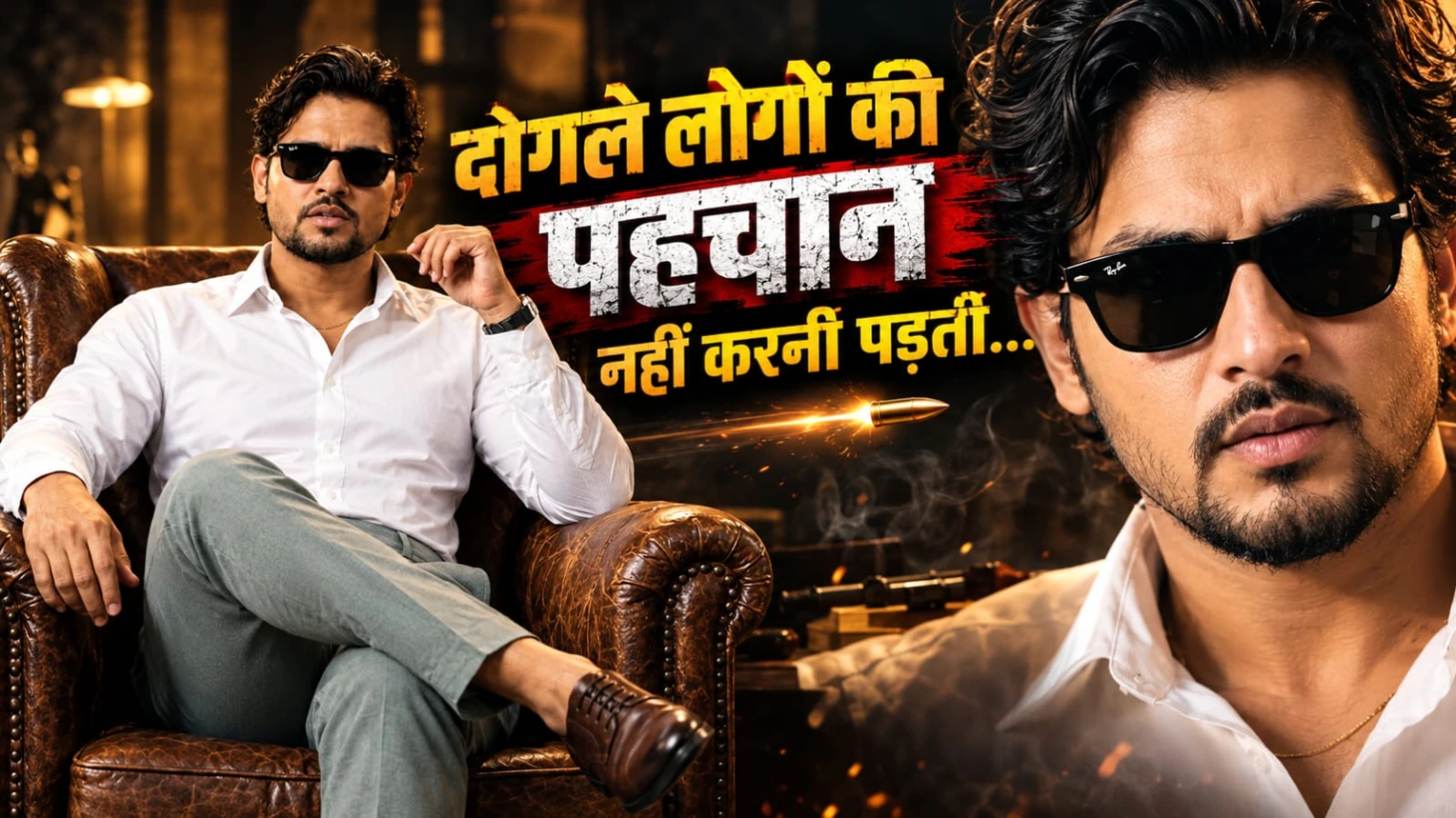
Gangster Attitude AI Video Prompt ek cinematic portrait video concept hai jisme powerful Hindi dialogue, stylish outfit aur confident expressions ke through ek dramatic character introduction create kiya jata hai. Is scene mein ek South Asian man vintage brown leather wingback armchair par confidently baitha hota hai. Warm studio lighting, textured terracotta-amber background aur dramatic shadows video ko movie-style appearance dete hain.
Character ke voluminous wavy dark hair, neatly groomed goatee aur black Wayfarer sunglasses hain. Woh crisp white cotton shirt pehenta hai jiske top two buttons open hain, saath mein thin gold chain, sage-grey trousers, black leather-strap watch aur burnished brown Oxford shoes hain. Brown leather chair character ke overall look ko classic gangster-inspired style deti hai.
Video ka sequence four stages mein divide kiya gaya hai. Pehle medium portrait mein character introduce hota hai. Uske baad woh pehla Hindi dialogue deliver karta hai. Second line ke waqt subtle head movement aur serious expression maintain karta hai. Final moment mein camera quick punch-in karta hai aur deep bass impact character ke fearless stare ko highlight karta hai.
Dialogue is concept ka main attraction hai:
“Dogle logon ki pehchaan nahi karni padti...”
“Waqt aane par wo apni aukaat... dikha hi dete hain.”
Warm tungsten key lighting, subtle rim light, shallow depth of field aur realistic skin texture cinematic look ko enhance karte hain. Prompt mein vertical 9:16 format, 50mm anamorphic portrait-lens look aur 24 fps style ka target diya gaya hai. Actual camera simulation aur frame rate AI tool ki capabilities par depend karte hain.
Hindi dialogue ki lip-syncing kabhi perfect nahi hoti, khaaskar jab Roman Hindi use ki jaati hai. Isliye generated video ko carefully review karna aur zarurat padne par voice-over separately add karna useful hai.
Flow AI Se Gangster Attitude Video Kaise Banaye
Step 1: Apni clear character reference photo ready karein, agar aap same appearance maintain karna chahte hain.
Step 2: Flow AI open karein aur available video-generation workflow select karein.
Step 3: Website se complete Gangster Attitude AI Video Prompt copy karke prompt box mein paste karein.
Step 4: Brown leather chair, white shirt, gold chain, grey trousers aur black sunglasses ki details verify karein.
Step 5: Dono Hindi dialogue lines ko correct order mein add karein. Agar tool dialogue audio support karta hai, to voice generation option use karein.
Step 6: Available settings mein 9:16 vertical format select karein.
Step 7: Video generate karke lip-sync, facial expression, head movement aur final camera punch-in check karein.
Step 8: Agar dialogue synchronization sahi nahi hai, to visual clip separately generate karke recorded voice-over aur bass impact editing app mein add karein.
Step 9: Final video export karke Reels, Shorts ya other social media platforms par publish karein.
2. Lion and Man Cinematic AI Video Tutorial – Create a VIP Hero Scene
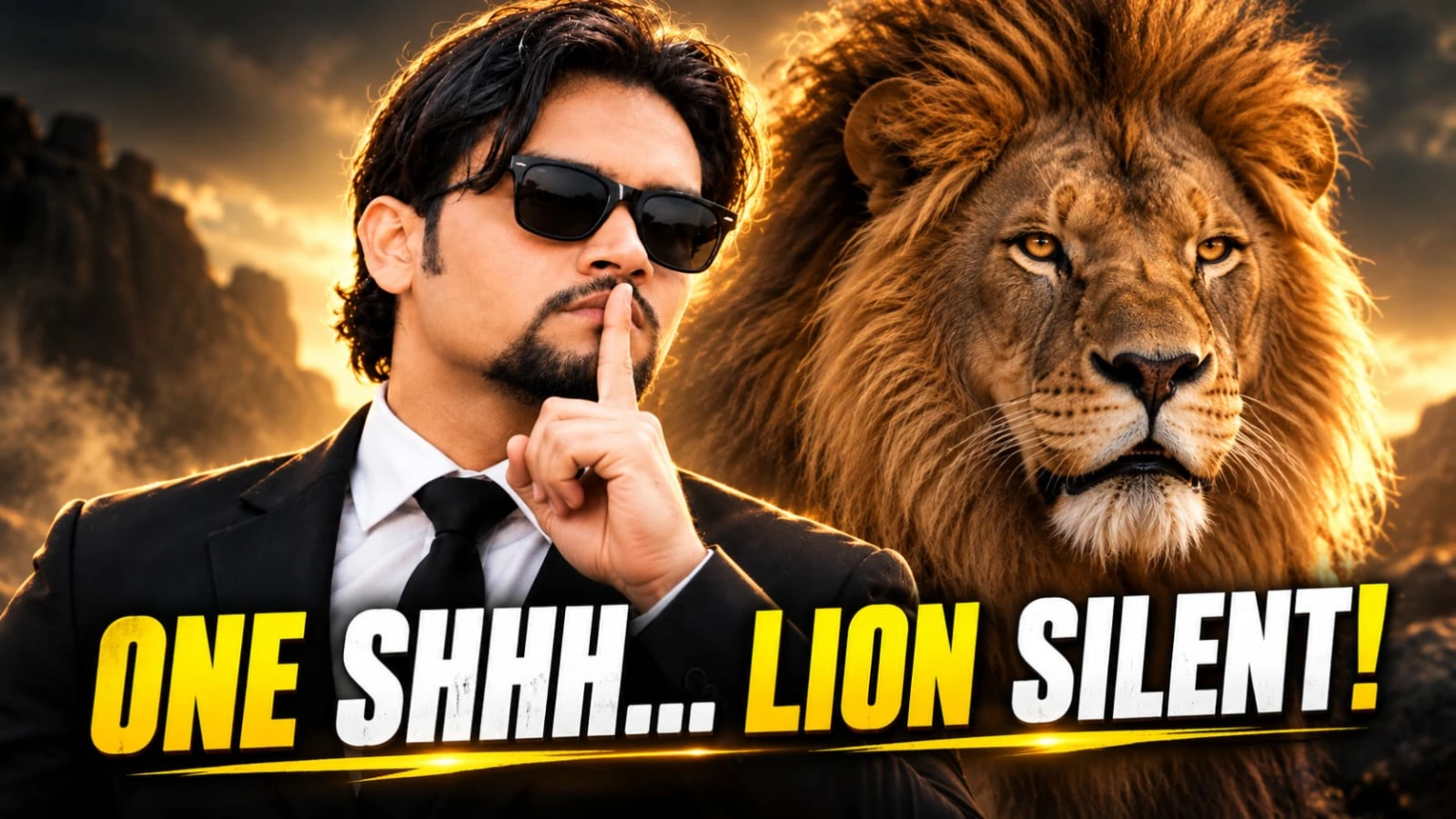
Lion and Man Cinematic AI Video Prompt ek powerful hero-style concept hai jisme ek stylish South Asian man aur ek majestic male lion ko dramatic cinematic setting mein dikhaya jata hai. Scene ka main attraction lion ka initial roar aur man ka calm, fearless attitude hai. Video confrontation se shuru hota hai aur ek confident final portrait par end hota hai.
Man tailored black suit, crisp white shirt, black tie aur black Wayfarer sunglasses pehenta hai. Uske medium-length wavy dark hair aur neatly groomed goatee character ko distinctive appearance dete hain. Lion ke dense golden mane, realistic fur aur powerful body scene ko dramatic look dete hain.
Opening shot mein man aur lion close profile position mein ek doosre ke saamne khade hote hain. Lion apna mouth open karke roar karta hai, jabki man composed rehta hai aur ek commanding gesture karta hai. Iske baad lion dheere-dheere calm hota hai. Camera smoothly frontal medium portrait ki taraf move karta hai, jahan dono characters saath khade nazar aate hain.
Neutral backdrop, soft cinematic lighting aur controlled shadows main subjects ko highlight karte hain. Prompt mein vertical 9:16 composition, 35mm lens look aur 24 fps cinematic style ka target diya gaya hai. Photorealistic 8K detail desired visual style hai, lekin final resolution selected tool par depend karega.
Is video mein lion ki facial movement, teeth, fur aur human-animal positioning ko consistent rakhna important hai. AI-generated output mein sudden changes aa sakte hain, isliye final clip ko carefully inspect karna chahiye.
Flow AI Se Lion and Man Video Kaise Banaye
Step 1: Main character ki clear reference photo ready karein, agar aap character appearance guide karna chahte hain.
Step 2: Flow AI open karke available text-to-video ya image-to-video workflow select karein.
Step 3: Complete Lion and Man prompt copy karein aur prompt box mein paste karein.
Step 4: Black suit, white shirt, black tie, sunglasses aur lion ki golden mane ki details verify karein.
Step 5: Action sequence ko clear rakhein: lion ka roar, man ka commanding gesture, lion ka calm hona aur final frontal portrait.
Step 6: Available settings mein 9:16 vertical format select karein.
Step 7: Video generate karke lion ke mouth movement, body proportions, fur aur character consistency check karein.
Step 8: Agar movements unnatural hon, to roar aur final portrait ko separate clips mein generate karein.
Step 9: Clips combine karke final cinematic video export karein aur apne social media par share karein.
3. Cinematic Action Hero AI Video Prompt – Exploding Car Walk in Slow Motion
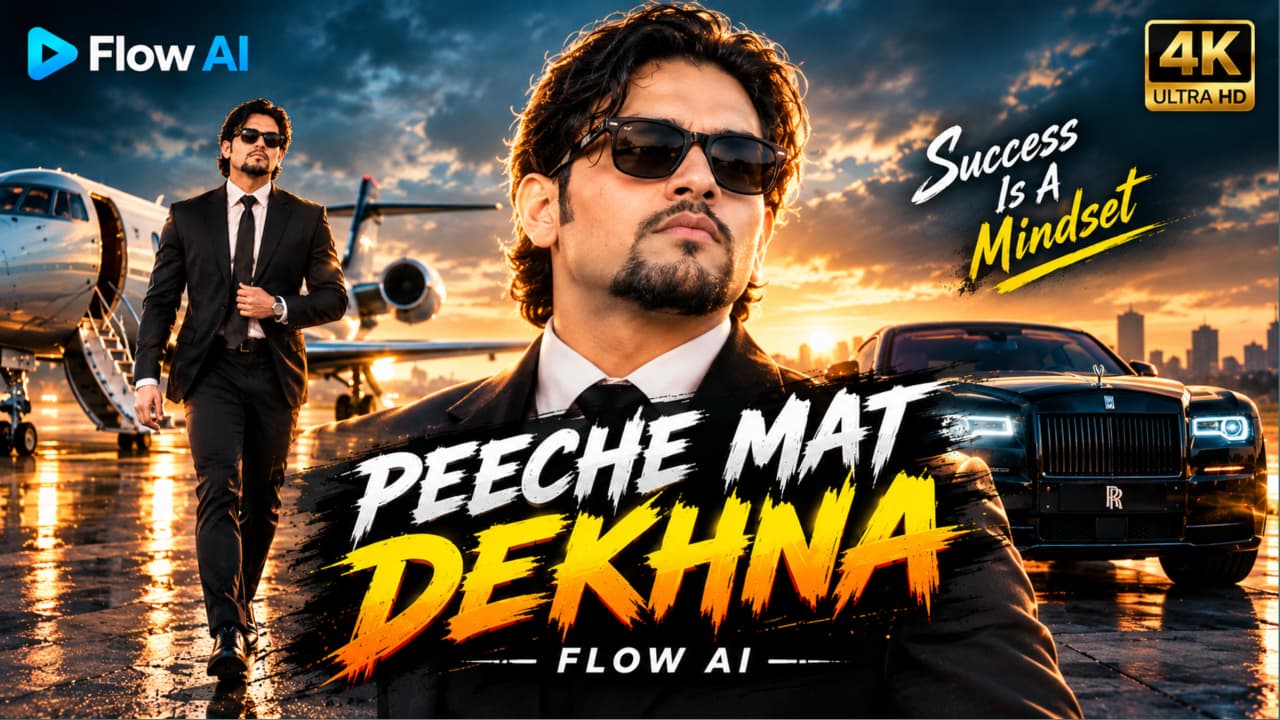
Cinematic Action Hero AI Video Prompt ek dramatic action-movie concept hai jisme ek stylish man sunset ke time empty airstrip par camera ki taraf confidently walk karta hai. Uske peeche orange muscle car explode hoti hai, lekin hero bina peeche dekhe apni walk continue karta hai. Character ki calm personality aur background explosion ka contrast is scene ko impactful banata hai.
Character ke medium wavy black hair, trimmed goatee, black Wayfarer sunglasses, black suit, white shirt aur slim black tie hain. Walking ke dauran woh ek haath se apne suit ka button adjust karta hai. Uski body language composed rehti hai aur movement slow motion mein dikhaya jata hai.
Orange muscle car ke explosion mein massive fireball, thick black smoke, flying sparks aur debris ka visual concept diya gaya hai. Golden-hour sky aur hazy sunset glow scene ko warm cinematic atmosphere dete hain. Hair aur shoulders par rim lighting character ko background se separate karti hai.
Prompt mein smooth camera movement, shallow depth of field, high contrast, teal-orange colour grading aur 35mm film look ka target hai. Explosion ko background mein rakhna important hai, taaki main character video ka focus bana rahe.
AI video generation mein flames, smoke, debris aur car ke shape mein frame-to-frame inconsistencies aa sakti hain. Isliye walking motion, facial appearance aur explosion placement ko final output mein review karein. 4K specification desired detail ko describe karti hai; actual resolution tool par depend karega.
Flow AI Se Exploding Car Hero Video Kaise Banaye
Step 1: Character ki clear reference photo ready karein, agar reference-image workflow available ho.
Step 2: Flow AI open karein aur suitable video-generation option select karein.
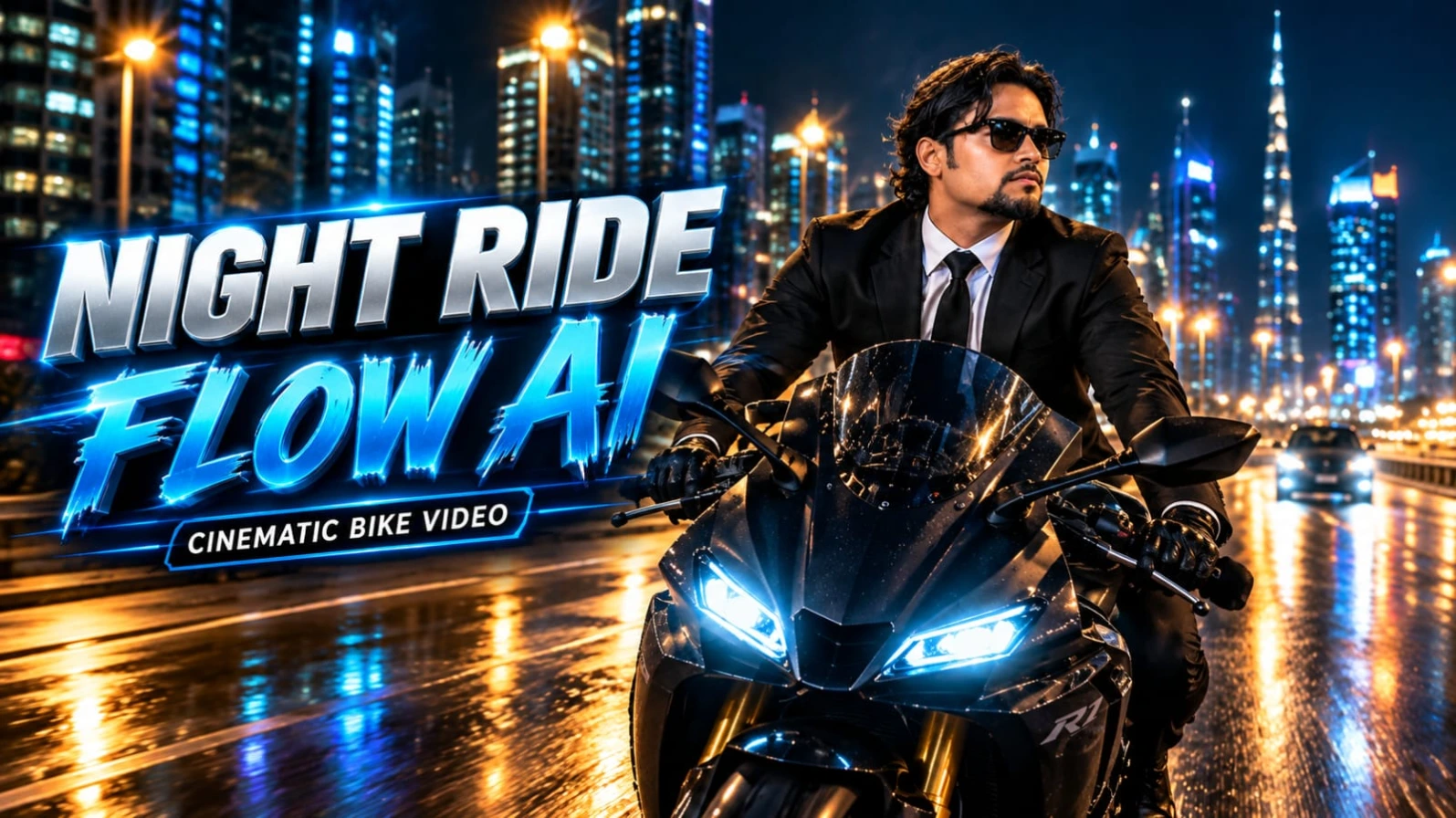
Black Superbike AI Video Prompt ek cinematic night-riding concept hai jisme ek stylish South Asian man matte-black sports superbike par illuminated modern city highway se guzarta hai. Neon lights, skyscrapers, streetlights aur reflective asphalt scene ko premium action-film appearance dete hain.
Character tailored black suit jacket, crisp white dress shirt, black tie, black trousers, black leather biker gloves aur black Wayfarer sunglasses pehenta hai. Uske medium wavy dark hair hawa mein move karte hain aur groomed goatee uski appearance ko complete karti hai.
Matte-black superbike ke twin white LED headlights aur red LED taillights important visual elements hain. Opening front-tracking shot mein camera rider ke saamne backward move karta hai. Low-angle side tracking shots motorcycle aur city architecture ko highlight karte hain. Final rear-follow shot mein bike night traffic ke beech aage badhti hai.
Road reflections, illuminated buildings aur natural motion blur speed ka impression create karte hain. Character aur motorcycle clear rehne chahiye, jabki background mein city lights aur traffic movement dikhai deta hai. Yeh concept Reels, Shorts aur other vertical social media content ke liye suitable hai.
AI video tools fast movement ke dauran bike ke wheels, bodywork, rider ke hands aur face ko inconsistent bana sakte hain. Multiple camera angles ek continuous clip mein sahi generate na hon, to individual shots banakar editing app mein combine karna useful hai.
Flow AI Se Superbike Night Ride Video Kaise Banaye
Step 1: Character ki clear reference photo ready karein, agar tool reference images support karta hai.
Step 2: Flow AI open karke compatible video-generation workflow select karein.
Step 3: Website se complete Black Superbike AI Video Prompt copy karein aur paste karein.
Step 4: Black suit, white shirt, sunglasses, biker gloves aur matte-black superbike ki details verify karein.
Step 5: Modern city highway, neon lights, skyscrapers aur road reflections ka description maintain karein.
Step 6: Reels ya Shorts ke liye 9:16 vertical format select karein, agar available ho.
Step 7: Video generate karke front tracking, side tracking aur rear-follow shots ka order check karein.
Step 8: Bike proportions, wheel movement, headlights, taillights aur rider ki appearance review karein.
Step 9: Zarurat padne par separate shots combine karein, final video export karein aur social media par publish karein.
Note: Yeh fictional visual concept hai. Real motorcycle riding ke dauran helmet aur applicable road-safety rules follow karein.
5. Luxury Rolls-Royce AI Video Prompt: Royal VIP Entry Scene
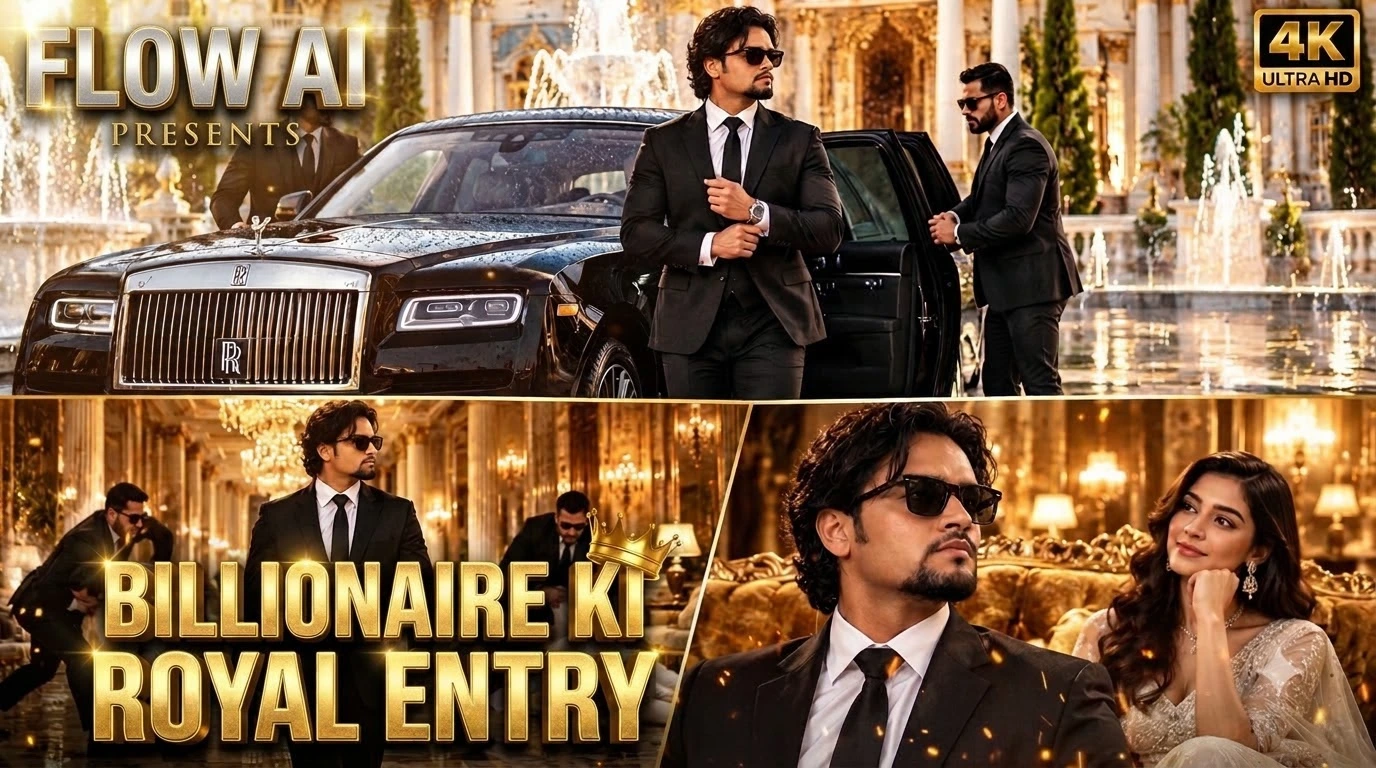
Luxury Rolls-Royce AI Video Prompt ek royal VIP-entry concept hai jo luxury car, palace architecture, formal fashion aur cinematic action ko connected video sequence mein combine karta hai. Scene ki shuruaat black Rolls-Royce ke neoclassical palace courtyard mein arrive hone se hoti hai. White-and-gold marble, decorative architecture, water fountains aur wet reflective floor grand atmosphere create karte hain.
Do bodyguards black suits mein car ka rear door open karte hain. Ek stylish South Asian man black tailored suit, crisp white shirt, black tie, medium wavy dark hair, groomed goatee aur black Wayfarer sunglasses ke saath bahar aata hai. Woh apne cuffs adjust karta hai aur confident walk ke saath palace ke andar move karta hai.
Next scene golden chandelier-lit corridor mein set hai. Camera character ke saath smoothly forward track karta hai, jabki background mein bodyguards white suits pehne do aggressive intruders ko intercept aur tackle karte hain. Main character apni calm walk continue karta hai, jisse action aur VIP personality ke beech contrast create hota hai.
Final scene mein man ornate golden velvet sofa ke paas se guzarta hai aur white designer gown pehni woman use admiring smile ke saath dekhti hai. Is ending se video action se elegance ki taraf shift hota hai.
Prompt ka focus connected storytelling, luxury surroundings, warm golden lighting aur controlled camera movement par hai. AI video models multiple characters ke action interactions mein mistakes kar sakte hain, isliye bodyguard sequence ko zarurat padne par separately generate karna better ho sakta hai.
Flow AI Se Royal VIP Entry Video Kaise Banaye
Step 1: Main character ki clear reference photo ready karein, agar image-reference option available hai.
Step 2: Flow AI open karein aur compatible video-generation workflow select karein.
Step 3: Complete Luxury Rolls-Royce AI Video Prompt copy karke prompt box mein paste karein.
Step 4: Black Rolls-Royce, palace courtyard, white-and-gold marble aur bodyguards ki details verify karein.
Step 5: Main character ke black suit, white shirt, black tie, sunglasses aur cuff-adjusting action ko consistent rakhein.
Step 6: Video generate karke exterior arrival, corridor action aur final sofa scene ka sequence check karein.
Step 7: Bodyguards aur intruders ke movements, faces, clothing aur physical contact ko review karein.
Step 8: Agar action distorted ho, to confrontation ko separate clip mein generate karke editing app mein combine karein.
Step 9: Final video mein transitions, lighting consistency aur audio check karke export karein aur social media par publish karein.