Lion and Man Cinematic AI Video Tutorial – Create a VIP Hero Scene
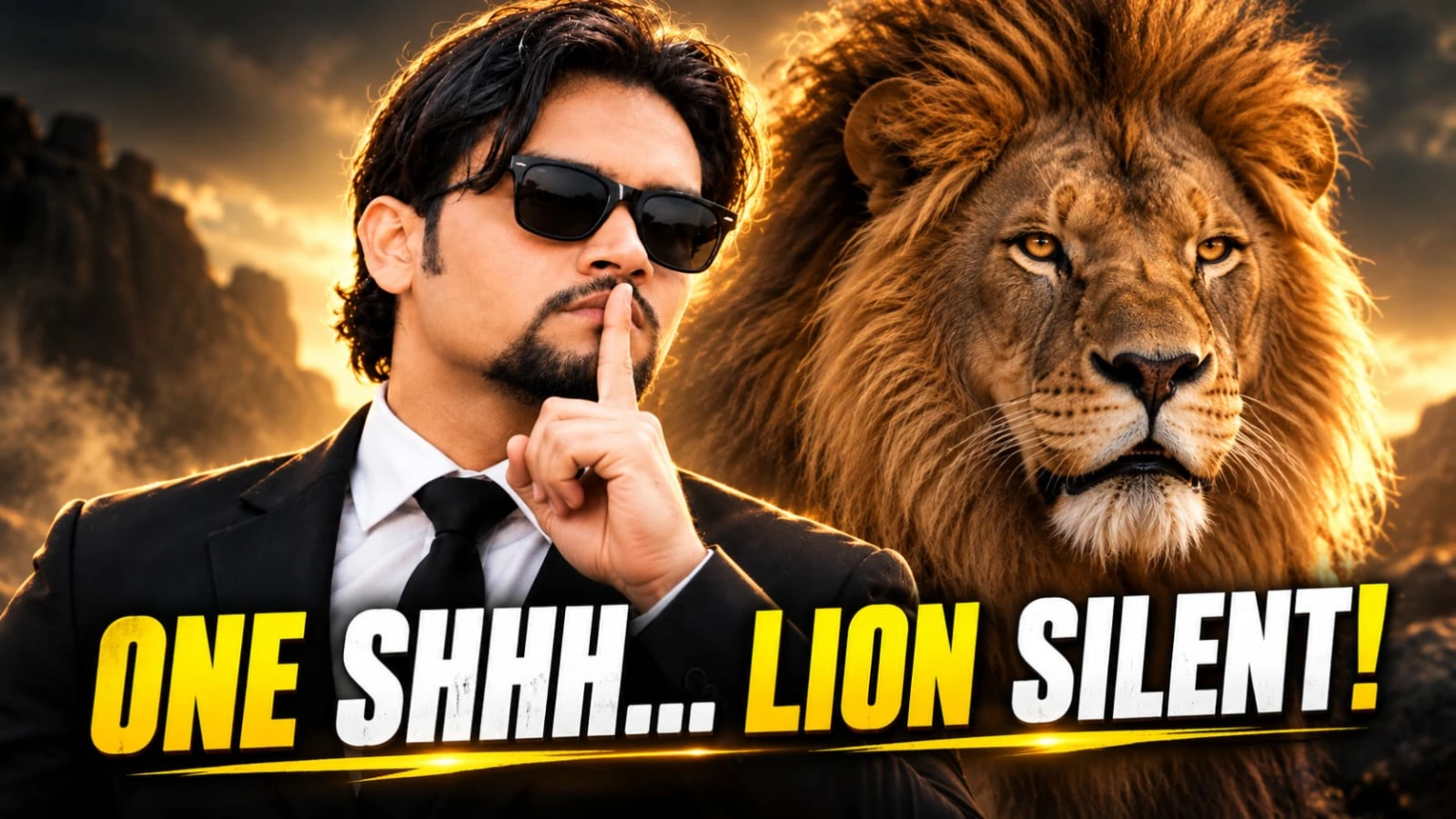
Cinematic AI videos allow creators to bring dramatic visual concepts to life through detailed descriptions, image references, and AI-powered motion generation. One striking concept features a well-dressed South Asian man standing face-to-face with a powerful male lion. The lion initially roars with its jaws open, while the man remains calm and fearless. As the scene develops, the lion settles down, and the camera moves toward a frontal composition showing both figures together.
This type of scene combines human confidence, animal majesty, cinematic lighting, and dramatic camera movement. It can be used for creative AI filmmaking experiments, action-inspired social media content, character introductions, and visually powerful short videos.
In this Lion and Man Cinematic AI Video Tutorial, you will learn about the key elements that make the concept visually effective, how to plan a vertical cinematic composition, and how to create a similar video using Flow AI.
Understanding the Lion and Man Cinematic Concept
The central idea is the contrast between a roaring lion and a man who shows no fear. The man wears a tailored black suit, crisp white shirt, black tie, and black Wayfarer sunglasses. His medium-length wavy dark hair and neat goatee help establish a distinctive appearance.
Standing in close profile, he faces a massive male lion with a dense golden mane. The lion opens its jaws in a powerful roar, displaying its fangs. A subtle breeze moves the man's hair, adding a small but important detail to the scene.
The man remains composed and makes a commanding gesture. The lion then closes its mouth and adopts a calmer expression. Finally, the camera smoothly moves around to a frontal medium portrait, showing the man and lion standing beside each other with calm authority.
The scene is designed to feel like a moment from a high-budget movie trailer. Its visual impact comes from the contrast between the lion's initial intensity and the man's controlled confidence.
Why This AI Video Concept Stands Out
A strong cinematic scene often communicates its idea without requiring dialogue. In this concept, the lion's roar immediately establishes tension, while the man's relaxed posture suggests confidence and control.
The transition from the roaring lion to the calm final portrait creates a clear visual progression. Instead of relying on several unrelated actions, the video follows one main sequence: confrontation, a commanding gesture, a change in the lion's expression, and a final hero-style composition.
This structure can be useful for short-form videos because viewers can understand the situation quickly. A vertical format also keeps the main subjects prominent on mobile screens.
However, an AI-generated video may not reproduce every movement exactly as intended. The quality depends on the selected model, source image, prompt clarity, and available generation settings.
Important Character Details
The Main Character
The man's appearance should remain consistent throughout the video. His medium wavy dark hair, neat goatee, black Wayfarer sunglasses, tailored black suit, white collared shirt, and black tie are important visual identifiers.
The suit should appear sharp and realistic rather than overly glossy. His expression and posture should convey confidence without exaggerated facial movements. The sunglasses should retain their shape as the camera changes angle.
If the workflow supports reference images, a suitable reference may help guide the character's appearance. It is still important to review the output because AI video models can introduce changes between frames.
The Majestic Male Lion
The lion is equally important to the composition. Its dense golden mane, realistic fur, facial proportions, and powerful body give the scene its dramatic presence.
The opening roar should look believable, with the mouth opening naturally and the visible fangs remaining anatomically plausible. When the lion calms down, the change should feel gradual and visually coherent rather than appearing as an abrupt transformation.
The final composition should show the lion standing regally beside the man's shoulder, looking forward with a calm and authoritative expression.
Cinematic Lighting and Background
A dramatic neutral backdrop helps keep attention on the two main subjects. It avoids unnecessary visual distractions and gives the scene a controlled studio-like atmosphere.
Soft cinematic lighting can reveal details in the man's black suit, the shape of his sunglasses, and the texture of the lion's golden mane. Balanced highlights and shadows help separate the dark clothing from the background.
The lighting should also remain reasonably consistent as the camera moves. Sudden changes in brightness or color can make the video feel less realistic.
A neutral background does not have to look completely flat. Subtle tonal variation and carefully controlled shadows can provide depth while maintaining a clean cinematic appearance.
Camera Movement and Vertical Composition
The requested 9:16 vertical format is useful for mobile-first content, including many short-video platforms. The composition should keep the man's upper body and the lion's head clearly visible.
The opening close-profile shot establishes the relationship between the subjects. The camera then smoothly tracks around to a frontal medium portrait, revealing both figures in a more direct and confident composition.
Smooth camera movement is important because sudden rotations can distort faces, alter the lion's proportions, or make the subjects appear disconnected from their surroundings.
The prompt specifies a 35mm lens look and 24 frames per second. These details describe the intended cinematic style, but the actual lens simulation, frame rate, and resolution depend on the generation tool and its available settings. Although the visual brief requests photorealistic 8K detail, the delivered resolution may differ.
Creating the Scene with Flow AI
Flow AI can be used to explore cinematic video concepts through supported text-to-video or image-to-video workflows. Start by choosing the method available in your account.
For a text-based workflow, describe the characters, backdrop, lighting, lion's roar, man's gesture, and camera movement in a clear sequence. For an image-to-video workflow, a suitable starting image can help establish the initial character and lion composition when image input is supported.
Keep the motion instructions focused. The lion roars first, the man remains composed, the lion calms down, and the camera moves into the final frontal portrait. Avoid adding unrelated actions that could interfere with this sequence.
Once the video is generated, check the character's face, sunglasses, fingers, suit, lion's anatomy, mane texture, and transition between expressions. If the output contains visual inconsistencies, simplify the instructions and try another generation.
Improving Realism and Avoiding Common Errors
AI-generated animal scenes can be challenging because they involve detailed anatomy and coordinated interactions between two subjects. The lion's mouth, teeth, paws, mane, and facial expression should be reviewed carefully.
Human hands also require attention, particularly during gestures. Fingers may become distorted, or the hand may change shape as it moves. A simple, clearly defined gesture is generally easier to evaluate than a complex sequence of hand movements.
The camera transition should be smooth, with both subjects maintaining consistent proportions. If the lion or man's appearance changes unexpectedly, consider using a suitable reference image where supported, shortening the action, or generating separate shots for later editing.
The requested photorealistic style benefits from restrained lighting, realistic textures, natural proportions, and a clean background. Avoid excessive visual effects that make the scene look artificial.
Editing and Publishing Your AI Video
After generation, review the entire clip before publishing it. Trim unwanted frames, check the pacing, and make sure the transition from the lion's roar to the final portrait feels natural.
If appropriate, add subtle cinematic sound effects or background music in a video editor. Use audio that you have permission to publish, and keep sound levels balanced so that the main action remains clear.
For a vertical social media video, check that both the man and lion remain inside the visible frame. Text overlays, if used, should not cover their faces or the lion's mane.
Also review the destination platform's current policies for AI-generated content and any required disclosures.
Final Thoughts
The lion and man cinematic concept combines a fearless hero, a powerful golden-maned lion, dramatic lighting, and a smooth camera transition. Its main strength is the progression from an intense face-to-face moment to a calm, confident final portrait.
With careful prompt planning and Flow AI's available generation features, creators can experiment with this visual style and develop their own cinematic scenes. Focus on consistent character details, realistic animal anatomy, simple movement, and smooth framing to improve the overall result.
For more AI video tutorials, creative prompts, and editing ideas, explore prompt07ai.com and continue developing your next cinematic project.
AI VIDEO PROMPT
Cinematic 9:16 vertical 4k live-action video shot on 35mm lens, 24fps. Dramatic neutral backdrop with soft cinematic lighting. A handsome South Asian man with medium wavy dark hair...
Cinematic 9:16 vertical 4k live-action video shot on 35mm lens, 24fps. Dramatic neutral backdrop with soft cinematic lighting. A handsome South Asian man with medium wavy dark hair, a neat goatee beard, and black Wayfarer sunglasses, dressed in a sharp tailored black suit, crisp white collared shirt, and black tie, stands in close profile facing a massive male lion with a dense golden mane.
The fierce lion opens its jaws in a powerful roar with visible fangs as a subtle breeze rustles the man's wavy hair. The man remains completely fearless and unbothered, calmly lifting his right index finger to his lips in a slow, commanding 'shh' gesture directly in front of the roaring beast.
The lion instantly calms down, closing its mouth and softening its expression.
The camera smoothly tracks around to a frontal medium portrait: the man in his sharp black suit stands tall and dominant, looking straight into the camera with supreme VIP confidence, while the majestic lion stands regally right beside his shoulder, staring forward with calm authority. Photorealistic 8k, hyper-detailed lion fur and skin texture, authentic movie trailer aesthetic, no CGI look.
cartoon, 3d render, anime, cgi, plastic skin, deformed hands, extra fingers, warped sunglasses, distorted face, blurry lion paws, bad anatomy, low quality, oversaturated
AI VIDEO PROMPT
Cinematic 9:16 vertical 4k live-action video shot on 35mm lens, 24fps. Dramatic neutral backdrop with soft cinematic lighting. A handsome South Asian man with medium wavy dark hair...
Cinematic 9:16 vertical 4k live-action video shot on 35mm lens, 24fps. Dramatic neutral backdrop with soft cinematic lighting. A handsome South Asian man with medium wavy dark hair, a neat goatee beard, and black Wayfarer sunglasses, dressed in a sharp tailored black suit, crisp white collared shirt, and black tie, stands in close profile facing a massive male lion with a dense golden mane.
The fierce lion opens its jaws in a powerful roar with visible fangs as a subtle breeze rustles the man's wavy hair. The man remains completely fearless and unbothered, calmly lifting his right index finger to his lips in a slow, commanding 'shh' gesture directly in front of the roaring beast.
The lion instantly calms down, closing its mouth and softening its expression.
The camera smoothly tracks around to a frontal medium portrait: the man in his sharp black suit stands tall and dominant, looking straight into the camera with supreme VIP confidence, while the majestic lion stands regally right beside his shoulder, staring forward with calm authority. Photorealistic 8k, hyper-detailed lion fur and skin texture, authentic movie trailer aesthetic, no CGI look.
cartoon, 3d render, anime, cgi, plastic skin, deformed hands, extra fingers, warped sunglasses, distorted face, blurry lion paws, bad anatomy, low quality, oversaturated
Lion and Man Cinematic AI Video Kaise Banaye with Flow AI
Agar aap ek cinematic video banana chahte hain jismein black suit pehna hua ek South Asian man ek majestic golden-maned lion ke saamne khada ho, to AI video generation aapko is visual concept ko create karne mein help kar sakta hai.
Is scene mein lion pehle roar karta hai, man confident rehta hai, aur phir lion calm ho jata hai. Camera smoothly move karke dono ka frontal portrait dikhata hai. Neeche diye gaye steps aapko Flow AI ke available features ke saath is tarah ka video plan karne mein help karenge.
Step 1: Scene Ko Plan Karein
Sabse pehle scene ke important details decide karein. Man ke medium wavy dark hair, neat goatee, black Wayfarer sunglasses, black suit, white shirt aur black tie ko consistent rakhein.
Lion ke liye dense golden mane, realistic fur aur powerful body describe karein. Background simple aur neutral rakhein, taaki attention man aur lion par rahe.
Video ka main action clear hona chahiye: lion roar karta hai, man composed rehta hai, lion calm hota hai, aur camera frontal portrait par aata hai.
Step 2: Flow AI Open Karein
Browser mein Flow AI open karein aur agar zaroori ho to sign in karein. Available video-generation workflow select karein.
Agar text-to-video feature available hai, to scene ko text prompt ke through describe karein. Agar image-to-video workflow available hai, to suitable starting image use karke usmein motion add kar sakte hain.
Features aur interface account ya product version ke hisaab se change ho sakte hain. Isliye wahi controls use karein jo aapke account mein available hain.
Step 3: Character aur Lion Ki Details Enter Karein
Prompt mein man ki appearance aur outfit clearly describe karein. Black suit, white shirt, slim black tie, sunglasses aur goatee jaise details ko repeat karna character consistency ke liye helpful ho sakta hai.
Lion ke liye golden mane, realistic fur texture, natural facial proportions aur believable body structure mention karein.
Agar reference-image feature available hai, to aap suitable image use kar sakte hain. Reference image ka use karte waqt ensure karein ki aapko us image ko use karne ki permission hai.
Step 4: Action Sequence Describe Karein
Video ko chhote aur clear action stages mein plan karein.
Pehle man aur lion close profile mein ek doosre ke saamne khade hote hain. Lion powerful roar karta hai, jabki man fearless aur composed rehta hai. Uske baad man ek commanding gesture karta hai aur lion ka expression calm ho jata hai.
Finally, camera smoothly frontal medium portrait ki taraf move karta hai. Man camera ki taraf dekhta hai aur lion uske shoulder ke paas regally khada hota hai.
Agar model action ko accurately follow nahi karta, to prompt ko simplify karein ya scene ko multiple short clips mein generate karke baad mein edit karein.
Step 5: Camera aur Aspect Ratio Select Karein
Agar aspect ratio selection available hai, to vertical 9:16 format choose karein. Yeh format mobile-oriented short videos ke liye useful ho sakta hai.
Prompt mein 35mm lens look, smooth camera tracking aur cinematic lighting describe karein. Agar frame rate ya resolution ke controls available hain, to apne project ke hisaab se settings select karein.
Prompt mein 24fps ya 8K likhne se exact technical output guaranteed nahi hota. Actual output tool ki capabilities aur selected settings par depend karega.
Step 6: Video Generate Karein
Prompt aur available settings check karne ke baad generation start karein. Result ready hone par poori video dekhein.
Check karein ki man ka face, sunglasses, hairstyle aur suit consistent hain. Lion ka roar natural lagna chahiye aur uske teeth, mouth, mane aur body proportions realistic hone chahiye.
Camera movement ke dauran dono subjects frame mein clearly visible hone chahiye. Agar face distortion, extra fingers, strange paws ya sudden visual changes nazar aayein, to prompt ko refine karein aur dobara generate karein.
Step 7: Negative Instructions Ka Use Karein
Agar aapke workflow mein negative prompt ya unwanted-element instructions ka option available hai, to common visual errors ko mention kar sakte hain.
For example, distorted face, deformed hands, extra fingers, warped sunglasses, bad anatomy, blurry lion paws, plastic skin, cartoon appearance aur low-quality details se bachne ki instruction di ja sakti hai.
Agar separate negative prompt field available nahi hai, to relevant instructions ko main prompt mein include kar sakte hain. In instructions se errors kam karne ki koshish ki ja sakti hai, lekin perfect results ki guarantee nahi hoti.
Step 8: Final Editing Karein
Generated video ko export ya download karein, agar option available ho. Uske baad video editor mein clip review karein.
Unwanted frames trim karein, color balance adjust karein aur zaroorat ke mutabik subtle cinematic audio add karein. Music aur sound effects ke liye authorized assets use karein.
Final portrait mein man aur lion dono clearly visible hone chahiye. Ensure karein ki text overlays unke faces ya lion ki mane ko cover na karein.
Step 9: Publish Karne Se Pehle Review Karein
Final video ko ek baar poori tarah dekhein. Check karein ki action sequence understandable hai, camera transition smooth hai aur subjects ki appearance consistent hai.
Video ko apne chosen platform ke aspect ratio aur upload requirements ke mutabik export karein. AI-generated content ke liye platform ki current disclosure policies bhi check karein.
In steps ko follow karke aap Flow AI ke available features ke saath lion aur man ka cinematic scene create karne ki koshish kar sakte hain. Clear instructions, realistic details aur careful editing aapke final video ko zyada polished banane mein help karenge.
SEO TAGS
Lion and Man Cinematic AI Video Tutoriallion AI video promptFlow AI video tutorialman with lion cinematic videoAI animal video generatorSouth Asian hero AI videorealistic lion video promptcinematic vertical AI videoVIP hero video promptAI image to video tutorialphotorealistic lion AIcinematic character portraitAI video editing tutoriallion roar video AIprompt07ai.com
SEO TAGS
Lion and Man Cinematic AI Video Tutoriallion AI video promptFlow AI video tutorialman with lion cinematic videoAI animal video generatorSouth Asian hero AI videorealistic lion video promptcinematic vertical AI videoVIP hero video promptAI image to video tutorialphotorealistic lion AIcinematic character portraitAI video editing tutoriallion roar video AIprompt07ai.com
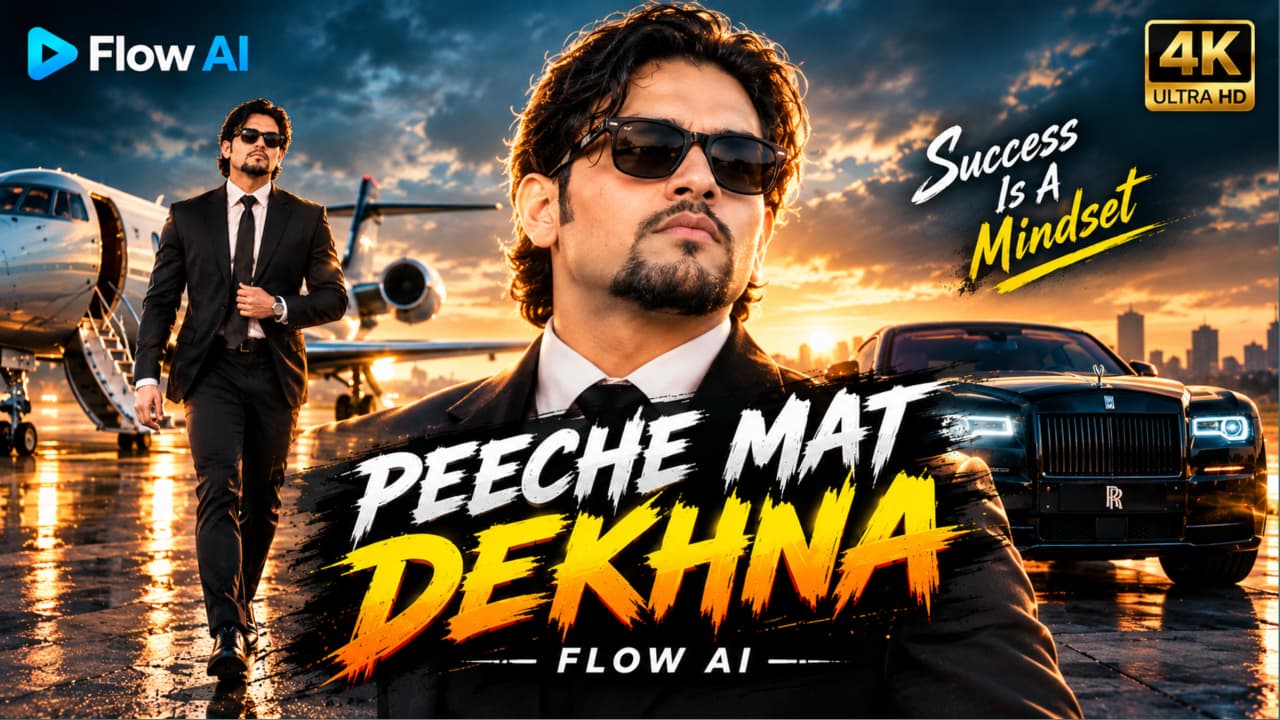
Cinematic Action Hero AI Video Prompt un creators ke liye ek exciting concept hai jo AI ki help se dramatic action-movie style video banana chahte hain. Is scene mein ek stylish man sunset ke time empty airstrip par camera ki taraf confidently walk karta hai, jabki uske peeche ek orange muscle car explode hoti hai. Slow-motion movement, fireball, black smoke aur flying sparks milkar ek powerful cinematic atmosphere create karte hain.
Character ka look is video ka important part hai. Man ke medium wavy black hair, trimmed goatee, black Wayfarer sunglasses, black suit, white shirt aur slim black tie hain. Walking ke dauran woh ek haath se apne suit ka button adjust karta hai aur peeche mudkar explosion ko nahi dekhta. Is calm attitude aur background action ka contrast video ko action-film jaisa feel deta hai.
Prompt mein golden-hour sky, hazy sunset glow, hair aur shoulders par rim lighting, shallow depth of field aur 35mm film look ki instructions hain. Teal-orange colour grading scene ko dramatic appearance deti hai. Prompt mein 4K quality ka target bhi diya gaya hai, lekin actual resolution selected AI tool par depend karega.
AI video generation mein explosion, smoke aur moving character ko ek saath consistent rakhna challenging ho sakta hai. Isliye generated clip mein face, suit, car shape aur fire effects ko carefully check karna chahiye.
Flow AI Se Cinematic Action Hero Video Kaise Banaye
Step 1: Apni character reference photo ready karein. Agar reference image use kar rahe hain, to face aur hairstyle clearly visible hone chahiye.
Step 2: Flow AI open karein aur available image-to-video ya text-to-video workflow select karein.
Step 3: Website se complete Cinematic Action Hero AI Video Prompt copy karein.
Step 4: Prompt ko AI tool mein paste karein. Black suit, white shirt, orange muscle car aur empty airstrip ki details unchanged rakhein.
Step 5: Agar image-to-video option available hai, to reference image upload karein aur motion prompt bhi add karein.
Step 6: Video generate karein. Check karein ki hero camera ki taraf walk kar raha hai aur explosion background mein hi rehta hai.
Step 7: Face distortion, unnatural walking, flickering fire aur car ke shape mein changes ko check karein. Zarurat ho to explosion aur walking shots separately generate karein.
Step 8: Final clips ko editing app mein combine karein, cinematic music add karein aur video export kar lein.
2. Black Superbike AI Video Prompt: Cinematic Night Ride
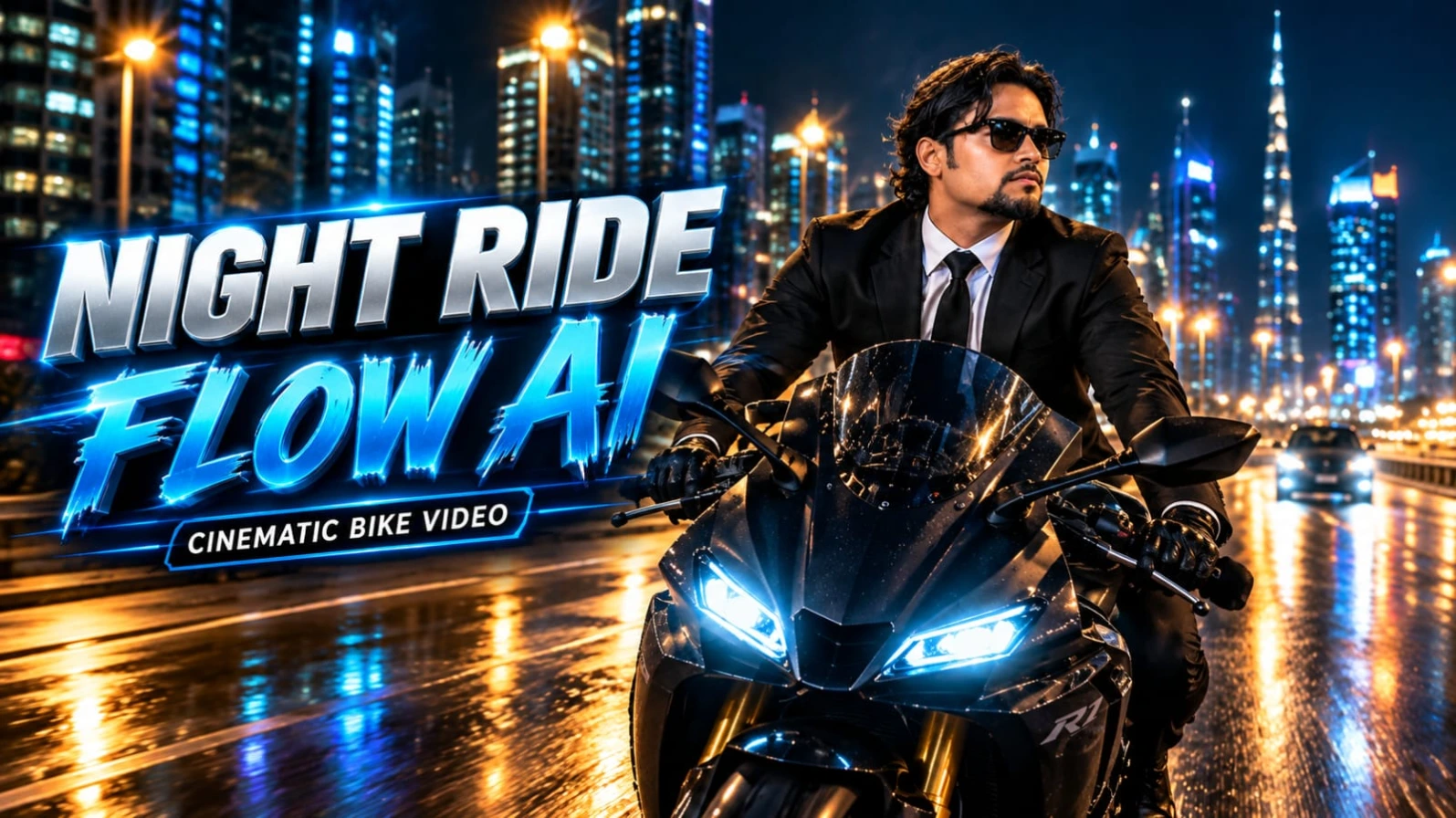
Black Superbike AI Video Prompt ek cinematic night-riding concept hai jisme ek stylish South Asian man matte-black sports superbike par modern city highway se guzarta hai. Illuminated skyscrapers, neon lights, streetlights aur road par reflections milkar video ko premium action-film jaisa look dete hain.
Character tailored black suit jacket, crisp white dress shirt, black necktie, black trousers, black leather biker gloves aur black Wayfarer sunglasses pehenta hai. Uske medium wavy dark hair hawa mein move karte hain aur groomed goatee uske overall appearance ko complete karti hai. Prompt mein character ka calm aur confident expression consistent rakhne par focus kiya gaya hai.
Superbike ke matte-black bodywork, twin white LED headlights aur red LED taillights video ke important visual elements hain. Front tracking shot mein camera rider ke saamne backward move karta hai. Low-angle side shots bike aur city architecture ko highlight karte hain, jabki final rear-follow shot motorcycle ko night traffic mein aage badhte hue dikhata hai.
Is concept ka main attraction camera movement aur lighting ka combination hai. Moving traffic, reflective asphalt aur illuminated buildings scene mein depth add karte hain. AI-generated video mein motorcycle ki shape, wheels, rider ke hands aur face kabhi-kabhi inconsistent ho sakte hain, isliye final output ko review karna zaroori hai.
Yeh concept Instagram Reels, YouTube Shorts aur other social media videos ke liye suitable hai. Vertical 9:16 format mobile screens par cinematic framing dene mein useful rahega. Real-life motorcycle riding mein hamesha helmet aur applicable road-safety rules follow karein; helmet-free appearance sirf fictional visual concept ke liye hai.
Flow AI Se Superbike Night Ride Video Kaise Banaye
Step 1: Ek clear character reference photo select karein, agar aap apne face ko video mein guide karna chahte hain.
Step 2: Flow AI open karein aur compatible video-generation option select karein.
Step 3: Black Superbike AI Video Prompt ko website se copy karke prompt box mein paste karein.
Step 4: Character ke black suit, white shirt, sunglasses aur motorcycle ke matte-black design ki details check karein.
Step 5: Available settings mein vertical 9:16 format select karein, agar video Reels ya Shorts ke liye banana hai.
Step 6: Video generate karein aur front tracking, side tracking aur rear-follow shots ka sequence check karein.
Step 7: Bike ke wheels, headlights, rider ki hands position, road reflections aur face consistency review karein.
Step 8: Agar multiple camera angles ek clip mein sahi generate nahi hote, to har shot separately banakar editing app mein combine karein.
Step 9: Final video export karein aur apne social media platform par share karein.
3. Mahindra Thar AI Photo Prompt: Cinematic Black SUV Portrait
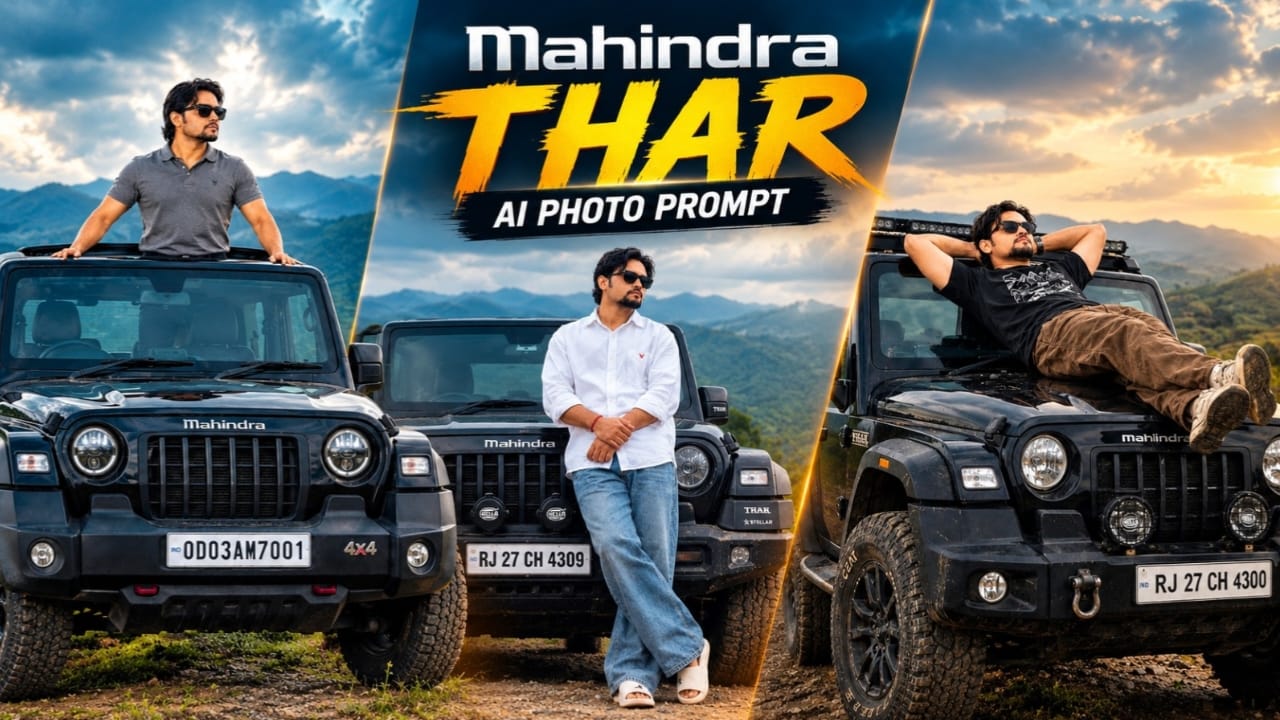
Mahindra Thar AI Photo Prompt ek cinematic automotive portrait concept hai jisme ek young South Asian man black Mahindra Thar SUV ke bonnet ke paas confidently pose karta hai. Background mein foggy mountains, overcast sky aur soft mist dikhai deti hai. Muted colours aur diffused lighting photograph ko moody, realistic aur editorial appearance dete hain.
Character ka outfit white oversized shirt with red logo detail, blue baggy jeans, white slides, black sunglasses aur red wristband se milkar bana hai. Uske curly hair aur beard ko reference image ke according maintain karne ki instruction di gayi hai. Pose mein man SUV ke bonnet se lean karta hai, legs crossed rakhta hai aur arms clasp karke camera ki taraf dekhta hai.
Black Mahindra Thar is photograph ka second main subject hai. Prompt mein Mahindra logo, Stellar edition badges, auxiliary bumper lights aur number plate RJ 27 CH 4309 jaise specific details par focus kiya gaya hai. Yeh elements image ko generic SUV portrait ke bajaye ek particular automotive composition banane mein madad karte hain.
Background ke liye cool grey highlights, subdued green tones aur deep black colours use karne ka concept diya gaya hai. Soft overcast lighting face, white shirt aur black vehicle par harsh shadows ko reduce karti hai. Bottom-right corner par “Prompt 07” watermark bhi requested composition ka part hai.
Reference photo use karne se pose, clothing aur vehicle placement ko guide kiya ja sakta hai. Lekin AI tools exact face identity, vehicle badges ya number plate ko perfectly reproduce karne ki guarantee nahi dete. Final image mein facial details, fingers, body proportions aur SUV ke contact points ko check karna chahiye.
AI Se Mahindra Thar Cinematic Photo Kaise Banaye
Step 1: Original reference image ready karein jisme person aur black Thar clearly visible hon.
Step 2: Aisa AI image-generation ya photo-editing tool open karein jo reference image upload support karta ho.
Step 3: Reference photo upload karein aur website se complete Mahindra Thar AI Photo Prompt copy karein.
Step 4: Prompt paste karein. White oversized shirt, blue baggy jeans, white slides, sunglasses aur red wristband ki details preserve karein.
Step 5: Black Thar ke grille, logo, bumper lights aur number plate ki instructions verify karein.
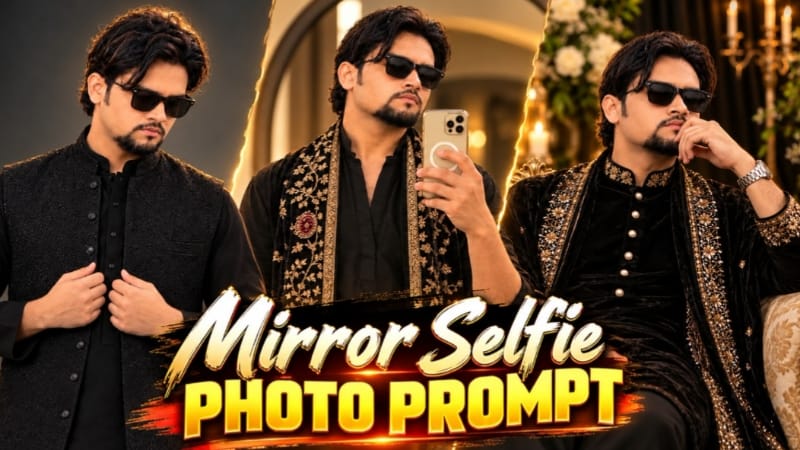
Mirror Selfie Photo Prompt ek stylish traditional-fashion concept hai jo black kurta, golden embroidered velvet shawl aur warm indoor lighting ko combine karta hai. Is prompt ka purpose reference images ki help se ek polished mirror selfie create karna hai, jisme outfit, pose aur background ke details carefully maintain kiye jaate hain.
Character black kurta pehenta hai jisme V-neck front placket aur forearms tak rolled sleeves hain. Dark trousers outfit ko complete karte hain. Sabse noticeable element long black velvet shawl hai, jis par heavy cream-gold floral embroidery, round maroon stone-style medallion motifs aur dono edges par wide embroidered border diya gaya hai.
Character black rectangular sunglasses pehenta hai aur right hand mein cream-gold smartphone hold karta hai. Phone chest ke saamne positioned hai aur us par MagSafe-style ring ka design hai. Left arm naturally side mein hang karta hai, jabki head halka sa downward tilted hai.
Background mein thin black frame wala large round mirror aur grey-beige wall hai. Lower-left corner mein dark brown rounded furniture ya headboard detail nazar aati hai. Left side se aane wali soft natural sunlight wall par warm golden patch banati hai aur face, hands aur outfit par gentle shadows create karti hai.
Is prompt mein do reference images ka use important hai. Image 1 scene, pose, outfit aur composition guide karti hai, jabki Image 2 facial identity reference ke liye hai. Dono images ke roles clearly specify karne se AI ko samajhne mein madad milti hai ki scene ke kaunse elements follow karne hain.
Recommended aspect ratio vertical 4:5 hai, jo fashion portraits aur social media posts ke liye useful hai. Detailed embroidery, sunglasses, phone aur face ko final output mein carefully inspect karna chahiye, kyunki AI har reference detail ko perfectly reproduce nahi kar sakta.
AI Se Black Kurta Mirror Selfie Photo Kaise Banaye
Step 1: Do reference images ready karein. Pehli image scene aur outfit ke liye, aur doosri apne face reference ke liye use karein.
Step 2: Aisa AI image-editing tool open karein jo reference images support karta ho.
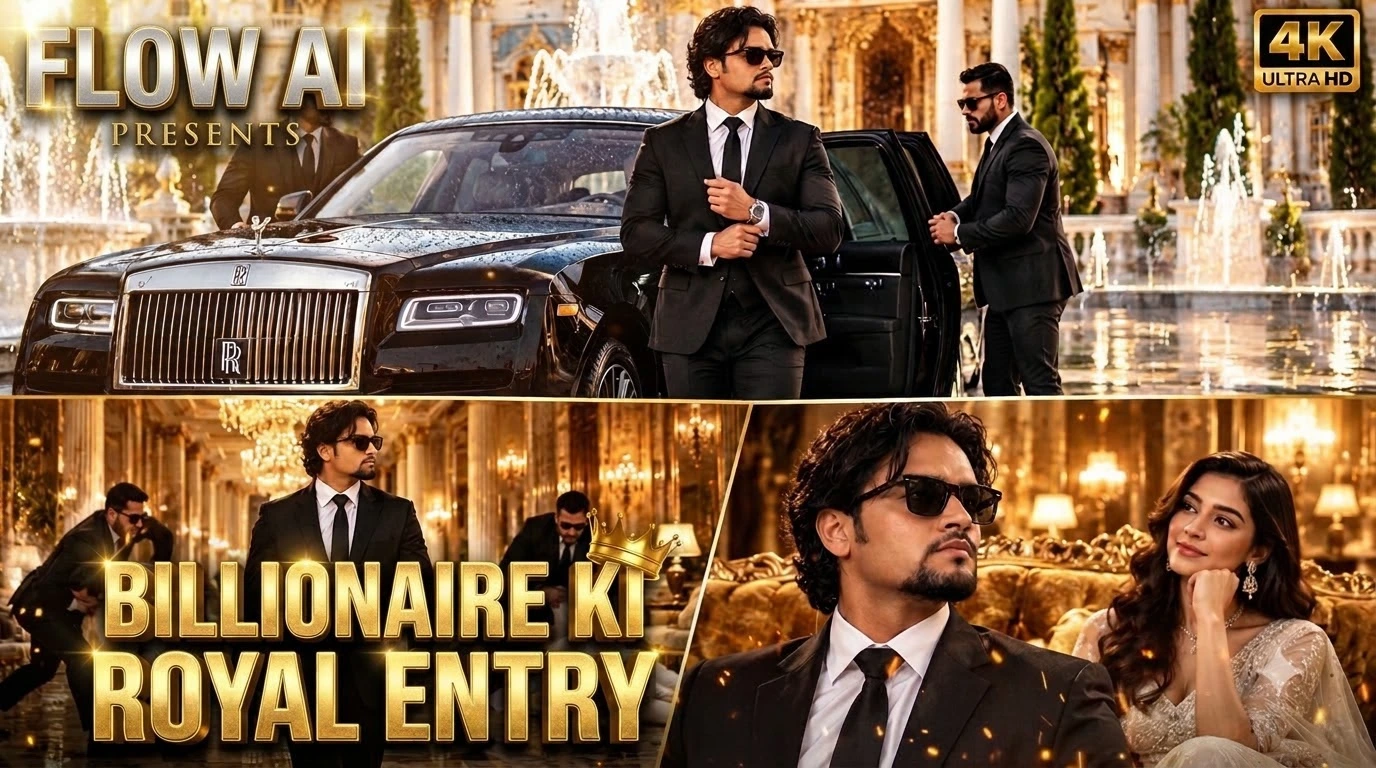
Luxury Rolls-Royce AI Video Prompt ek royal VIP-entry concept hai jo luxury car, palace architecture, formal fashion aur cinematic action ko ek video sequence mein combine karta hai. Scene ki shuruaat black Rolls-Royce ke grand neoclassical palace courtyard mein arrive hone se hoti hai. White-and-gold marble, decorative architecture, water fountains aur wet reflective floor environment ko luxurious appearance dete hain.
Do bodyguards black suits mein car ka rear door open karte hain. Uske baad ek stylish South Asian man black tailored suit, crisp white shirt, black tie, medium wavy dark hair, groomed goatee aur black Wayfarer sunglasses ke saath car se bahar aata hai. Woh apne cuffs adjust karta hai aur confident manner mein palace ke andar move karta hai.
Video ka next part golden chandelier-lit corridor mein set hai. Camera man ke aage smoothly track karta hai, jabki background mein bodyguards white suits pehne do aggressive intruders ko intercept karte hain. Main character apni calm walk continue karta hai, jisse action aur composed VIP personality ke beech contrast create hota hai.
Final scene mein man ornate golden velvet sofa ke paas se guzarta hai aur white designer gown pehni glamorous woman use admiring smile ke saath dekhti hai. Yeh ending video ko ek dramatic, polished movie-trailer feel deti hai.
Prompt mein exterior arrival, interior corridor aur final character moment ka clear progression diya gaya hai. Is tarah video ek random collection of luxury visuals ke bajaye ek connected scene banane ki koshish karta hai. Wet marble reflections, golden lighting aur steady camera movement visual continuity ke liye important hain.
AI video tools ek hi clip mein multiple characters aur action movements ko accurately generate karne mein struggle kar sakte hain. Agar bodyguard action distort ho, to confrontation ko separate clip mein generate karke editing ke through combine karna useful ho sakta hai.
Flow AI Se Luxury Rolls-Royce VIP Video Kaise Banaye
Step 1: Agar apne character ka face maintain karna hai, to ek clear reference photo ready karein.
Step 2: Flow AI open karein aur compatible video-generation workflow select karein.
Step 3: Website se Luxury Rolls-Royce AI Video Prompt copy karein aur prompt box mein paste karein.
Step 4: Black Rolls-Royce, palace courtyard, wet marble aur black-suit bodyguards ki details verify karein.
Step 5: Main character ke hairstyle, goatee, sunglasses, black suit, white shirt aur tie ko consistent rakhein.
Step 6: Available settings mein vertical video format choose karein, agar aap Reels ya Shorts ke liye bana rahe hain.
Step 7: Video generate karein aur car arrival, door opening, character exit aur corridor sequence ka order check karein.
Step 8: Bodyguards aur intruders ke action movements, walking posture, faces aur clothing consistency ko review karein.
Step 9: Agar action sequence distorted ho, to use separately generate karein aur editing app mein main video ke saath combine karein.
Step 10: Final video mein lighting, scene transitions aur audio check karke export karein aur social media par publish karein.