Diwali Cinematic AI Video Prompt – Create a Magical Festive Video with Fireworks and Sky Lanterns
Diwali is one of the most beautiful festivals for creating colourful, joyful, and memorable visual content. From glowing diyas and decorative lights to traditional outfits and spectacular fireworks, the festival offers endless inspiration for creative photography and cinematic videos.
With modern AI video-generation tools, creators can turn a detailed text prompt and reference photographs into a festive video concept. A well-written prompt can describe the character, outfit, location, camera movement, lighting, scene transitions, and atmosphere.
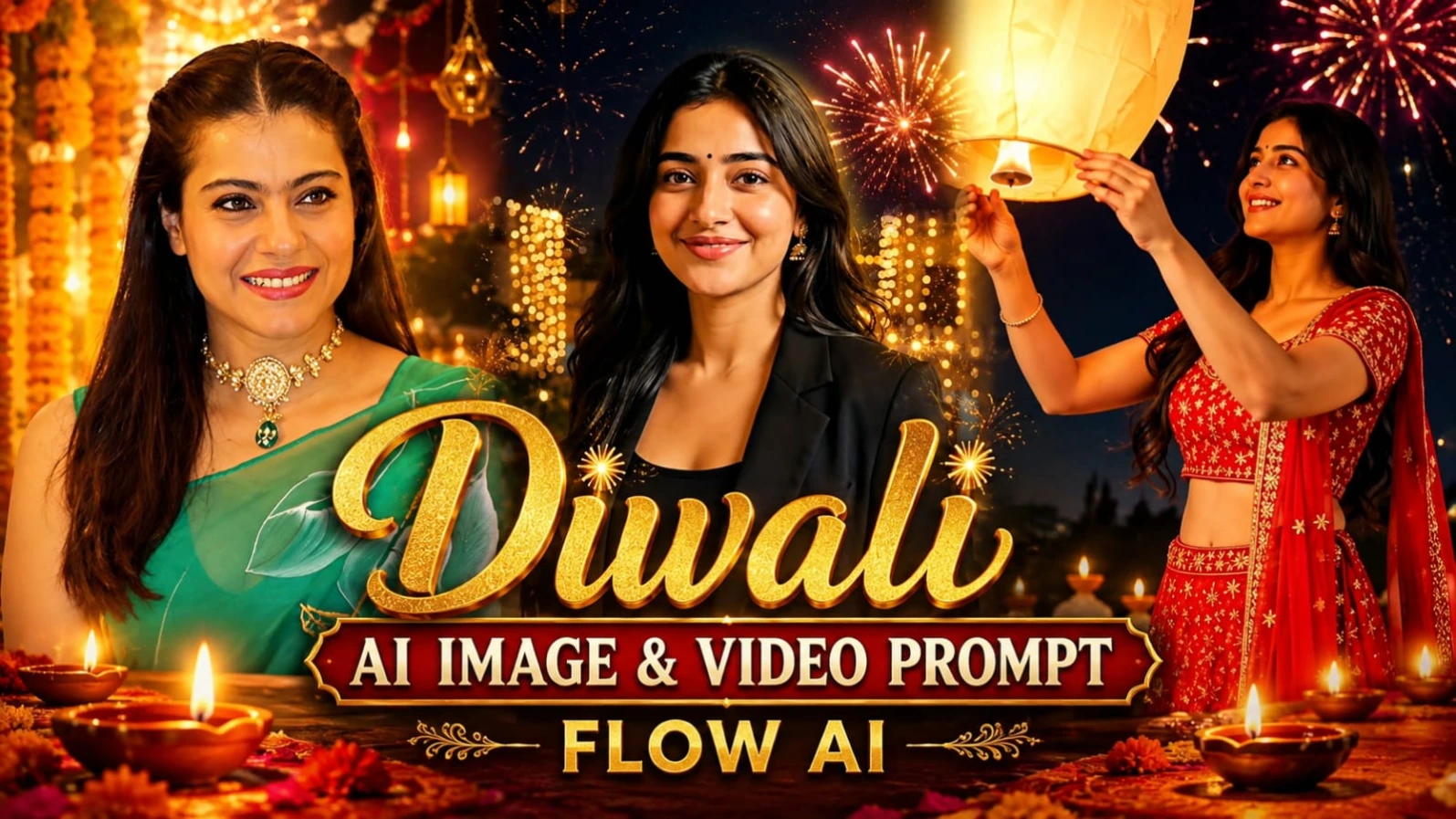
The Diwali AI Video Prompt featured in this article is designed to create an approximately 11.7-second vertical cinematic video. It follows a woman on a beautifully decorated rooftop terrace at night. The video begins with a black blazer outfit and transitions into a bright red embroidered lehenga. The scene then develops into a magical Diwali celebration with colourful fireworks and a glowing paper sky lantern.
This concept is suitable for creators who want to explore festive AI video generation for Instagram Reels, YouTube Shorts, and other vertical social media platforms.
What Is This Diwali AI Video Prompt?
This is a detailed cinematic video prompt that describes a sequence of festive scenes in a specific order.
Rather than generating a simple video of fireworks, it combines several visual elements into one continuous creative concept:
- A female character with a consistent appearance
- A black blazer opening scene
- A hand-cover camera transition
- A bright red embroidered lehenga outfit
- A decorated rooftop terrace
- Glowing diyas and warm fairy lights
- Colourful fireworks across the night sky
- A large illuminated paper sky lantern
- A final cinematic festive shot
The prompt also provides approximate timings for each scene and specifies where hard cuts should occur.
These details help communicate the intended sequence to an AI video generator.
9:16 Vertical Format for Social Media
The video uses a 9:16 vertical aspect ratio, making it suitable for platforms that primarily display portrait videos.
Vertical videos are commonly used for Instagram Reels, YouTube Shorts, and other short-form content formats.
The composition keeps the woman clearly visible while also showing the rooftop decoration, fireworks, and lantern.
The prompt requests an ultra-realistic cinematic appearance with high dynamic range, detailed textures, natural skin tones, and subtle film grain.
The final visual quality will depend on the capabilities and settings of the selected AI video-generation platform.
Scene 1: Cinematic Opening in a Black Blazer
The video begins with a waist-up wide shot of the woman standing on a rooftop terrace at night.
She wears an open black blazer over a plain black top, along with small silver drop earrings. Her long, wavy black hair falls naturally over her shoulders.
She stands slightly turned towards the right and gives a gentle smile.
Behind her is a white carved parapet wall decorated with lit clay diyas. A glowing brass lamp adds another warm festive detail to the scene.
The background contains buildings covered with warm fairy lights, balconies, and a city skyline beneath a deep navy night sky.
The camera slowly moves closer as she turns towards the camera and her smile becomes more noticeable.
This opening creates a calm and elegant introduction before the festive outfit transformation.
Scene 2: The Hand-Cover Transition
One of the most interesting details in this video concept is the hand-cover transition.
As the camera moves into a chest-up close-up, the woman smiles warmly and raises her right hand towards the camera.
Her open palm gradually fills the frame until it covers the lens.
This moment is used as a visual transition between the two outfits.
At approximately 3.6 seconds, a hard cut reveals the next scene. Her hand moves away from the camera, showing her in the red lehenga outfit.
This type of transition gives the video a creative transformation effect without requiring an additional location or character.
Scene 3: Red Lehenga Outfit Reveal
After the transition, the woman appears in a bright red embroidered lehenga choli.
The outfit includes a short-sleeve sweetheart-neckline blouse with silver-gold thread embroidery and star motifs. An embroidered waistband completes the traditional look.
A matching red net dupatta with a wide gold-silver border is draped over her left shoulder.
Her small silver drop earrings and long, wavy black hairstyle remain consistent with the opening scene.
She smiles at the camera while a small firework spark glows in the background.
As she turns slightly, the dupatta moves naturally, adding motion and detail to the festive scene.
Small fireworks begin rising from the left side of the rooftop.
The red outfit creates a strong visual contrast against the dark navy sky and warm golden decorative lighting.
Scene 4: Colourful Diwali Fireworks
At approximately 5.5 seconds, the video cuts to a medium-wide side-profile shot.
The woman looks towards the sky with a sense of wonder.
Large golden, red, and white fireworks appear above the terrace, while a green firework adds another bright colour to the background.
The camera composition includes both the woman and the decorated rooftop.
The white carved parapet wall and glowing diyas remain visible below the fireworks.
This scene focuses on the atmosphere of Diwali night and combines traditional rooftop decoration with a colourful cinematic sky.
Scene 5: A Glowing Sky Lantern
At approximately 7.3 seconds, another hard cut introduces a large cream-coloured paper sky lantern.
The lantern enters from the lower-left side of the frame.
The woman holds it with both hands at chest height and looks at it with a gentle smile.
Its warm internal glow creates a soft contrast against the dark night sky and colourful fireworks.
She gradually raises the lantern while looking upwards.
The fireworks continue in the background, and smaller glowing lanterns can be seen in the sky.
This scene adds a peaceful and emotional moment to the otherwise energetic Diwali celebration.
Scene 6: The Lantern Floats into the Sky
The next part of the video shows the woman releasing the lantern.
After she lets go, the lantern gradually floats upwards and moves beyond the top of the frame.
Her hands remain raised briefly before slowly lowering.
She continues looking upwards with a joyful expression.
In the final moments, the lantern is visible drifting away among smaller glowing lanterns in the sky.
Fireworks continue in golden, red, blue, and white colours.
The camera holds steady, allowing the final festive composition to remain visible before the video ends.
Consistent Face and Character Appearance
Character consistency is an important part of this prompt.
The instructions request that the woman's facial appearance remain consistent with the supplied character sheet and face reference throughout the video.
The prompt also specifies a consistent hairstyle, small black bindi, and silver drop earrings.
It asks for natural-looking skin texture, realistic expressions, and no unintended changes in facial appearance.
Reference images and identity-consistency features supported by an AI platform may help maintain the intended character appearance. However, exact identity consistency in every frame cannot be guaranteed by a text prompt alone.
For better results, use clear reference images and check the generated video for unwanted changes between scenes.
Cinematic Lighting and Colour Grading
The visual style combines a deep navy night sky with warm golden fairy lights and colourful fireworks.
The black blazer creates a darker opening composition, while the bright red lehenga becomes the main visual feature after the transition.
The prompt requests natural skin tones, HDR-style highlights, detailed shadows, and subtle film grain.
It also describes a realistic camera-footage appearance rather than a plastic-looking or overly artificial finish.
The intended colours include:
- Deep navy blue for the night sky
- Warm golden tones for fairy lights and diyas
- Bright red for the lehenga
- Gold, red, white, blue, and green fireworks
- Natural skin tones
- Soft cream and warm yellow tones for the sky lantern
Together, these details create a festive cinematic colour palette.
Camera Movements and Scene Timing
The prompt uses different camera compositions to create visual variety.
The opening begins with a waist-up wide shot before slowly pushing towards the subject.
A chest-up close-up highlights her smile and facial expression.
The hand-cover transition creates a visual break before the outfit reveal.
Later scenes use medium and medium-wide compositions to show the fireworks and rooftop environment.
The video includes hard cuts at approximately 3.6, 5.5, and 7.3 seconds.
These timings help organize the intended sequence, although an AI video tool may interpret timing differently depending on its supported duration and editing features.
Why This Prompt Is Useful for Diwali Content
This prompt combines several popular creative elements in one festive video concept.
Instead of showing only a traditional portrait or fireworks, it includes an outfit reveal, a camera transition, a rooftop celebration, and a sky lantern moment.
It can be useful for:
- Diwali social media Reels
- Festive AI video experiments
- Traditional outfit transformation concepts
- Cinematic portrait videos
- Creative festival greetings
- Short-form video editing projects
Creators can also adapt the concept by changing the outfit colours, background decorations, camera movements, or festive atmosphere.
Conclusion
The Diwali Cinematic AI Video Prompt is a creative concept for generating a festive vertical video with a traditional red lehenga, glowing diyas, colourful fireworks, and a floating sky lantern.
Its detailed scene sequence provides instructions for the character, outfit, rooftop location, lighting, camera movements, transitions, and final composition.
Whether you are experimenting with AI video generation or preparing a festive social media project, this prompt offers a structured starting point.
Explore more cinematic photo and video ideas on Prompt 07, copy a suitable prompt, and customize it for your next creative project.
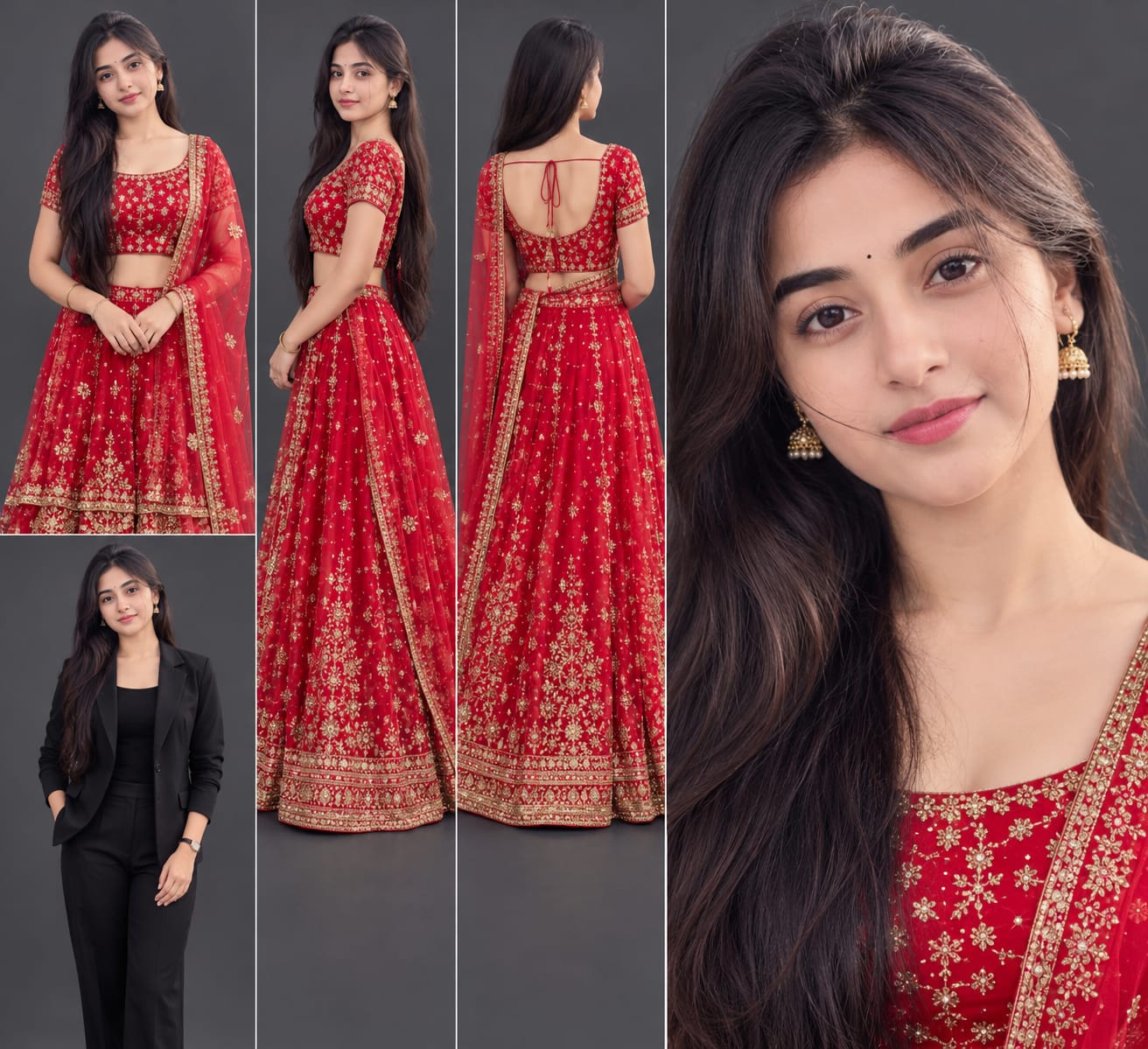
Pehle Character Sheet Photo Banaai ChatGPT Se
AI PHOTO PROMPT
Ultra-realistic character design sheet of ONE young Indian woman on a plain dark-grey studio background, soft even lighting. Four panels in one image: (1) full-body front view in outfit 1...
Ultra-realistic character design sheet of ONE young Indian woman on a plain dark-grey studio background, soft even lighting. Four panels in one image: (1) full-body front view in outfit 1, (2) full-body side view in outfit 1, (3) full-body back view in outfit 1, (4) one large close-up face portrait, plus a small corner panel showing outfit 2. Exact same face as my uploaded photo: same face shape, eyes, nose, lips, jawline and age, 100% identity match in every panel. Skin clean, clear, smooth, even-toned, no pimples, acne, spots or blemishes, but the face identity stays exactly the same. Hair: long, wavy, glossy black hair worn open with soft face-framing strands, small black bindi, small silver drop earrings. Outfit 1 (exact, do not change): bright red embroidered lehenga choli with a short-sleeve blouse with a sweetheart neckline, silver-gold thread and small star-shaped motif embroidery, an embroidered waistband on the skirt, and a matching red net dupatta with a wide gold-silver embroidered border draped over the left shoulder. Outfit 2 (corner panel): open black blazer over a plain black top. Natural skin texture, realistic fabric folds, 8K, sharp detail, no plastic look.
AI PHOTO PROMPT
Ultra-realistic character design sheet of ONE young Indian woman on a plain dark-grey studio background, soft even lighting. Four panels in one image: (1) full-body front view in outfit 1...
Ultra-realistic character design sheet of ONE young Indian woman on a plain dark-grey studio background, soft even lighting. Four panels in one image: (1) full-body front view in outfit 1, (2) full-body side view in outfit 1, (3) full-body back view in outfit 1, (4) one large close-up face portrait, plus a small corner panel showing outfit 2. Exact same face as my uploaded photo: same face shape, eyes, nose, lips, jawline and age, 100% identity match in every panel. Skin clean, clear, smooth, even-toned, no pimples, acne, spots or blemishes, but the face identity stays exactly the same. Hair: long, wavy, glossy black hair worn open with soft face-framing strands, small black bindi, small silver drop earrings. Outfit 1 (exact, do not change): bright red embroidered lehenga choli with a short-sleeve blouse with a sweetheart neckline, silver-gold thread and small star-shaped motif embroidery, an embroidered waistband on the skirt, and a matching red net dupatta with a wide gold-silver embroidered border draped over the left shoulder. Outfit 2 (corner panel): open black blazer over a plain black top. Natural skin texture, realistic fabric folds, 8K, sharp detail, no plastic look.
Format 9:16 vertical, true 8K ultra-realistic cinematic video, HDR10+ / Dolby Vision style high dynamic range, 10-bit colour, cinematic colour grading like the reference...
Format 9:16 vertical, true 8K ultra-realistic cinematic video, HDR10+ / Dolby Vision style high dynamic range, 10-bit colour, cinematic colour grading like the reference (deep navy night sky, warm golden fairy lights, vivid red outfit, glowing firework colours in gold, red, white, blue and green, natural skin tones), razor-sharp detail, subtle film grain, natural skin texture, no plastic look, looks like real camera footage, not AI-made. Length about 11.7 seconds, with hard cuts at 3.6s, 5.5s and 7.3s.
FACE AND IDENTITY LOCK: the woman's face must be 100% identical to the character sheet and the face close-up (my uploaded photo) in every frame, at every angle, including the extreme close-up, the side profile looking up and the smile. No face morphing, no face change, no different person. Skin clean, clear, smooth, even-toned, no pimples, acne or blemishes. Hairstyle always the same: long, wavy, glossy black hair, open, with soft face-framing strands, small black bindi. The woman is clearly visible in every shot.
OUTFIT LOCK (per scene, never mix): Outfit 1 (0.0-3.6s): open black blazer over a plain black top, small silver drop earrings. Outfit 2 (3.6-11.7s): bright red embroidered lehenga choli with a short-sleeve sweetheart-neckline blouse, silver-gold thread star-motif embroidery, an embroidered waistband and a matching red net dupatta with a wide gold-silver border draped over the left shoulder, small silver drop earrings.
LOCATION: a rooftop terrace at night. A white carved parapet wall with a row of lit clay diyas and a glowing brass lamp on the left, behind it warm fairy-light-covered buildings, balconies and a city skyline under a dark navy sky.
SCENES IN ORDER:
0.0-0.5s: Waist-up wide shot, she stands slightly turned to the right in the black blazer, a soft smile, hair falling over her shoulders, the fairy-lit building and the parapet with diyas behind her.
0.5-1.5s: The camera slowly pushes in as she turns her face toward the camera, the smile growing, her hair moving slightly.
1.5-2.5s: Push-in to a chest-up close-up, a warm wide smile, soft face-framing strands of hair on her forehead.
2.5-3.0s: She raises her right hand on the left of the frame and starts to wave.
3.0-3.6s: Her open palm fills the frame and covers the lens in a hand-cover transition, her smile still visible behind it.
3.6-4.0s: Hard cut. The hand slides away and reveals the red lehenga outfit in a waist-up medium shot, a small firework spark glowing at the left of the frame, her smile at the camera.
4.0-5.0s: She turns slightly, the dupatta moving, small firework rockets rise from the left behind her.
5.0-5.5s: She tilts her head up and looks at the sky with a smile while a bright burst of light glows above her.
5.5-7.3s: Hard cut. Medium wide shot, she stands in side profile looking up in wonder, big gold, red and white fireworks bursting across the night sky above the terrace, with a green firework to the right and the parapet with diyas below.
7.3-8.0s: Hard cut. Medium shot, a large cream-coloured paper sky lantern lit from inside enters the frame at the lower left, she holds it with both hands at chest height, looking at it with a gentle smile, fireworks bursting behind.
8.0-9.5s: She lifts the lantern up with both hands and looks up at it, smiling, while fireworks burst around it and small lanterns glow in the sky.
9.5-10.5s: She lets go, the lantern floats up past the top of the frame while her hands stay raised and then slowly lower, her face looking up at it in wonder.
10.5-11.7s: The lantern drifts away at the upper left among many small lanterns, she keeps looking up with a smile, hands relaxed, fireworks continue to burst in gold, red, blue and white. The camera holds still, then the shot ends.
A small white watermark text "Prompt 07" stays at the bottom centre of the frame in every shot, subtle and not distracting. No other text, number, caption, logo or overlay anywhere on the screen.
Mood like the reference: magical, warm, festive Diwali night, joyful and wondrous.
No extra scene, no missing scene, no outfit, location or face change, smooth realistic physics for cloth, hair, lantern and fireworks, natural sound (firework booms and crackles, soft night wind, soft Diwali ambience).
AI VIDEO PROMPT
Format 9:16 vertical, true 8K ultra-realistic cinematic video, HDR10+ / Dolby Vision style high dynamic range, 10-bit colour, cinematic colour grading like the reference...
Format 9:16 vertical, true 8K ultra-realistic cinematic video, HDR10+ / Dolby Vision style high dynamic range, 10-bit colour, cinematic colour grading like the reference (deep navy night sky, warm golden fairy lights, vivid red outfit, glowing firework colours in gold, red, white, blue and green, natural skin tones), razor-sharp detail, subtle film grain, natural skin texture, no plastic look, looks like real camera footage, not AI-made. Length about 11.7 seconds, with hard cuts at 3.6s, 5.5s and 7.3s.
FACE AND IDENTITY LOCK: the woman's face must be 100% identical to the character sheet and the face close-up (my uploaded photo) in every frame, at every angle, including the extreme close-up, the side profile looking up and the smile. No face morphing, no face change, no different person. Skin clean, clear, smooth, even-toned, no pimples, acne or blemishes. Hairstyle always the same: long, wavy, glossy black hair, open, with soft face-framing strands, small black bindi. The woman is clearly visible in every shot.
OUTFIT LOCK (per scene, never mix): Outfit 1 (0.0-3.6s): open black blazer over a plain black top, small silver drop earrings. Outfit 2 (3.6-11.7s): bright red embroidered lehenga choli with a short-sleeve sweetheart-neckline blouse, silver-gold thread star-motif embroidery, an embroidered waistband and a matching red net dupatta with a wide gold-silver border draped over the left shoulder, small silver drop earrings.
LOCATION: a rooftop terrace at night. A white carved parapet wall with a row of lit clay diyas and a glowing brass lamp on the left, behind it warm fairy-light-covered buildings, balconies and a city skyline under a dark navy sky.
SCENES IN ORDER:
0.0-0.5s: Waist-up wide shot, she stands slightly turned to the right in the black blazer, a soft smile, hair falling over her shoulders, the fairy-lit building and the parapet with diyas behind her.
0.5-1.5s: The camera slowly pushes in as she turns her face toward the camera, the smile growing, her hair moving slightly.
1.5-2.5s: Push-in to a chest-up close-up, a warm wide smile, soft face-framing strands of hair on her forehead.
2.5-3.0s: She raises her right hand on the left of the frame and starts to wave.
3.0-3.6s: Her open palm fills the frame and covers the lens in a hand-cover transition, her smile still visible behind it.
3.6-4.0s: Hard cut. The hand slides away and reveals the red lehenga outfit in a waist-up medium shot, a small firework spark glowing at the left of the frame, her smile at the camera.
4.0-5.0s: She turns slightly, the dupatta moving, small firework rockets rise from the left behind her.
5.0-5.5s: She tilts her head up and looks at the sky with a smile while a bright burst of light glows above her.
5.5-7.3s: Hard cut. Medium wide shot, she stands in side profile looking up in wonder, big gold, red and white fireworks bursting across the night sky above the terrace, with a green firework to the right and the parapet with diyas below.
7.3-8.0s: Hard cut. Medium shot, a large cream-coloured paper sky lantern lit from inside enters the frame at the lower left, she holds it with both hands at chest height, looking at it with a gentle smile, fireworks bursting behind.
8.0-9.5s: She lifts the lantern up with both hands and looks up at it, smiling, while fireworks burst around it and small lanterns glow in the sky.
9.5-10.5s: She lets go, the lantern floats up past the top of the frame while her hands stay raised and then slowly lower, her face looking up at it in wonder.
10.5-11.7s: The lantern drifts away at the upper left among many small lanterns, she keeps looking up with a smile, hands relaxed, fireworks continue to burst in gold, red, blue and white. The camera holds still, then the shot ends.
A small white watermark text "Prompt 07" stays at the bottom centre of the frame in every shot, subtle and not distracting. No other text, number, caption, logo or overlay anywhere on the screen.
Mood like the reference: magical, warm, festive Diwali night, joyful and wondrous.
No extra scene, no missing scene, no outfit, location or face change, smooth realistic physics for cloth, hair, lantern and fireworks, natural sound (firework booms and crackles, soft night wind, soft Diwali ambience).
How to Create a Cinematic Diwali AI Video with a Red Lehenga, Fireworks and Sky Lantern
Want to create a beautiful Diwali AI video featuring a traditional red lehenga, cinematic fireworks, glowing diyas, and a floating sky lantern? You can use a detailed video prompt with a compatible AI video-generation platform to explore this creative concept.
This beginner-friendly guide explains how to prepare your reference images, use the Diwali video prompt, and review the generated result.
Step 1: Prepare Your Reference Photos
Before generating the video, prepare the reference images required for your project.
For better character consistency, use:
- A clear face photograph of the woman
- A character sheet, if available
- A clear reference image showing the intended hairstyle
- Outfit references, if your AI tool supports multiple references
Choose a well-lit photograph in which the face is clearly visible.
The prompt describes a woman with long, wavy black hair, a small black bindi, and small silver drop earrings.
Reference images can help the AI tool understand the intended character appearance.
Step 2: Open an AI Video Generator
Open an AI video-generation platform that supports detailed text prompts.
Choose a text-to-video or image-to-video feature according to your project.
Some platforms allow reference images, while others offer additional controls for character consistency, scene composition, and video generation.
Check the available features before starting.
Step 3: Copy the Complete Diwali Video Prompt
Copy the complete Diwali AI video prompt from the Prompt 07 article.
The prompt contains important instructions about:
- 9:16 vertical video format
- Approximately 11.7-second duration
- Cinematic colour grading
- Face and character consistency
- Two separate outfits
- Rooftop Diwali location
- Fireworks and sky lantern scenes
- Camera movements
- Hard cuts and scene timing
- Natural sound and festive atmosphere
Keep the scene order and timing instructions together when your chosen tool supports a long, detailed prompt.
If the platform has a separate negative-prompt field, use it for unwanted visual elements where supported.
Step 4: Set the Vertical Video Format
Select a vertical 9:16 aspect ratio if the video tool supports it.
This format is suitable for portrait-style social media content, including Instagram Reels and YouTube Shorts.
The prompt requests an approximately 11.7-second video.
If your selected platform does not support this exact duration, generate the closest supported duration and adjust the final timing in a video editor.
Step 5: Add the Face Reference
Upload the prepared face reference using the platform's supported reference-image feature.
Follow the tool's instructions for selecting a character reference or image input.
The prompt requests the same facial appearance throughout the video, including close-up shots and the side-profile scene.
It also specifies long, wavy black hair and a small black bindi.
Use a clear reference image and review the output carefully. AI video tools can sometimes change facial details between shots, even when identity instructions are included.
Step 6: Follow the Two-Outfit Instructions
This video concept contains two different outfits.
Outfit 1: Black Blazer (0.0–3.6 seconds)
The opening scene features an open black blazer over a plain black top, with small silver drop earrings.
The woman stands on the rooftop terrace and smiles towards the camera.
Outfit 2: Red Lehenga (3.6–11.7 seconds)
After the hand-cover transition, the woman appears in a bright red embroidered lehenga choli.
The outfit includes a short-sleeve sweetheart-neckline blouse, silver-gold star-motif embroidery, an embroidered waistband, and a matching red net dupatta with a wide decorative border.
Keep the outfit instructions connected to their respective scenes to reduce the possibility of unwanted outfit mixing.
Step 7: Create the Rooftop Diwali Environment
The location is a rooftop terrace at night.
The prompt describes a white carved parapet wall, lit clay diyas, and a glowing brass lamp on the left.
Behind the terrace are buildings and balconies covered in warm fairy lights, along with a city skyline.
The sky should have a deep navy appearance.
These environmental details help establish the festive setting.
If your platform supports reference images for backgrounds, you can provide a suitable rooftop reference as well.
Step 8: Generate the Opening Blazer Scene
The first part of the video introduces the woman in the black blazer.
The camera starts with a waist-up wide shot and gradually moves closer.
The woman turns her face towards the camera and gives a warm smile.
The camera then moves into a chest-up close-up.
At approximately 2.5 seconds, she raises her right hand and begins waving.
Her palm gradually covers the lens, creating the transition into the next outfit.
Check that the opening scene shows the intended outfit and rooftop background.
Step 9: Generate the Red Lehenga Transformation
At approximately 3.6 seconds, the video cuts to the red lehenga outfit.
The woman's hand moves away from the camera, revealing the new outfit.
A small firework spark appears in the background.
She turns slightly while the dupatta moves naturally.
Small fireworks rise in the background, and she looks towards the sky.
The scene should maintain the same character appearance and rooftop location.
Step 10: Add the Fireworks Scene
At approximately 5.5 seconds, the video changes to a medium-wide side-profile shot.
The woman looks upwards as colourful fireworks appear across the night sky.
The prompt describes golden, red, white, and green fireworks, with the decorated parapet and diyas visible below.
The main goal is to keep the woman visible while also showing the festive sky.
Review the generated scene to make sure the fireworks do not hide the main subject.
Step 11: Create the Sky Lantern Scene
At approximately 7.3 seconds, a large cream-coloured paper sky lantern enters the lower-left side of the frame.
The woman holds it with both hands at chest height.
She gradually lifts it while looking upwards with a gentle smile.
The lantern glows warmly against the dark sky, while fireworks and smaller glowing lanterns appear in the background.
The next part shows the lantern drifting upwards as the woman watches it.
Keep the lantern's appearance consistent between its close-up and floating shots.
Step 12: Review the Final Video
After generation, watch the complete video from beginning to end.
Check the following details:
1. Does the face remain visually consistent?
2. Does the black blazer appear only in the opening scenes?
3. Does the red lehenga appear after the transition?
4. Is the rooftop environment consistent?
5. Are the fireworks visible without covering the subject?
6. Does the sky lantern move naturally between scenes?
7. Are the hard cuts placed near the requested timings?
8. Is the vertical 9:16 composition maintained?
9. Is the watermark positioned as requested?
10. Does the final scene end with the woman looking towards the lantern?
If the platform produces separate clips instead of one complete video, you can arrange them in a video editor and add the requested cuts.
Step 13: Add the Requested Watermark and Sound
The prompt requests small white text reading "Prompt 07" at the bottom centre of every shot.
It also requests natural festive sound, including fireworks, soft night wind, and gentle Diwali ambience.
Some AI video tools may not reproduce exact text or sound consistently. If necessary, add the watermark and audio separately in a video editor.
Check that no unwanted captions, logos, or overlays appear in the finished video.
Tips for Better Results
Use clear reference images: A clear face reference can help the tool maintain the intended character appearance.
Keep outfit instructions separate: Clearly identify which outfit belongs to which scene.
Use scene-based generation when needed: If one long generation does not follow all the timings, create shorter clips and combine them.
Check camera movements: Make sure the camera push-in, close-up, and wider fireworks shots match the intended sequence.
Review visual details: Check the face, hair, hands, outfit embroidery, lantern, and background.
Use supported settings: Not every AI video platform supports true 8K output, HDR10+, Dolby Vision, exact durations, or all requested controls. Use the highest suitable settings available.
Final Words
Creating a cinematic Diwali AI video requires more than a simple description. A well-organized prompt explains the character, outfits, location, camera movements, scene timings, and festive visual effects.
Use the complete Prompt 07 video prompt as your creative starting point, follow the steps above, and review the final result before sharing it.
With careful scene planning and suitable reference images, you can explore a beautiful festive video concept featuring a red lehenga transformation, colourful fireworks, glowing diyas, and a magical sky lantern.
SEO TAGS
Diwali AI Video PromptDiwali Video PromptAI Diwali VideoCinematic Diwali VideoRed Lehenga AI VideoLehenga Transformation VideoFireworks AI Video PromptSky Lantern AI Video9:16 AI Video PromptAI Video GenerationFestive AI VideoDiwali Reels PromptCinematic Video EditingAI Fashion VideoPrompt 07
SEO TAGS
Diwali AI Video PromptDiwali Video PromptAI Diwali VideoCinematic Diwali VideoRed Lehenga AI VideoLehenga Transformation VideoFireworks AI Video PromptSky Lantern AI Video9:16 AI Video PromptAI Video GenerationFestive AI VideoDiwali Reels PromptCinematic Video EditingAI Fashion VideoPrompt 07
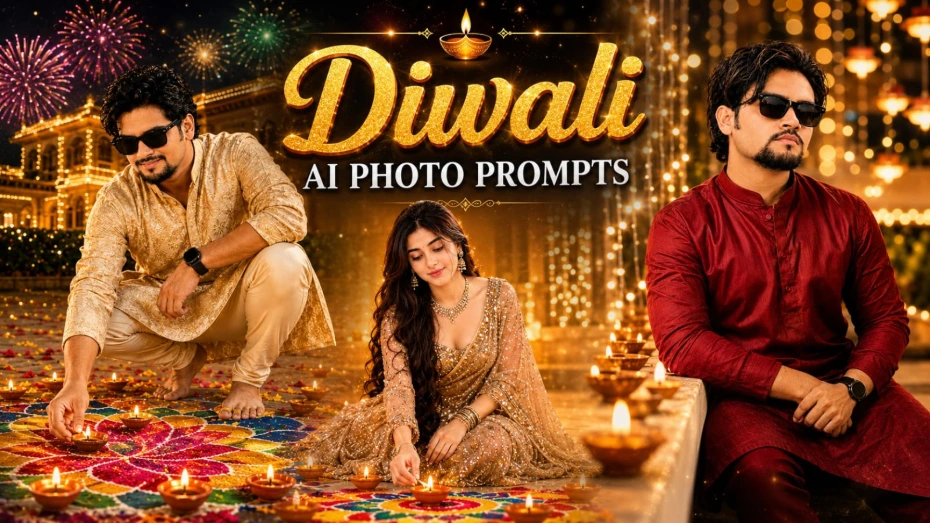
Diwali ke festival par traditional outfits, glowing diyas, colourful rangoli aur golden lights ke saath beautiful photos banana har kisi ko pasand hota hai. Agar aap apni normal photo ko realistic festive portrait mein convert karna chahte hain, to ye 7 Diwali AI Photo Prompts aapke liye useful hain. Is collection mein boys aur girls dono ke liye alag-alag festive photography concepts diye gaye hain.
In prompts mein DSLR-style photography, natural skin texture, warm golden lighting aur decorated backgrounds par focus kiya gaya hai. Sabhi designs vertical 4:5 composition ke liye banaye gaye hain, jo Instagram portrait posts ke liye suitable hai.
7 Diwali AI Photo Prompts Kaise Use Karein
Step 1: Sabse pehle apni ek clear photograph select karein. Aisi photo use karein jisme face clearly visible ho aur lighting achhi ho. Heavy filters ya face-covering accessories wali photo avoid karein.
Step 2: Article mein diye gaye 7 concepts mein se apna favourite design choose karein. Is collection mein white kurta balcony portrait, mint-green lehenga diya portrait, yellow-green lehenga rangoli portrait, champagne-beige saree portrait, deep-red kurta portrait, black kurta fairy-light portrait aur cream-gold kurta rangoli portrait shamil hain.
Step 3: Apne selected design ka AI Photo Prompt open karein. Prompt ko copy karke apne AI image-generation tool mein paste karein.
Step 4: Apni reference photo upload karein aur image guidance ya face-reference option available ho to use enable karein. Prompt mein diye gaye outfit, pose, background aur lighting details ko follow karne dein.
Step 5: Image generate hone ke baad face, hands, clothing aur background ko carefully check karein. Agar face ya outfit mein unwanted changes aaye hain, to prompt ko refine karke dobara generate karein.
Step 6: Final image ko 4:5 portrait format mein review karein. Isse aap Instagram posts, festive greetings aur personal memories ke liye use kar sakte hain.
Realistic Diwali Portrait Ke Liye Tips
Har prompt ka apna visual style hai. White kurta balcony concept simple aur traditional look deta hai, jabki mint-green lehenga aur champagne-beige saree concepts elegant festive photography ke liye suitable hain. Rangoli wale designs colourful courtyard atmosphere create karte hain.
Original face ko preserve karne ke liye clear reference image use karein. Dhyan rahe ki har AI generator exact face identity guarantee nahi karta. Final image ko share karne se pehle zaroor check karein.
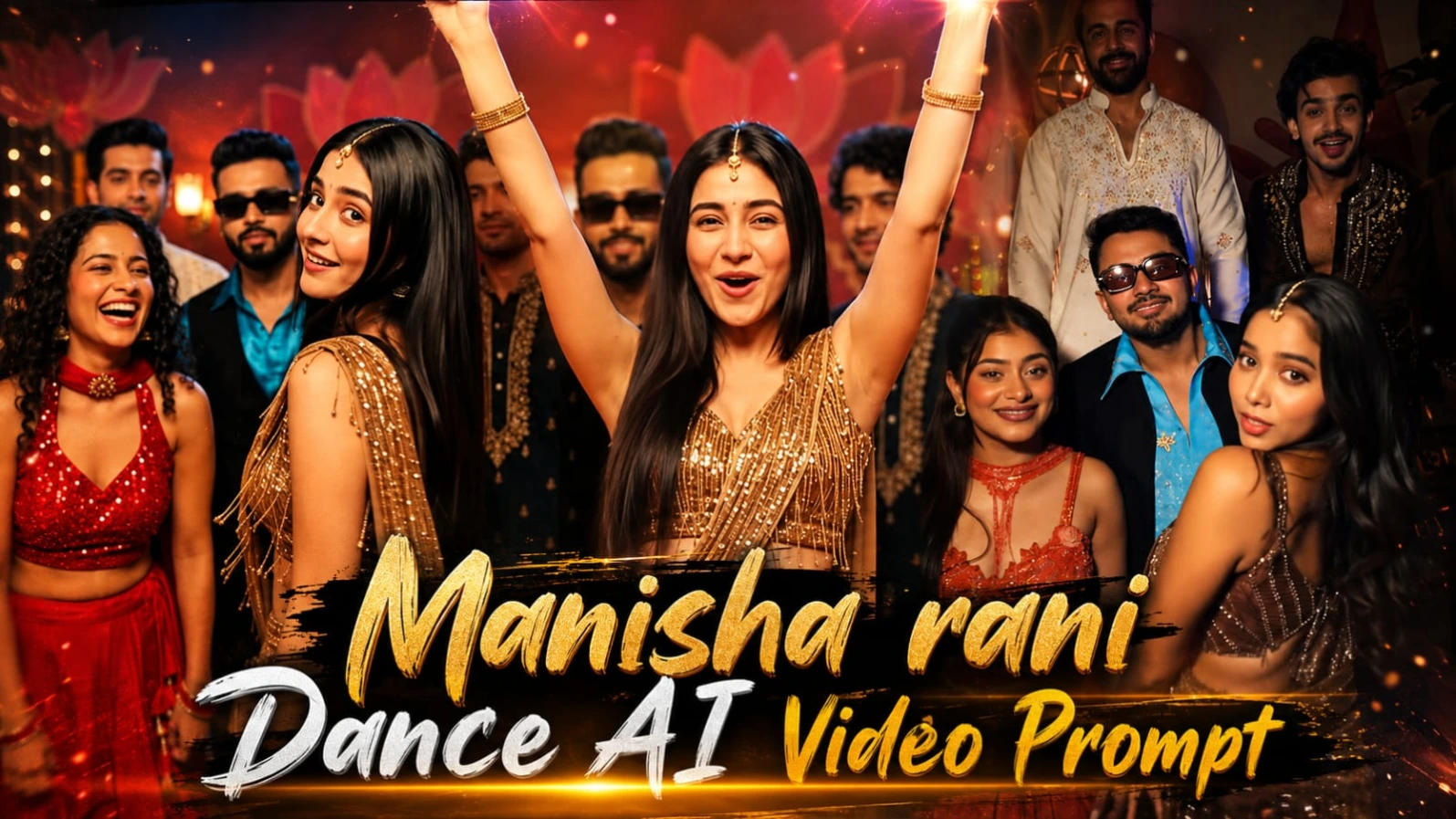
2. Festive Group Dance AI Video Prompt – 9:16 Cinematic Party Dance in Flow AI
Agar aap AI ki help se realistic Indian wedding ya festive party dance video banana chahte hain, to Festive Group Dance AI Video Prompt ek creative option hai. Is concept mein friends ka ek group indoor celebration ke dauran dance karta hai. Video mein expressive reactions, colourful outfits, warm party lighting aur energetic dance movements dikhaye gaye hain.
Is video ka format vertical 9:16 hai aur planned duration lagbhag 15.3 seconds hai. Iska main idea ek continuous phone-camera recording jaisa feel create karna hai, jisme sudden location changes ya unnecessary camera zoom na ho.
Flow AI Mein Festive Group Dance Video Kaise Banaye
Step 1: Sabse pehle lead female character ki reference images prepare karein. Article mein character sheet ke liye front view, side view, back view aur close-up face portrait ka use bataya gaya hai. Reference images se character ki appearance ko consistent rakhne mein help mil sakti hai.
Step 2: Character sheet banane ke baad face close-up ko bhi ready rakhein. Flow AI mein reference-image support available ho to in images ko use karein, taaki video ke different movements mein lead dancer ka face similar rahe.
Step 3: Article mein diya gaya Festive Group Dance AI Video Prompt copy karein. Is prompt mein indoor party environment, group members, outfits, expressions aur dance sequence ki details di gayi hain.
Step 4: Flow AI mein apna reference material aur video prompt add karein. Video settings mein vertical 9:16 composition aur approximately 15.3-second duration ko target rakhein, agar platform ye options support karta ho.
Step 5: Dance sequence ko prompt ke order mein generate karne dein. Video ki shuruaat mein group camera ki taraf dekhta hai aur lead dancer expressive movements karti hai. Uske baad woh camera ki taraf lean karti hai, sideways turn leti hai aur playful expressions deti hai.
Step 6: Agle moments mein lead dancer aur group members hands raise karte hain, clap karte hain aur energetic dance movements perform karte hain. Turquoise shirt wala male dancer bhi group ke saath dance karta hai. Ending mein lead dancer camera ke paas aakar flying kiss deti hai aur phir camera se opposite direction mein turn hoti hai.
Step 7: Generated video ko check karein. Face consistency, outfits, hands, dance movements aur background continuity par special attention dein. Agar AI kisi movement ko sahi generate nahi karta, to prompt ko refine karke dobara try karein.
Cinematic Party Look Kaise Maintain Karein
Prompt mein maroon-red decorative wall, golden ornaments, warm lamps aur cool blue ceiling highlights ka combination diya gaya hai. Camera chest-height par waist-up group framing ke saath rahega aur sirf slight natural handheld movement target ki gayi hai.
Video mein festive Hindi party music, laughter, clapping aur crowd cheers ka audio concept bhi diya gaya hai. Bottom centre par small white “Prompt 07” watermark specified hai. Agar Flow AI text ko accurately generate na kare, to watermark editing ke waqt add kar sakte hain.
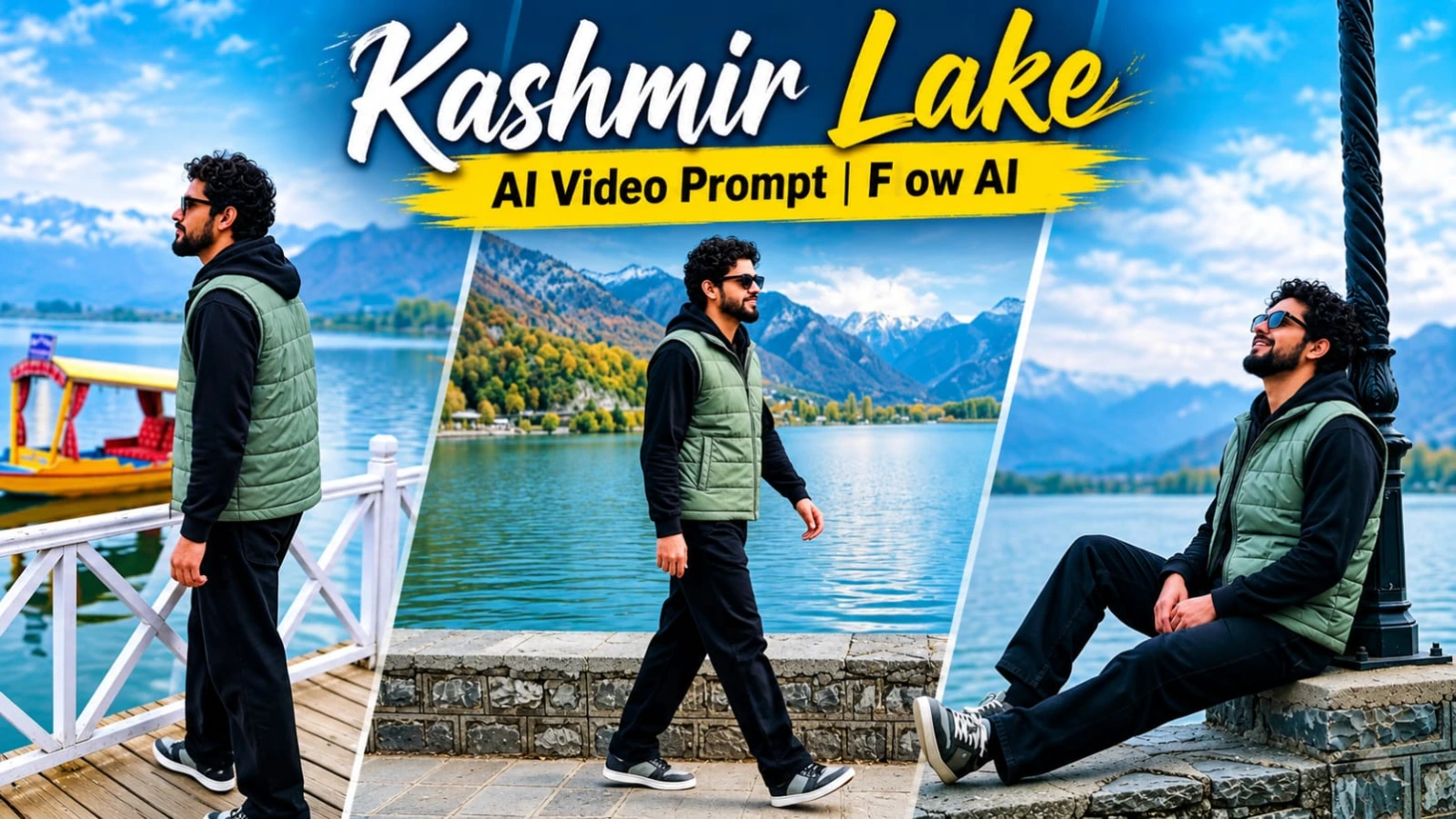
3. Kashmir Lake AI Video Prompt 9:16 – Cinematic Solo Travel Vlog
Kashmir ki beautiful lake, autumn-coloured mountains, traditional shikara boats aur golden sunset ka cinematic view travel videos ko ek peaceful atmosphere deta hai. Kashmir Lake AI Video Prompt un creators ke liye hai jo AI video-generation platform ki help se realistic solo travel vlog create karna chahte hain.
Is concept mein ek traveller ko lake ke paas five cinematic shots mein dikhaya gaya hai. Video ki shuruaat lakeside walking scene se hoti hai, phir lamp-post aur wooden boardwalk ke paas relaxing moments aate hain. Last shots mein golden-hour mountain views dikhaye gaye hain. Planned duration approximately 14.5 seconds aur video format vertical 9:16 hai.
Flow AI Mein Kashmir Lake Travel Video Kaise Banaye
Step 1: Sabse pehle apni clear face photograph select karein. Article mein character sheet banane ke liye front view, side view, back view aur close-up portrait ka concept diya gaya hai. Same reference images ko video generation mein use karne se character consistency improve karne mein help mil sakti hai.
Step 2: Character ke outfit details ko consistent rakhein. Is concept mein sage-grey-green sleeveless quilted puffer vest, black full-sleeve hoodie, loose black trousers aur grey-black sneakers with white soles diye gaye hain. Opening scenes mein black-frame sunglasses aur closer shots mein plain black-frame glasses specified hain.
Step 3: Prompt07AI article se Kashmir Lake AI Video Prompt copy karein. Ismein lake, mountains, weather, five scenes, camera framing aur character movements ki complete details di gayi hain.
Step 4: Flow AI ya kisi supported AI video generator mein reference image aur video prompt add karein. Video format 9:16 aur duration approximately 14.5 seconds target karein, agar available settings allow karti hain.
Step 5: First scene mein traveller ko stone promenade ke paas lake ke kinare left se right walk karte hue dikhaya gaya hai. Background mein green-blue lake, autumn-coloured mountains aur dramatic cloudy sky hona chahiye.
Step 6: Second scene mein character black ornate lamp-post ke paas stone wall par relax karta hai. Third scene wooden boardwalk par hota hai, jahan white lattice railing aur yellow-blue details wali shikara boat background mein nazar aati hai.
Step 7: Fourth scene mein traveller lake aur mountains ki taraf dekhte hue golden sunset clouds ko observe karta hai. Fifth aur final scene mein woh lamp-post ke paas relaxed pose mein khada rehta hai aur lake ki taraf dekhta hai.
Step 8: Generated video ko carefully review karein. Face, hairstyle, outfit, location details aur five-scene order consistent rehna chahiye. Agar AI kisi shot mein character ya clothing change kar de, to prompt refine karein.
Realistic Kashmir Travel Vlog Ke Liye Tips
Is concept mein har shot ke liye locked-off tripod camera specified hai. Unnecessary camera shake, artificial zoom aur unexpected tracking avoid karni hai. Video ka mood cloudy daylight se warm golden-hour lighting tak gradually change hota hai.
Audio mein gentle wind, lake water, distant birds aur natural footsteps ka peaceful sound design diya gaya hai. Koi dialogue ya unnecessary background noise nahi chahiye. Bottom centre par small white “Prompt 07” watermark specified hai. Agar generator watermark ko accurately render na kare, to editing app mein add kar sakte hain.
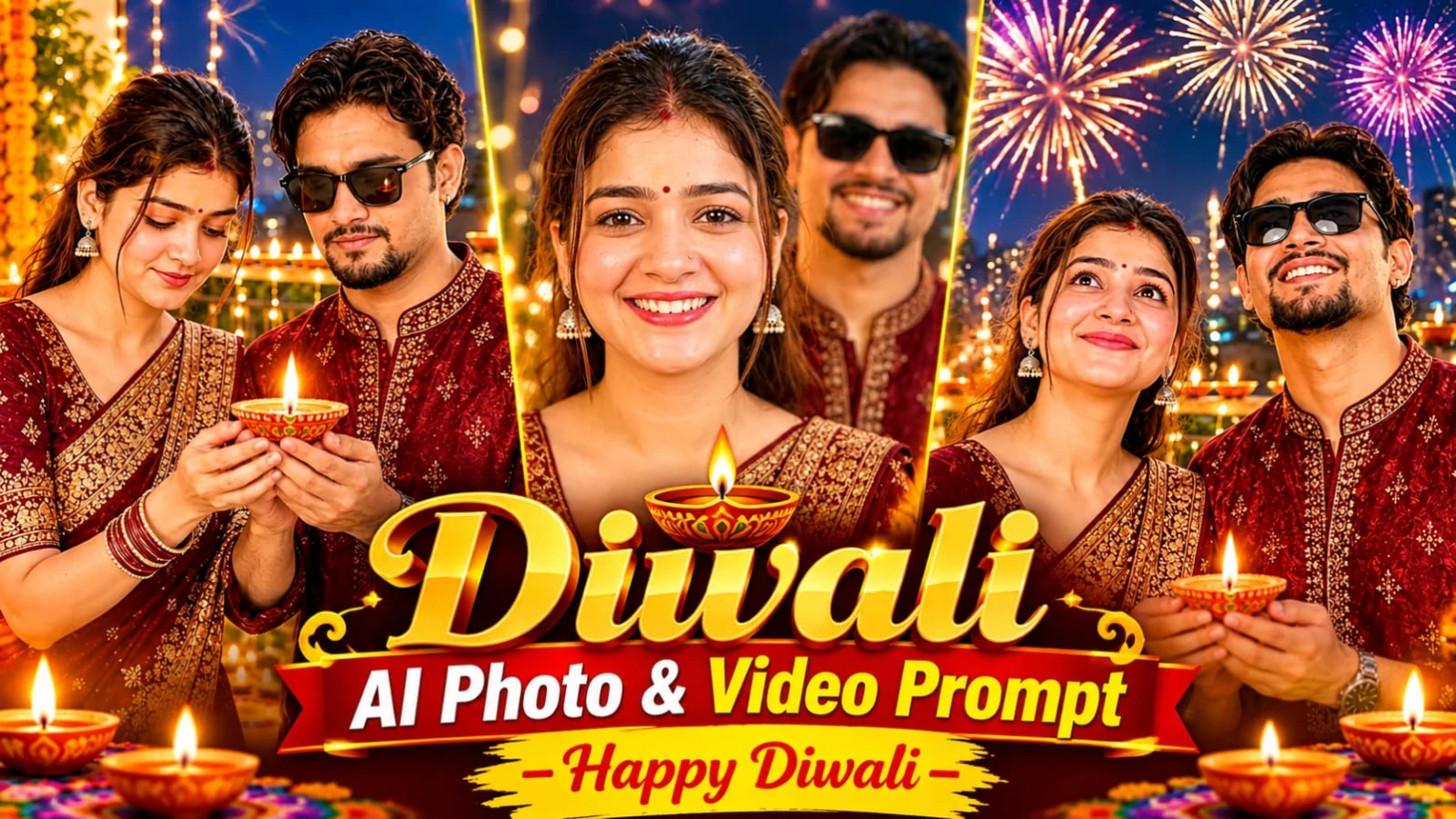
4. Happy Diwali AI Video Prompt – 8-Second Cinematic Diya Animation
Diwali ke special occasion par apni photo se ek short cinematic greeting video banana ek creative idea hai. Happy Diwali AI Video Prompt ki help se aap ek existing photograph ko approximately 8-second vertical animated video mein convert kar sakte hain. Is concept mein person ek glowing diya hold karta hai, evening sky mein fireworks dekhta hai aur end mein camera ki taraf turn hokar “Happy Diwali!” bolta hai.
Video ka main focus original person's face, hairstyle aur outfit ko preserve karte hue natural movements aur festive lighting add karna hai. Ismein three connected moments hain, jo ek short festive story create karte hain.
Happy Diwali AI Video Kaise Banaye
Step 1: Sabse pehle apni ek clear photograph select karein. Face, hairstyle aur outfit clearly visible hone chahiye. Ye photograph video generation ke liye main visual reference hogi.
Step 2: Prompt07AI article open karke Happy Diwali AI Video Prompt copy karein. Prompt mein diya, decorated balcony, fireworks, facial movements aur final greeting ki details di gayi hain.
Step 3: Apne selected AI video-generation tool ko open karein. Reference photograph upload karein aur prompt paste karein. Agar tool image-to-video generation support karta hai, to us option ka use karein.
Step 4: Video format vertical 9:16 aur duration approximately 8 seconds target rakhein. Ye format Instagram Reels, YouTube Shorts, Facebook Reels aur WhatsApp Status jaise platforms ke liye suitable hai.
Step 5: First scene 0–3 seconds ke liye hai. Ismein person apne haath mein glowing diya lekar neeche flame ki taraf dekhta hai. Diya ki warm golden light face aur hands par natural highlights create karti hai. Natural blinking aur subtle head movement bhi specified hain.
Step 6: Second scene 3–6 seconds mein person dheere se apni nazar evening sky ki taraf uthata hai aur smile karta hai. Background mein colourful fireworks appear hote hain. Fireworks ki light face aur eyes par subtle reflections create karti hai.
Step 7: Final scene 6–8 seconds mein person diya ko balcony railing par rakhta hai. Uske baad camera ki taraf turn karke warm smile ke saath “Happy Diwali!” bolta hai. Mouth movement ko spoken greeting ke saath match karne ka instruction diya gaya hai.
Step 8: Video generate hone ke baad face identity, outfit, diya placement, fireworks aur final greeting check karein. Agar AI voice ya lip-sync sahi nahi banata, to greeting ko separately record karke editing app mein background music ke saath synchronize kar sakte hain.
Cinematic Diwali Animation Ke Liye Tips
Video mein diya ki flame warm golden glow create karti hai, jabki fireworks background mein colourful festive lighting add karte hain. Camera medium shot se gradually close-up ki taraf push karta hai. Smooth movement aur natural expressions maintain karna important hai.
Soft festive instrumental music aur distant fireworks sounds ka audio concept diya gaya hai. Agar AI platform audio generation support nahi karta, to music aur greeting editing ke waqt add kar sakte hain. Exact face preservation aur lip-sync selected AI platform ki capabilities par depend karega.
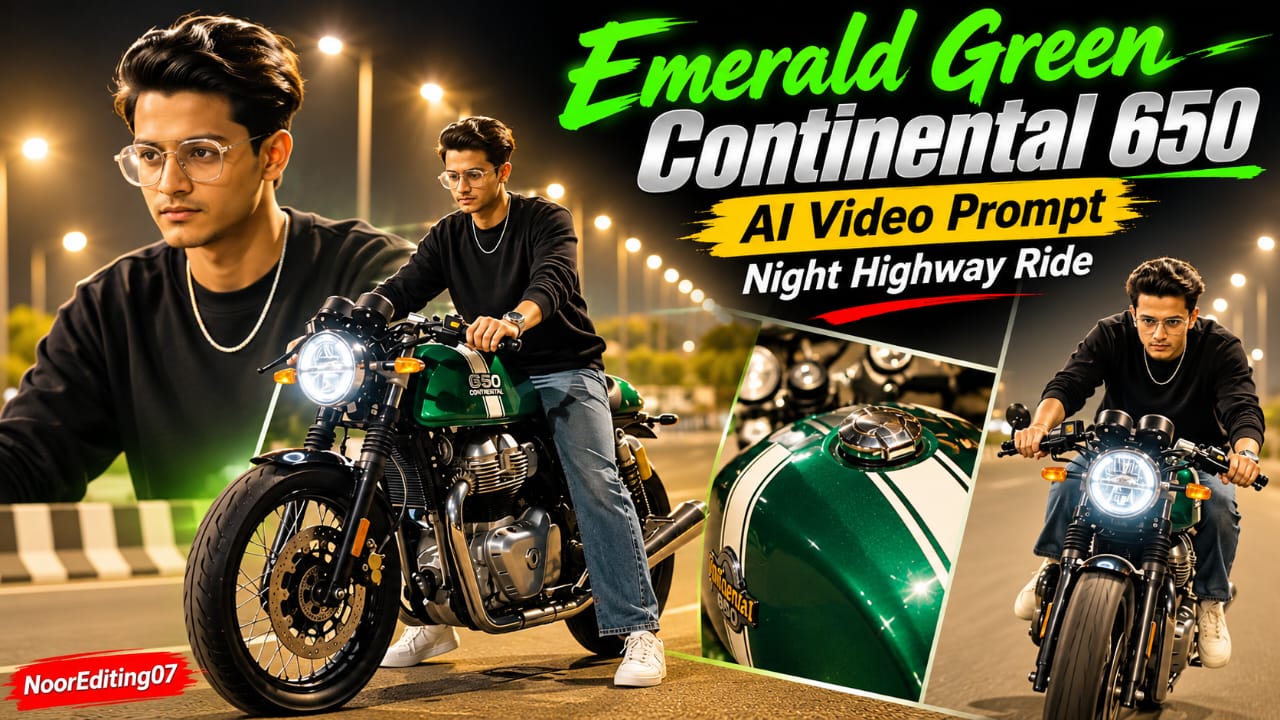
5. Emerald Green Continental 650 AI Video Prompt – 19 Cinematic Scenes
Motorcycle cinematic videos mein stylish bike design, dramatic highway lighting aur dynamic camera angles ka combination ek premium visual experience create karta hai. Emerald Green Continental 650 AI Video Prompt ek metallic emerald-green cafe racer aur bareheaded rider par based hai. Is concept mein motorcycle beauty shots, rider close-ups, walking moments aur highway riding sequences ko 19 planned scenes mein arrange kiya gaya hai.
Motorcycle ka main design metallic emerald-green body, white racing stripes, clip-on handlebars, round LED headlight aur green engine underglow ke saath describe kiya gaya hai. Rider black crewneck long-sleeve sweatshirt, loose-fit washed blue jeans, white sneakers aur silver chain pehenta hai.
Flow AI Mein Continental 650 Cinematic Video Kaise Banaye
Step 1: Sabse pehle apni clear face photograph select karein. Article mein character reference sheet banane ka concept diya gaya hai, jisme front, 3/4 profile, side profile, back view aur close-up headshot shamil hain. Isse different camera angles ke liye character reference mil sakta hai.
Step 2: Rider ke outfit ko same rakhein. Is video concept mein black long-sleeve sweatshirt, loose washed-blue jeans, white sneakers aur thin silver chain specified hai. Rider poore sequence mein bareheaded rahega, helmet ya cap nahi hona chahiye.
Step 3: Motorcycle ke design details ko bhi consistent rakhein. Metallic emerald-green Continental 650 cafe racer, white racing stripes, round LED headlight, clip-on handlebars aur green engine underglow is concept ke important elements hain.
Step 4: Prompt07AI article se Emerald Green Continental 650 AI Video Prompt copy karein. Ismein 19 scenes, rider identity, motorcycle design, highway environment aur camera movements ki details di gayi hain.
Step 5: Flow AI ya supported video-generation platform open karein. Character reference image aur master video prompt add karein. Vertical 9:16 format aur 19-scene sequence ko target karein, agar platform required duration aur settings support karta ho.
Step 6: Opening scenes mein motorcycle ke front wheel ka low-angle static shot aur rider ka bike par baithkar dono feet se use backward move karna dikhaya gaya hai. Uske baad green fuel tank, clip-on handlebars aur dual instrument dials ke close-up shots aate hain.
Step 7: Middle sequence mein rider bike ke paas walk karta hai, empty highway par back-view pose deta hai aur motorcycle ke paas approach karta hai. Phir woh seat par baithta hai, handlebars hold karta hai aur apni sitting position adjust karta hai.
Step 8: Footwear detail shot mein white sneaker footpeg par, chrome exhaust aur GT 650 badge highlight hote hain. Final section mein motorcycle asphalt highway par accelerate karti hai aur rider streetlights ke neeche smooth cruising shots perform karta hai.
Step 9: Final generated video ko review karein. Bike ka colour, body design, rider ka face, outfit, green engine lighting aur scene order consistent rehna chahiye. Agar generator kisi scene mein motorcycle ka design change kare, to prompt ko refine karein.
Cinematic Night Highway Look Kaise Maintain Karein
Background mein brightly illuminated night highway aur warm amber streetlight bokeh specified hai. Shadows ko excessively dark nahi rakhna hai, taaki rider aur motorcycle ki details clearly visible rahen. Green engine underglow bike ke lower area ko highlight karta hai.
Prompt mein 120fps visual style aur 8K cinematic appearance ka target diya gaya hai. Actual resolution aur frame rate AI video generator ki supported settings par depend karte hain. Bottom corner par small NoorEditing07 watermark specified hai. Agar AI text accurately generate na kare, to watermark editing ke waqt add kar sakte hain.
Is prompt ka main focus 19 scenes ke through motorcycle beauty shots se dynamic highway riding tak ek continuous cinematic visual story create karna hai.