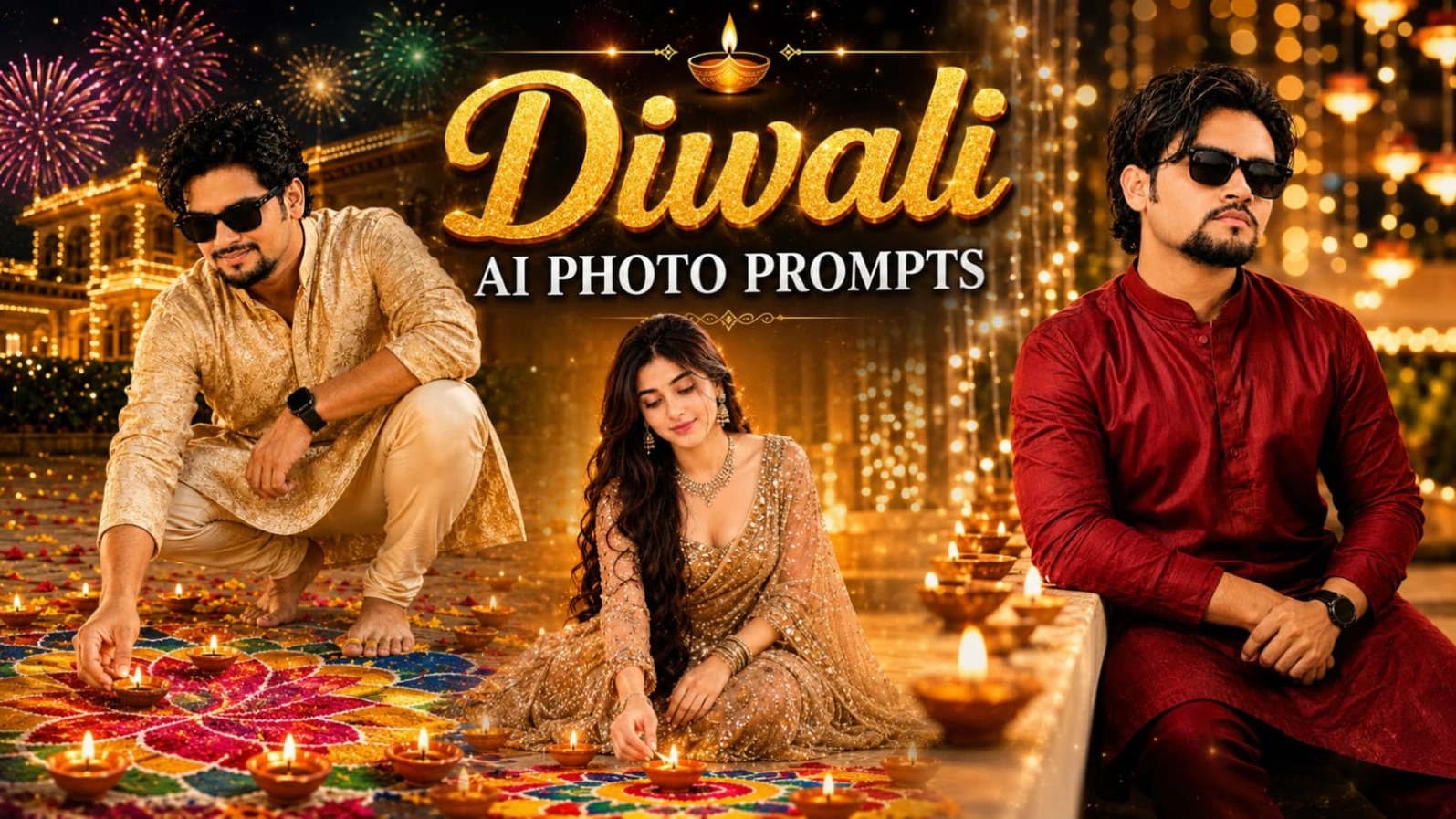
7 Diwali AI Photo Prompts for Boys and Girls – Create Realistic Festive Portraits
Diwali is a beautiful festival filled with lights, traditional outfits, glowing diyas, colourful rangoli and joyful celebrations. It is also a wonderful opportunity to create special photographs for social media, festive greetings and personal memories.
If you want to create professional-looking Diwali portraits using your own photograph, this collection of 7 Diwali AI Photo Prompts for boys and girls can help you get started.
These prompts feature realistic DSLR-style photography, traditional Indian outfits, warm golden lighting, decorative backgrounds and natural festive expressions. Each prompt describes a different scene, allowing you to experiment with multiple Diwali photography styles without changing the main concept.
All seven designs use a vertical 4:5 composition, making them suitable for Instagram portrait posts and other social media platforms.
Why Use These Diwali AI Photo Prompts?
Traditional festive photography often requires a decorated location, suitable clothing, lighting equipment and a professional photographer. AI image-generation tools offer another way to experiment with these creative ideas.
By combining a reference photograph with a detailed prompt, you can guide the image generator toward a particular outfit, pose, background and lighting style.
This collection includes different concepts for men and women, from lighting a traditional clay diya to sitting beside a colourful rangoli. Every design has its own visual identity and festive atmosphere.
Prompt 1: Traditional White Kurta Diwali Balcony Portrait
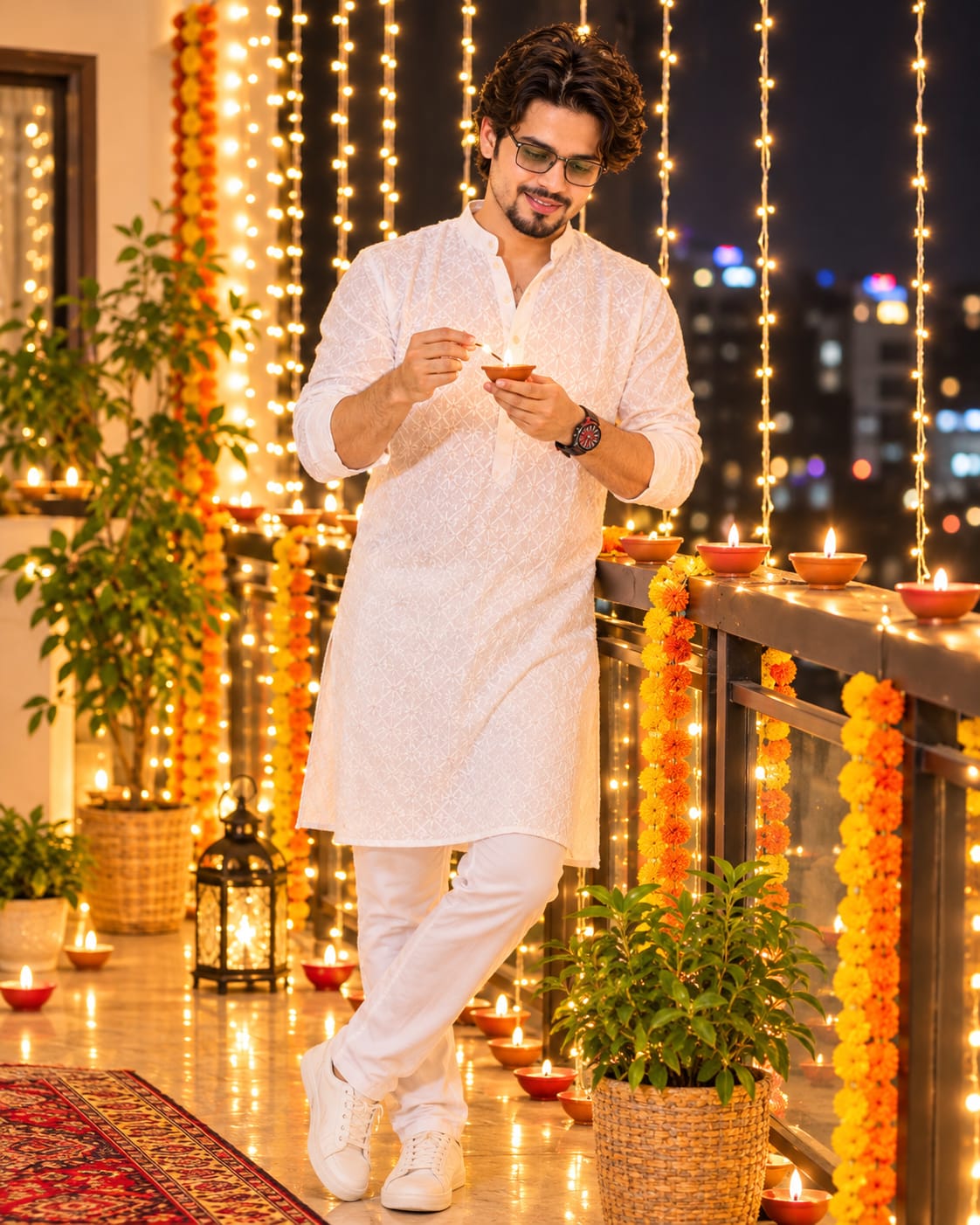
The first concept features a young Indian man standing on a beautifully decorated balcony at night.
He wears a white chikankari-embroidered full-sleeve kurta with a mandarin collar, white straight pants and clean white sneakers. A red-dial wristwatch with a dark strap completes the look.
The subject gently leans while lighting a small clay diya with a matchstick. His attention remains focused on the flame, creating a natural and peaceful festive moment.
The balcony is decorated with warm fairy lights, orange and yellow marigold garlands, multiple glowing diyas, potted plants, a metal lantern and a red patterned rug. A softly blurred night city skyline adds depth to the background.
Warm golden light from the diya illuminates the subject's face and hands. This prompt is perfect for anyone who prefers simple traditional clothing and an elegant Diwali balcony photograph.
Prompt 2: Mint Green Lehenga Diya Portrait
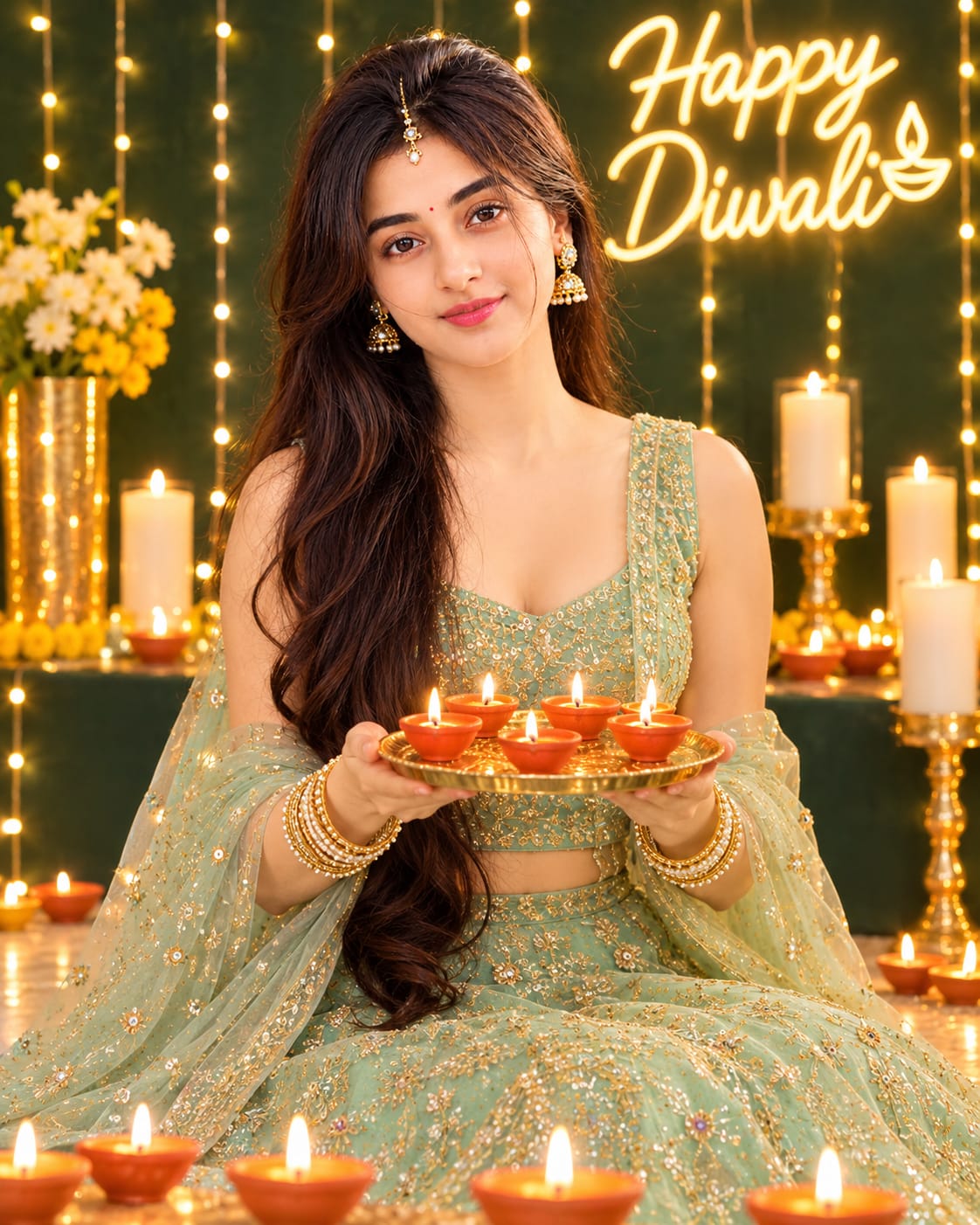
The second design features a young Indian woman sitting gracefully on the floor while holding a golden brass plate containing five lit clay diyas.
She wears a pastel mint-green lehenga with gold thread embroidery and a matching sheer net dupatta. A gold-and-pearl maang-tikka, gold jhumka earrings, stacked bangles and a small red bindi complete her festive appearance.
Her long, wavy brown hair and soft smile create a graceful traditional portrait.
The background includes a dark green wall decorated with warm fairy lights. A glowing neon-style "Happy Diwali" sign appears above her, while white pillar candles and rows of lit diyas add warmth to the composition.
The golden candlelight creates a beautiful contrast with the mint-green outfit and dark green background.
Prompt 3: Yellow and Green Lehenga Rangoli Portrait
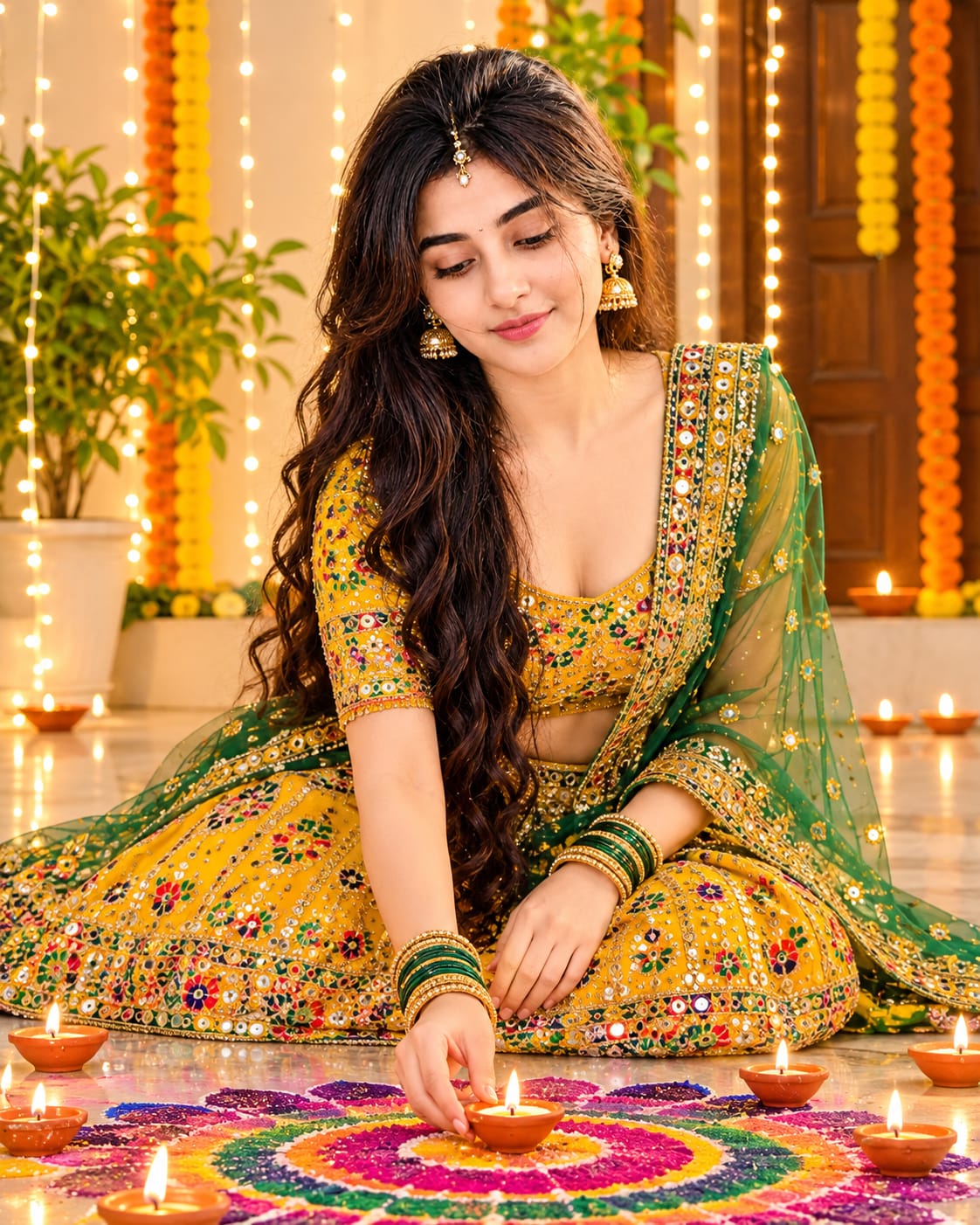
This prompt captures a traditional Diwali decoration moment in a courtyard.
A young Indian woman with long curly black hair sits on the floor, looking down with a gentle smile while placing a small lit diya in the centre of a colourful rangoli.
Her outfit consists of a bright yellow and green lehenga choli with multicolour embroidery and mirror work. A green net dupatta with embroidered gold borders, gold earrings, green-and-gold bangles and a small bindi complete the look.
The cream-coloured courtyard features a wooden door, green potted plants, hanging fairy lights and orange-yellow marigold garlands.
The colourful spiral rangoli combines pink, purple, green and yellow patterns, surrounded by multiple glowing diyas. This concept is ideal for creating a traditional and joyful festive portrait.
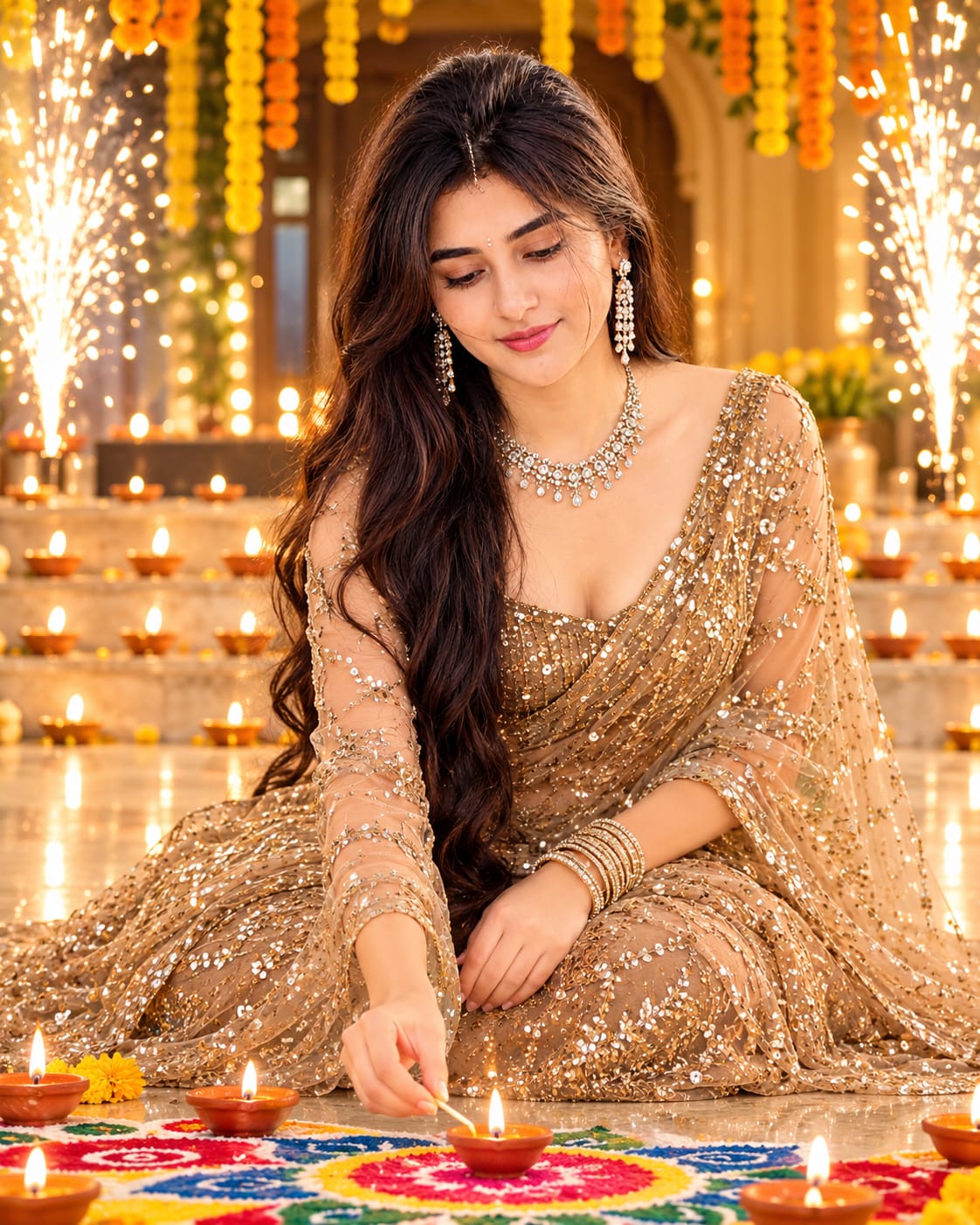
The fourth concept features a glamorous Indian woman wearing a champagne-beige designer saree with sequin and gold-thread embroidery.
The saree includes a delicate net drape and sheer embroidered sleeves, paired with an off-shoulder neckline. A heavy diamond necklace and long diamond drop earrings complete the elegant styling.
She kneels on the floor and looks down toward a lit clay diya, which she is lighting with a thin matchstick.
The setting is a warm golden arched hall decorated with marigold garlands and rows of glowing tea lights on the steps. White sparkler fireworks appear on the sides, while the floor features a colourful rangoli with red, blue, yellow and green patterns.
This design combines traditional Diwali decorations with a premium festive fashion-shoot appearance.
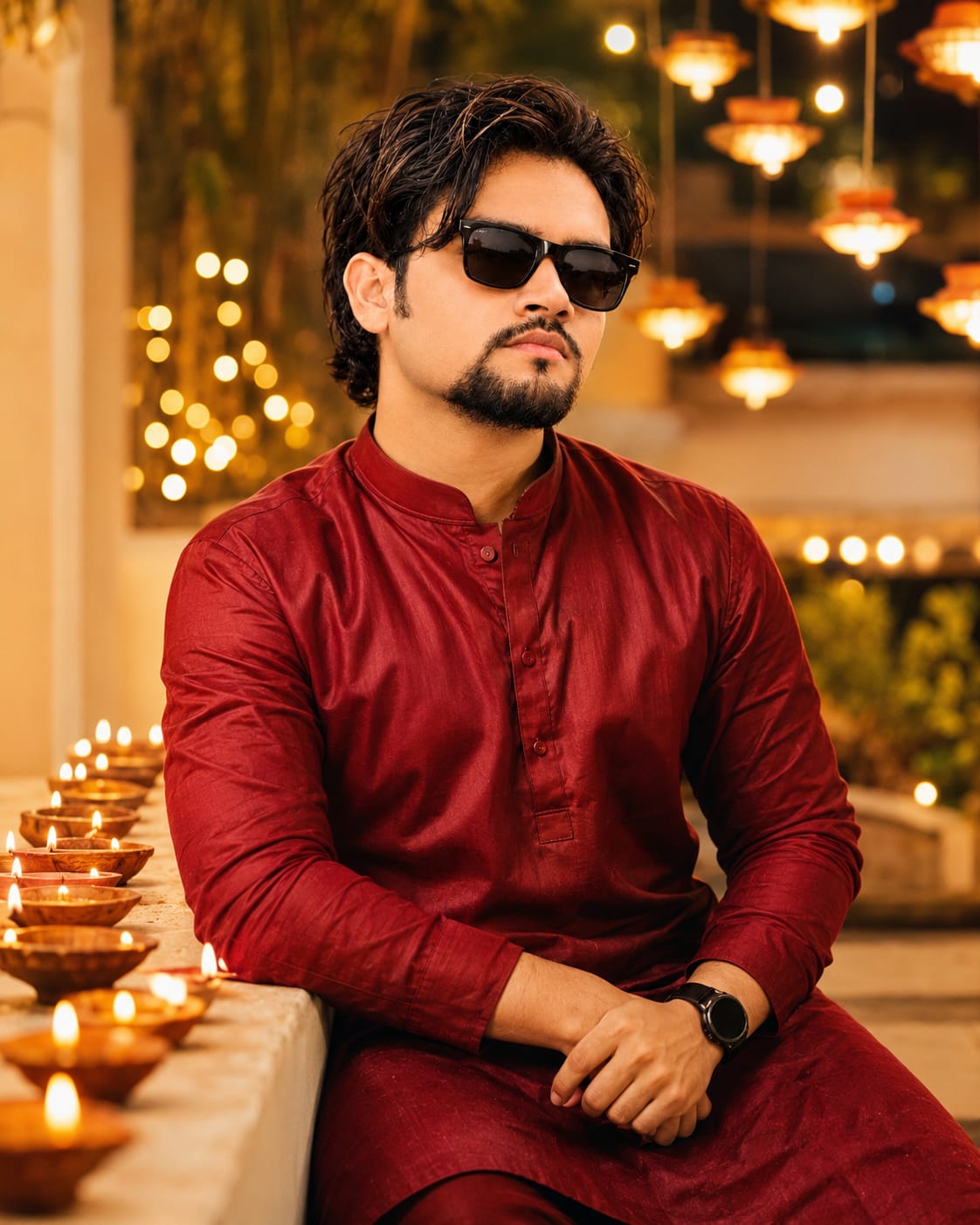
Prompt 5: Deep Red Kurta Warm Fairy Light Portrait
The fifth design is a stylish and simple portrait for men.
The subject wears a deep red satin-finish full-sleeve kurta with a mandarin collar and matching red pants. A black round smartwatch completes the outfit.
He smiles warmly at the camera while resting both hands on a ledge decorated with glowing clay diyas.
Behind him, hanging diyas and warm fairy lights create large golden bokeh circles. The bright terrace background adds a festive atmosphere without distracting from the subject.
The shallow depth of field keeps the focus on his face and outfit, while the warm golden colour grading creates an elegant Diwali portrait.
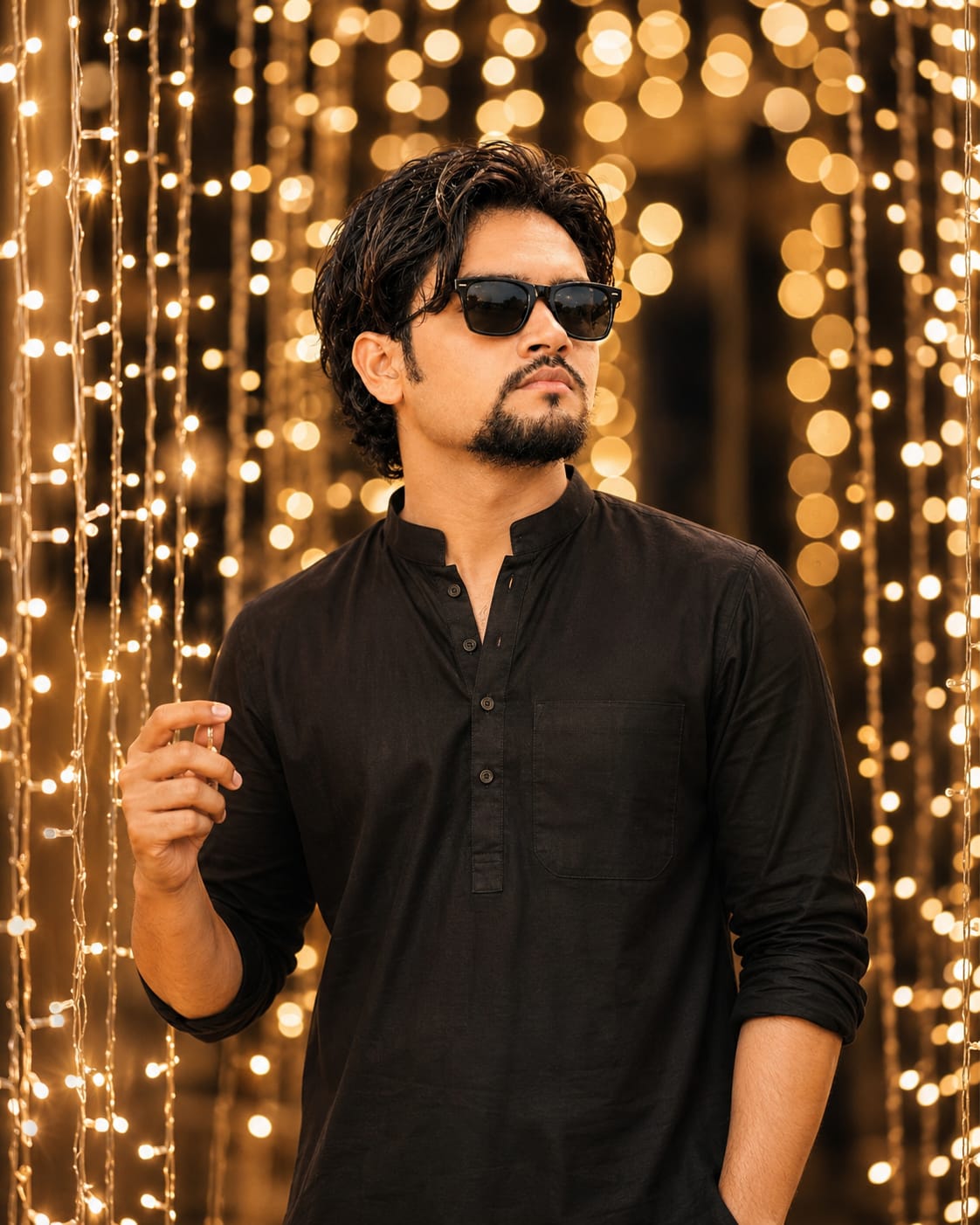
Prompt 6: Black Kurta Fairy Light Portrait
This concept features a young Indian man wearing a plain black full-sleeve kurta with a mandarin collar, front placket and chest pocket.
His short, messy black hair and gentle smile complement the simple traditional outfit.
He stands between hanging curtains of warm fairy lights, looking upward and to the right while gently holding one light string between his fingers.
The background creates a tunnel-like arrangement of golden lights with large soft bokeh circles. Dark warm tones make the glowing lights stand out beautifully.
This prompt is a great choice for anyone who prefers a minimal, elegant and modern Diwali portrait.
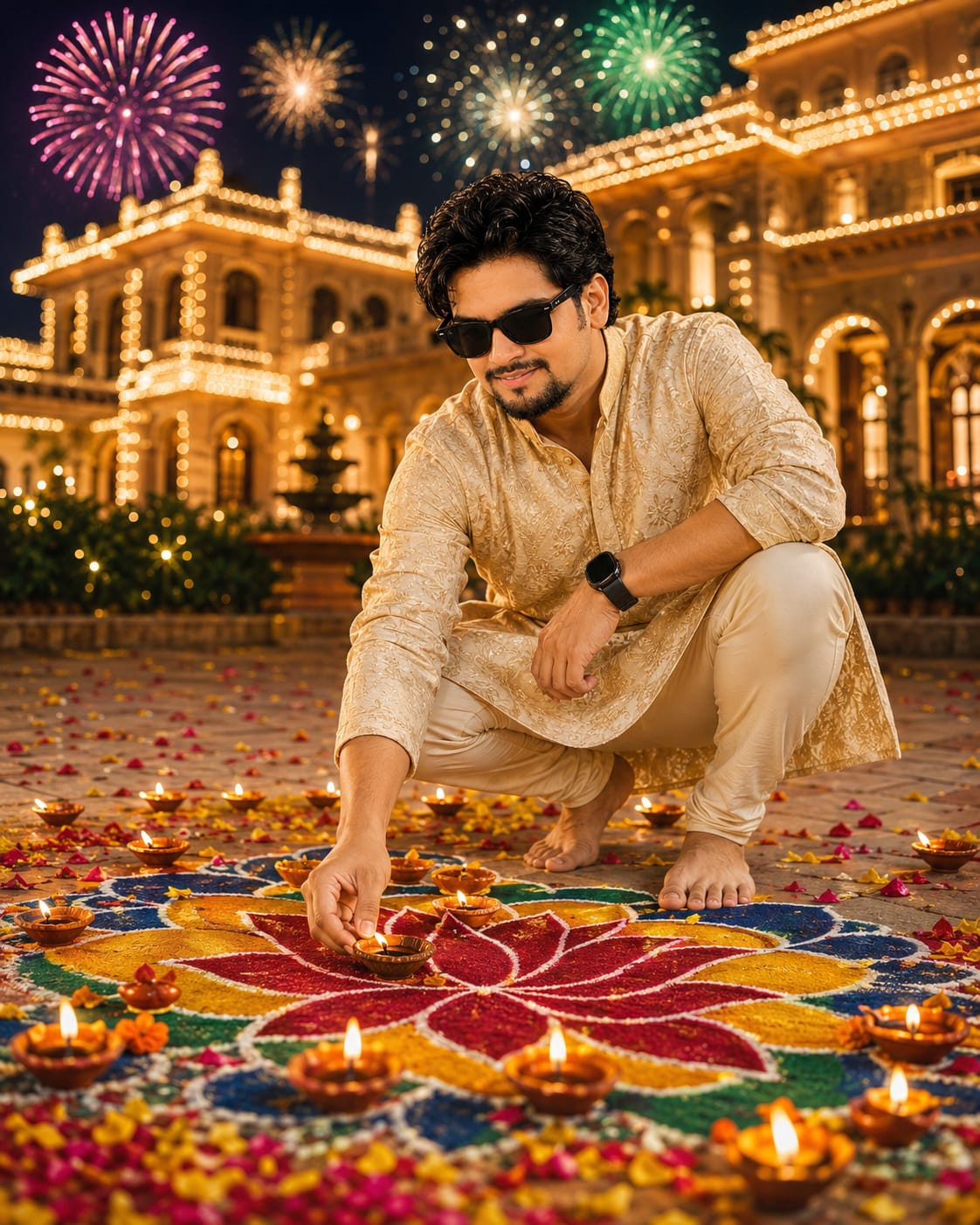
The final concept features a young Indian man crouching barefoot on a decorated courtyard floor.
He wears a cream-gold self-embroidered full-sleeve kurta with a mandarin collar and cream churidar-style pants. A black round smartwatch completes his outfit.
He smiles gently while looking down and placing a lit clay diya on a large colourful rangoli.
The background features a beautifully decorated mansion with warm fairy lights across the roof and walls. Pink, gold and green fireworks illuminate the night sky, while a large rangoli with a red lotus, yellow petals and blue-green patterns fills the foreground.
Multiple lit diyas and scattered flower petals complete the festive atmosphere. The low-angle wide composition gives the photograph a grand celebration feel.
How to Maintain Your Original Face in AI Photos
All seven prompts include instructions to use an uploaded photograph as the face and identity reference.
For better results, select a clear reference image with visible facial features and natural lighting. Avoid photographs with heavy filters, excessive shadows or face obstructions.
The prompts describe consistent facial features, natural skin texture and realistic blending between the face and body. If your image-generation tool offers character reference, face reference or image guidance controls, use the available options to guide the result.
Keep in mind that exact identity preservation is not guaranteed by every AI image generator. Always review the generated face, hands and other details before using the final image.
Final Words
These 7 Diwali AI Photo Prompts provide a variety of festive photography ideas for boys and girls. You can choose a traditional white kurta balcony portrait, a mint-green lehenga design, a colourful rangoli scene, an elegant saree portrait or a warm fairy-light photograph.
Each prompt is designed to create a different festive atmosphere while maintaining a realistic DSLR-style visual appearance.
Choose your favourite prompt, upload your reference photograph and create a personalised Diwali portrait for your social media posts, festive greetings and special memories.
AI PHOTO PROMPT
An ultra-realistic cinematic 4:5 portrait photograph (DSLR-quality, shot on an 85mm f/1.4 lens) of the handsome South Asian man, maintaining his exact...
An ultra-realistic cinematic 4:5 portrait photograph (DSLR-quality, shot on an 85mm f/1.4 lens) of the handsome South Asian man (image_1.png), maintaining his exact 100% face identity, jawline, short dark hair, and neatly groomed goatee beard, but rendered with lighter, natural facial hair stubble instead of the fuller beard. He has authentic skin textures with natural pores and no digital smoothing or blemishes.
He is captured in a candid, natural full-body pose on a festive, heavily decorated apartment balcony at night during Diwali. He is leaning slightly, looking down affectionately with a gentle, soft smile as he carefully lights a small traditional clay diya (oil lamp) held in one hand with a thin, glowing matchstick held in his other hand. The warm, flickering golden flame of the diya cast natural, warm illumination across his face, hands, and the intricate fabric.
He is dressed in festive attire: an intricately patterned white chikankari-embroidered full-sleeve kurta with a mandarin collar (sleeves naturally rolled up to the mid-forearm), straight-cut white cotton trousers, and clean casual white sneakers. He wears a red-dial wristwatch with a dark leather strap on his left wrist, and a dark beaded bracelet on his right wrist.
The balcony environment is deeply festive, cluttered with rich, warm Diwali decorations: cascading curtains of warm fairy lights, dense orange and yellow marigold flower garlands draped along the dark railing, and rows of numerous flickering clay diyas resting on the ledge, steps, and floor. Below on the floor is a richly patterned red and orange festive rug, along with potted balcony plants in woven natural baskets and a vintage metal lantern.
The background transitions into a softly blurred, deep blue night skyline of an Indian city, filled with the warm, vibrant bokeh of distant lights and festive celebrations. Rich natural film grain, natural shadows, and cinema-grade warm color grading, with a beautiful shallow depth of field that keeps him sharply in focus while the background melts into colorful festive bokeh.
AI PHOTO PROMPT
An ultra-realistic cinematic 4:5 portrait photograph (DSLR-quality, shot on an 85mm f/1.4 lens) of the handsome South Asian man, maintaining his exact...
An ultra-realistic cinematic 4:5 portrait photograph (DSLR-quality, shot on an 85mm f/1.4 lens) of the handsome South Asian man (image_1.png), maintaining his exact 100% face identity, jawline, short dark hair, and neatly groomed goatee beard, but rendered with lighter, natural facial hair stubble instead of the fuller beard. He has authentic skin textures with natural pores and no digital smoothing or blemishes.
He is captured in a candid, natural full-body pose on a festive, heavily decorated apartment balcony at night during Diwali. He is leaning slightly, looking down affectionately with a gentle, soft smile as he carefully lights a small traditional clay diya (oil lamp) held in one hand with a thin, glowing matchstick held in his other hand. The warm, flickering golden flame of the diya cast natural, warm illumination across his face, hands, and the intricate fabric.
He is dressed in festive attire: an intricately patterned white chikankari-embroidered full-sleeve kurta with a mandarin collar (sleeves naturally rolled up to the mid-forearm), straight-cut white cotton trousers, and clean casual white sneakers. He wears a red-dial wristwatch with a dark leather strap on his left wrist, and a dark beaded bracelet on his right wrist.
The balcony environment is deeply festive, cluttered with rich, warm Diwali decorations: cascading curtains of warm fairy lights, dense orange and yellow marigold flower garlands draped along the dark railing, and rows of numerous flickering clay diyas resting on the ledge, steps, and floor. Below on the floor is a richly patterned red and orange festive rug, along with potted balcony plants in woven natural baskets and a vintage metal lantern.
The background transitions into a softly blurred, deep blue night skyline of an Indian city, filled with the warm, vibrant bokeh of distant lights and festive celebrations. Rich natural film grain, natural shadows, and cinema-grade warm color grading, with a beautiful shallow depth of field that keeps him sharply in focus while the background melts into colorful festive bokeh.
AI PHOTO PROMPT
A candid, ultra-realistic cinematic 4:5 portrait photograph (DSLR-quality, shot on an 85mm f/1.4 lens with a natural film grain) of the young Indian woman (based on image_1.png/image_0.png...
A candid, ultra-realistic cinematic 4:5 portrait photograph (DSLR-quality, shot on an 85mm f/1.4 lens with a natural film grain) of the young Indian woman (based on image_1.png/image_0.png in the conversation history, but naturally adapted to a female subject), maintaining her exact 100% facial features, jawline, and age, but with long, wavy, glossy dark brown hair cascading over her shoulders and worn open with a gold-and-pearl maang-tikka on her forehead. She has a small red bindi between her eyebrows. Her skin is clean, clear, smooth, and even-toned with natural pores, entirely free of blemishes or digital smoothing.
She is sitting gracefully on the floor of an indoor festive setting, looking directly at the camera with a soft, natural smile. She is holding a decorative golden brass plate (thaali) containing five small, warmly lit clay diyas with both hands. The gentle, flickering warm golden glow of the diyas naturally illuminates her face, hands, and the intricate fabric.
She wears a festive pastel mint-green lehenga heavily embellished with gold thread and sequin embroidery, and a matching sheer net dupatta with gold borders draped gracefully over her arms and shoulder. She is adorned with gold jhumka earrings, a gold neckpiece, and stacked gold bangles on her wrists, with natural-looking festive henna (mehndi) on her hands.
The background features a dark forest-green wall decorated with hanging strings of warm, glowing fairy lights and marigold garlands. At the top of the dark wall is a softly glowing neon-style sign reading "Happy Diwali" in warm white-gold cursive script. On the floor behind and around her, numerous white pillar candles of varying heights and rows of glowing clay diyas create a warm, festive ambience. In the foreground, out-of-focus lit clay diyas provide natural front bokeh.
The scene is naturally lit by candlelight, diya flames, and fairy lights, with cinematic warm color grading. Excellent shallow depth of field, natural shadows, with her and the brass plate in sharp focus while the foreground and background fade into rich, soft bokeh. No digital filters, no distortion, no extra fingers, no text or watermark.
AI PHOTO PROMPT
A candid, ultra-realistic cinematic 4:5 portrait photograph (DSLR-quality, shot on an 85mm f/1.4 lens with a natural film grain) of the young Indian woman (based on image_1.png/image_0.png...
A candid, ultra-realistic cinematic 4:5 portrait photograph (DSLR-quality, shot on an 85mm f/1.4 lens with a natural film grain) of the young Indian woman (based on image_1.png/image_0.png in the conversation history, but naturally adapted to a female subject), maintaining her exact 100% facial features, jawline, and age, but with long, wavy, glossy dark brown hair cascading over her shoulders and worn open with a gold-and-pearl maang-tikka on her forehead. She has a small red bindi between her eyebrows. Her skin is clean, clear, smooth, and even-toned with natural pores, entirely free of blemishes or digital smoothing.
She is sitting gracefully on the floor of an indoor festive setting, looking directly at the camera with a soft, natural smile. She is holding a decorative golden brass plate (thaali) containing five small, warmly lit clay diyas with both hands. The gentle, flickering warm golden glow of the diyas naturally illuminates her face, hands, and the intricate fabric.
She wears a festive pastel mint-green lehenga heavily embellished with gold thread and sequin embroidery, and a matching sheer net dupatta with gold borders draped gracefully over her arms and shoulder. She is adorned with gold jhumka earrings, a gold neckpiece, and stacked gold bangles on her wrists, with natural-looking festive henna (mehndi) on her hands.
The background features a dark forest-green wall decorated with hanging strings of warm, glowing fairy lights and marigold garlands. At the top of the dark wall is a softly glowing neon-style sign reading "Happy Diwali" in warm white-gold cursive script. On the floor behind and around her, numerous white pillar candles of varying heights and rows of glowing clay diyas create a warm, festive ambience. In the foreground, out-of-focus lit clay diyas provide natural front bokeh.
The scene is naturally lit by candlelight, diya flames, and fairy lights, with cinematic warm color grading. Excellent shallow depth of field, natural shadows, with her and the brass plate in sharp focus while the foreground and background fade into rich, soft bokeh. No digital filters, no distortion, no extra fingers, no text or watermark.
AI PHOTO PROMPT
Format 4:5, ultra-realistic cinematic portrait photo, 8K, razor-sharp detail, natural skin texture, no plastic look, looks like a real DSLR photo, shot on a 50mm f/1.4 lens...
Format 4:5, ultra-realistic cinematic portrait photo, 8K, razor-sharp detail, natural skin texture, no plastic look, looks like a real DSLR photo, shot on a 50mm f/1.4 lens, candid. A young Indian woman, who has the exact same face, features, and age as the woman in image_3.png, with long, voluminous curly black hair cascading over her shoulders. Her skin is clean, clear, smooth, and even-toned, with natural pores, entirely free of digital smoothing. She wears a small red bindi on her forehead, gold jhumka earrings, and stacked green and gold bangles on her wrists.
She is sitting gracefully on the polished marble floor of a courtyard at twilight, leaning forward slightly as she looks down with a gentle, soft smile while carefully placing a small lit clay diya (oil lamp) in the center of a large, colorful, intricate spiral rangoli on the ground. Her hands show natural skin folds and natural-looking henna (mehndi).
She is wearing a traditional, festive bright yellow and green lehenga choli with heavy, multi-color embroidery and mirror work, paired with a green net dupatta that has gold-embroidered borders.
The setting is an open courtyard at dusk with cream-colored walls and a traditional wooden door. The environment is heavily decorated for a festival with hanging strings of warm fairy lights, orange and yellow marigold garlands, and numerous green potted plants.
A big, elaborate, colorful spiral rangoli made of pink, purple, green, and yellow patterns on the floor is surrounded by dozens of small, warmly lit clay diyas. Warm golden light from the diyas and fairy lights naturally illuminates her face, the rich fabrics, and the ground, casting natural shadows.
The scene has a shallow depth of field, natural film grain, and cinema-grade warm color grading, with her, the rangoli, and the diya in sharp focus, while the courtyard and distant lighting fade into soft bokeh. No watermark, no distortion.
AI PHOTO PROMPT
Format 4:5, ultra-realistic cinematic portrait photo, 8K, razor-sharp detail, natural skin texture, no plastic look, looks like a real DSLR photo, shot on a 50mm f/1.4 lens...
Format 4:5, ultra-realistic cinematic portrait photo, 8K, razor-sharp detail, natural skin texture, no plastic look, looks like a real DSLR photo, shot on a 50mm f/1.4 lens, candid. A young Indian woman, who has the exact same face, features, and age as the woman in image_3.png, with long, voluminous curly black hair cascading over her shoulders. Her skin is clean, clear, smooth, and even-toned, with natural pores, entirely free of digital smoothing. She wears a small red bindi on her forehead, gold jhumka earrings, and stacked green and gold bangles on her wrists.
She is sitting gracefully on the polished marble floor of a courtyard at twilight, leaning forward slightly as she looks down with a gentle, soft smile while carefully placing a small lit clay diya (oil lamp) in the center of a large, colorful, intricate spiral rangoli on the ground. Her hands show natural skin folds and natural-looking henna (mehndi).
She is wearing a traditional, festive bright yellow and green lehenga choli with heavy, multi-color embroidery and mirror work, paired with a green net dupatta that has gold-embroidered borders.
The setting is an open courtyard at dusk with cream-colored walls and a traditional wooden door. The environment is heavily decorated for a festival with hanging strings of warm fairy lights, orange and yellow marigold garlands, and numerous green potted plants.
A big, elaborate, colorful spiral rangoli made of pink, purple, green, and yellow patterns on the floor is surrounded by dozens of small, warmly lit clay diyas. Warm golden light from the diyas and fairy lights naturally illuminates her face, the rich fabrics, and the ground, casting natural shadows.
The scene has a shallow depth of field, natural film grain, and cinema-grade warm color grading, with her, the rangoli, and the diya in sharp focus, while the courtyard and distant lighting fade into soft bokeh. No watermark, no distortion.
AI PHOTO PROMPT
An ultra-realistic, cinematic portrait photograph (DSLR-quality, shot on a 50mm f/1.4 lens with a natural film grain) of a young Indian woman (image_4.png)...
An ultra-realistic, cinematic portrait photograph (DSLR-quality, shot on a 50mm f/1.4 lens with a natural film grain) of a young Indian woman, who has the exact same face, features, and age as the woman in image_4.png, with long, dark, wavy black hair styled in a center parting cascading over her shoulders. Her skin is clean, clear, smooth, and even-toned, with natural pores, entirely free of digital smoothing or blemishes. She wears a heavy, elaborate diamond necklace with matching long diamond drop earrings, a small bindi, and stacked bangles on her wrists.
She is kneeling gracefully on the polished floor of a grand, warm arched hall at dusk, leaning forward slightly as she looks down with a gentle, soft smile while carefully lighting a small clay diya (oil lamp) with a thin matchstick in her hands, placing it in the center of a colorful rangoli. Her hands show natural skin folds and realistic finger proportions.
She wears a champagne-beige sequin and gold-thread embroidered designer saree with a net drape and sheer embroidered long sleeves, and an off-shoulder neckline, with natural fabric folds and intricate sequin catch-lights.
The setting is a grand arched indoor hall with warm golden architectural details, intricately decorated for a festival. Large marigold and floral garlands hang from the ornate arches at the top, and rows of small glowing tea lights are arranged on steps in the background. At the sides, white sparkler fireworks (phuljhadi) are bursting, capturing small glowing sparks and smoke.
On the polished floor, an elaborate, colorful rangoli in red, blue, yellow, and green with intricate white powder swirl designs is surrounded by many small, warmly lit clay diyas. Warm, flickering golden light from the diyas, sparks, and festival lighting naturally illuminates her face, the glittering saree, and the ground, casting natural shadows and soft reflections on the floor.
The scene has a shallow depth of field, natural film grain, and cinema-grade warm color grading, with her and the diya she is lighting in sharp focus, while the sparks, arched hall, and steps fade into rich, soft bokeh. No watermark, no distortion.
AI PHOTO PROMPT
An ultra-realistic, cinematic portrait photograph (DSLR-quality, shot on a 50mm f/1.4 lens with a natural film grain) of a young Indian woman (image_4.png)...
An ultra-realistic, cinematic portrait photograph (DSLR-quality, shot on a 50mm f/1.4 lens with a natural film grain) of a young Indian woman, who has the exact same face, features, and age as the woman in image_4.png, with long, dark, wavy black hair styled in a center parting cascading over her shoulders. Her skin is clean, clear, smooth, and even-toned, with natural pores, entirely free of digital smoothing or blemishes. She wears a heavy, elaborate diamond necklace with matching long diamond drop earrings, a small bindi, and stacked bangles on her wrists.
She is kneeling gracefully on the polished floor of a grand, warm arched hall at dusk, leaning forward slightly as she looks down with a gentle, soft smile while carefully lighting a small clay diya (oil lamp) with a thin matchstick in her hands, placing it in the center of a colorful rangoli. Her hands show natural skin folds and realistic finger proportions.
She wears a champagne-beige sequin and gold-thread embroidered designer saree with a net drape and sheer embroidered long sleeves, and an off-shoulder neckline, with natural fabric folds and intricate sequin catch-lights.
The setting is a grand arched indoor hall with warm golden architectural details, intricately decorated for a festival. Large marigold and floral garlands hang from the ornate arches at the top, and rows of small glowing tea lights are arranged on steps in the background. At the sides, white sparkler fireworks (phuljhadi) are bursting, capturing small glowing sparks and smoke.
On the polished floor, an elaborate, colorful rangoli in red, blue, yellow, and green with intricate white powder swirl designs is surrounded by many small, warmly lit clay diyas. Warm, flickering golden light from the diyas, sparks, and festival lighting naturally illuminates her face, the glittering saree, and the ground, casting natural shadows and soft reflections on the floor.
The scene has a shallow depth of field, natural film grain, and cinema-grade warm color grading, with her and the diya she is lighting in sharp focus, while the sparks, arched hall, and steps fade into rich, soft bokeh. No watermark, no distortion.
AI PHOTO PROMPT
An ultra-realistic, DSLR-quality candid 4:5 portrait photograph of a young South Asian man, maintaining his exact 100% face identity, jawline...
An ultra-realistic, DSLR-quality candid 4:5 portrait photograph of a young South Asian man (image_2.png), maintaining his exact 100% face identity, jawline, and natural features, but with a side-swept, layered hairstyle in dark brown with subtle light golden highlights and a short, neatly groomed stubble on his jawline instead of a full beard. His skin is natural and highly detailed with visible pores, natural skin textures, and no digital smoothing, blemishes, or imperfections. He is looking directly at the camera with a warm, genuine, and cheerful smile, leaning forward slightly as he gently rests his hands on a stone balcony ledge.
He is dressed in festive attire: a rich, deep red satin-finish full-sleeve kurta with a mandarin collar, a buttoned placket with subtle embroidered details, and matching red trousers. A black round smartwatch with a dark strap is worn on his left wrist, and a dark beaded bracelet on his right wrist.
He is positioned on an open, brightly lit terrace at dusk, leaning against a stone ledge that is densely lined with many glowing traditional clay diyas (oil lamps), which are casting a warm, natural flickering golden glow onto his face, hands, and the fabric of his kurta.
The background is a vibrant, festive outdoor terrace filled with cascading strings of warm fairy lights, hanging lanterns, and garlands. The background and the foreground show a beautiful, shallow depth of field, with out-of-focus lights creating large, soft, golden bokeh circles.
The image is captured with an 85mm f/1.4 portrait prime lens, featuring cinematic warm color grading, natural evening shadows, and authentic film grain. The shot is razor-sharp on his face and hands, while the festive atmosphere of the terrace and the twinkling holiday lights softly blur into rich, atmospheric bokeh. No watermarks, text, or digital smoothing.
AI PHOTO PROMPT
An ultra-realistic, DSLR-quality candid 4:5 portrait photograph of a young South Asian man, maintaining his exact 100% face identity, jawline...
An ultra-realistic, DSLR-quality candid 4:5 portrait photograph of a young South Asian man (image_2.png), maintaining his exact 100% face identity, jawline, and natural features, but with a side-swept, layered hairstyle in dark brown with subtle light golden highlights and a short, neatly groomed stubble on his jawline instead of a full beard. His skin is natural and highly detailed with visible pores, natural skin textures, and no digital smoothing, blemishes, or imperfections. He is looking directly at the camera with a warm, genuine, and cheerful smile, leaning forward slightly as he gently rests his hands on a stone balcony ledge.
He is dressed in festive attire: a rich, deep red satin-finish full-sleeve kurta with a mandarin collar, a buttoned placket with subtle embroidered details, and matching red trousers. A black round smartwatch with a dark strap is worn on his left wrist, and a dark beaded bracelet on his right wrist.
He is positioned on an open, brightly lit terrace at dusk, leaning against a stone ledge that is densely lined with many glowing traditional clay diyas (oil lamps), which are casting a warm, natural flickering golden glow onto his face, hands, and the fabric of his kurta.
The background is a vibrant, festive outdoor terrace filled with cascading strings of warm fairy lights, hanging lanterns, and garlands. The background and the foreground show a beautiful, shallow depth of field, with out-of-focus lights creating large, soft, golden bokeh circles.
The image is captured with an 85mm f/1.4 portrait prime lens, featuring cinematic warm color grading, natural evening shadows, and authentic film grain. The shot is razor-sharp on his face and hands, while the festive atmosphere of the terrace and the twinkling holiday lights softly blur into rich, atmospheric bokeh. No watermarks, text, or digital smoothing.
AI PHOTO PROMPT
An ultra-realistic, DSLR-quality candid 4:5 portrait photograph of a young South Asian man, maintaining his exact 100% face identity, jawline...
An ultra-realistic, DSLR-quality candid 4:5 portrait photograph of a young South Asian man (image_6.png), maintaining his exact 100% face identity, jawline, and natural features, but with short, soft, messy black hair with a natural fringe falling gently on his forehead and a short, neatly groomed stubble on his jawline instead of a full beard. His skin is natural and highly detailed with visible pores, natural skin textures, and no digital smoothing, blemishes, or imperfections. He is looking up and to the right with a gentle, thoughtful smile, captured in a candid moment as he stands within hanging curtains of warm fairy lights on a balcony or outdoor terrace at night. He is holding one of the delicate, glowing light strings gently between the fingers of his hand, inspects them or enjoys the festive ambience.
He is dressed in a plain black full-sleeve kurta with a mandarin collar, a front placket, and a chest pocket, with the sleeves naturally rolled up to his forearms. On his left wrist, a dark watch or band is subtly visible.
He is positioned in the middle of cascading vertical strings of warm golden fairy lights, which surround him and create a natural golden glow on his face, hands, and the fabric of his black kurta. The background is a dense tunnel of strings of warm golden lights that creates huge, soft golden bokeh circles and deep, dark warm tones in the distance.
The camera is positioned close to the hanging lights, capturing natural front bokeh as well as a rich, layered background bokeh. The image is captured with an 85mm f/1.4 portrait prime lens, featuring cinematic warm color grading, natural evening shadows, and authentic film grain. The shot is razor-sharp on his face and the hand holding the light string, while the surrounding festive lights softly blur into rich, atmospheric bokeh. No watermarks, text, or digital smoothing.
AI PHOTO PROMPT
An ultra-realistic, DSLR-quality candid 4:5 portrait photograph of a young South Asian man, maintaining his exact 100% face identity, jawline...
An ultra-realistic, DSLR-quality candid 4:5 portrait photograph of a young South Asian man (image_6.png), maintaining his exact 100% face identity, jawline, and natural features, but with short, soft, messy black hair with a natural fringe falling gently on his forehead and a short, neatly groomed stubble on his jawline instead of a full beard. His skin is natural and highly detailed with visible pores, natural skin textures, and no digital smoothing, blemishes, or imperfections. He is looking up and to the right with a gentle, thoughtful smile, captured in a candid moment as he stands within hanging curtains of warm fairy lights on a balcony or outdoor terrace at night. He is holding one of the delicate, glowing light strings gently between the fingers of his hand, inspects them or enjoys the festive ambience.
He is dressed in a plain black full-sleeve kurta with a mandarin collar, a front placket, and a chest pocket, with the sleeves naturally rolled up to his forearms. On his left wrist, a dark watch or band is subtly visible.
He is positioned in the middle of cascading vertical strings of warm golden fairy lights, which surround him and create a natural golden glow on his face, hands, and the fabric of his black kurta. The background is a dense tunnel of strings of warm golden lights that creates huge, soft golden bokeh circles and deep, dark warm tones in the distance.
The camera is positioned close to the hanging lights, capturing natural front bokeh as well as a rich, layered background bokeh. The image is captured with an 85mm f/1.4 portrait prime lens, featuring cinematic warm color grading, natural evening shadows, and authentic film grain. The shot is razor-sharp on his face and the hand holding the light string, while the surrounding festive lights softly blur into rich, atmospheric bokeh. No watermarks, text, or digital smoothing.
AI PHOTO PROMPT
A candid, ultra-realistic cinematic 4:5 portrait photograph of the young Indian man, maintaining his exact 100% facial features, identity, jawline...
Format 4:5, ultra-realistic cinematic photo, 8K, razor-sharp detail, natural skin texture, no plastic look, looks like a real DSLR photo, not AI-made. Exact same face as my uploaded photo, 100% identity match, no face change. Skin clean, clear, smooth, even-toned, no pimples, acne, spots or blemishes, but the face identity stays exactly the same. A young Indian man with short, neat, dark hair and a trimmed beard crouches barefoot on a courtyard floor, smiling and looking down while he places a lit clay diya on a huge colourful rangoli. Outfit: cream-gold self-embroidered full-sleeve kurta with a mandarin collar, cream churidar-style pants, a black round smartwatch on the left wrist, barefoot. Background: a large mansion decorated with warm fairy lights across the roof and walls, colourful fireworks in pink, gold and green bursting in the dark night sky, a big rangoli with a red lotus, yellow petals and blue-green patterns, many lit clay diyas around him, and scattered flower petals on the floor. Low-angle wide shot, warm glow on his face, shallow depth of field, cinematic warm colour grading.
AI PHOTO PROMPT
A candid, ultra-realistic cinematic 4:5 portrait photograph of the young Indian man, maintaining his exact 100% facial features, identity, jawline...
Format 4:5, ultra-realistic cinematic photo, 8K, razor-sharp detail, natural skin texture, no plastic look, looks like a real DSLR photo, not AI-made. Exact same face as my uploaded photo, 100% identity match, no face change. Skin clean, clear, smooth, even-toned, no pimples, acne, spots or blemishes, but the face identity stays exactly the same. A young Indian man with short, neat, dark hair and a trimmed beard crouches barefoot on a courtyard floor, smiling and looking down while he places a lit clay diya on a huge colourful rangoli. Outfit: cream-gold self-embroidered full-sleeve kurta with a mandarin collar, cream churidar-style pants, a black round smartwatch on the left wrist, barefoot. Background: a large mansion decorated with warm fairy lights across the roof and walls, colourful fireworks in pink, gold and green bursting in the dark night sky, a big rangoli with a red lotus, yellow petals and blue-green patterns, many lit clay diyas around him, and scattered flower petals on the floor. Low-angle wide shot, warm glow on his face, shallow depth of field, cinematic warm colour grading.
How to Create Realistic Diwali AI Photos Using Your Face
Follow these simple steps to create your own Diwali festive portrait using any of the seven prompts in this collection.
Step 1: Choose Your Favourite Prompt
First, explore all seven Diwali photo concepts.
You can choose from:
- White chikankari kurta balcony portrait.
- Mint-green lehenga diya portrait.
- Yellow and green lehenga rangoli portrait.
- Champagne-beige designer saree portrait.
- Deep red kurta fairy-light portrait.
- Black kurta golden-light portrait.
- Cream-gold kurta rangoli portrait.
Select the design that matches the look you want to create.
Step 2: Prepare Your Face Reference Photo
Choose a clear photograph of yourself or your character.
For better results, use a high-quality image with visible eyes, nose, lips, jawline and hairstyle. A front-facing photograph with natural lighting is a useful starting point.
Avoid blurry images, heavy filters and photographs where the face is hidden.
Step 3: Open an AI Image Generator
Open an AI image-generation platform that supports reference-image uploads and text prompts.
Choose its image-generation or image-editing workflow. The available features may differ depending on the platform.
Step 4: Upload Your Reference Photograph
Upload your selected photograph using the reference-image option.
The image will act as a visual guide for the main character. If the platform provides face-reference, character-reference or image-guidance settings, use the available controls to help maintain facial consistency.
Step 5: Copy the Complete Diwali Prompt
Return to the prompt collection and copy your selected prompt.
Each prompt contains detailed descriptions of:
- Subject appearance and hairstyle.
- Facial expression and body pose.
- Traditional outfit and accessories.
- Diwali background decorations.
- Diyas, fairy lights and rangoli.
- Camera angle and photography style.
- Lighting and colour grading.
Copy the complete prompt to preserve these instructions.
Step 6: Paste the Prompt into the Generator
Paste the copied text into the prompt field.
Make sure the instructions about your uploaded face reference are included. Check that the outfit, accessories, background and pose match your selected design.
For example, if you choose the black kurta concept, the subject should stand between curtains of warm golden fairy lights while holding one light string.
Step 7: Select the 4:5 Aspect Ratio
Choose a vertical 4:5 aspect ratio if the tool supports it.
This format is suitable for Instagram portrait posts and other social media content.
The prompts request an 8K-quality visual appearance, but the actual output resolution depends on the generator and its available export or upscaling features.
Step 8: Generate Your Image
Click the generate option and allow the AI tool to process your reference photo and prompt.
Depending on the platform, image generation may take some time.
Step 9: Review the Final Result
Carefully inspect your generated image before saving it.
Check the following details:
- Does the face resemble your reference photograph?
- Is the hairstyle correct?
- Is the outfit matching the selected prompt?
- Are the hands and fingers realistic?
- Are the diyas and flames properly positioned?
- Does the rangoli or festive background match the description?
- Are the lighting and shadows natural?
- Are there any unwanted objects or visual distortions?
If something is incorrect, refine the prompt and generate another version.
Step 10: Save and Share Your Portrait
Once you are satisfied with the final image, export it using the highest suitable quality available.
You can share your finished Diwali portrait on Instagram, Facebook, WhatsApp or other social media platforms.
Extra Tip for Better Results
If you want to create multiple Diwali portraits using the same character, use the same reference photograph for each design. Generate every concept separately with its complete prompt so that the outfit, background and pose remain specific to that design.
Remember that AI tools can sometimes change small details. Reviewing the final image is important before publishing or sharing it.
SEO TAGS
Diwali AI Photo PromptsHappy Diwali Photo EditingDiwali AI Photo for BoysDiwali AI Photo for GirlsDiwali Portrait PromptIndian Festival AI PhotoDiya Lighting Photo PromptDiwali Rangoli AI ImageTraditional Outfit AI PhotoDiwali DSLR PortraitAI Face Reference PhotoFestive Photography PromptDiwali Lehenga AI PhotoDiwali Kurta AI Promptpropmt07
SEO TAGS
Diwali AI Photo PromptsHappy Diwali Photo EditingDiwali AI Photo for BoysDiwali AI Photo for GirlsDiwali Portrait PromptIndian Festival AI PhotoDiya Lighting Photo PromptDiwali Rangoli AI ImageTraditional Outfit AI PhotoDiwali DSLR PortraitAI Face Reference PhotoFestive Photography PromptDiwali Lehenga AI PhotoDiwali Kurta AI Promptpropmt07
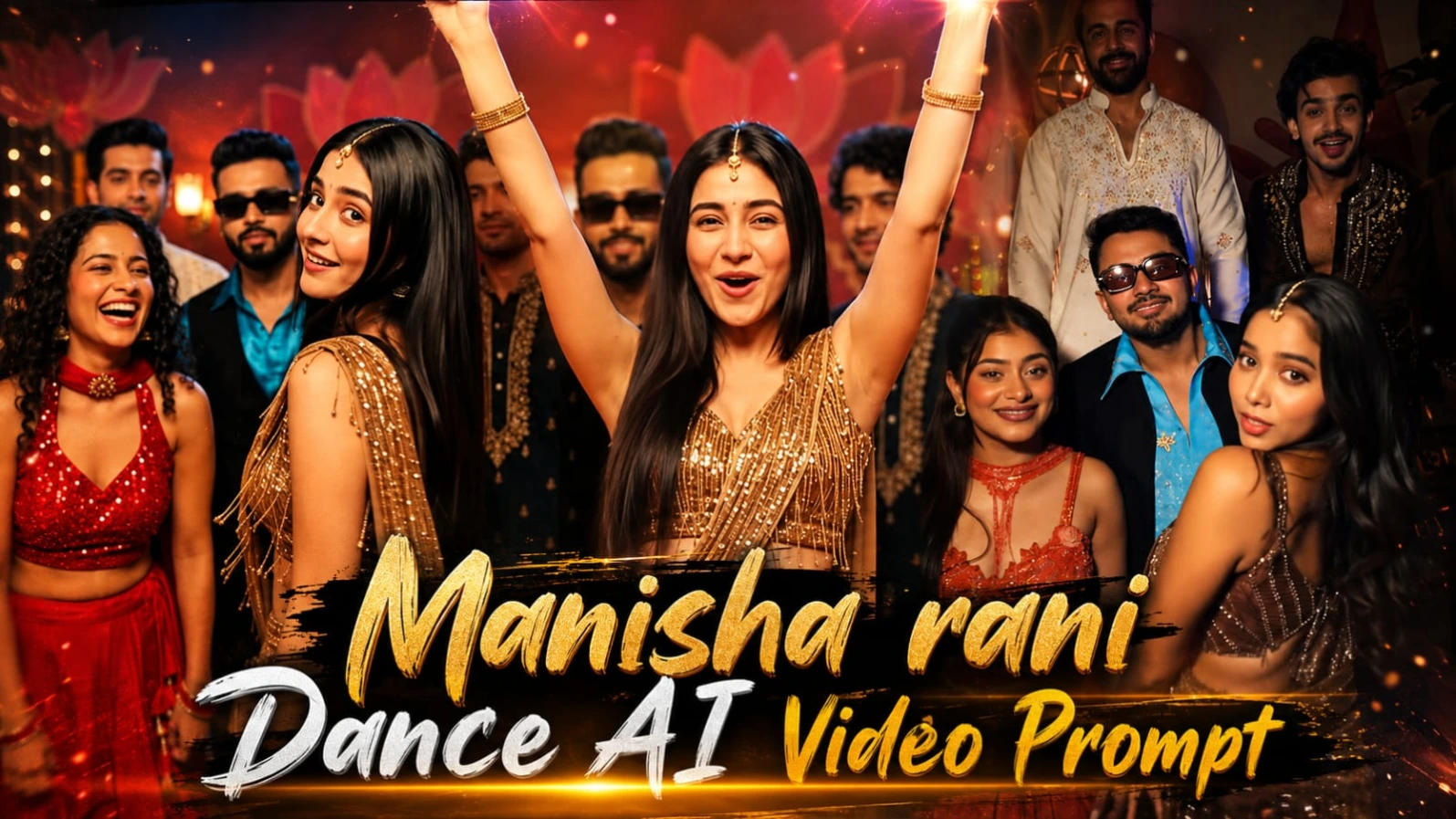
Festive Group Dance AI Video Prompt ki madad se aap ek realistic Indian wedding ya indoor celebration party ka group dance video create kar sakte hain. Is concept mein colourful outfits, expressive reactions, energetic dance movements aur warm party lighting ka combination hai. Video ko vertical 9:16 format mein design kiya gaya hai, jo Instagram Reels aur YouTube Shorts ke liye suitable hai.
Is video ki duration lagbhag 15.3 seconds hai. Ismein ek continuous camera shot ka concept diya gaya hai, yani dance ke dauran sudden scene cuts ya location changes nahi hone chahiye. Video real phone camera se record ki gayi party footage jaisa feel deta hai.
Flow AI Se Festive Group Dance Video Kaise Banaye
Step 1: Sabse pehle apni lead dancer ki clear face reference photo ready karein. Character ki identity ko consistent rakhne ke liye close-up image bhi use karein.
Step 2: Website se Festive Group Dance character aur video prompt copy karein.
Step 3: Lead dancer ka outfit bronze-gold sequin aur tassel-fringe saree-style top, matching skirt, gold-and-pearl jewellery, bangles aur small gold earrings rakhein.
Step 4: Group ke baaki members ke outfits bhi prompt ke according rakhein. Front-left woman red sequin blouse aur red lehenga mein hai. Centre man turquoise satin shirt, black sleeveless waistcoat aur sunglasses pehenta hai. Background mein cream embroidered kurta aur dark gold-embroidered kurta wale men hain.
Step 5: Background ke liye maroon-red decorative wall, lotus-petal shapes, golden ornaments, warm lamps aur cool blue spotlights ka use karein.
Step 6: Flow AI open karein. Reference-image aur video-generation options available hon to character images upload karein.
Step 7: Complete video prompt paste karein aur 9:16 vertical format select karein.
Step 8: Dance sequence generate karein. Lead dancer singing expressions deti hai, camera ki taraf lean karti hai, hair swing karti hai, arms raise karti hai aur group ke saath dance karti hai.
Step 9: Final moments mein flying kiss aur group ke continued dance ko check karein.
Camera chest height par waist-up group framing mein rehna chahiye. Excessive zoom ya sudden camera movement avoid karein. AI output check karne ke baad final video export karein.
2. Kashmir Lake AI Video Prompt 9:16 – Cinematic Solo Travel Vlog
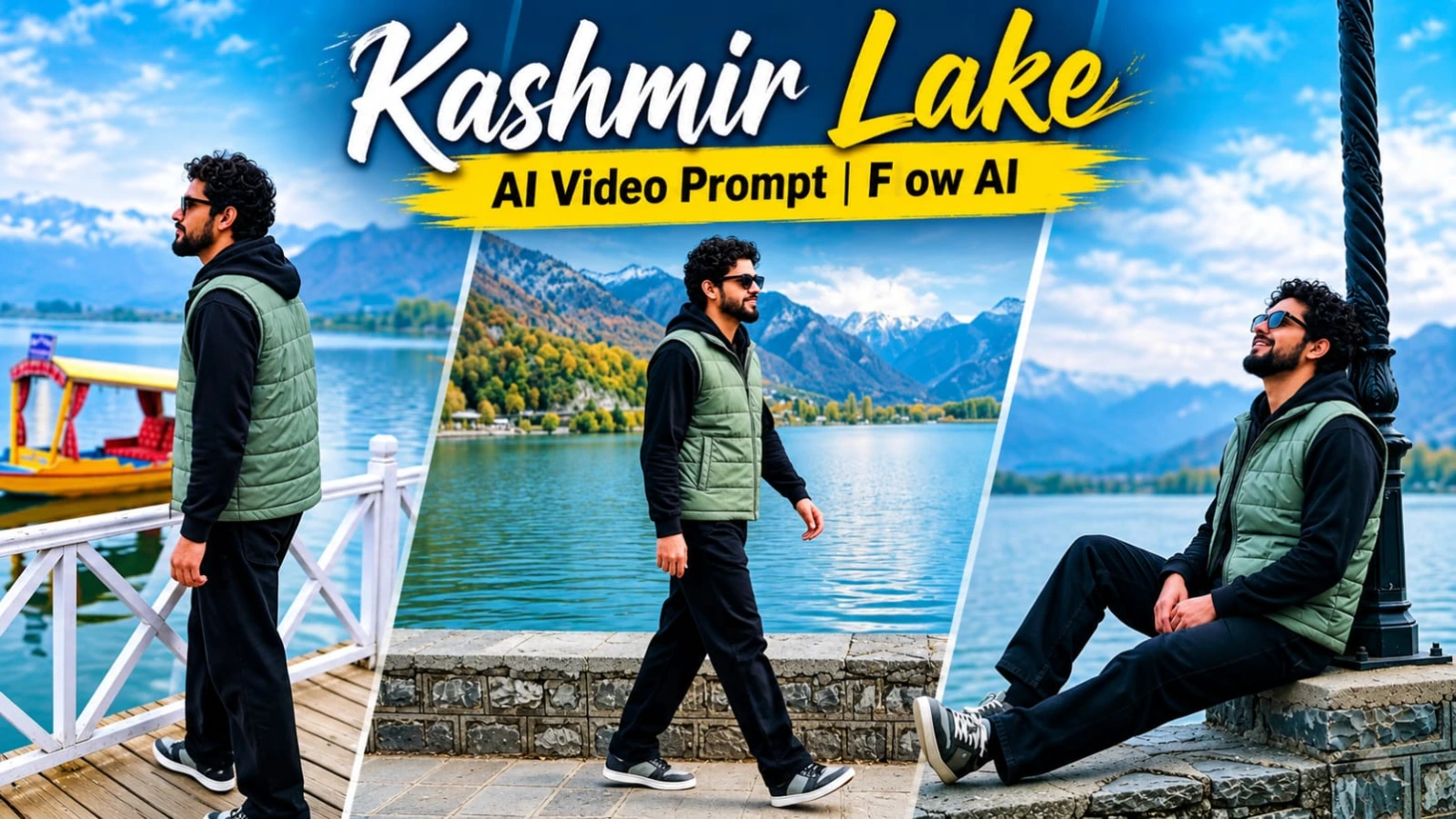
Kashmir Lake AI Video Prompt se aap apni reference photo ko ek peaceful solo travel vlog mein convert kar sakte hain. Is cinematic concept mein green-blue lake, autumn-coloured mountains, traditional Shikara boats, cloudy sky aur golden sunset lighting dikhayi gayi hai.
Video mein five cinematic shots hain aur requested duration lagbhag 14.5 seconds hai. Har scene mein static tripod camera ka use kiya gaya hai, jisse natural travel footage jaisa look milta hai. Vertical 9:16 format Instagram Reels aur YouTube Shorts ke liye suitable hai.
Flow AI Se Kashmir Lake Travel Video Kaise Banaye
Step 1: ChatGPT open karein aur apni clear face photo upload karein.
Step 2: Website se character sheet prompt copy karein. Front view, side view, back view aur close-up face reference generate karein.
Step 3: Character ka hairstyle short voluminous curly black hair aur full dark beard rakhein.
Step 4: Outfit same rakhein: sage-grey-green sleeveless quilted puffer vest, black full-sleeve hoodie, loose black trousers aur grey-black sneakers. Opening scenes mein black-frame sunglasses use kiye gaye hain.
Step 5: Character sheet save karein aur Flow AI open karein.
Step 6: Flow AI mein reference image upload karein, agar platform reference-image guidance support karta hai.
Step 7: Website se Kashmir Lake ka complete video prompt copy karke paste karein. 9:16 vertical format select karein.
Step 8: Five scenes generate karein:
Scene 1: Hero lake ke stone promenade ke paas left se right walk karta hai.
Scene 2: Ornate black lamp-post ke paas stone wall par relax karta hai.
Scene 3: White railing wale wooden boardwalk par Shikara boat ke paas walk karta hai.
Scene 4: Golden sunset aur mountains ki taraf dekhte hue rear-view shot.
Scene 5: Lamp-post ke paas final peaceful relaxing shot.
Step 9: Har scene mein character ka face aur outfit consistent rakhein. Camera static tripod style mein hona chahiye.
Step 10: Final video mein lake, mountains, Shikara boat aur lighting check karke export karein.
Cloudy opening aur golden-hour ending ka contrast is travel vlog ko cinematic feel deta hai. Face consistency AI tool ki reference support aur generation quality par depend karegi.
3. Happy Diwali AI Video Prompt – 8-Second Cinematic Diya Animation
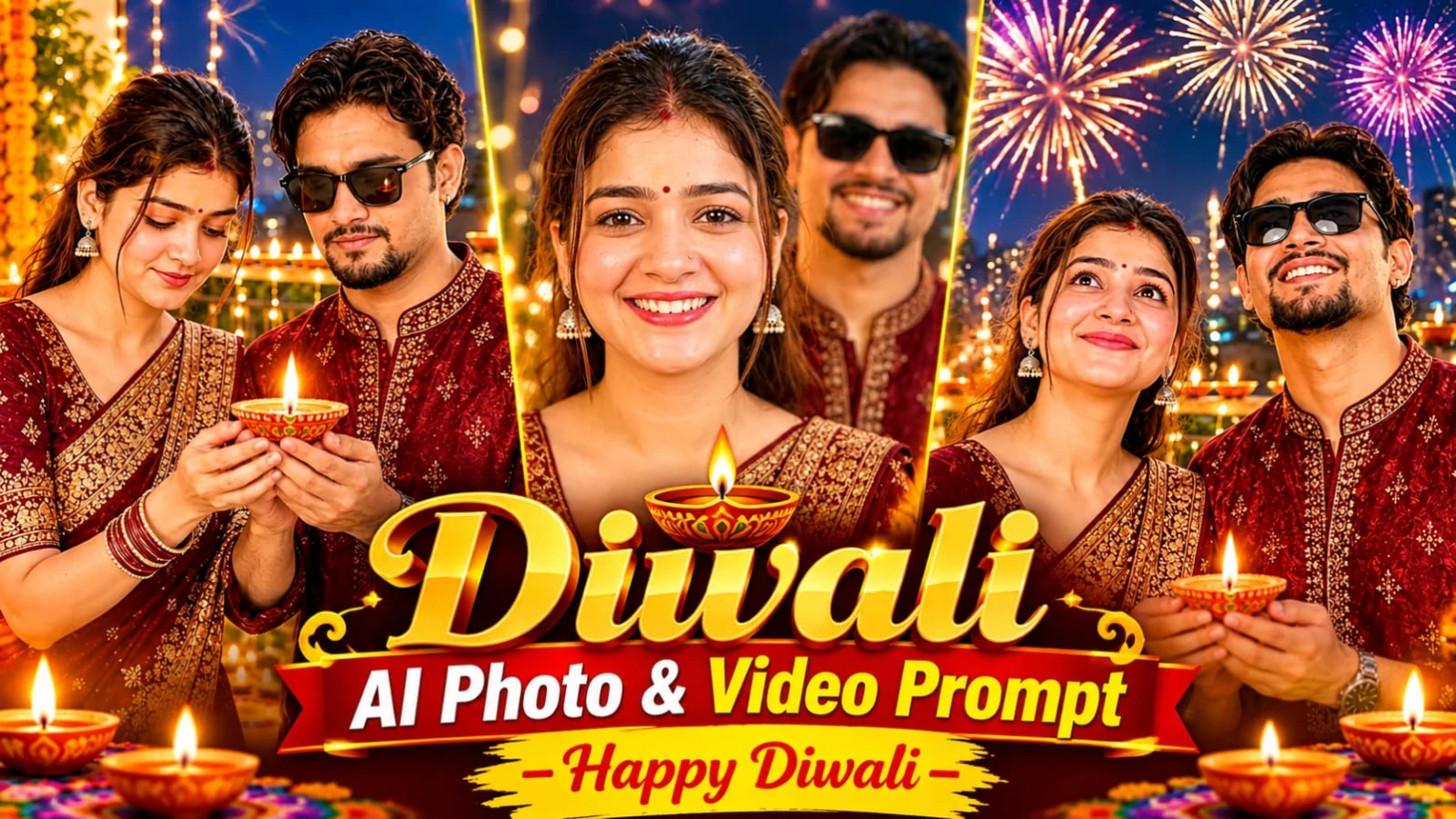
Happy Diwali AI Video Prompt ki madad se aap apni existing festive photograph ko ek short cinematic greeting video mein convert kar sakte hain. Is concept mein person decorated balcony par glowing diya pakadta hai, evening sky mein fireworks dekhta hai aur last mein camera ki taraf turn karke “Happy Diwali!” bolta hai.
Video ki total duration 8 seconds aur format vertical 9:16 hai. Ismein original person's face, hairstyle aur outfit ko preserve karne ki instruction di gayi hai. Natural expressions, realistic diya flame aur festive background lighting is video ko attractive banate hain.
Step 2: Website par diya gaya character sheet photo prompt ChatGPT mein use karke character reference ready karein. Is concept mein deep maroon aur gold silk kurta diya gaya hai.
Step 3: Flow AI open karein aur image-to-video option select karein, agar available ho.
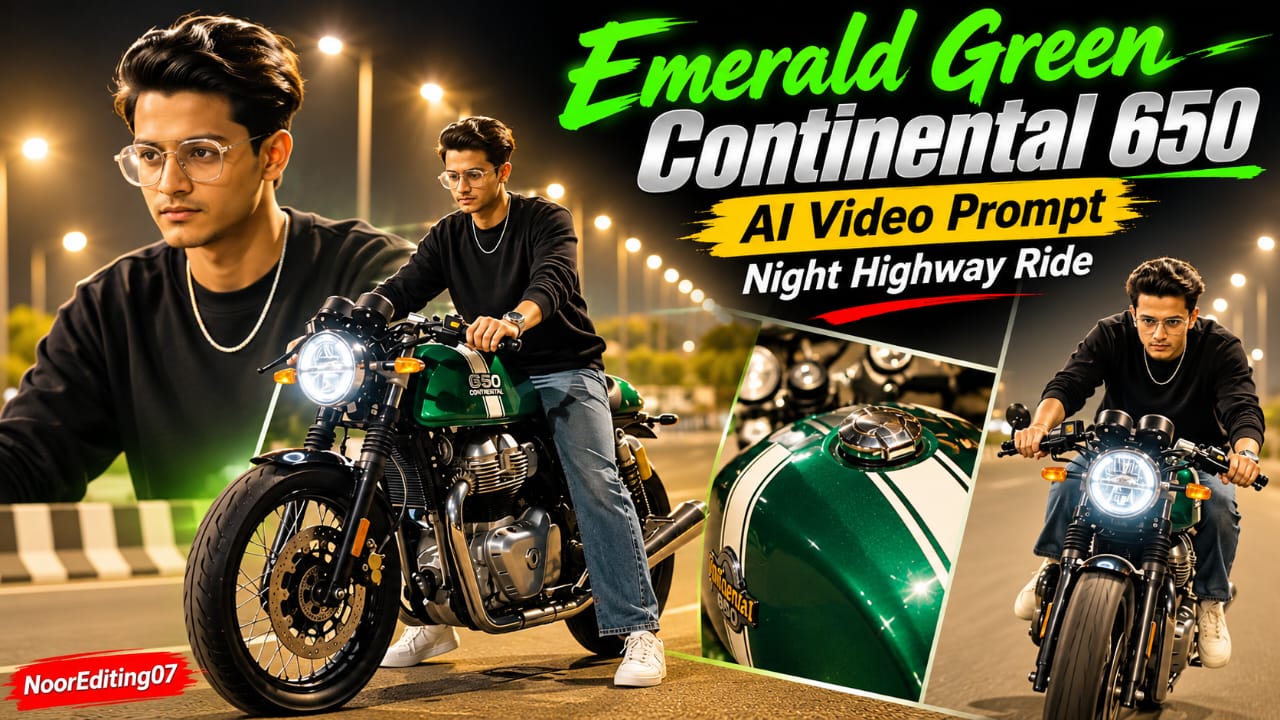
Emerald Green Continental 650 AI Video Prompt ek cinematic night highway motorcycle video concept hai. Ismein metallic emerald-green cafe racer motorcycle, white racing stripes, round LED headlight aur green engine underglow dikhaya gaya hai. Video mein motorcycle beauty shots, rider walking, close-up details aur highway riding ke total 19 planned scenes hain.
Flow AI Se Continental 650 Video Kaise Banaye
Step 1: ChatGPT open karein aur apni clear face photo upload karein.
Step 2: Website se character sheet prompt copy karein. Front, side, back aur close-up views generate karein.
Step 3: Rider ka outfit black crewneck long-sleeve sweatshirt, loose washed-blue jeans, white sneakers aur silver chain rakhein.
Step 4: Motorcycle ka reference design ready karein. Metallic emerald-green body, white racing stripes, clip-on handlebars, round LED headlight aur green engine underglow important details hain.
Step 5: Flow AI open karein aur available reference-image option se rider aur motorcycle images upload karein.
Step 6: Website se 19-scene video prompt copy karke paste karein.
Step 7: 9:16 vertical format select karein. Brightly illuminated night highway aur warm amber streetlight bokeh ka look maintain karein.
Step 8: Video scenes generate karein. Opening mein front-wheel close-up hai, phir rider motorcycle par baithta hai aur fuel tank, handlebars, mirrors aur dual instrument dials ke close-up shots aate hain.
Step 9: Next scenes mein rider bike ke paas walk karta hai, motorcycle par baithta hai, posture adjust karta hai aur white sneaker footpeg par rakhta hai.
Step 10: Final riding sequence mein motorcycle highway par accelerate karti hai. Rider forward lean karta hai aur camera ki taraf cruise karta hai.
Step 11: Har scene mein bike ka colour, body shape, racing stripes aur rider ka face consistent check karein.
Step 12: Final video export karne se pehle motion, lighting aur transitions review karein.
Prompt mein 120fps visual style requested hai, lekin actual frame rate aur resolution video generator ki supported settings par depend karte hain. NoorEditing07 watermark ko zarurat padne par editing app mein add kar sakte hain.
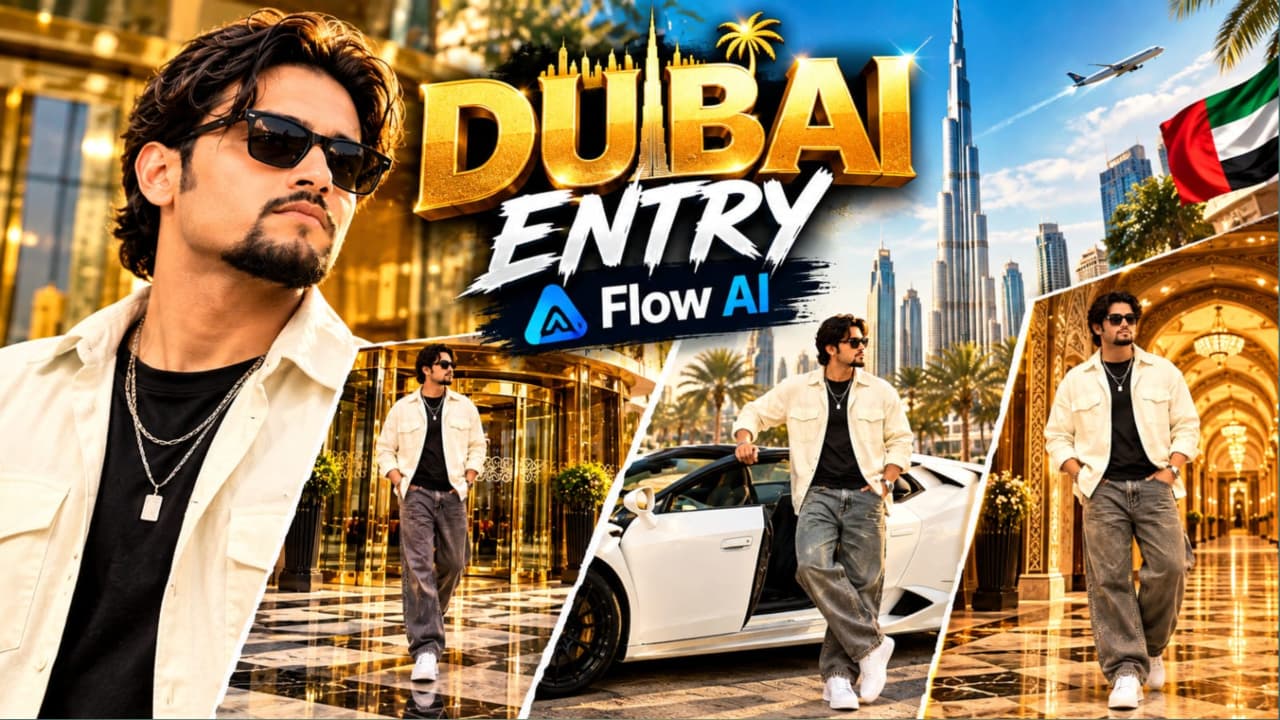
5. Luxury Hotel Entry AI Video Prompt with Lamborghini – Flow AI VIP Lifestyle Video
Luxury Hotel Entry AI Video Prompt ek premium VIP lifestyle video concept hai. Ismein ek stylish young South Asian man, ultra-luxury hotel entrance, white convertible Lamborghini aur Arabic-inspired royal palace hallway dikhaya gaya hai. Video ko three different cinematic settings mein divide kiya gaya hai, jahan character ka outfit aur overall appearance consistent rehna chahiye.
Flow AI Se Luxury Hotel Lamborghini Video Kaise Banaye
Step 1: Sabse pehle apni clear face photo select karein aur ChatGPT open karein.
Step 2: Website par diya gaya character reference prompt use karke face aur full-body reference image ready karein.
Step 3: Character ka hairstyle voluminous wavy dark-brown hair, groomed goatee beard aur dark sunglasses rakhein.
Step 4: Outfit details same rakhein: open cream-white oversized overshirt, fitted black T-shirt, wide-leg baggy grey denim jeans, chunky white sneakers aur layered silver chain with rectangular pendant.
Step 5: Flow AI open karein aur reference images upload karein, agar selected workflow support karta hai.
Step 6: Website se complete Luxury Hotel Entry AI Video Prompt copy karein.
Step 7: 9:16 vertical format select karein aur three scenes generate karein.
Step 8 – Scene One: Luxury Hotel Entry
Character grand revolving glass door se bahar aata hai. Hotel entrance mein gold-brass framing, reflective glass panels aur polished checkered marble pavement hai. Camera eye-level tracking shot mein character ko walk karte hue capture karta hai.
Step 9 – Scene Two: White Lamborghini
Scene sunlit outdoor parking plaza mein shift hota hai. White convertible Lamborghini driver's door se character bahar nikalta hai. Ek haath door frame par rakhkar camera ki taraf confident look deta hai.
Step 10 – Scene Three: Arabic Royal Palace Hallway
Final scene mein character ornate gold-patterned wallpaper, illuminated arched alcoves aur carved wooden ceiling beams wale hallway mein khada hota hai. Dono hands jeans pockets mein rakhkar subtle body movement karta hai.
Step 12: Door movement, hands, legs aur walking animation ka preview karein. Agar car interaction unnatural ho, to simpler movement ke saath clip regenerate karein.
Step 13: Final clips ko editing app mein arrange karke transitions aur music add karein.
Is tarah aap ek premium hotel, supercar aur royal hallway theme par cinematic VIP lifestyle reel create kar sakte hain.