Cinematic Attitude Dialogue Video AI Prompt: Create a Dramatic 9:16 Portrait Video
Cinematic attitude dialogue videos are a popular creative format for short-form content because they combine expressive facial details, powerful dialogue, dramatic lighting, and a memorable ending. With a carefully written AI video prompt, you can plan a scene that feels like a moment from a high-quality film rather than an ordinary talking-head clip.
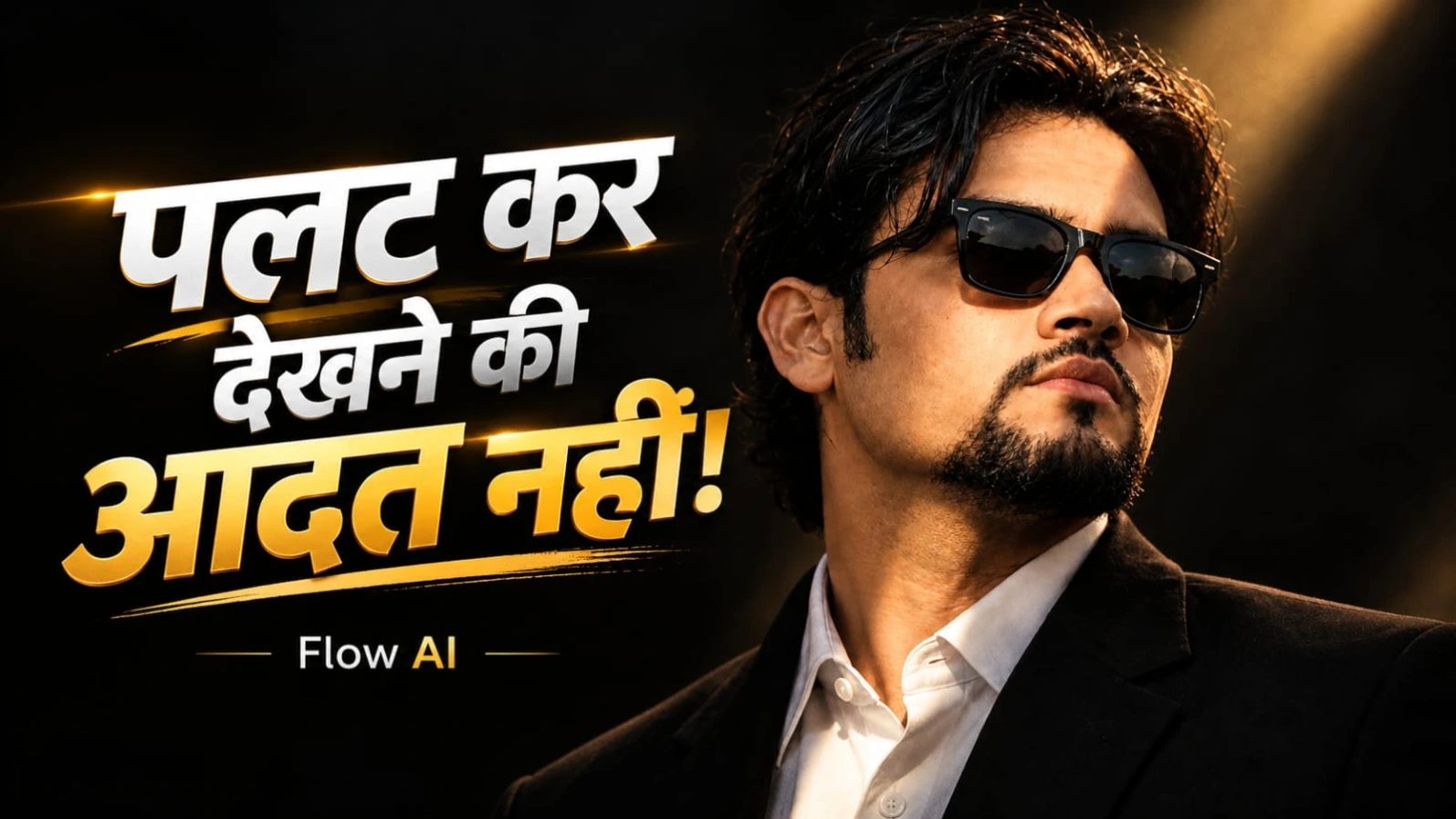
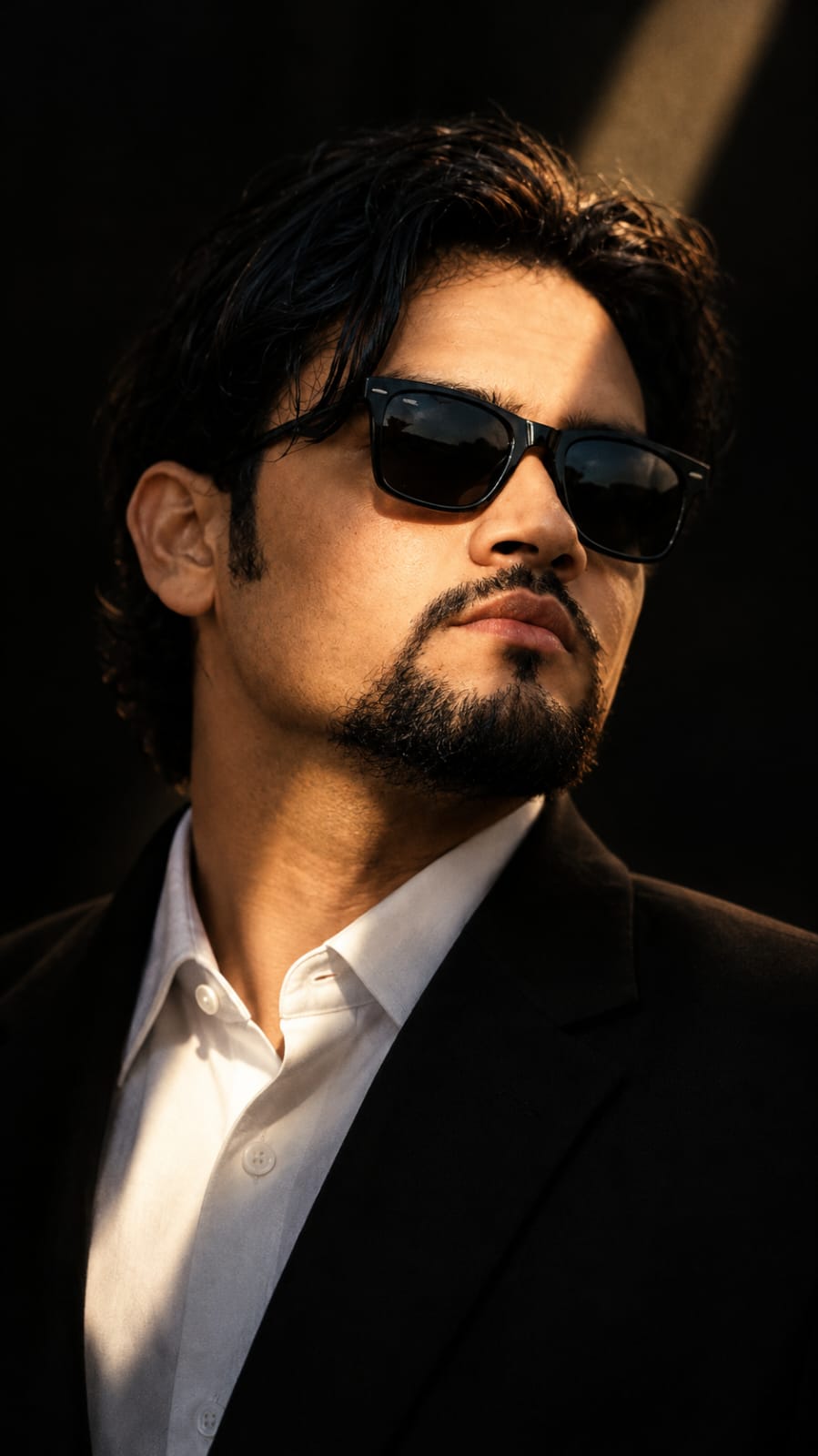
This cinematic attitude dialogue video AI prompt focuses on a handsome South Asian man wearing a tailored black suit, a white collared shirt, and classic black Wayfarer sunglasses. He has wavy black hair and a neatly groomed goatee beard. The setting is dark and dramatic, with a completely black background and a single diagonal beam of warm golden sunlight illuminating his face.
The video uses a vertical 9:16 aspect ratio, making it suitable for platforms such as YouTube Shorts, Instagram Reels, and other vertical-video feeds. Its planned duration is 10 seconds, so every moment has a specific purpose: establishing eye contact, delivering the first dialogue, presenting the punchline, and ending with a subtle expression change synchronized with a metallic bass-drop effect.
The goal is to create an atmosphere of confidence, emotional restraint, mystery, and cinematic intensity without relying on exaggerated gestures.
Why This Cinematic Prompt Works
A strong AI video prompt describes more than the appearance of a character. It explains the setting, camera framing, lighting, expressions, timing, dialogue, and overall mood. These details give the video-generation system a clearer creative direction.
In this concept, the black background removes unnecessary distractions. The diagonal golden light creates contrast across the character's face and adds depth to the frame. The black suit and white shirt maintain a clean, formal appearance, while the wavy hair and groomed goatee help establish the intended character design.
The close-up framing is particularly important. Since the video depends on dialogue and facial expression, the viewer should be able to focus on the face rather than the surrounding environment. The requested 85mm portrait lens look helps describe a compressed, cinematic perspective, although the final result depends on the video tool's available controls and rendering behavior.
The Character and Styling
The subject should remain consistent throughout the entire 10-second sequence. He is a handsome South Asian man with wavy black hair, a neatly groomed goatee, and black Wayfarer sunglasses. His outfit consists of a tailored black suit and a white collared shirt.
The styling should remain formal and understated. There is no need for casual knitwear, colorful clothing, distracting accessories, or unnecessary background objects. The visual impact comes from the contrast between the dark wardrobe, white shirt, golden light, and black surroundings.
The character's expression should feel controlled rather than theatrical. His gaze, head movement, and subtle smirk should communicate the mood naturally. Avoid adding dramatic body movements that could distract from the dialogue.
Understanding the Four-Part Timeline
The first section runs from 0:00 to 0:02. The video begins with a macro-style close-up of the character's face. His eyes open calmly, and he looks directly toward the camera lens with emotional depth. The opening should establish immediate visual focus. The lighting should reveal realistic skin texture without making the face look overly smooth or artificial.
From 0:02 to 0:05, the character delivers the first line: "Palat kar dekhne ki aadat nahi hai hamari..." This dialogue communicates confidence and emotional distance. The performance should feel measured and natural, with realistic mouth movement and a steady gaze. The spoken words must remain unchanged.
From 0:05 to 0:08, the character subtly tilts his head and delivers the second line: "Alvida kehne wale... aaj bhi intezaar mein hain." The pause indicated by the ellipsis creates a moment of anticipation before the punchline. The expression should remain cold and composed, without exaggerated anger or unnecessary gestures.
From 0:08 to 0:10, a metallic gunshot-style bass drop creates the audio climax. A faint, bittersweet smirk gradually appears beneath the golden beam of light. The character maintains an unblinking gaze, allowing the final expression to carry the emotional weight of the scene. The sound effect is an audio-design element, not a request to show a firearm or an on-screen gunshot.
Lighting, Camera, and Visual Quality
The requested visual style is cinematic live action, with an ARRI Alexa Mini LF camera look, an 85mm lens aesthetic, and a 24fps presentation. These are creative specifications that communicate the desired film-like appearance. They do not guarantee that every AI video generator will render the footage using the exact physical camera, lens, frame rate, or native resolution.
The lighting is one of the most important elements. A single diagonal beam of warm golden sunlight should illuminate the face against a black background. Strong highlights and deep shadows create a chiaroscuro effect, giving the portrait a dramatic and controlled atmosphere.
The image should retain natural skin pores, believable facial structure, realistic hair strands, and accurate mouth movement. Avoid excessive sharpening, plastic-looking skin, oversaturated colors, and artificial facial smoothing. The requested 4K and 8K descriptions express the intended level of detail, but the final output resolution depends on the selected platform and its available export options.
Why Realistic Lip-Sync Matters
Dialogue-driven videos depend on synchronization between speech and facial movement. If the mouth moves before the spoken words, the lips stop too early, or the facial expression changes unnaturally, the cinematic effect can be weakened.
For this reason, the two Hindi dialogues should be entered exactly as written. If the video tool supports audio uploads, voice generation, or lip-sync controls, use the relevant option to align the dialogue with the specified timeline. If those features are unavailable, generate the visual sequence first and synchronize the audio during editing.
The delivery should remain calm and deliberate. The first sentence should sound confident, while the second should carry a subtle emotional undertone. The final bass drop should occur near the beginning of the last two-second segment, with the smirk appearing naturally rather than suddenly.
Negative Prompt for Cleaner Results
The negative prompt specifies unwanted visual characteristics: flat bright lighting, outdoor daylight, casual knitwear, cartoon styling, 3D CGI animation, airbrushed plastic skin, oversaturated colors, distorted mouths, unsynchronized lips, twitching eyes, bad anatomy, low resolution, and blurry faces.
These exclusions reinforce the desired live-action appearance and help reduce common visual problems. However, negative prompts do not guarantee that every unwanted artifact will disappear. Review the generated clip and adjust the prompt or regenerate problematic sections when necessary.
Creating the Video with Flow AI
Flow AI can be used as part of the creative workflow if the features you need are available in your version. Begin with the complete scene description, then specify the vertical format, duration, character styling, lighting, and timeline. If the platform offers reference images, audio, or shot-level controls, use them where appropriate.
Because the video is only 10 seconds long, keeping the timeline precise is more useful than adding unnecessary scene changes. Preserve the two exact dialogue lines and the final expression change. If the generator struggles with dialogue timing, create shorter clips and assemble them in a video editor.
Who Can Use This Prompt?
This concept is suitable for creators making cinematic attitude reels, emotional dialogue edits, dramatic portrait videos, character-based short films, and AI filmmaking demonstrations. It can also serve as a learning exercise for understanding how camera descriptions, lighting instructions, dialogue timing, and negative prompts work together.
The same approach can be adapted to other original dialogue scenes by changing the spoken lines while retaining the overall structure. For this particular concept, however, the original Hindi dialogue, black suit, golden light, black background, and four-part timeline should remain unchanged.
Final Thoughts
A compelling cinematic dialogue video depends on the relationship between visual restraint and emotional timing. The close-up draws attention to the eyes, the golden light defines the face, the two Hindi lines establish the attitude, and the final smirk provides a memorable closing moment.
Use this cinematic attitude dialogue video AI prompt as a structured starting point for your next vertical video. Keep the character consistent, avoid unnecessary movements, check the lip-sync carefully, and refine the lighting and facial details after generation. The result will depend on the capabilities of your chosen AI video tool, but a clear prompt gives you a stronger foundation for achieving the intended cinematic mood.
Pehle Character Sheet Photo Banaai ChatGPT Se
AI PHOTO PROMPT
Raw 35mm film photograph, shot on Hasselblad H6D-100c with 85mm f/1.4 lens, 9:16 vertical ratio. Extreme close-up portrait of a handsome South Asian man...
Raw 35mm film photograph, shot on Hasselblad H6D-100c with 85mm f/1.4 lens, 9:16 vertical ratio. Extreme close-up portrait of a handsome South Asian man with wavy black hair, neat goatee beard, and classic black Wayfarer sunglasses with polarized sheen. He wears a bespoke black suit over a crisp white collared shirt. A single narrow diagonal ray of warm golden sunlight cuts across his face against a pitch-black shadow background. Natural skin pores, authentic textures, shallow depth of field, 8k live-action still. --ar 9:16 --style raw
AI PHOTO PROMPT
Raw 35mm film photograph, shot on Hasselblad H6D-100c with 85mm f/1.4 lens, 9:16 vertical ratio. Extreme close-up portrait of a handsome South Asian man...
Raw 35mm film photograph, shot on Hasselblad H6D-100c with 85mm f/1.4 lens, 9:16 vertical ratio. Extreme close-up portrait of a handsome South Asian man with wavy black hair, neat goatee beard, and classic black Wayfarer sunglasses with polarized sheen. He wears a bespoke black suit over a crisp white collared shirt. A single narrow diagonal ray of warm golden sunlight cuts across his face against a pitch-black shadow background. Natural skin pores, authentic textures, shallow depth of field, 8k live-action still. --ar 9:16 --style raw
Cinematic 9:16 vertical 4k live-action video shot on ARRI Alexa Mini LF, 85mm lens at 24fps. Dark dramatic setting with black background and a single diagonal beam of warm golden sunlight...
Cinematic 9:16 vertical 4k live-action video shot on ARRI Alexa Mini LF, 85mm lens at 24fps. Dark dramatic setting with black background and a single diagonal beam of warm golden sunlight illuminating the face.
Subject: Handsome South Asian man with wavy black hair, groomed goatee beard, and black Wayfarer sunglasses, in a tailored black suit and white collared shirt.
Timeline:
- (0:00 - 0:02): Macro close-up. Eyes open calmly, locking directly into the camera lens with emotional depth.
- (0:02 - 0:05): Delivers dialogue with realistic lip-sync: "Palat kar dekhne ki aadat nahi hai hamari..."
- (0:05 - 0:08): Subtle head tilt, delivering punchline with cold composure: "Alvida kehne wale... aaj bhi intezaar mein hain."
- (0:08 - 0:10): Metallic gunshot bass drop hits; faint bittersweet smirk emerges under the golden light beam while holding an unblinking gaze.
Photorealistic skin textures, natural lip-sync, high-contrast chiaroscuro lighting, 8k film quality.
flat bright lighting, daylight outdoor, casual knitwear, cartoon, 3D CGI animation, airbrushed plastic skin, oversaturated colors, distorted mouth, unsynced lips, twitching eyes, bad anatomy, low resolution, blurry faces
AI VIDEO PROMPT
Cinematic 9:16 vertical 4k live-action video shot on ARRI Alexa Mini LF, 85mm lens at 24fps. Dark dramatic setting with black background and a single diagonal beam of warm golden sunlight...
Cinematic 9:16 vertical 4k live-action video shot on ARRI Alexa Mini LF, 85mm lens at 24fps. Dark dramatic setting with black background and a single diagonal beam of warm golden sunlight illuminating the face.
Subject: Handsome South Asian man with wavy black hair, groomed goatee beard, and black Wayfarer sunglasses, in a tailored black suit and white collared shirt.
Timeline:
- (0:00 - 0:02): Macro close-up. Eyes open calmly, locking directly into the camera lens with emotional depth.
- (0:02 - 0:05): Delivers dialogue with realistic lip-sync: "Palat kar dekhne ki aadat nahi hai hamari..."
- (0:05 - 0:08): Subtle head tilt, delivering punchline with cold composure: "Alvida kehne wale... aaj bhi intezaar mein hain."
- (0:08 - 0:10): Metallic gunshot bass drop hits; faint bittersweet smirk emerges under the golden light beam while holding an unblinking gaze.
Photorealistic skin textures, natural lip-sync, high-contrast chiaroscuro lighting, 8k film quality.
flat bright lighting, daylight outdoor, casual knitwear, cartoon, 3D CGI animation, airbrushed plastic skin, oversaturated colors, distorted mouth, unsynced lips, twitching eyes, bad anatomy, low resolution, blurry faces
How to Create a Cinematic Attitude Dialogue Video Using Flow AI
Follow these steps to plan and create a dramatic 10-second vertical dialogue video. The exact controls available may differ depending on your Flow AI version and selected generation mode.
Step 1: Prepare Your Video Concept
Start by identifying the central idea: a confident South Asian man delivers two emotional Hindi dialogue lines in a dark cinematic setting. The scene should feel serious, elegant, and controlled.
These lines are the main focus of the video, so avoid adding extra dialogue or changing their order.
Step 2: Open Flow AI
Open Flow AI and start a new video-generation project. Choose the appropriate video-generation mode available in your account. If duration, aspect ratio, reference image, or camera-style settings are offered, select the options that best match the prompt.
If a particular setting is unavailable, describe your desired result clearly in the text prompt rather than assuming the tool supports that setting directly.
Step 3: Set the Vertical Aspect Ratio
Choose a 9:16 vertical layout if the option is available. This composition is suitable for YouTube Shorts, Instagram Reels, and other mobile-first video platforms.
Keep the face near the visual center so it remains prominent on a phone screen. Avoid unnecessary empty space around the subject, but preserve enough framing for the head tilt and subtle expression change.
The prompt requests a 4K cinematic appearance and an 8K film-quality look. Treat these as visual-quality targets, because the actual generation and export resolution depend on the platform's supported options.
Step 4: Describe the Character Precisely
Enter the character description in the main prompt:
A handsome South Asian man with wavy black hair, a neatly groomed goatee beard, and classic black Wayfarer sunglasses. He wears a tailored black suit and a crisp white collared shirt.
Keep these details consistent throughout the scene. Avoid introducing a different outfit, hairstyle, beard style, or character appearance between shots.
If reference-image functionality is available, you can use an appropriate reference image to help guide the intended character design. The result may still vary, so check the face carefully after generation.
Step 5: Describe the Background and Lighting
Specify a dark dramatic setting with a completely black background. A single diagonal beam of warm golden sunlight should illuminate the character's face.
Request high-contrast chiaroscuro lighting, natural skin texture, realistic hair details, and a cinematic live-action appearance. The face should remain visible enough for the audience to read the expressions and dialogue.
Avoid flat bright lighting, outdoor daylight, oversaturated colors, and airbrushed skin. These exclusions help communicate the intended visual style.
Step 6: Add the Camera Style
Describe an ARRI Alexa Mini LF cinematic look, an 85mm portrait lens aesthetic, and a 24fps film presentation. These details help establish the intended camera language.
If Flow AI offers camera or frame-rate controls, use the relevant settings where available. Otherwise, include the specifications in the prompt as visual guidance. A text prompt alone cannot guarantee that the system will use a specific physical camera, lens, or native frame rate.
Step 7: Organize the Four Timeline Segments
Keep the sequence in the original order.
First segment, 0:00–0:02: Begin with a macro close-up. The character opens his eyes calmly and locks his gaze directly toward the camera lens. His expression should be emotionally deep but restrained.
Second segment, 0:02–0:05: He delivers, "Palat kar dekhne ki aadat nahi hai hamari..." Keep his head steady and his expression controlled. The mouth movements should follow the spoken Hindi words naturally.
Third segment, 0:05–0:08: He makes a subtle head tilt and delivers, "Alvida kehne wale... aaj bhi intezaar mein hain." Preserve the pause and cold composure. Do not replace the line with another dialogue.
Fourth segment, 0:08–0:10: A metallic gunshot-style bass drop marks the climax. A faint, bittersweet smirk appears under the golden light while he maintains an unblinking gaze. The sound effect does not require any visible firearm or gunshot.
Step 8: Work on the Dialogue and Lip-Sync
If audio generation, voice upload, or lip-sync controls are available, use them to match the Hindi dialogue with the correct section of the timeline.
The first line should sound confident and deliberate. The second line should feel slightly more emotional while maintaining a calm delivery. Avoid exaggerated mouth movements, sudden facial changes, or unnatural blinking.
If the generation tool cannot reliably produce synchronized speech, create the visual clip and synchronize the recorded dialogue in a separate editor.
Step 9: Add the Negative Prompt
Include the unwanted characteristics from the original prompt: flat bright lighting, daylight outdoor settings, casual knitwear, cartoon visuals, 3D CGI animation, airbrushed plastic skin, oversaturated colors, distorted mouth movement, unsynchronized lips, twitching eyes, bad anatomy, low resolution, and blurry faces.
If your selected mode supports a separate negative-prompt field, place these exclusions there. Otherwise, include concise avoidance instructions in the main prompt when appropriate.
Step 10: Generate and Review the Result
Generate the clip and review the complete 10-second sequence. Check the character's face, sunglasses, hairstyle, beard, outfit, golden light, and black background.
Confirm that both dialogue lines appear in the correct order and that the final smirk occurs during the last segment. Look for blurry facial details, unstable eyes, inconsistent lighting, and mouth movements that do not match the speech.
If any section looks incorrect, revise the relevant instruction or regenerate that section if the available workflow supports it.
Step 11: Final Editing and Export
If necessary, use a video editor to adjust the dialogue timing, insert the metallic bass-drop sound effect, balance the audio, and trim the video to approximately 10 seconds. Keep the ending subtle rather than adding unnecessary transitions.
Export in a vertical 9:16 format using the best suitable resolution and frame rate available. Preview the finished video on a mobile screen before publishing.
Step 12: Publish Your Cinematic Video
Choose a concise title that communicates the cinematic attitude dialogue theme. Write a description that explains the AI filmmaking process, and include relevant keywords naturally.
The key is to maintain the original character design, exact dialogue, dramatic lighting, and four-part timeline. Flow AI can be part of this workflow, but the final quality depends on the features available, the generated results, and any additional editing you perform.
SEO TAGS
Cinematic attitude dialogue video AI promptFlow AI video tutorialHindi dialogue AI videocinematic male portrait video9:16 vertical AI videorealistic lip sync AI videoblack suit cinematic promptgolden light portrait videoAI attitude status videodramatic dialogue video promptphotorealistic AI videocinematic close up promptemotional Hindi dialogue reelAI video creation tutorialcinematic short video editing
SEO TAGS
Cinematic attitude dialogue video AI promptFlow AI video tutorialHindi dialogue AI videocinematic male portrait video9:16 vertical AI videorealistic lip sync AI videoblack suit cinematic promptgolden light portrait videoAI attitude status videodramatic dialogue video promptphotorealistic AI videocinematic close up promptemotional Hindi dialogue reelAI video creation tutorialcinematic short video editing
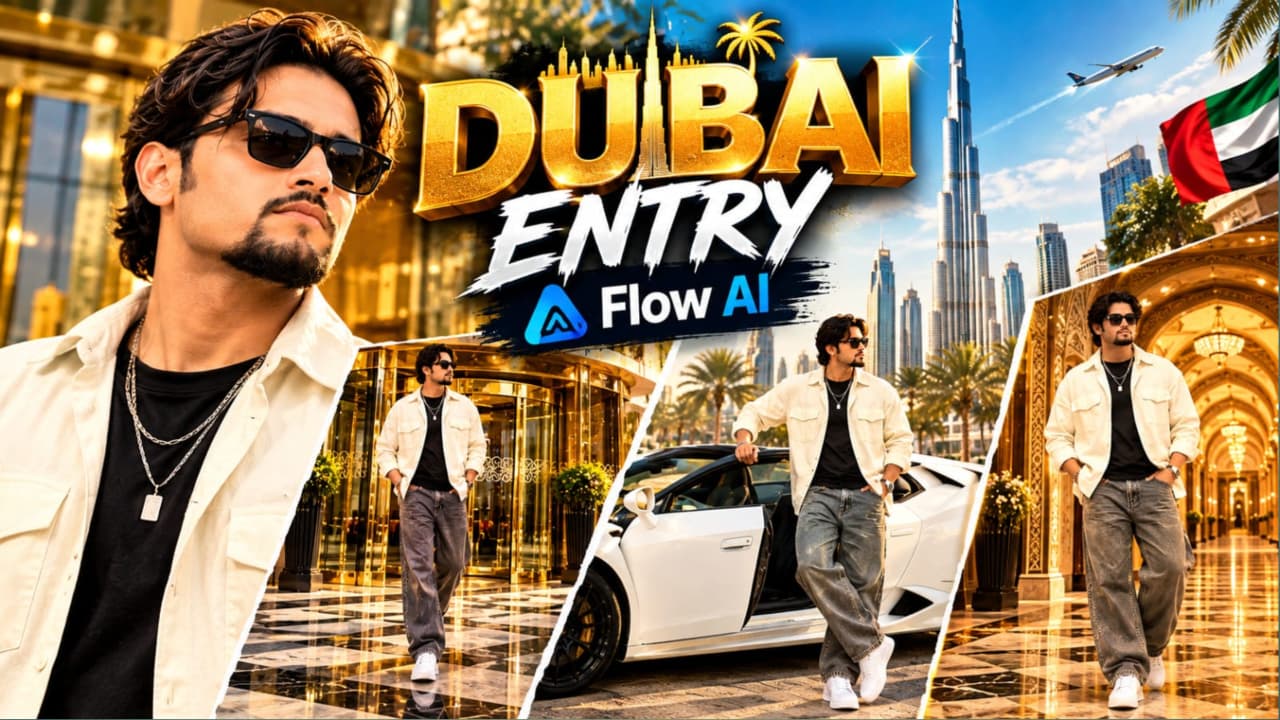
Luxury Hotel Entry AI Video Prompt ki madad se aap ek cinematic VIP lifestyle video create kar sakte hain, jismein luxury hotel, white Lamborghini convertible aur royal palace-style interior ka combination hai. Yeh concept un creators ke liye useful hai jo Instagram Reels, YouTube Shorts aur cinematic AI videos banana chahte hain.
Video ka main character ek stylish young South Asian man hai, jiske medium wavy dark-brown hair, groomed goatee aur dark sunglasses hain. Usne cream-white oversized open shirt, black T-shirt, baggy grey denim jeans, chunky white sneakers aur layered silver chain pehni hai. Teeno scenes mein same character aur outfit maintain karna important hai.
Pehle scene mein character grand luxury hotel ke revolving glass door se bahar aata hai aur polished marble pavement par camera ki taraf walk karta hai. Doosre scene mein white convertible Lamborghini ke driver side se bahar nikalta hai aur camera ki taraf confident look deta hai. Final scene Arabic-inspired royal palace hallway mein hai, jahan golden patterned walls, illuminated arches aur carved wooden ceiling character ko royal atmosphere dete hain.
Luxury Hotel Entry AI Video Kaise Banaye
Step 1: Flow AI open karein aur available text-to-video ya image-to-video option select karein.
Step 2: Agar reference image feature available hai, to apni clear photo upload karein. Character ke face, hairstyle, beard aur outfit ko consistent rakhne ki instructions dein.
Step 3: First scene ke liye grand luxury hotel entrance, revolving glass door, gold-brass framing aur polished checkered marble pavement describe karein.
Step 4: Second scene ke liye white convertible Lamborghini, sunlit parking plaza aur driver-side door se natural exit movement specify karein.
Step 5: Third scene mein Arabic-inspired palace hallway, golden patterned walls, illuminated arches aur subtle body movement describe karein.
Step 6: Har scene ko generate karke face, hands, car door aur outfit check karein. Agar ek long clip mein scenes sahi nahi bante, to teen clips separately generate karein.
Step 7: Clips ko video editor mein sequence mein arrange karein. Smooth transitions aur suitable cinematic music add karke final vertical video export karein.
2. Gangster Attitude AI Video Prompt – Cinematic Hindi Dialogue Tutorial
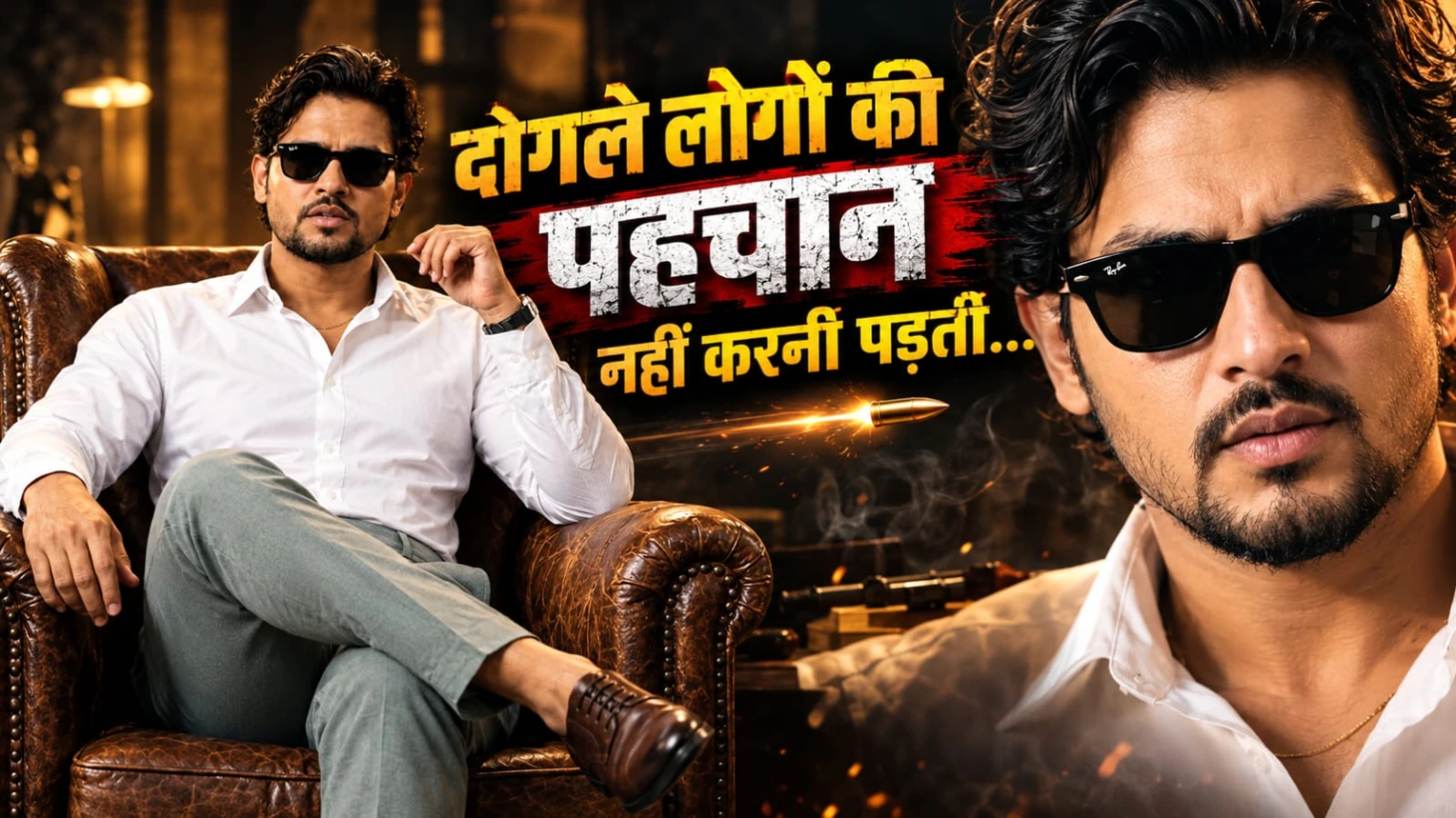
Gangster Attitude AI Video Prompt ek cinematic portrait-video concept hai, jismein stylish appearance, powerful Hindi dialogue aur dramatic lighting ka combination milta hai. Is tarah ka video attitude reels, dialogue edits aur movie-style character introductions ke liye use kiya ja sakta hai.
Main character ek South Asian man hai, jiske voluminous wavy dark hair, neatly groomed goatee aur black Wayfarer sunglasses hain. Woh vintage brown leather wingback armchair par confidently baitha hai. Usne white cotton shirt pehni hai, jiske top two buttons open hain. Thin gold chain, sage-grey trousers, black leather-strap watch aur brown Oxford shoes uske look ko complete karte hain.
Background mein textured terracotta-amber studio wall hai. Warm tungsten lighting aur soft shadows character ko cinematic depth dete hain. Video chaar stages mein aage badhta hai: opening medium portrait, first dialogue, second dialogue ke saath subtle head movement aur final quick camera punch-in.
Dialogue video ka main highlight hai:
“Dogle logon ki pehchaan nahi karni padti...”
“Waqt aane par wo apni aukaat... dikha hi dete hain.”
Roman Hindi dialogue par AI lip-sync har baar perfect nahi hota. Zarurat padne par voice-over alag record karke editing mein sync kiya ja sakta hai.
Gangster Attitude AI Video Kaise Banaye
Step 1: Flow AI ya compatible AI video-generation tool open karein.
Step 2: Apni reference photo upload karein, agar tool image reference support karta hai. Face aur hairstyle ko preserve karne ke instructions dein.
Step 3: Prompt mein brown leather armchair, white open-collar shirt, gold chain, sage-grey trousers aur black sunglasses ki details likhein.
Step 4: Textured terracotta-amber studio background, warm lighting aur medium portrait framing specify karein.
Step 5: Video ko stages mein generate karein: opening pose, first dialogue, second dialogue aur final camera punch-in.
Step 6: Hindi dialogue ke liye supported audio feature use karein. Agar lip-sync sahi nahi aata, to separate voice recording add karke timing adjust karein.
Step 7: Background music aur final bass impact ko dialogue ke saath balance karein. Face, sunglasses aur mouth movement check karke 9:16 format mein export karein.
3. Lion and Man Cinematic AI Video Tutorial – Create a VIP Hero Scene
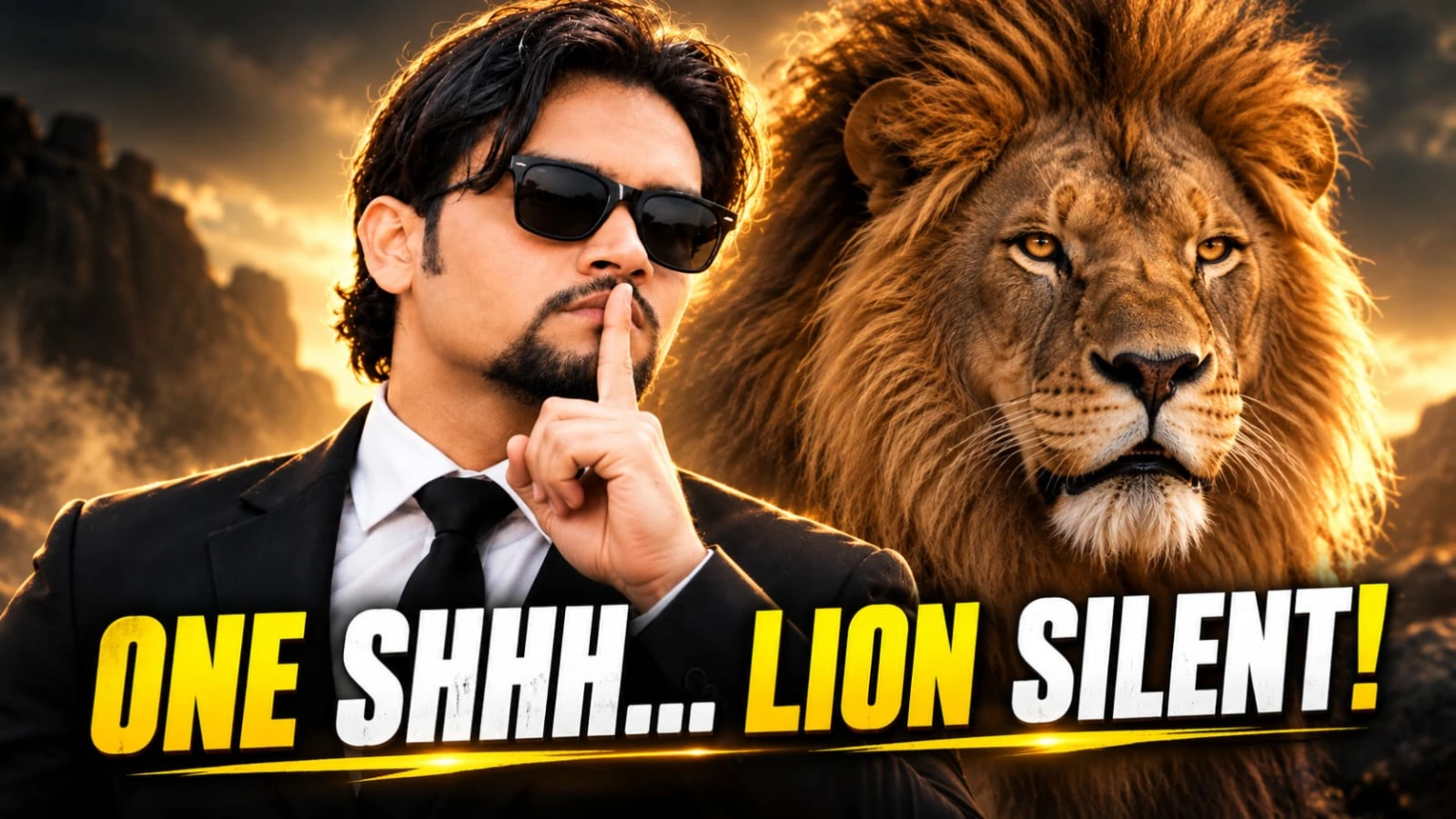
Lion and Man Cinematic AI Video Prompt ek dramatic hero-style scene create karne ke liye design kiya gaya hai. Ismein ek stylish man aur ek powerful male lion ko ek cinematic composition mein dikhaya jata hai. Video ka main focus man ki calm personality, lion ki powerful presence aur camera movement par hai.
Main character medium-length wavy dark hair, neat goatee aur black Wayfarer sunglasses wala South Asian man hai. Usne tailored black suit, crisp white shirt aur black tie pehni hai. Uske saamne dense golden mane wala ek massive male lion khada hai.
Opening shot mein man aur lion close profile position mein ek-doosre ke saamne hote hain. Lion apna mouth open karke roar karta hai, jabki man calm aur confident rehta hai. Uske baad man ek commanding gesture karta hai aur lion dheere-dheere calm ho jata hai. Final shot mein camera smoothly frontal medium portrait ki taraf move karta hai, jahan man aur lion side-by-side dikhte hain.
Neutral studio-style background aur soft cinematic lighting dono subjects ko clearly highlight karte hain. Vertical 9:16 composition Reels aur Shorts ke liye suitable hai. AI generation mein lion ke face, fur aur human character ki appearance badal sakti hai, isliye final clip ko carefully review karna chahiye.
Lion and Man AI Video Kaise Banaye
Step 1: Flow AI open karein aur available video-generation workflow select karein.
Step 2: Agar supported ho, to man ki reference image upload karein. Lion ke appearance ko prompt mein separately describe karein.
Step 3: Man ke black suit, white shirt, black tie, sunglasses, wavy hair aur goatee ki details specify karein.
Step 4: Lion ke dense golden mane, realistic fur aur powerful body ka description add karein.
Step 5: Action sequence clearly likhein: close profile confrontation, lion ka roar, man ka commanding gesture, lion ka calm hona aur final frontal portrait.
Step 6: Neutral background, soft cinematic lighting aur smooth camera movement specify karein. Agar ek generation mein actions sahi nahi bante, to opening aur ending shots separately create karein.
Step 7: Final video mein lion ke facial movements, man ka face, body proportions aur camera transition check karein. Zarurat ke hisaab se clips trim karke cinematic music add karein aur vertical format mein export karein.
4. Cinematic Action Hero AI Video Prompt – Exploding Car Walk in Slow Motion
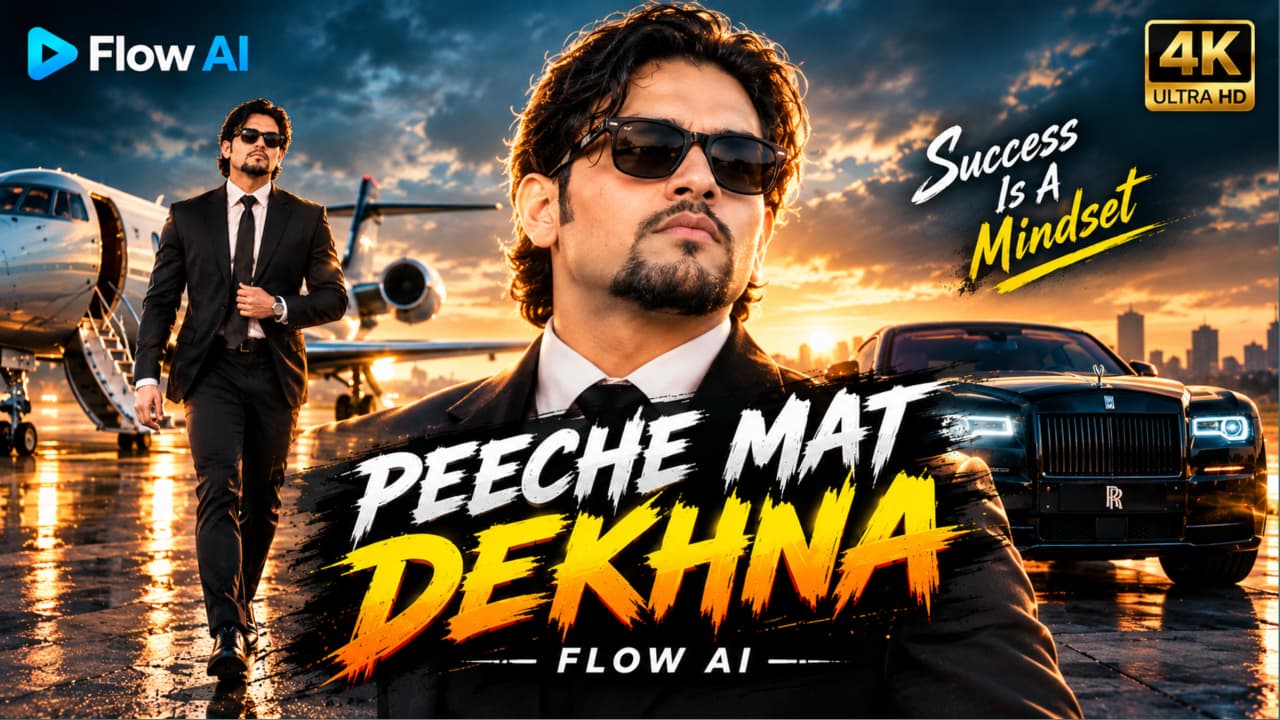
Cinematic Action Hero AI Video Prompt se aap action-movie style hero entry create kar sakte hain. Is concept ka main highlight hai ek stylish man ka slow motion mein camera ki taraf walk karna, jabki background mein orange muscle car ka dramatic explosion hota hai.
Character ke medium wavy black hair, trimmed goatee aur black Wayfarer sunglasses hain. Usne black suit, white shirt aur slim black tie pehni hai. Woh ek empty airstrip par confident walk karta hai. Walking ke dauran ek haath se suit button adjust karta hai aur explosion ki taraf mudkar nahi dekhta.
Background mein orange muscle car ek large fireball ke saath explode hoti hai. Thick black smoke, sparks aur flying debris scene ko dramatic action-film atmosphere dete hain. Golden-hour sunset lighting character ke hair aur shoulders par rim light create karti hai. High contrast, shallow depth of field aur teal-orange colour grading requested cinematic look ko complete karte hain.
Is tarah ke scene mein character aur background action ko alag visual layers ki tarah clearly describe karna helpful hota hai. AI-generated explosion mein flames, debris ya car shape inconsistent ho sakti hai. Actual video quality, resolution aur slow-motion effect selected tool ki capabilities par depend karte hain.
Exploding Car AI Video Kaise Banaye
Step 1: Flow AI ya compatible AI video generator open karein.
Step 2: Reference image support available ho to main character ki photo upload karein. Same face, hairstyle, sunglasses aur black suit maintain karne ke instructions dein.
Step 4: Main action specify karein: man camera ki taraf slowly walk karta hai, ek haath se suit button adjust karta hai aur peeche nahi dekhta.
Step 5: Background explosion ke liye large fireball, thick black smoke, sparks aur debris mention karein. Character ko foreground mein clear rakhne ko kahein.
Step 6: Golden-hour lighting, rim light, 35mm film look, shallow depth of field aur slow-motion movement add karein.
Step 7: Generated clip mein face consistency, walking movement, explosion aur car shape check karein. Errors hon to action simplify karein ya separate clips generate karein.
Step 8: Final video editor mein trim karein, suitable cinematic sound effects aur licensed music add karein, phir social media ke liye export karein.
5. Black Superbike AI Video Prompt – Cinematic Night Ride
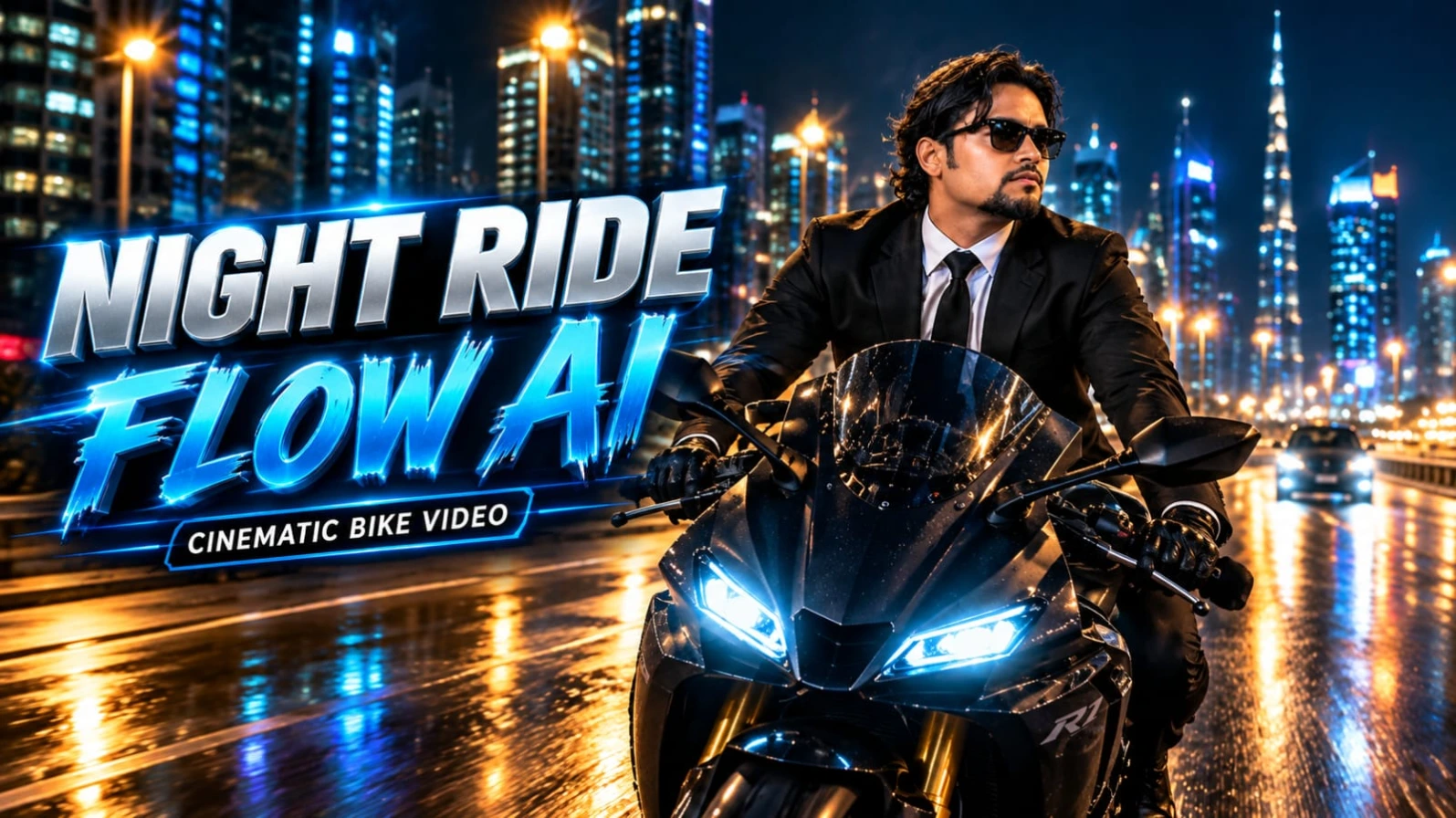
Black Superbike AI Video Prompt ek cinematic night-ride video concept hai, jismein matte black sports superbike, modern city highway aur stylish rider ka combination hai. Yeh concept action-style Reels, YouTube Shorts aur AI filmmaking experiments ke liye useful hai.
Main character ek South Asian man hai, jiske medium wavy dark hair, groomed goatee aur black Wayfarer sunglasses hain. Usne tailored black suit jacket, white dress shirt, black tie, black trousers aur black leather biker gloves pehne hain. Bike par twin white LED headlights aur red rear LED taillights hain.
Video ki opening mein camera rider ke saamne backward tracking shot leta hai, jisse rider aur motorcycle ka front clearly visible hota hai. Uske baad low-angle side tracking shots motorcycle ki shape aur illuminated city skyline ko highlight karte hain. Final wide rear-follow shot mein bike night traffic ke beech aage badhti hai.
Background mein illuminated skyscrapers, streetlights, neon reflections aur moving traffic hote hain. Road par natural light reflections aur controlled motion blur scene ko cinematic depth dete hain. Agar AI tool multiple camera angles ko ek continuous clip mein sahi generate nahi karta, to har shot ko separately generate karke editing mein combine kiya ja sakta hai.
Black Superbike AI Video Kaise Banaye
Step 1: Flow AI ya apna compatible AI video-generation tool open karein.
Step 2: Reference image option available ho to rider ki photo upload karein. Face, hairstyle, beard, sunglasses aur outfit consistency specify karein.
Step 3: Matte black sports superbike, twin white LED headlights aur red rear taillights ka detailed description dein.
Step 4: Modern city highway, illuminated skyscrapers, neon signs, streetlights aur reflective asphalt ko background mein describe karein.
Step 5: Camera shots ko sequence mein likhein: front backward tracking shot, low-angle side shots aur final rear-follow shot.
Step 6: Rider aur motorcycle ki proportions, wheel movement aur lighting consistent rakhne ki instructions dein. Agar multiple angles mein distortion aaye, to clips separately generate karein.
Step 8: Final video mein face, bike details aur road movement check karke 9:16 format mein export karein. Real-life motorcycle riding mein helmet aur road-safety rules ka hamesha palan karein.